TinyFile TinyFile
Abrir o Mini App
Funções Preços Mini App Compressor de vídeo Guia Abrir o Mini App

Prompts de foto com IA prontos para copiar e colar

Escolha um estilo, copie o prompt e cole junto com a sua foto no Mini App do TinyFile.

Abrir o Mini App Ver os prompts

Como usar um prompt

Três passos, tudo dentro do Telegram.

  1. Abra o Mini App

    Toque em Abrir o Mini App nesta página ou no botão Generate no fim do chat do @tinyfile_bot. Os prompts funcionam na aba Image.

  2. Anexe a sua foto

    Toque em + e escolha uma foto do seu aparelho – ou duas, quando o cartão pedir.

  3. Cole o prompt

    Toque em Copiar prompt em um cartão, cole no campo do prompt e toque em Generate. O texto entre [colchetes] você troca pelo seu.

Escolha um estilo

Cada cartão mostra o que anexar, o resultado e o prompt por trás dele.

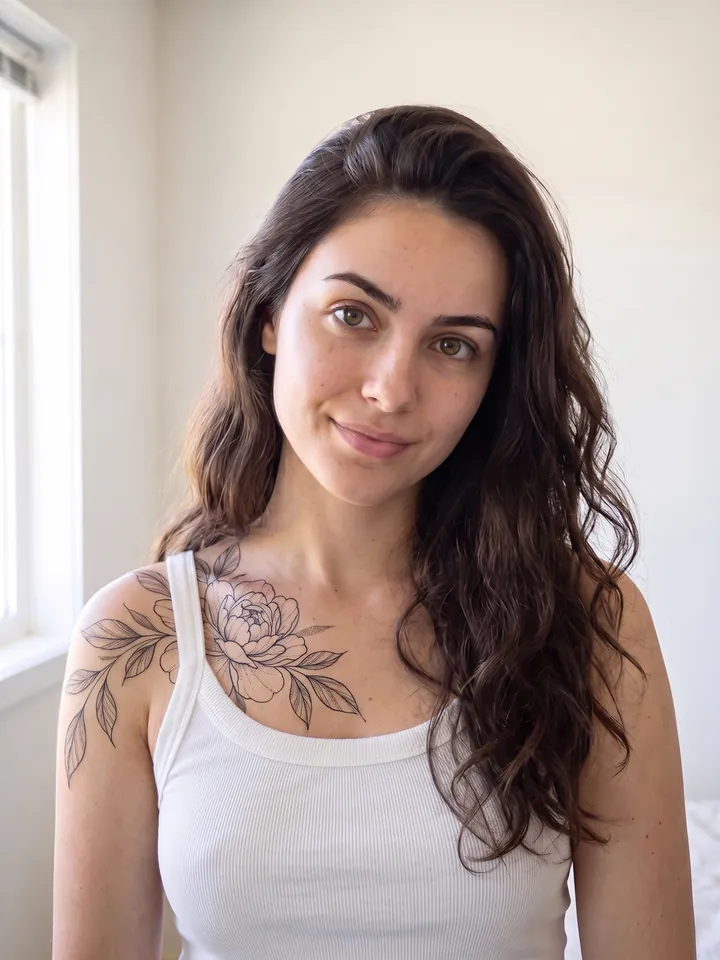
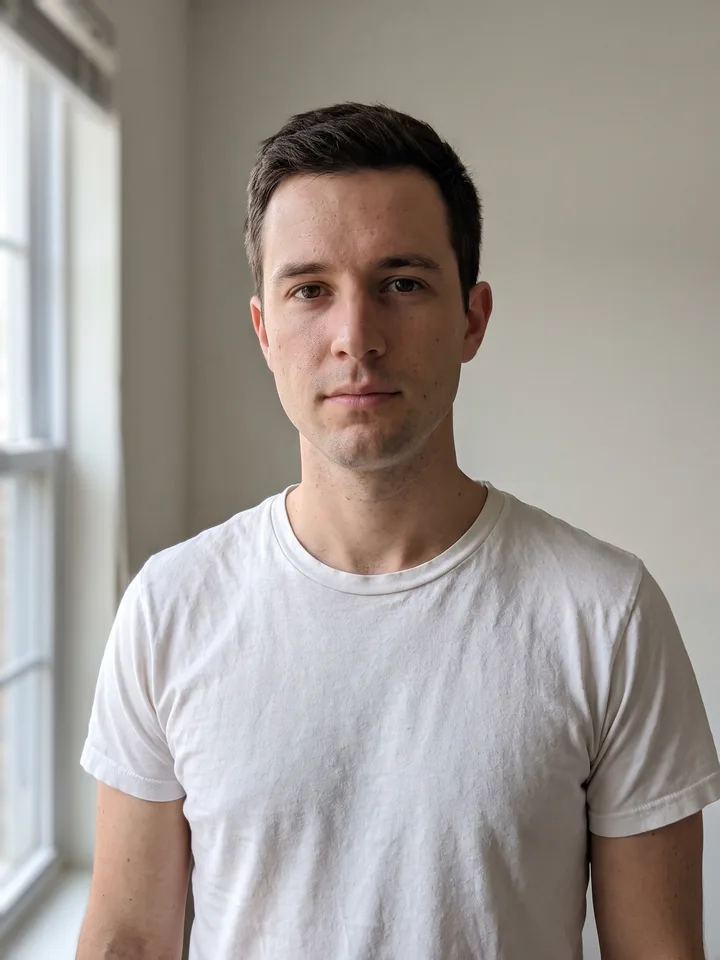
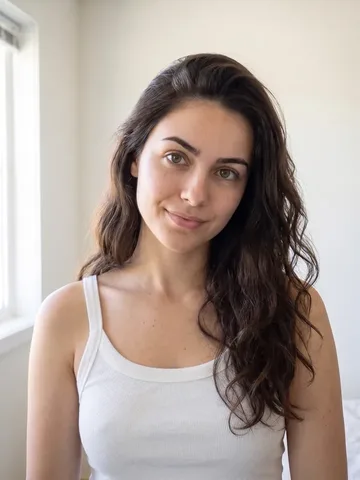
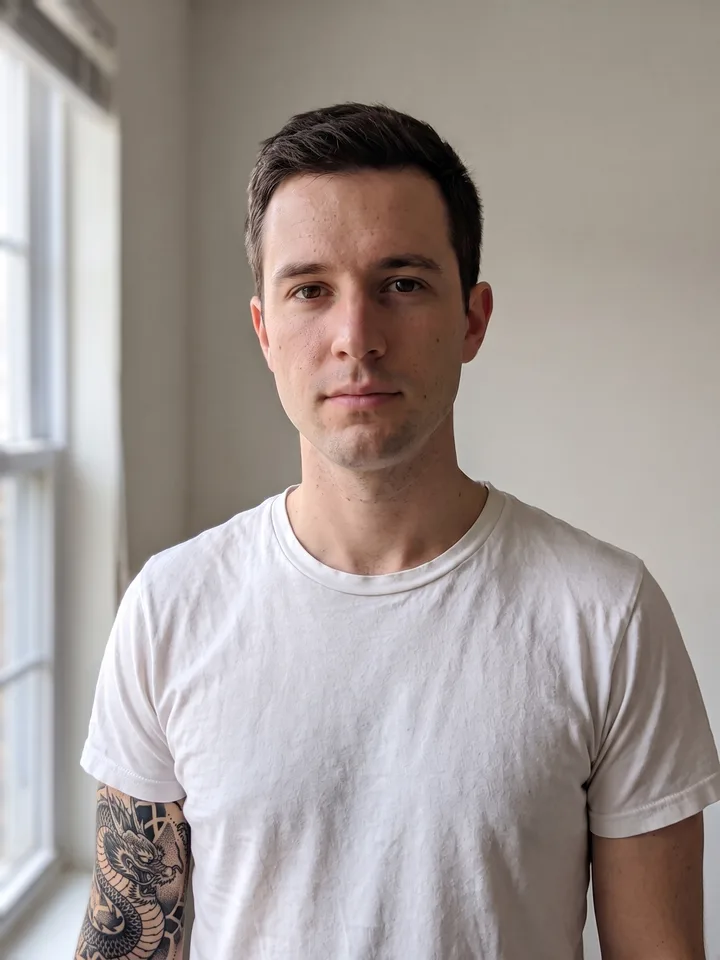
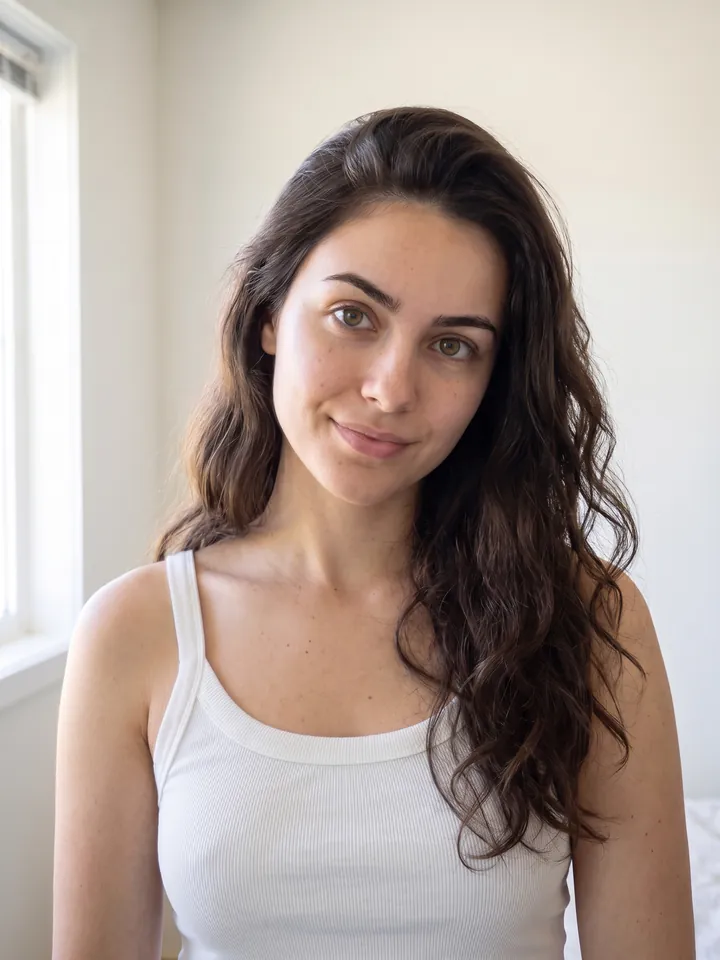
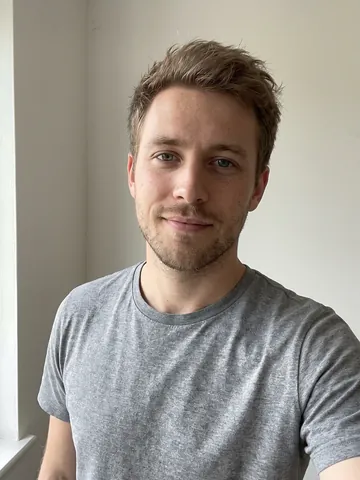
The source photo: a neutral portrait used as the input of every scenario
A foto original Todos os resultados abaixo saíram desta única foto.
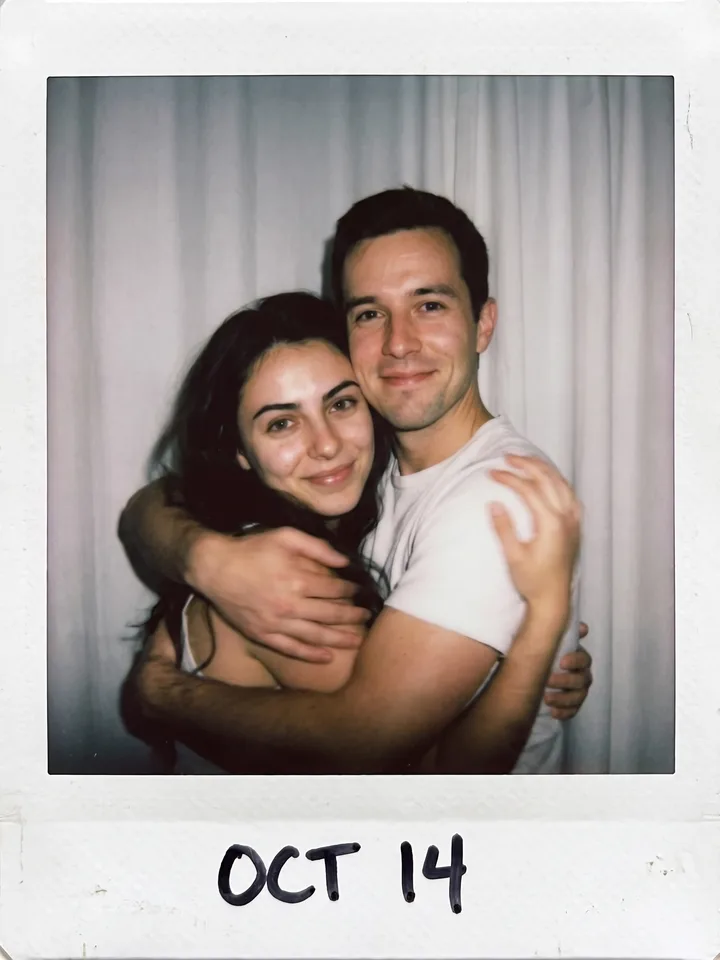
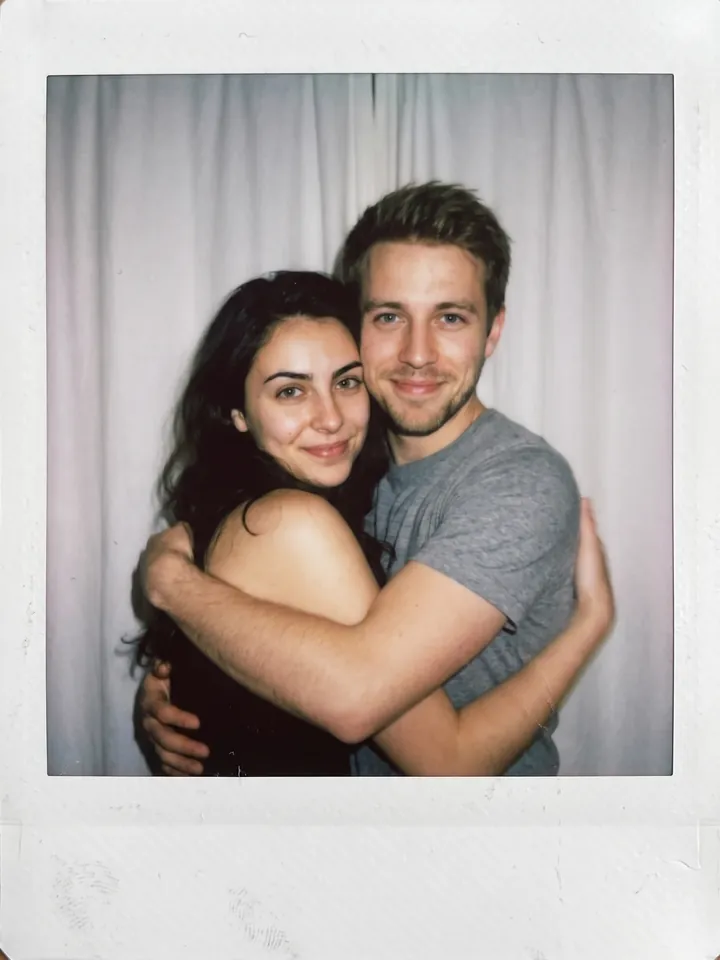
Polaroid-style snapshot of two people hugging, made from the reference photo 01

Momento Polaroid com quem você quiser

Duas fotos – a sua e a da outra pessoa (um ator, um amigo, um ídolo)

Make the photo of the two people look like a real Polaroid snapshot. The mood is spontaneous and alive, as if the shot was caught without posing. Add slight motion blur and the soft light of a flash in a dark room. Do not distort the faces – keep them as in the source photos. Replace the background with a plain white curtain. The two are hugging and looking straight into the camera, the moment is intimate and natural.
Abrir o Mini App
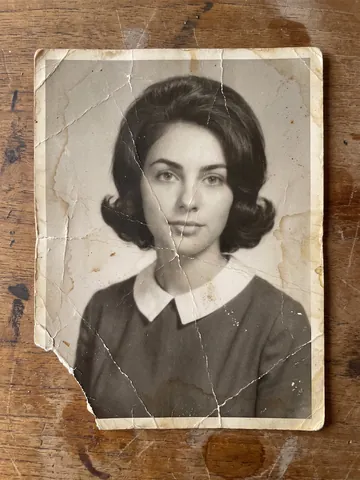
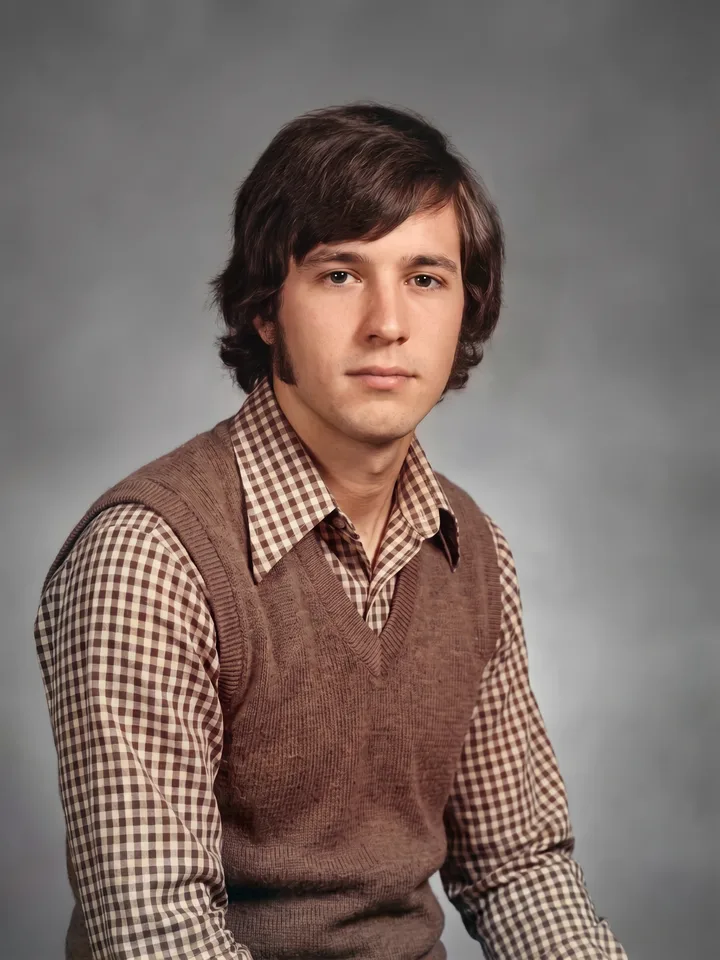
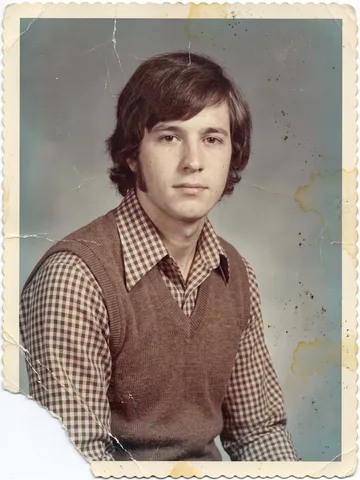
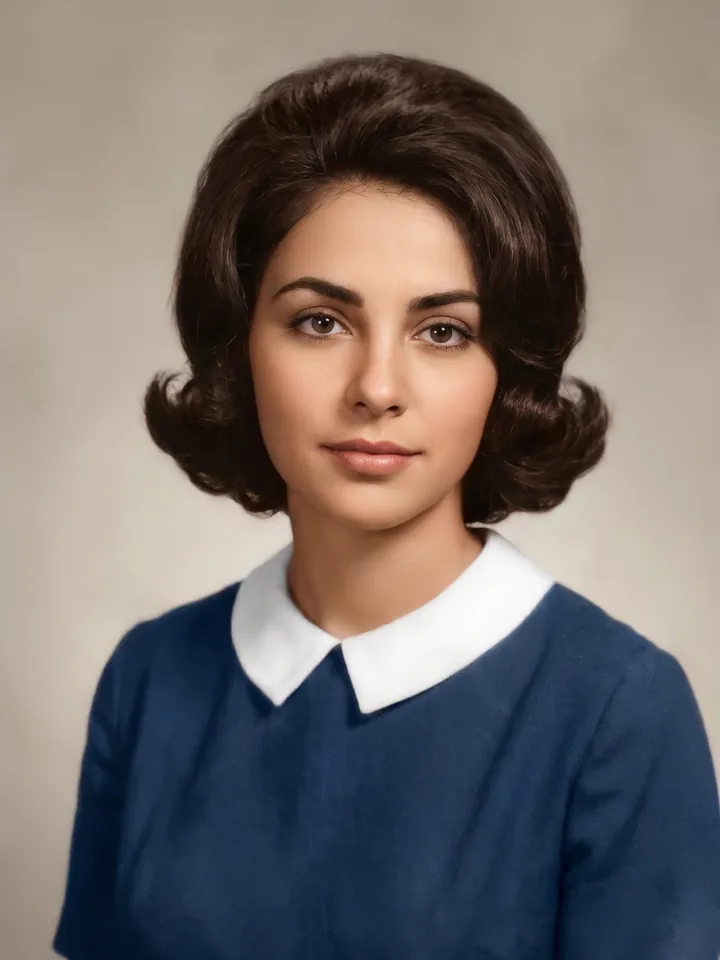
Old photo restored and colorized 02

Restaure uma foto antiga

Uma foto antiga, desbotada ou danificada

Colorize the photo, repair the damage, improve quality and resolution. Remove everything around the edges and keep only the photograph itself. Preserve the faces and the atmosphere of the original.
Abrir o Mini App
The reference photo with a tattoo added to the skin 03

Tatuagem virtual

Uma foto com a pele à mostra – ombro, pescoço, braço ou costas

Add a tattoo to the skin in [style: blackwork / watercolor / minimalism / old school / Japanese] style, theme – [for example: dragon, flowers, geometry]. Place it on the [neck / forearm / back]. Do not change the face or the background, improve quality and resolution.
Abrir o Mini App
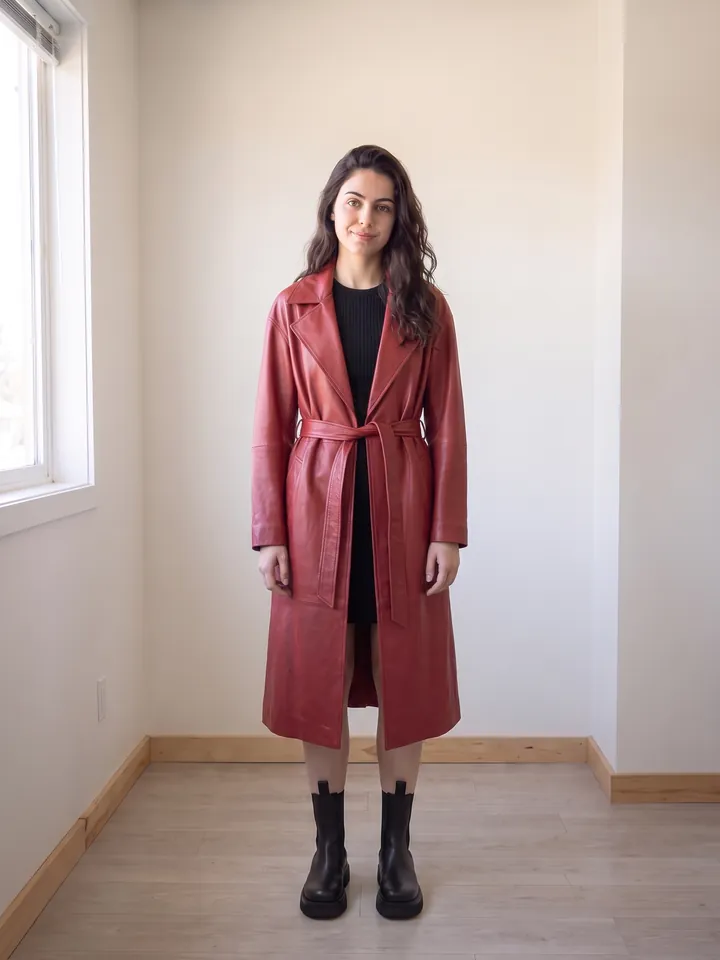
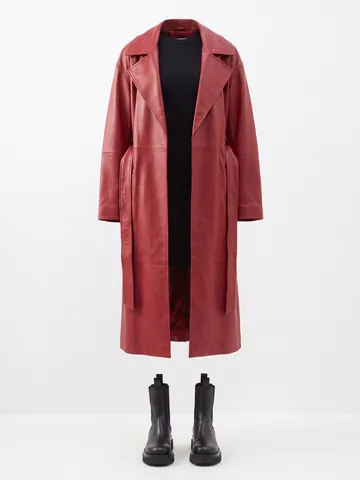
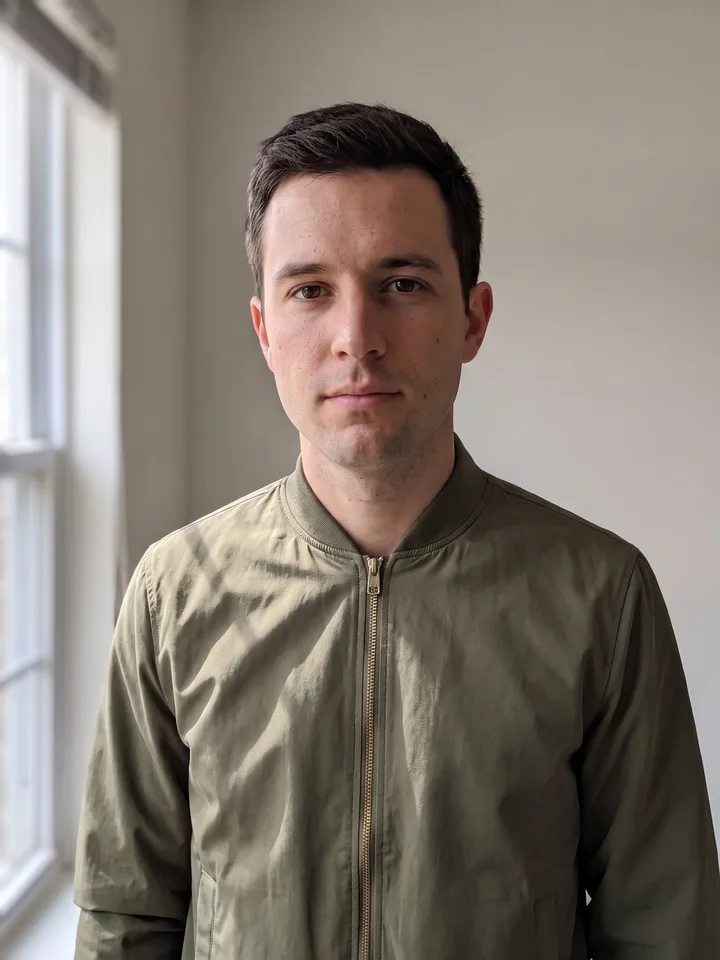
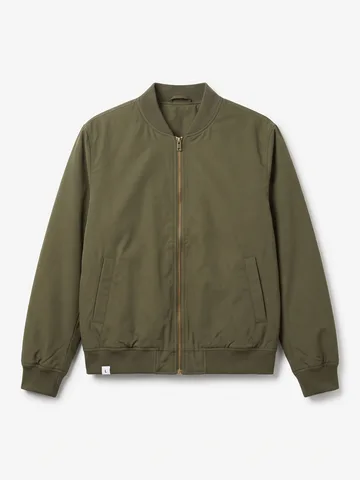
The person from the reference photo wearing the item from a product card 04

Provador virtual de roupas

Duas fotos – a sua e a da peça (serve o anúncio de um marketplace)

Replace the person's clothing in the input image with the target clothing shown in the reference image. Keep the person's pose, facial expression, background, and overall realism unchanged. Make the new outfit look natural, well-fitted, and consistent with lighting and shadows. Do not alter the person's identity or the environment – only change the clothes.
Abrir o Mini App
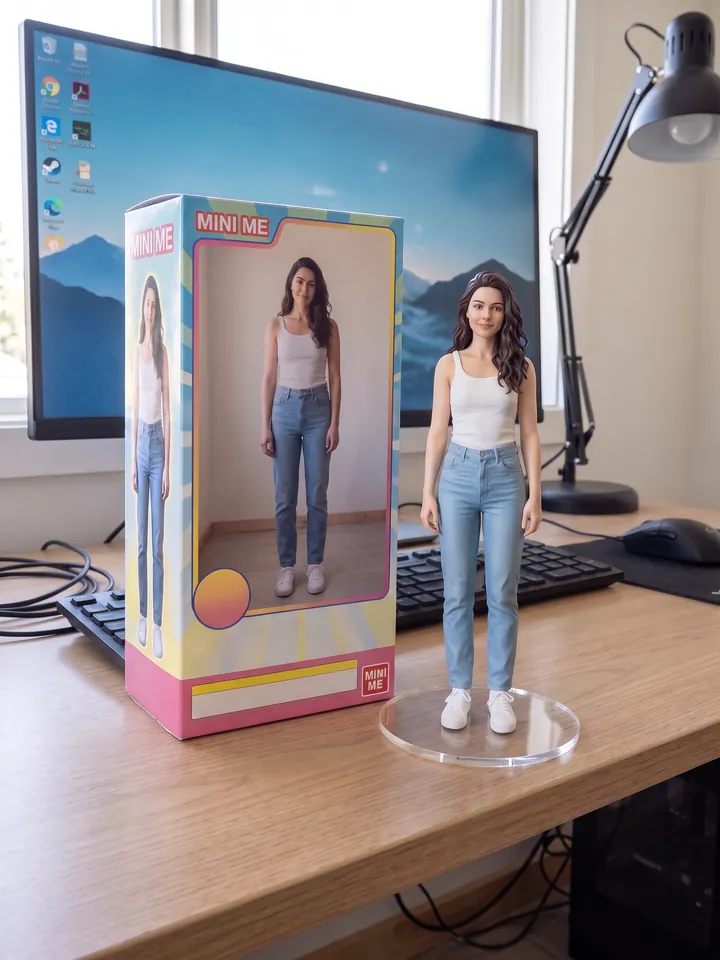
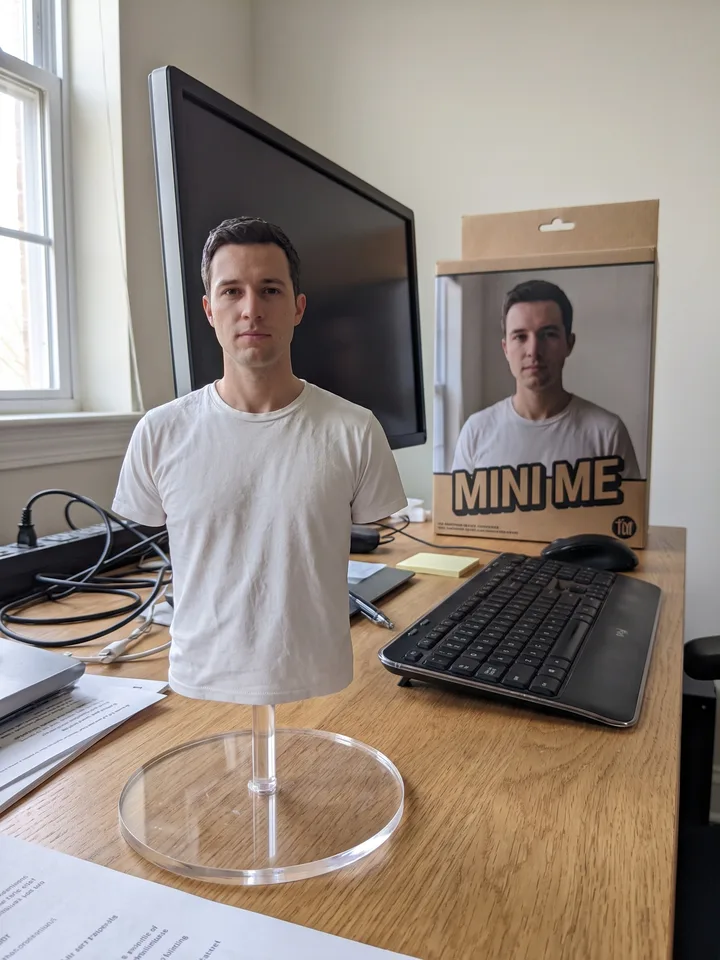
1/7 scale collectible figure of the person on a desk, next to its box 05

Seu boneco colecionável

Uma foto nítida de corpo inteiro ou da cintura para cima

Create a 1/7 scale commercialized figure of the character in the photo, in a realistic style and environment. Place the figure on a computer desk on a circular transparent acrylic base without any text. Next to the screen, place a BANDAI-style toy packaging box printed with the original artwork.
Abrir o Mini App
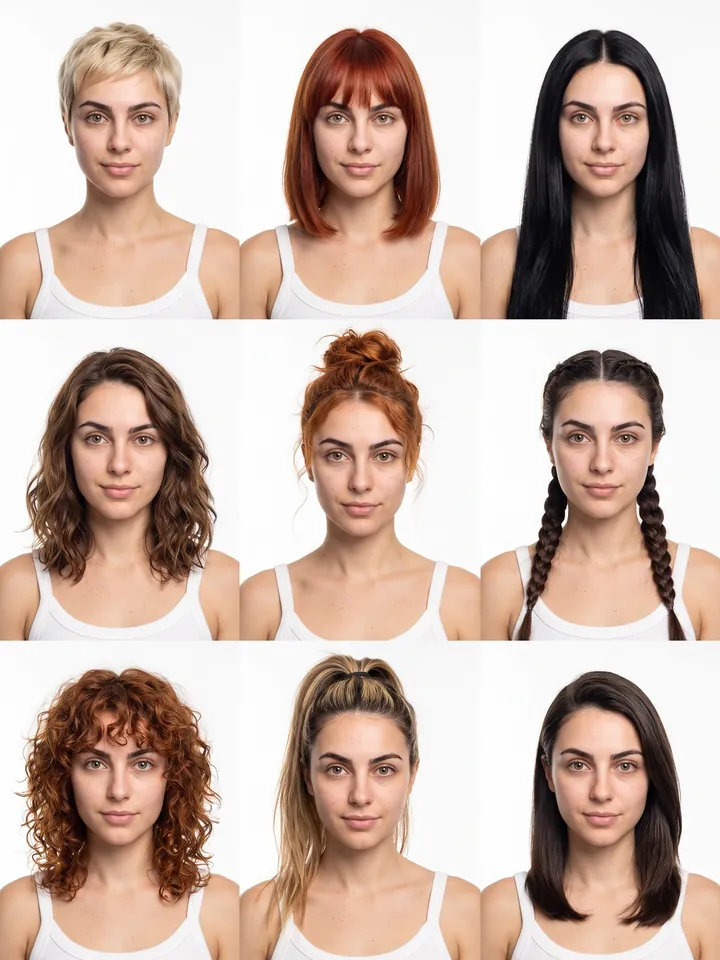
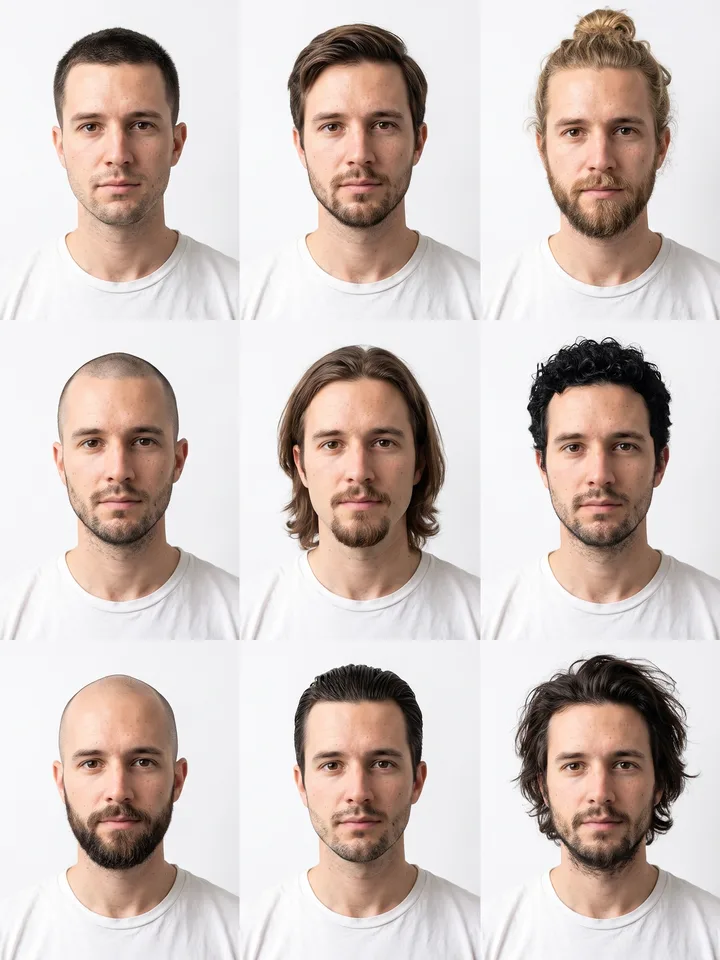
3x3 grid of the same face with nine hairstyles 06

Catálogo de penteados 3×3

Uma selfie neutra

Generate a 3x3 grid of avatars of this person with 9 different hairstyles. Keep the face identical in every cell, vary only the hair (length, color, styling). Clean white background, soft studio light.
Abrir o Mini App
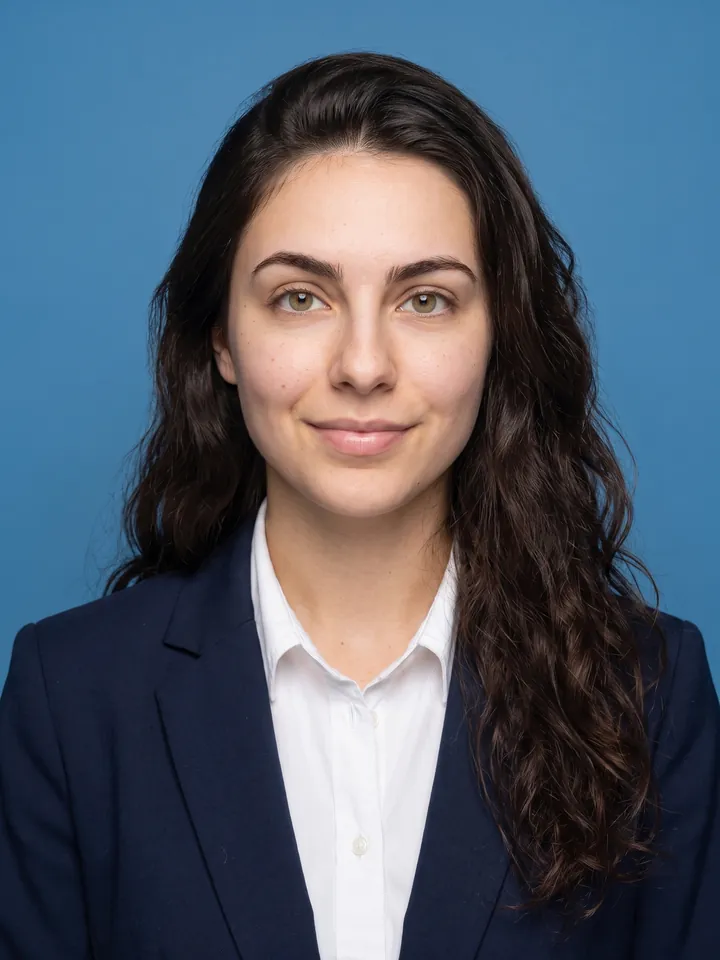
ID photo on a blue background in business attire 07

Foto 3x4 em 5 segundos

Qualquer selfie

Crop the head and create a 2-inch ID photo with: 1) Blue background 2) Professional business attire 3) Frontal face 4) Slight smile 5) Even neutral studio lighting.
Abrir o Mini App
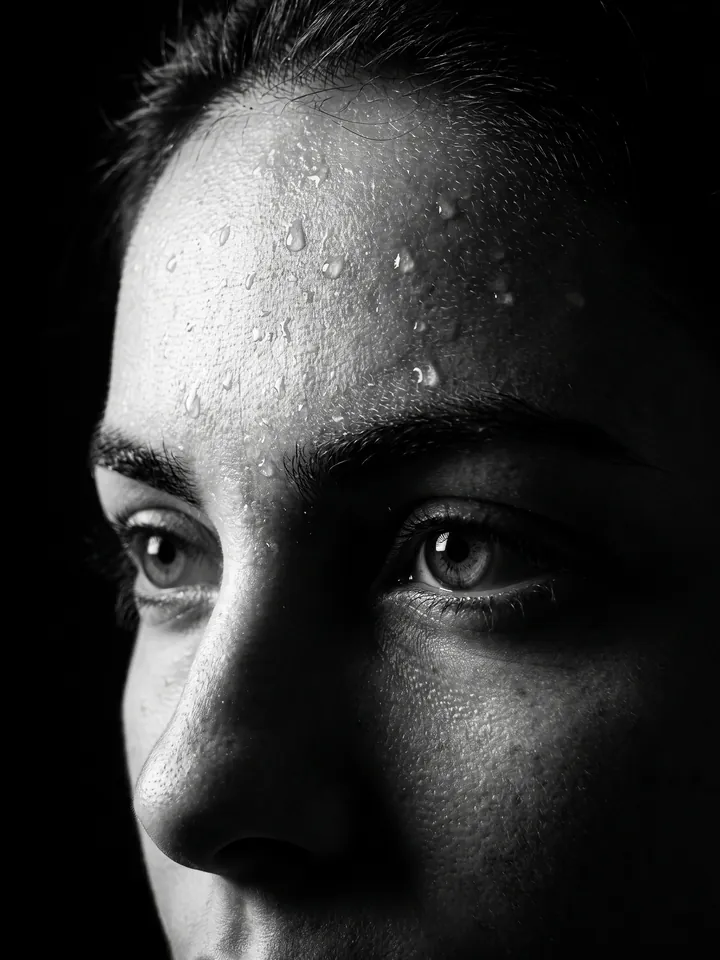
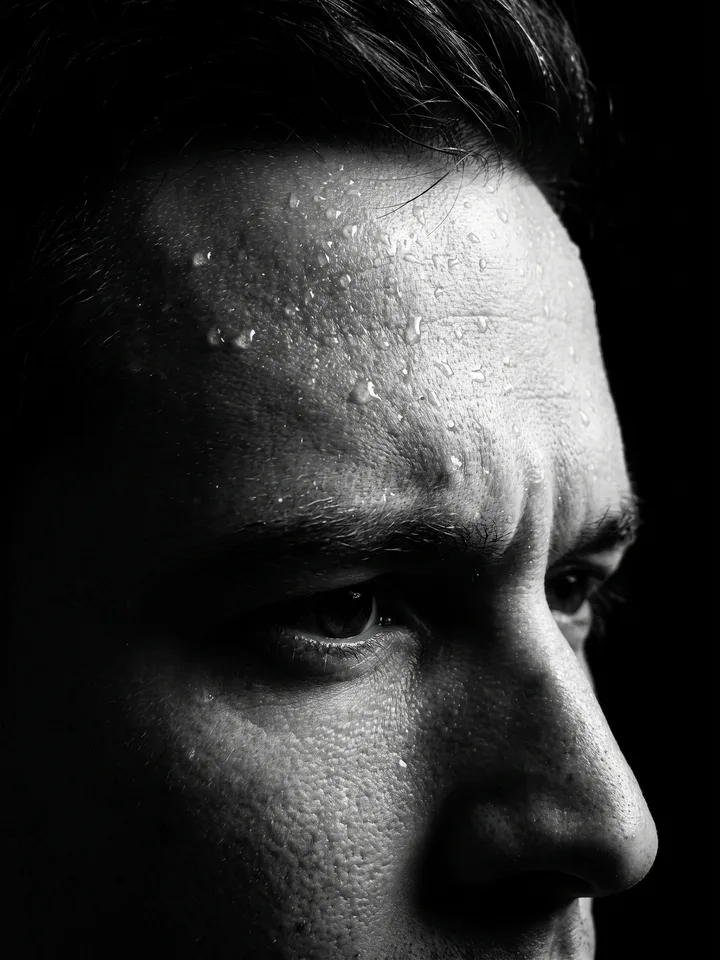
Black-and-white close-up portrait with water droplets on the face 08

Retrato dramático em P&B com gotas de água

Um retrato em close

A high-contrast close-up portrait of my face focusing on the forehead, in black and white. 35mm lens, 4K HD quality. Proud expression. Water droplets on the face. Black shadow background, only the face visible with sharp profile. Ratio 4:3.
Abrir o Mini App
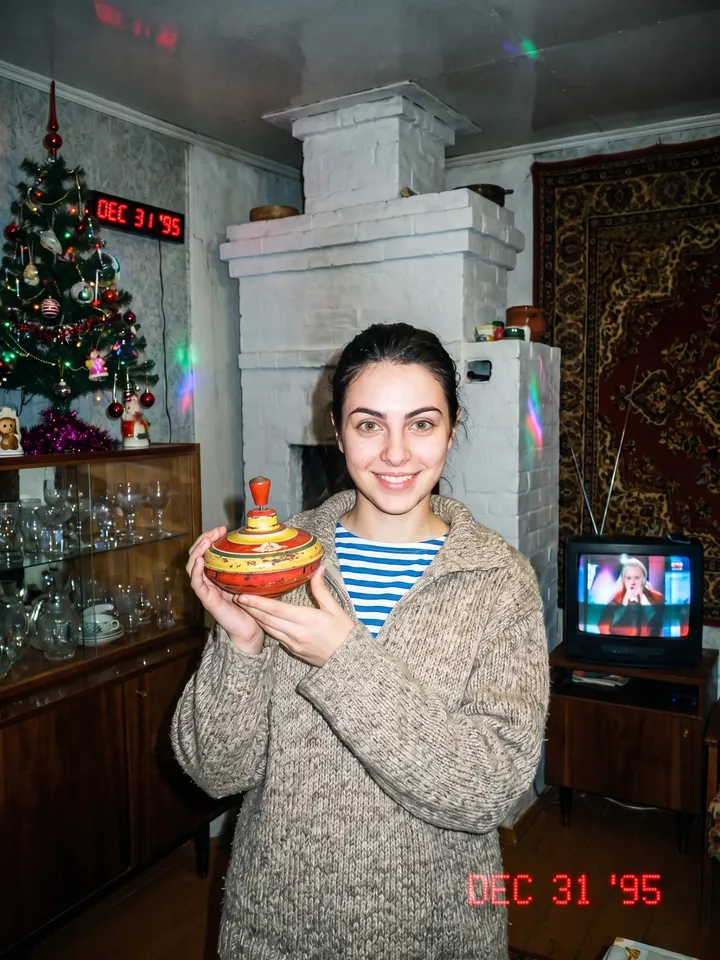
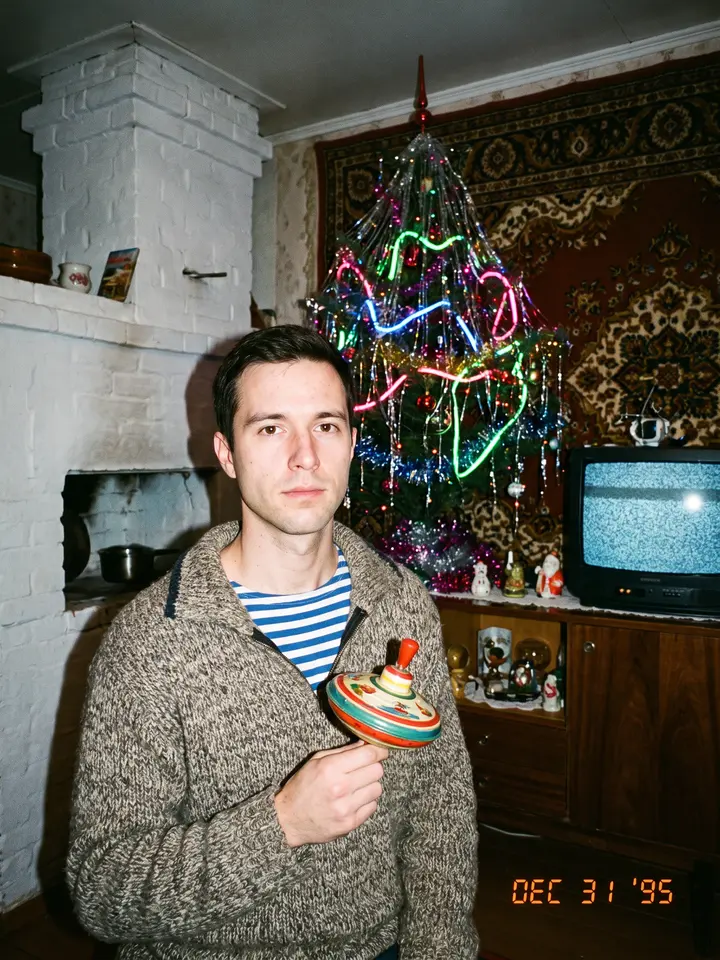
1990s flash snapshot in a village room with a carpet on the wall 09

Álbum de família pós-soviético dos anos 90

Um retrato

Take the uploaded portrait and restyle it as a 1990s snapshot. A wool sweater with a striped telnyashka underneath, a Soviet toy in the hands. Background – a village interior with a white stove, a carpet on the wall, a New Year tree, a sideboard, an old TV. Harsh direct flash, film grain, muted colors with neon accents. A family album from 1995.
Abrir o Mini App
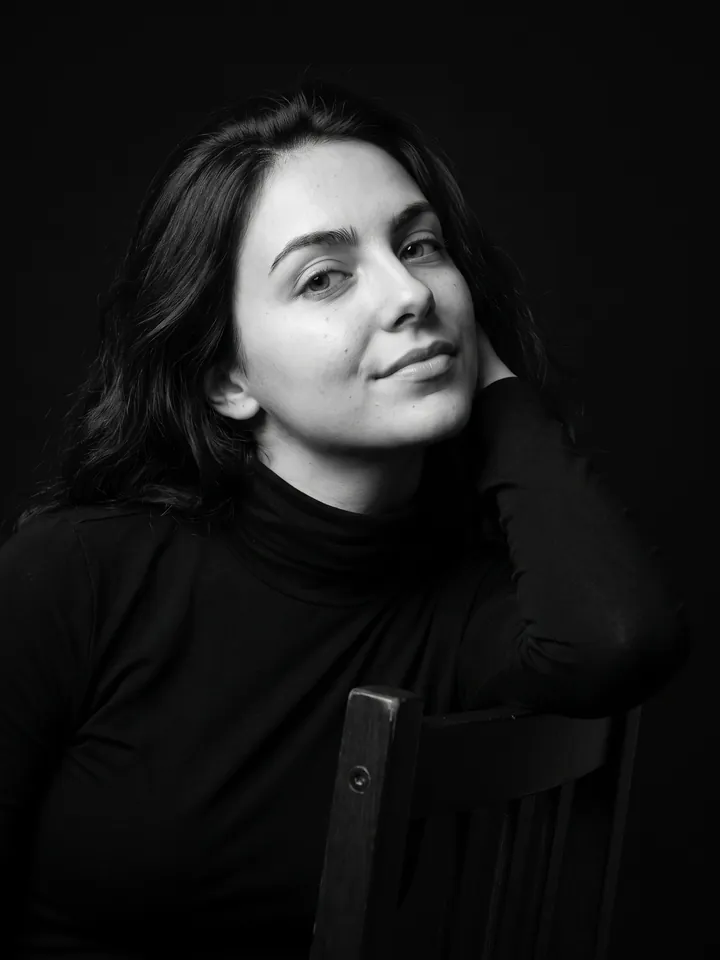
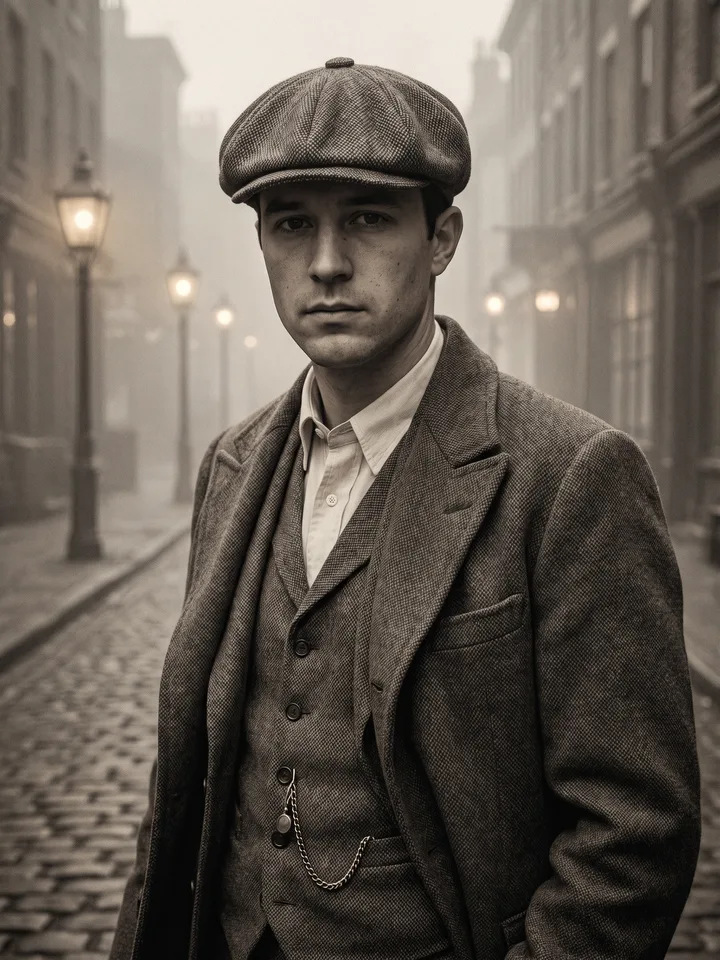
Black-and-white studio portrait of a person leaning on a chair 10

Retrato de moda cinematográfico

Um retrato

Ultra-realistic studio portrait of a person leaning gracefully on the backrest of a chair, dressed in a sleek dark outfit. Subtle low-angle shot accentuating facial features and a confident expression. Cinematic black-and-white grade with refined skin tones. Solid black background, sharp 8K details, dramatic and lifelike effect.
Abrir o Mini App
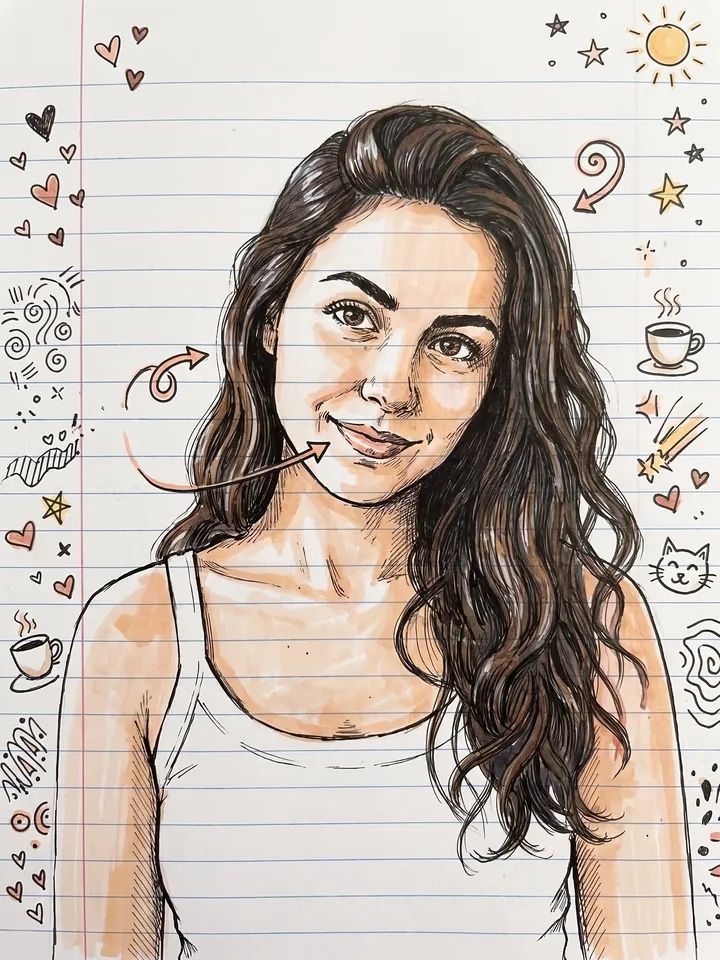
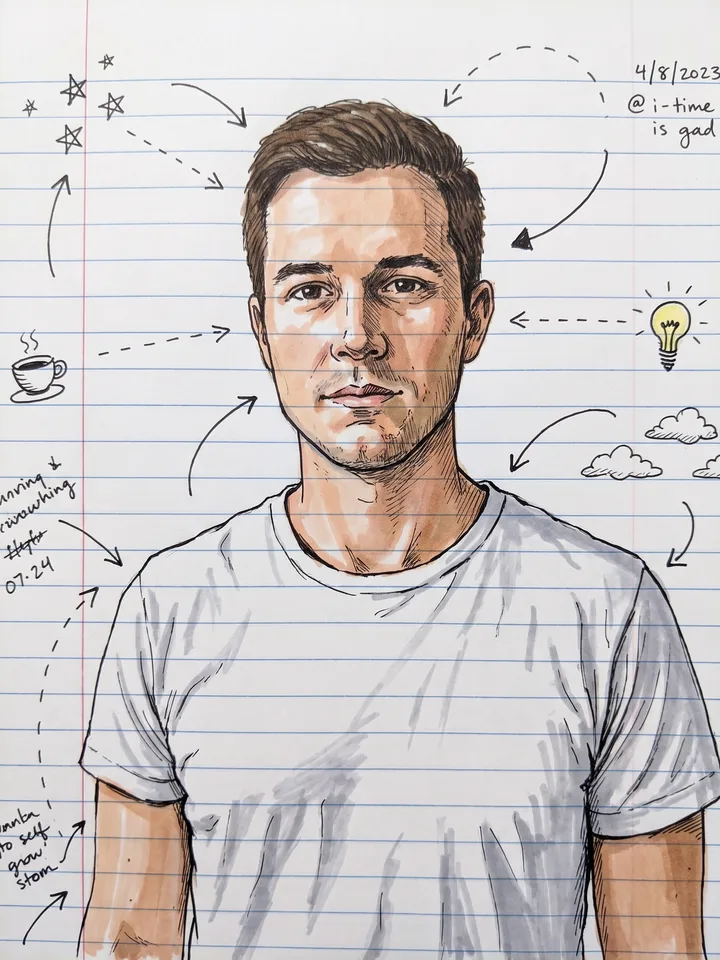
Pen-and-marker doodle portrait on ruled notebook paper 11

Rabisco de caderno

Uma selfie

Turn my portrait into a pen-and-marker notebook doodle on ruled paper, with playful arrows and tiny margin sketches. Keep my face recognizable.
Abrir o Mini App
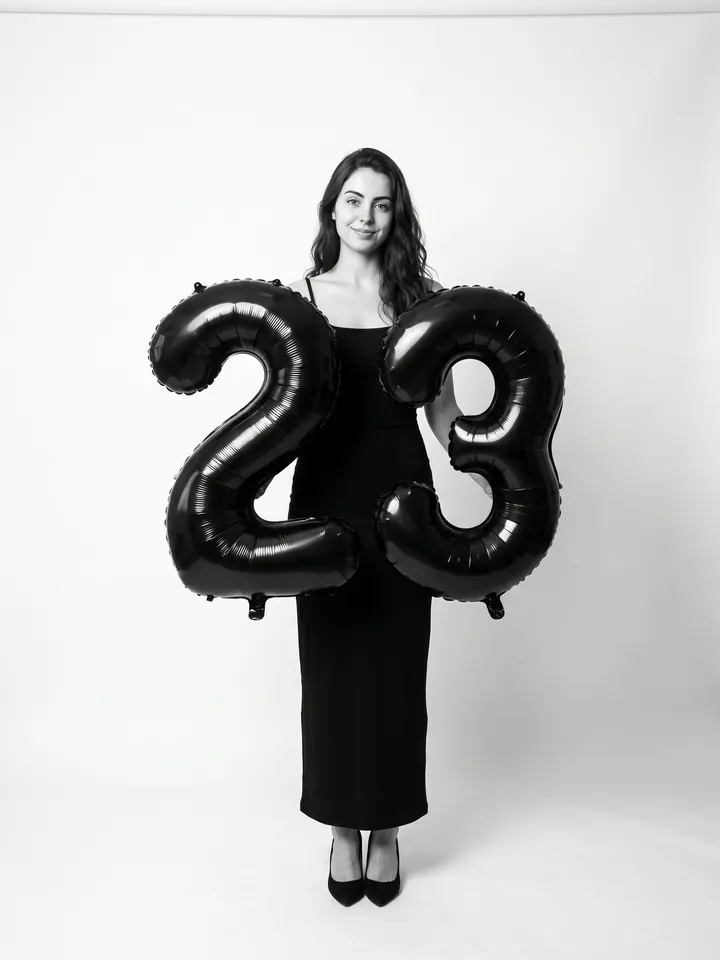
Studio birthday portrait with black number balloons 12

Ensaio de aniversário

Uma foto de corpo inteiro ou da cintura para cima

Use the person's appearance 1:1 – face, skin, hair and body unchanged. Full-length shot in a professional photo studio on a seamless white background. Camera at eye level, slightly below. In the hands – large black foil balloons shaped as the number "[your age]". A fitted long black dress with thin straps, black pumps. Soft even studio light from the front, natural shadows. Minimalist fashion portrait, black-and-white grade with natural skin tones.
Abrir o Mini App
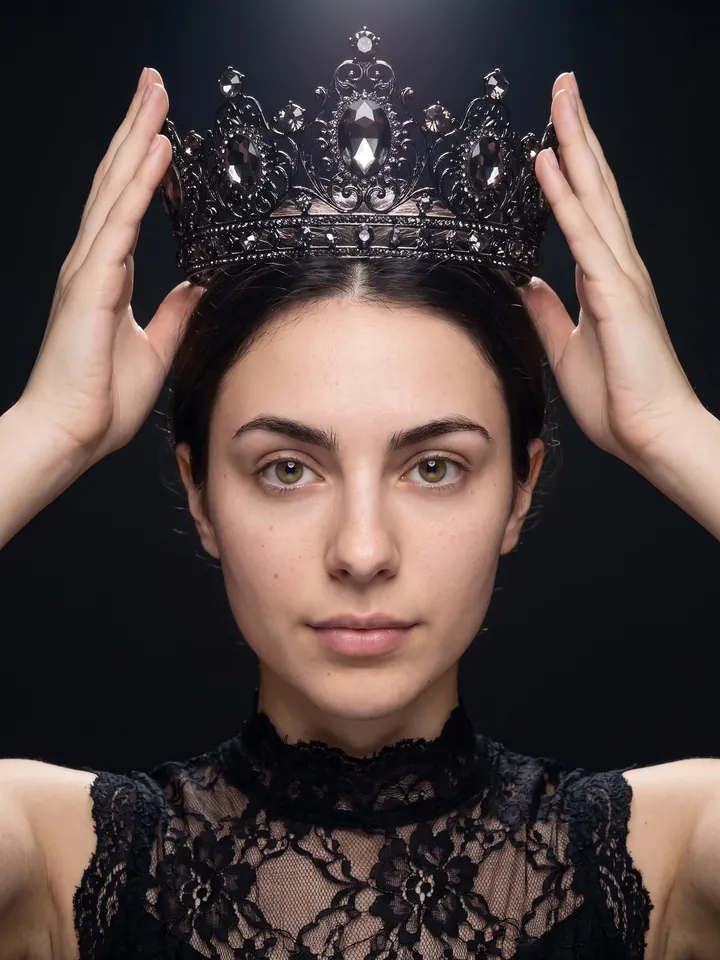
Fashion portrait holding a black crown above the head 13

A trend da coroa

Um retrato

Fashion portrait: I hold a black crown with rich filigree and large sparkling stones above my head. The light falls from above. The dress is delicate black lace with a high neck, the frame is cropped at the shoulders. The background is dark and minimalist.
Abrir o Mini App
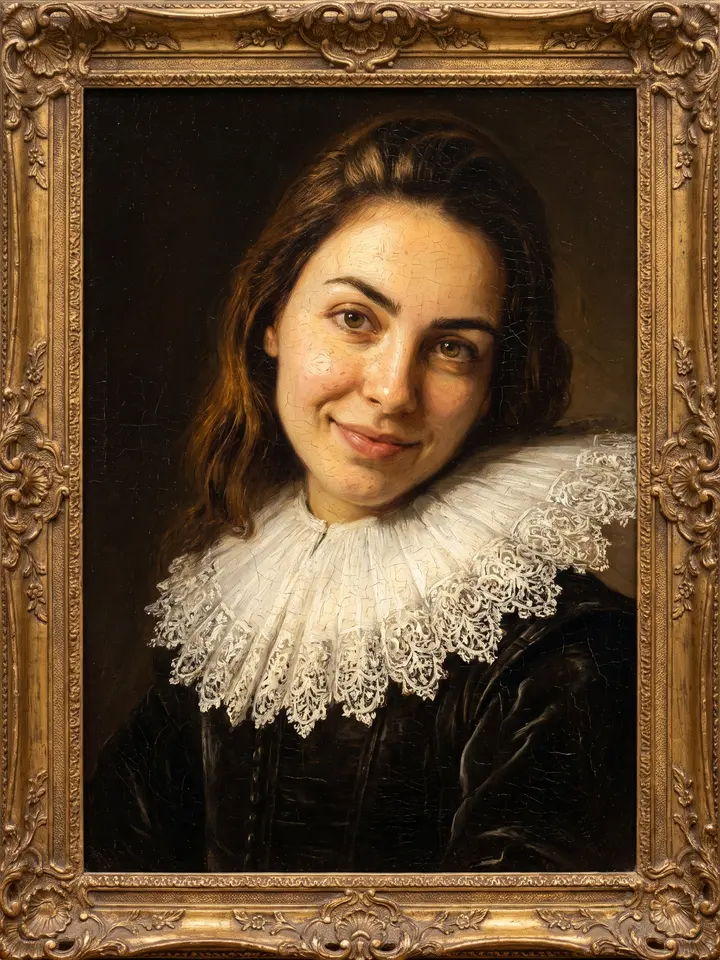
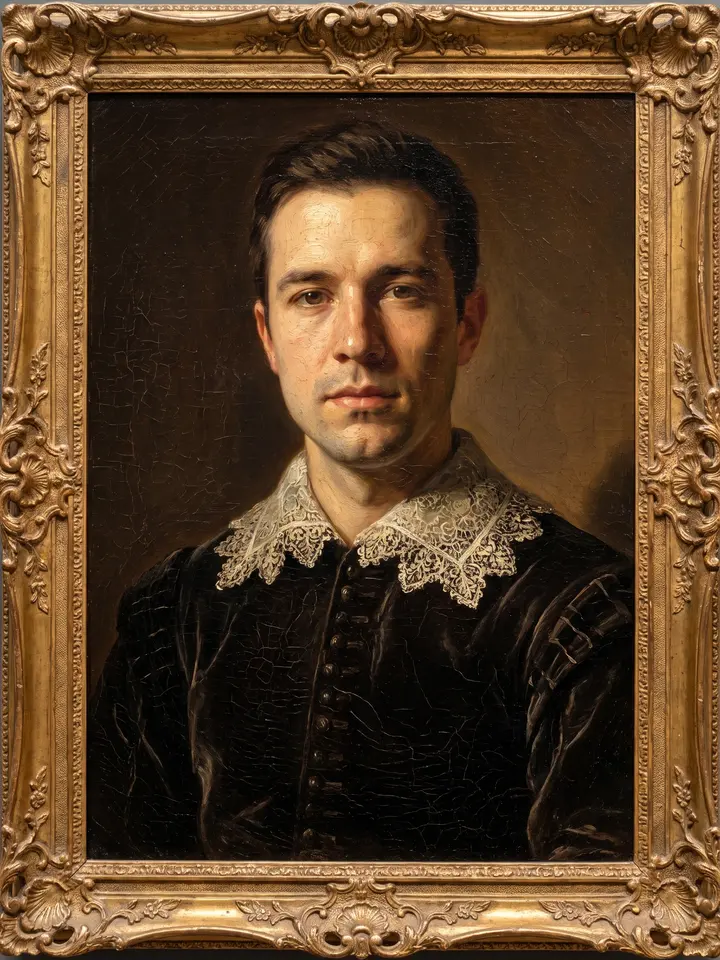
Portrait repainted as a 17th-century oil painting in a gilded frame 14

Retrato a óleo, como os grandes mestres

Um retrato

Repaint me as a 17th-century oil portrait in the manner of the old masters: visible brushwork and impasto, warm chiaroscuro with a single light source from the left, deep umber background, dark velvet clothing with a lace collar. Keep my face exactly as in the photo. Fine craquelure on the varnish, canvas texture, the look of a museum piece in a carved gilded frame.
Abrir o Mini App
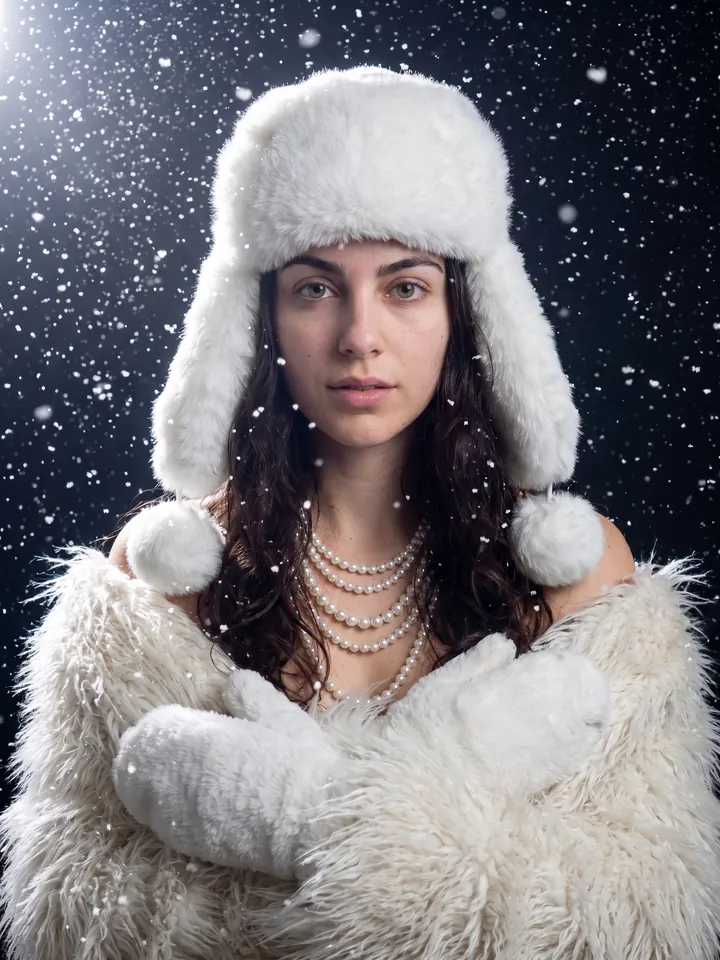
Winter portrait in white faux fur and pearls under falling snow 15

Glamour de inverno – pele, pérolas e flocos de neve

Um retrato

Use the user's face 1:1 without any changes. Glamorous winter portrait, medium slightly low-angle shot. Big fluffy white faux fur ushanka with ear flaps and pom-poms. Multiple lustrous white pearl strands as chokers and long necklaces. Wrapped in shaggy white faux fur, hands in matching white fur mittens. Wavy hair flowing from under the hat. Heavy fall of bright white snowflakes, magical ethereal atmosphere. Dramatic top-left lighting catching highlights on fur, pearls, hair and face. Dark out-of-focus background.
Abrir o Mini App
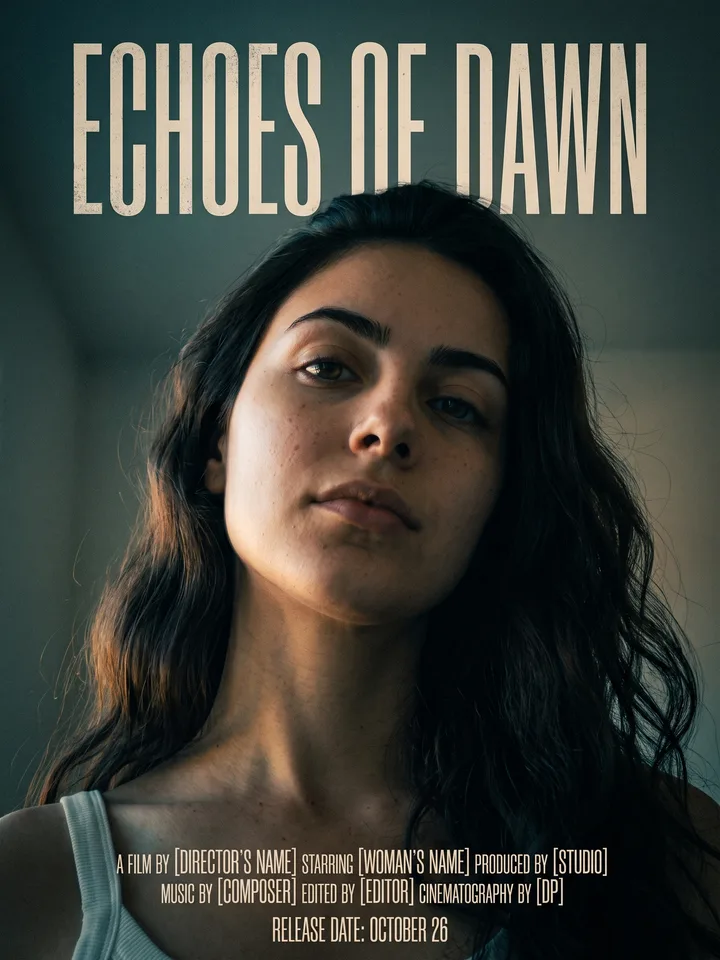
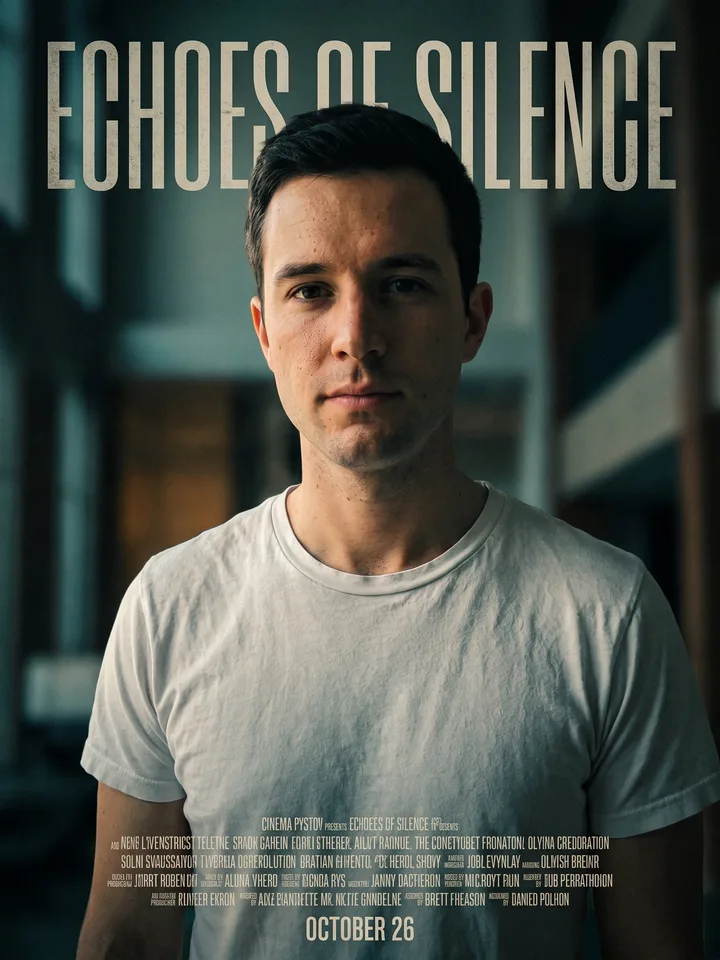
Cinema poster with the person in close-up and an invented film title above 16

Pôster do seu próprio filme

Um retrato

Turn my photo into a cinema poster: I am shot from a low angle in the centre of the frame, dramatic side light, an invented film title in a tall condensed typeface above me, a block of small credits at the bottom, a release date line, muted teal and amber grade, fine film grain. Keep my face exactly as in the photo.
Abrir o Mini App
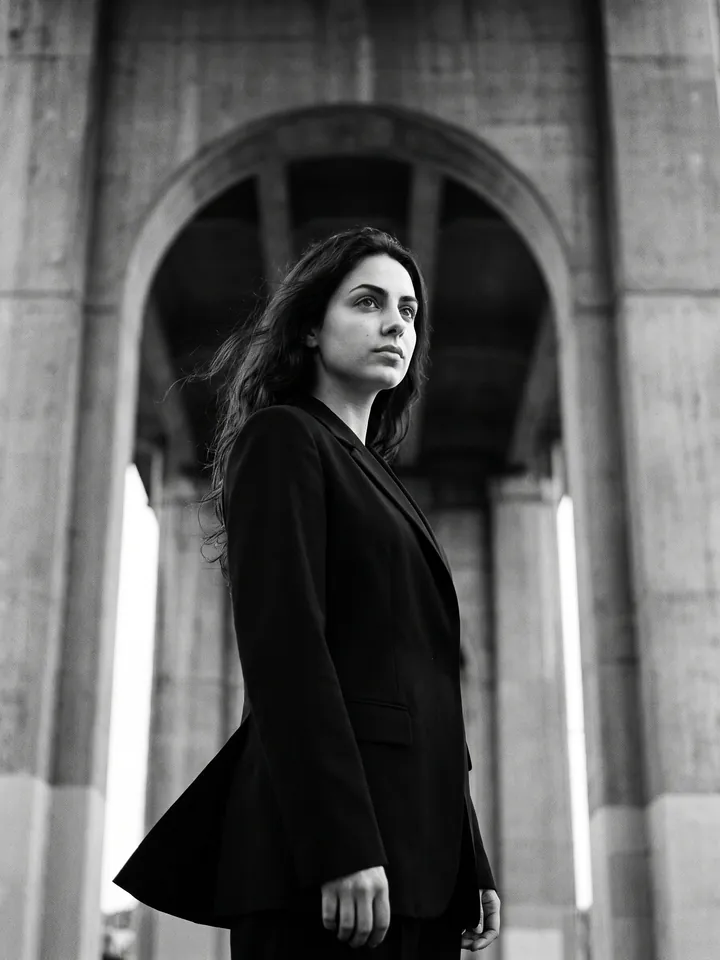
Black-and-white fashion shot in a black blazer by a concrete arch 17

P&B no estilo de Yohji Yamamoto

Um retrato de corpo inteiro ou da cintura para cima

Black-and-white cinematic fashion photography in the raw style of Yohji Yamamoto. Industrial brutalist setting with a massive grey concrete arch in the background. Model seen from a low angle, portrait from the waist up, gazing into the distance. Wearing a sharply tailored matte black Yohji Yamamoto blazer, minimalist and structured. Subtle wind moving the fabric. Mood: raw, contemplative, timeless, anti-gloss. Analog film grain, high contrast, cinematic depth. Shot on 85mm, f/2.8, ISO 400, 1/125s. Ultra-detailed, photorealistic.
Abrir o Mini App
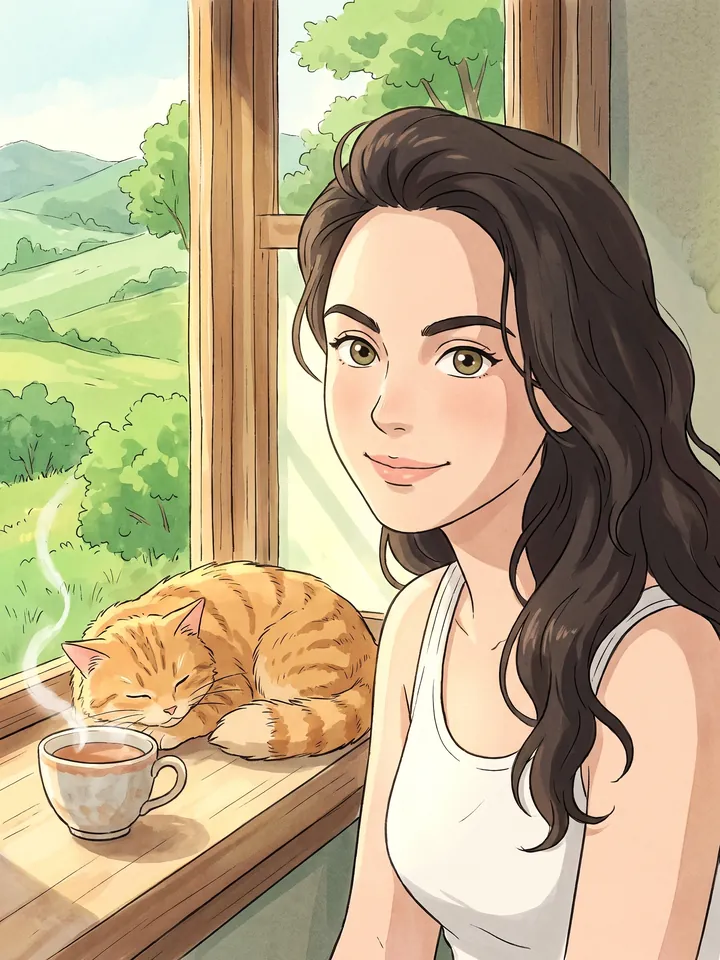
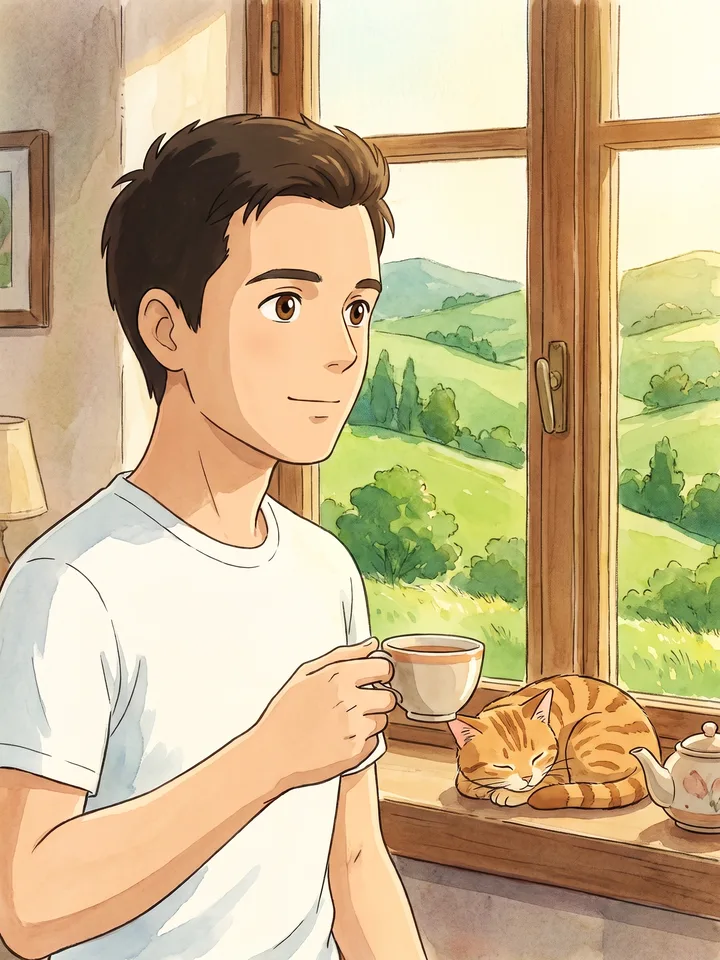
Studio Ghibli style character by a window with a cat and a cup of tea 18

Você em anime / Studio Ghibli

Uma selfie

Turn me into a Studio Ghibli style character: soft watercolor fills, clean line work, kind big eyes, the face stays recognizable. Place me in a cozy scene – a window looking out on summer hills, a lazy cat and a cup of tea on the windowsill. Warm daylight.

Abrir o Mini App
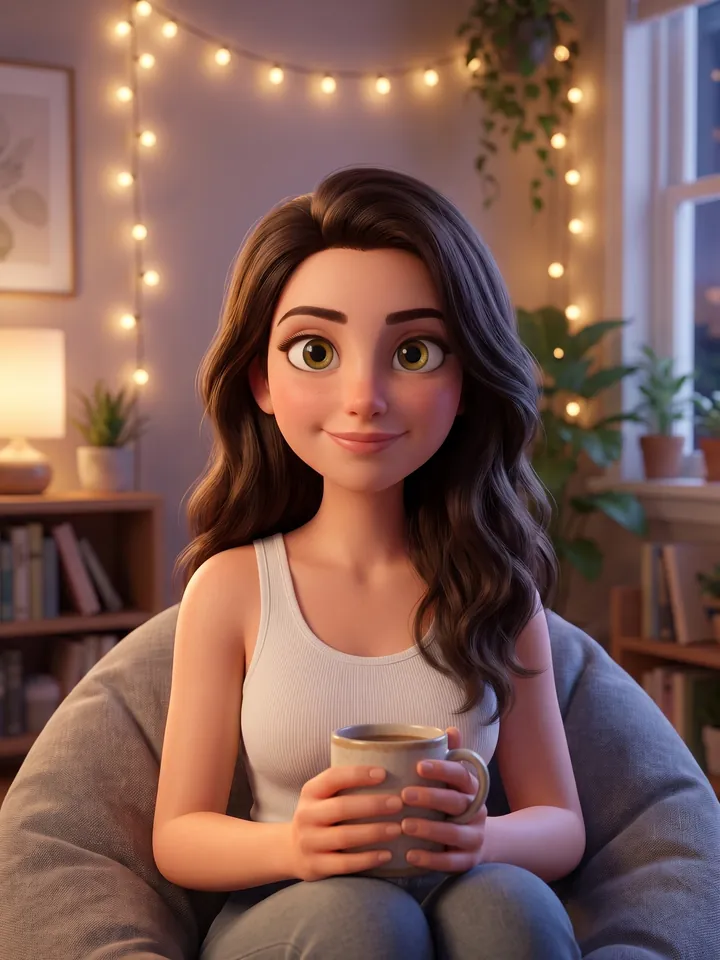
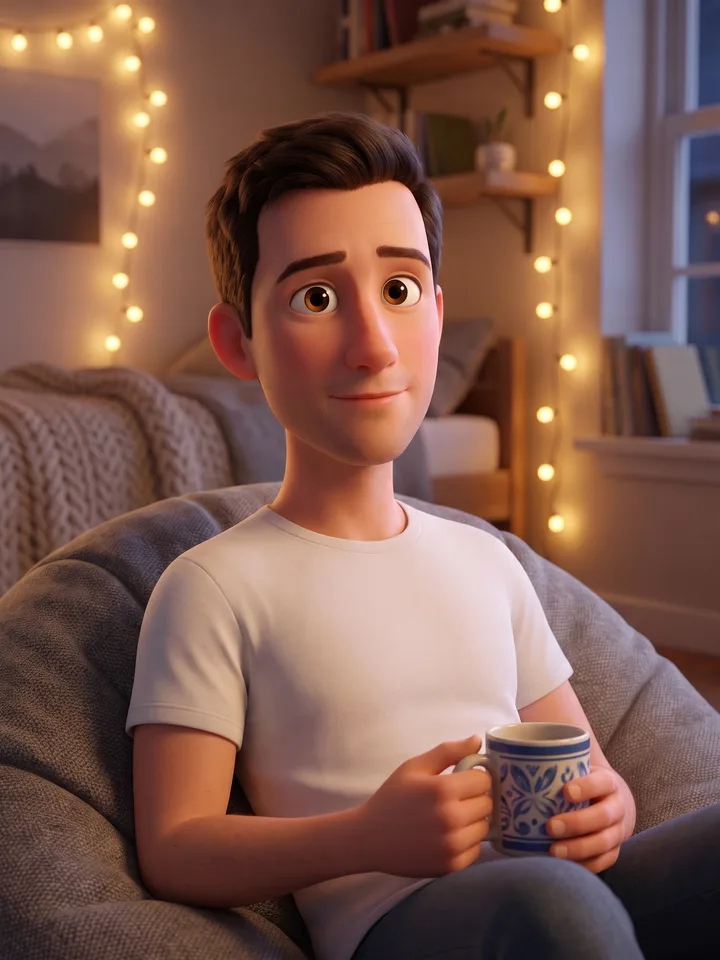
3D Pixar-style character on a beanbag with a mug 19

Personagem 3D no estilo Pixar

Uma selfie

Turn me into a 3D Pixar-style character: large expressive eyes, soft rounded shapes, realistic lighting, recognizable facial features. Scene: a cozy room with fairy lights, I sit on a beanbag with my favorite mug.
Abrir o Mini App
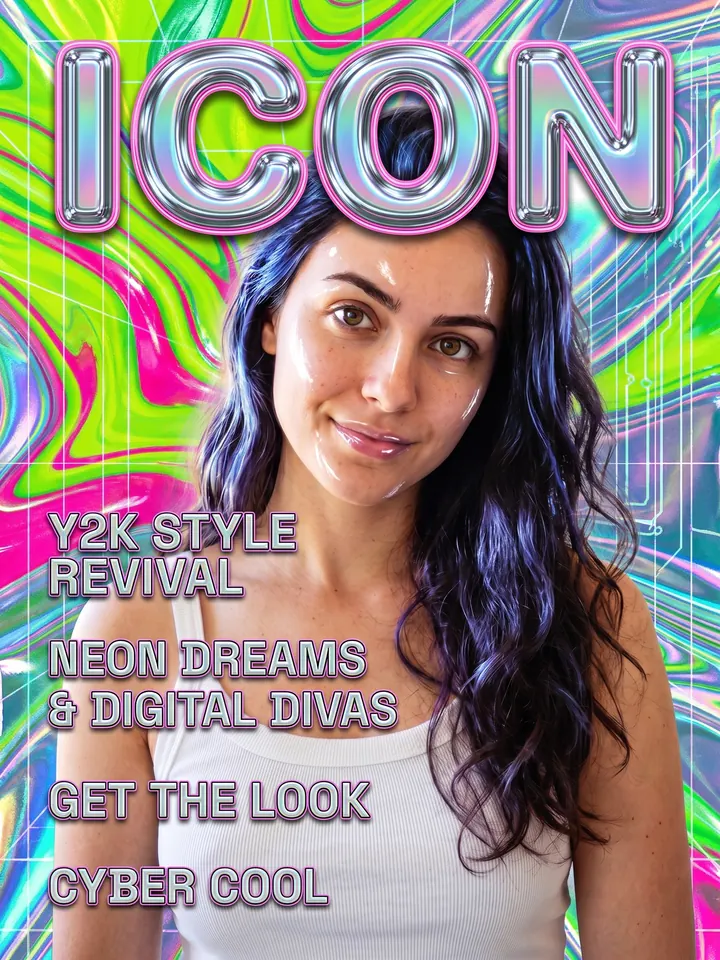
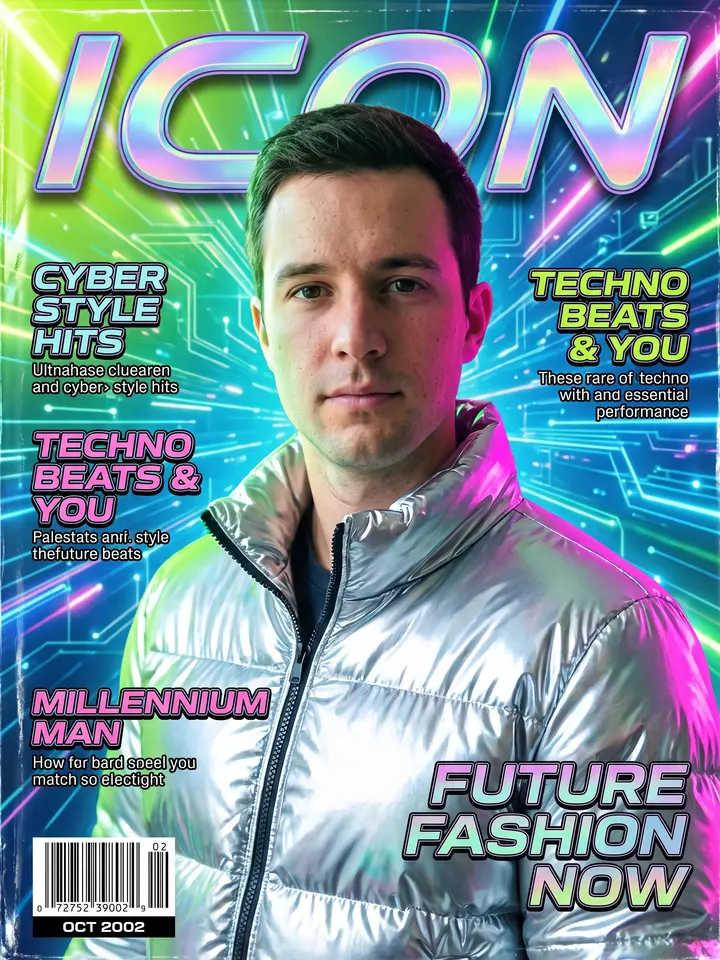
Y2K magazine cover with the word ICON 20

Capa de revista Y2K

Uma selfie

Make a magazine cover of me in the Y2K style of the early 2000s: gloss, acid colors, metallics, holographic foil, the word "ICON" in a large typeface, small captions like article headlines. Keep the face.
Abrir o Mini App
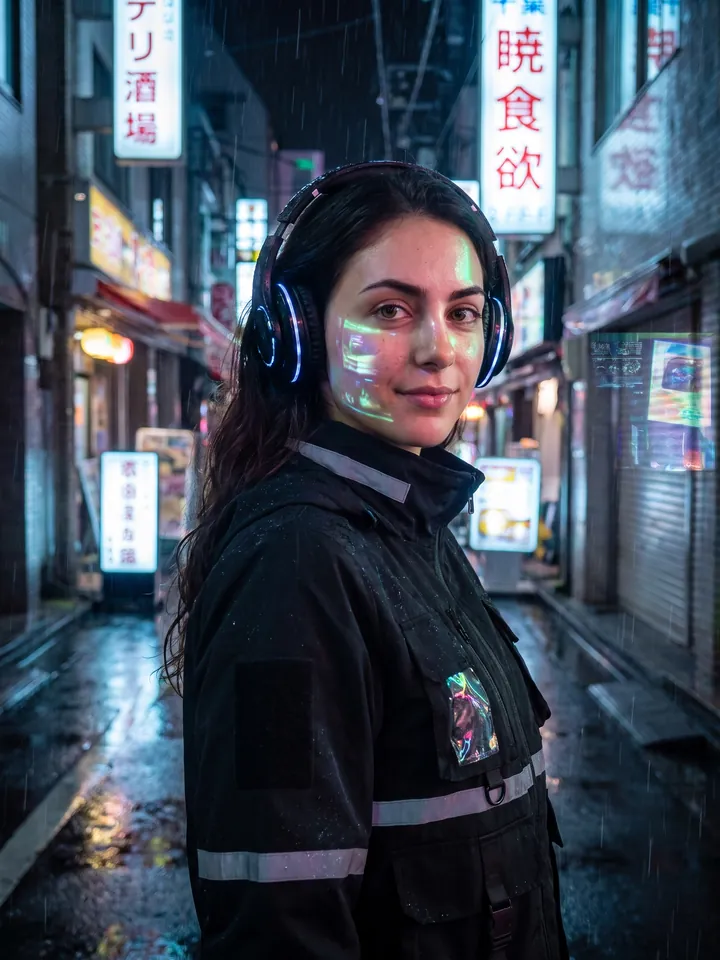
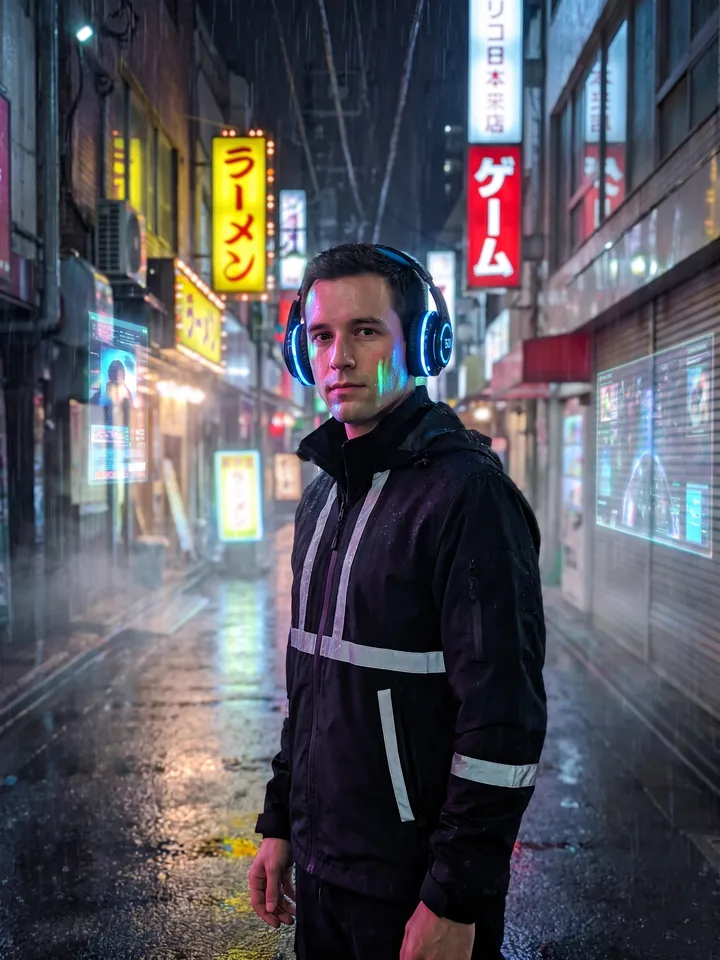
Portrait in a rainy neon alley of cyberpunk Tokyo 21

Cyberpunk: Tóquio neon

Um retrato

Place me in the middle of a neon alley in cyberpunk Tokyo: shiny wet asphalt, kanji on the signs, holograms, rain, reflections. I wear a techwear jacket with reflective strips and cyber headphones. Realistic highlights on the skin, cinematic look.
Abrir o Mini App
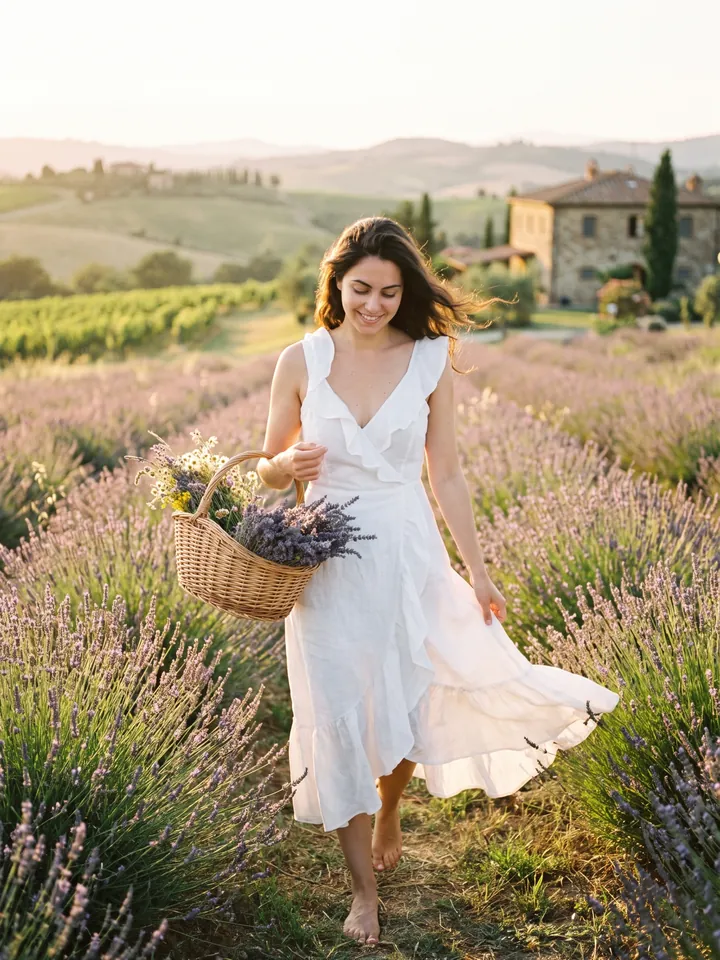
Portrait in a lavender field in Tuscany at sunset 22

Cottagecore – um campo na Toscana

Um retrato

Move me to a lavender field in Tuscany. I wear a white linen dress with ruffles, carry a wicker basket of flowers, barefoot in the grass. Golden sunset light, a soft breeze, film grain, the romance of Vogue Living.
Abrir o Mini App
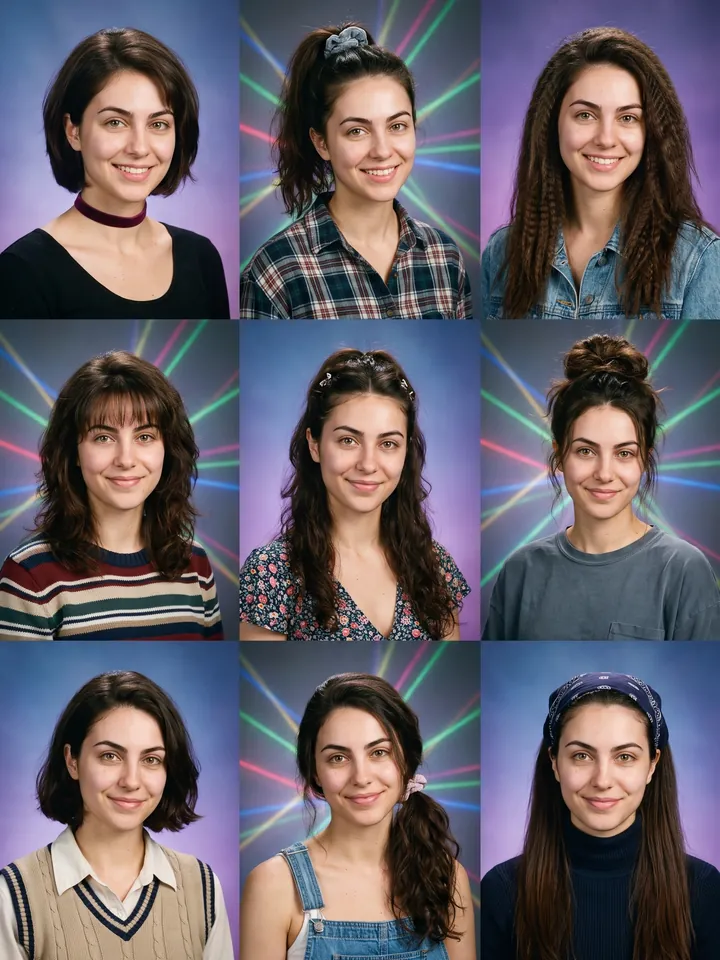
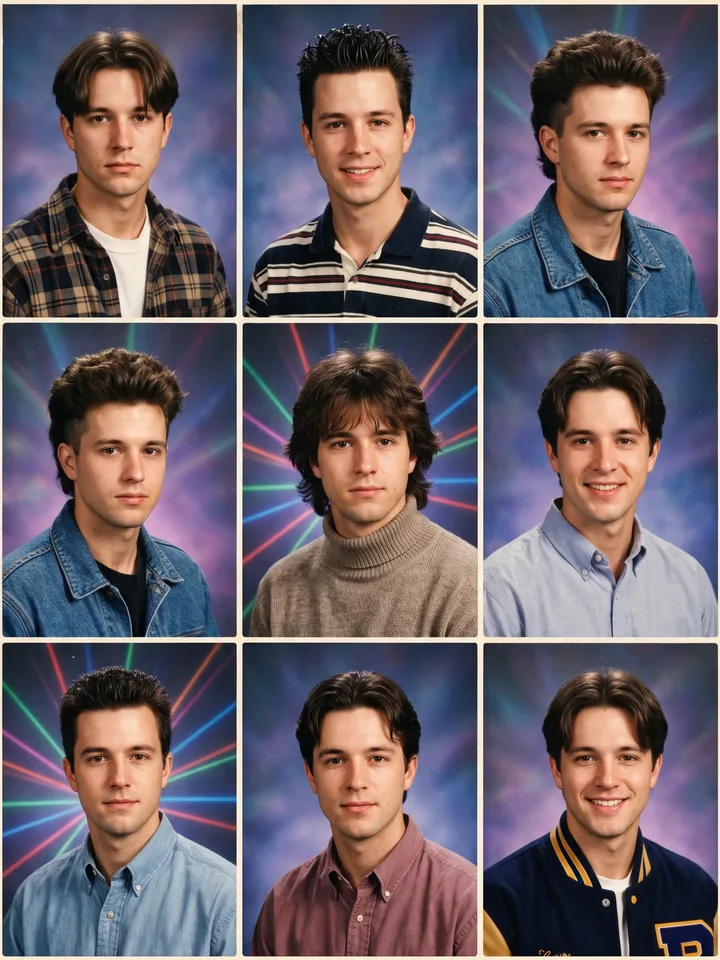
3x3 grid of 1995 yearbook portraits of one person 23

Anuário dos anos 90 com IA

Uma selfie

Make 9 school portraits of me in the style of a 1995 American yearbook: colored gradient backdrop (blue, purple, laser), period hairstyles, different looks, film grain, soft studio light. 3x3 grid.
Abrir o Mini App
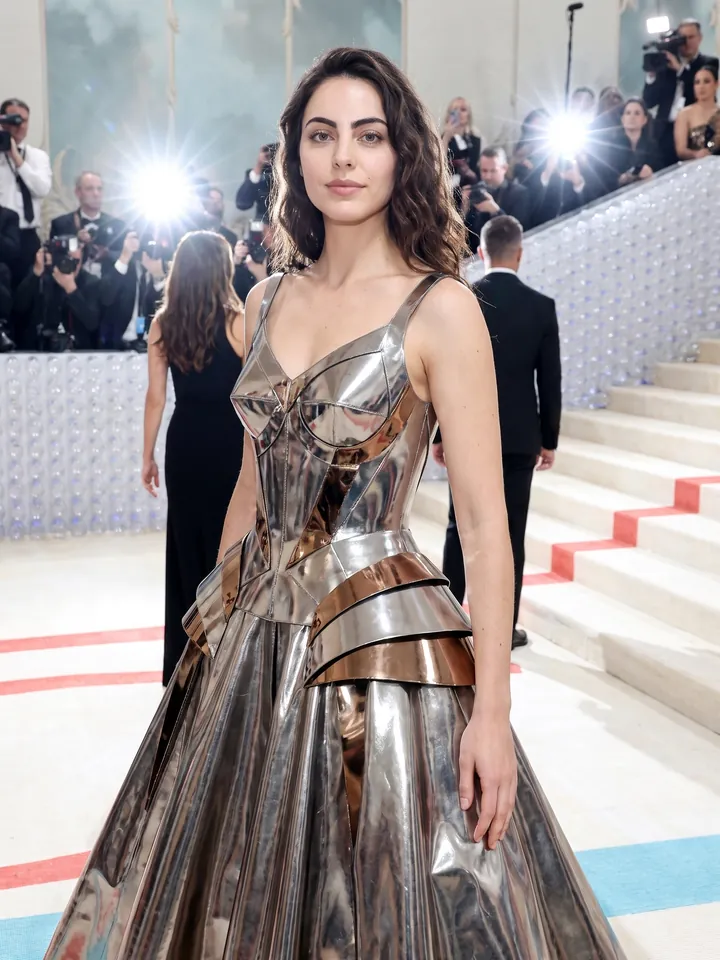
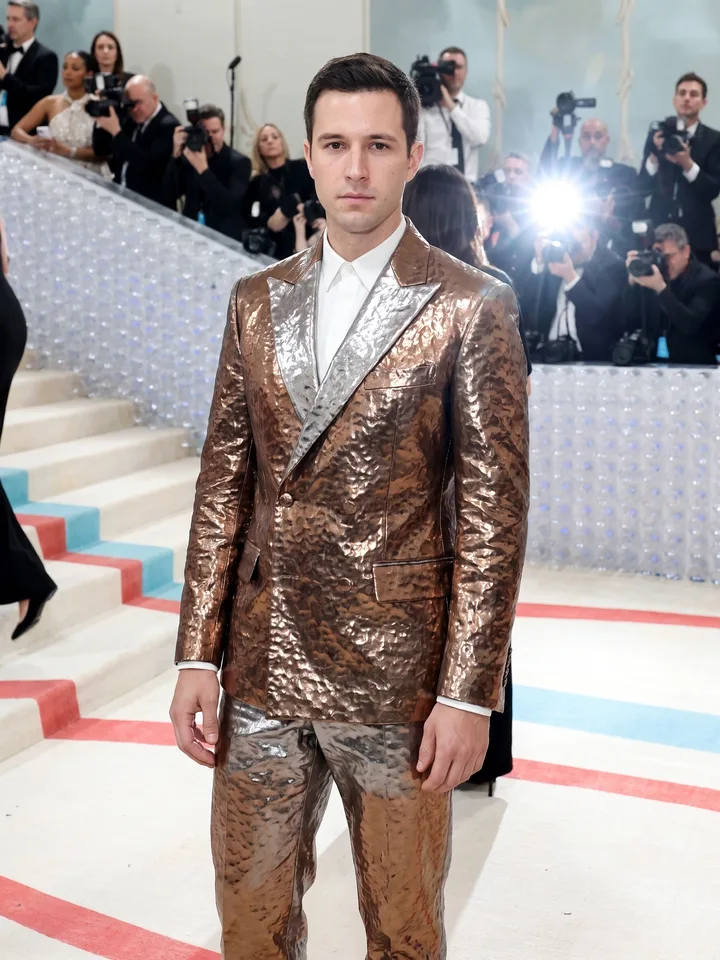
Met Gala look on a white carpet by a marble staircase 24

Alta-costura para o Met Gala

Um retrato de corpo inteiro

Turn me into a Met Gala guest. I wear a haute couture gown or tuxedo in a [sculptural / metallic / gothic / bionic] style, standing on a white carpet by a marble staircase, paparazzi flashes around. Keep the face 1:1.
Abrir o Mini App
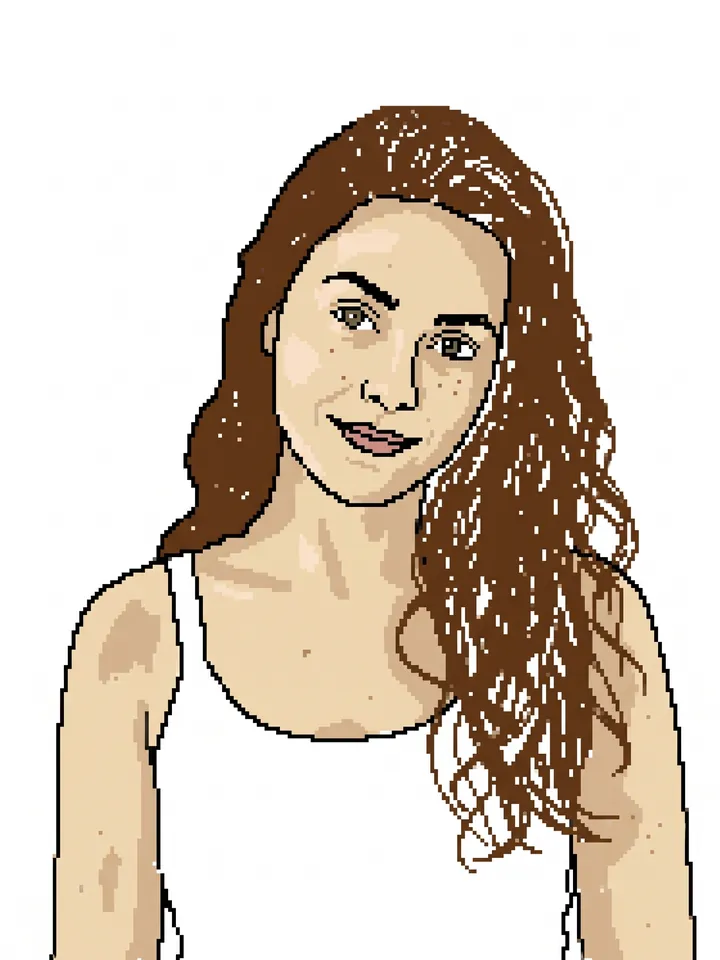
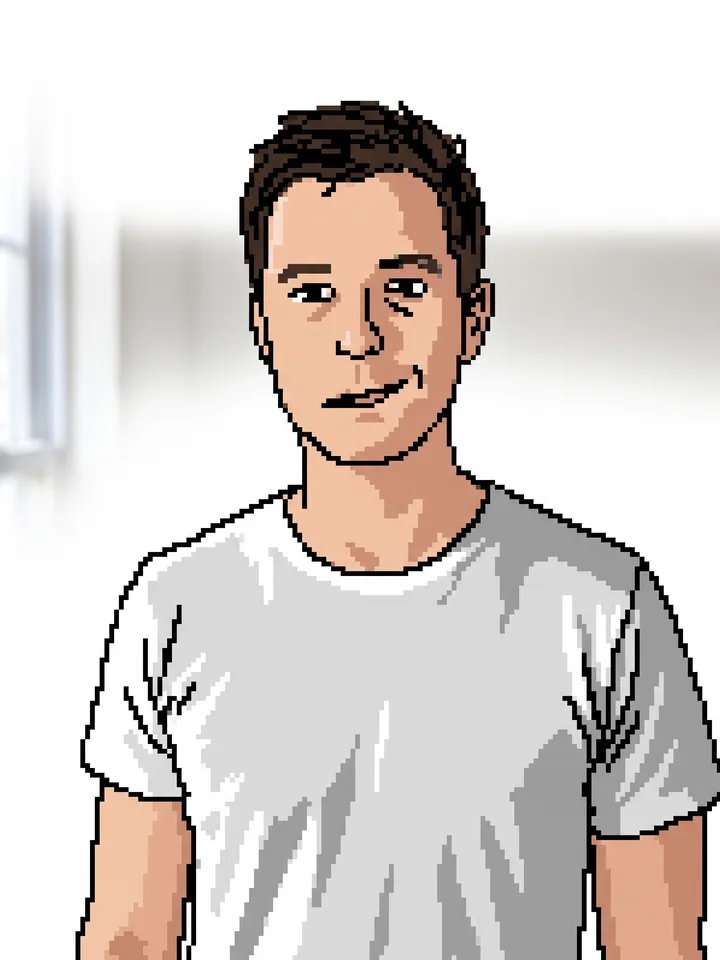
Clumsy MS Paint style redraw of the reference photo 25

Obra-prima no MS Paint

Qualquer imagem

Redraw the attached image in the most clumsy, scribbly, and utterly pathetic way possible. Use a white background, and make it look like it was drawn in MS Paint with a mouse. It should be vaguely similar but also not really, kind of matching but also off in a confusing, awkward way, with that low-quality pixel-by-pixel feel that really emphasizes how ridiculously bad it is. Actually, you know what, whatever, just draw it however you want.
Abrir o Mini App
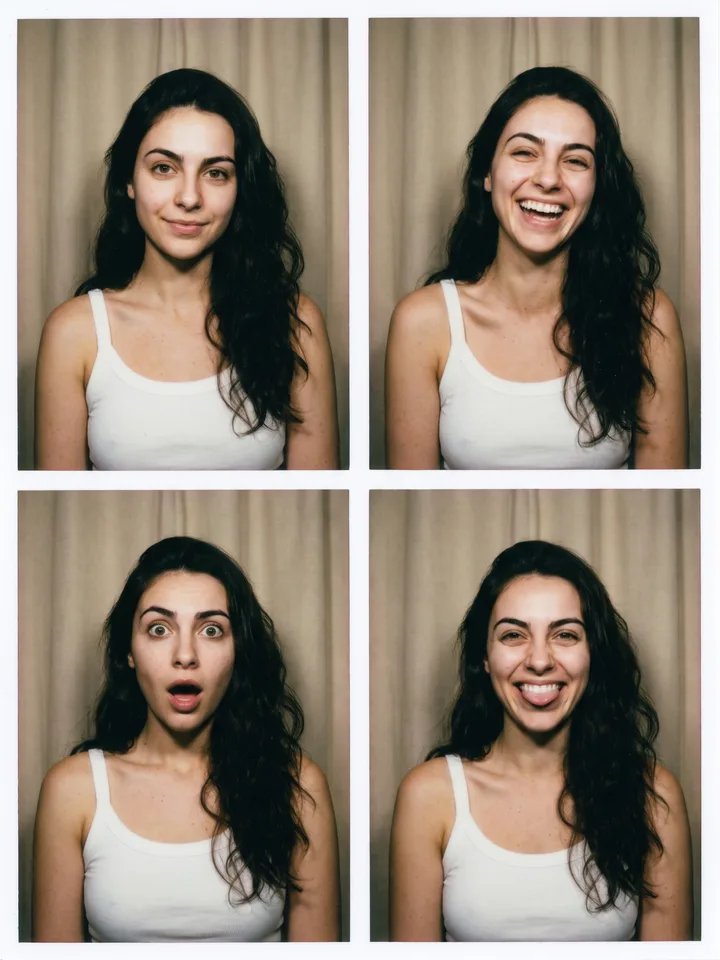
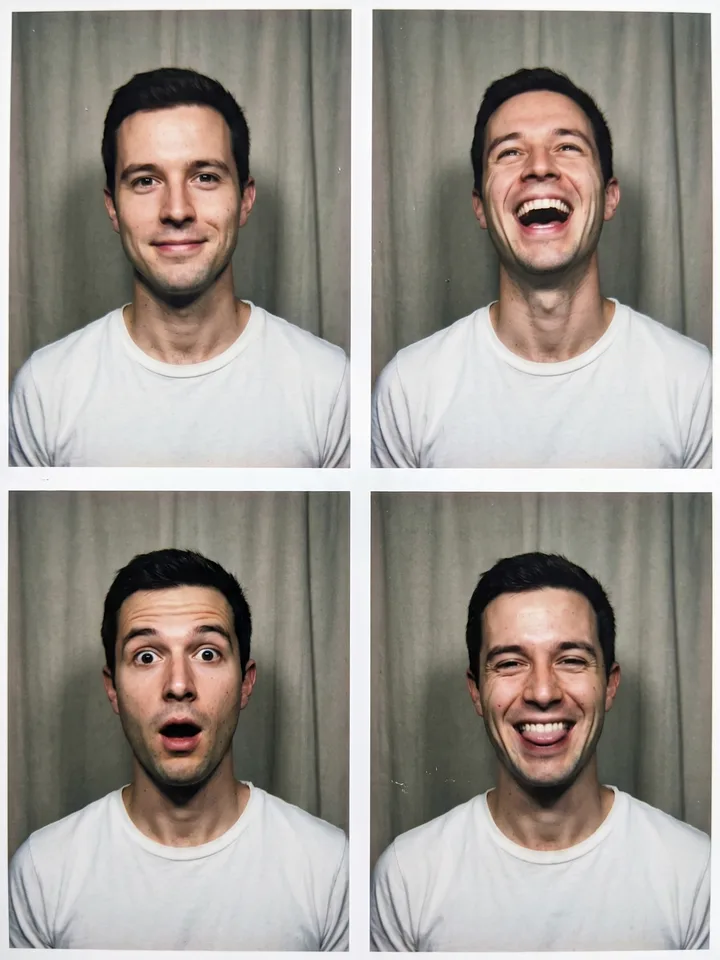
Four photo booth frames of the same face with different expressions 26

Cabine de fotos: quatro expressões

Uma selfie

Make a photo booth sheet of me: four frames in a 2x2 grid with thin white borders, the same face in every frame with four different expressions - a calm smile, a laugh, wide-eyed surprise and a silly grin. Harsh on-camera flash, a plain curtain behind, slight film grain, the colors of a cheap print. Keep my face identical in all four frames.
Abrir o Mini App
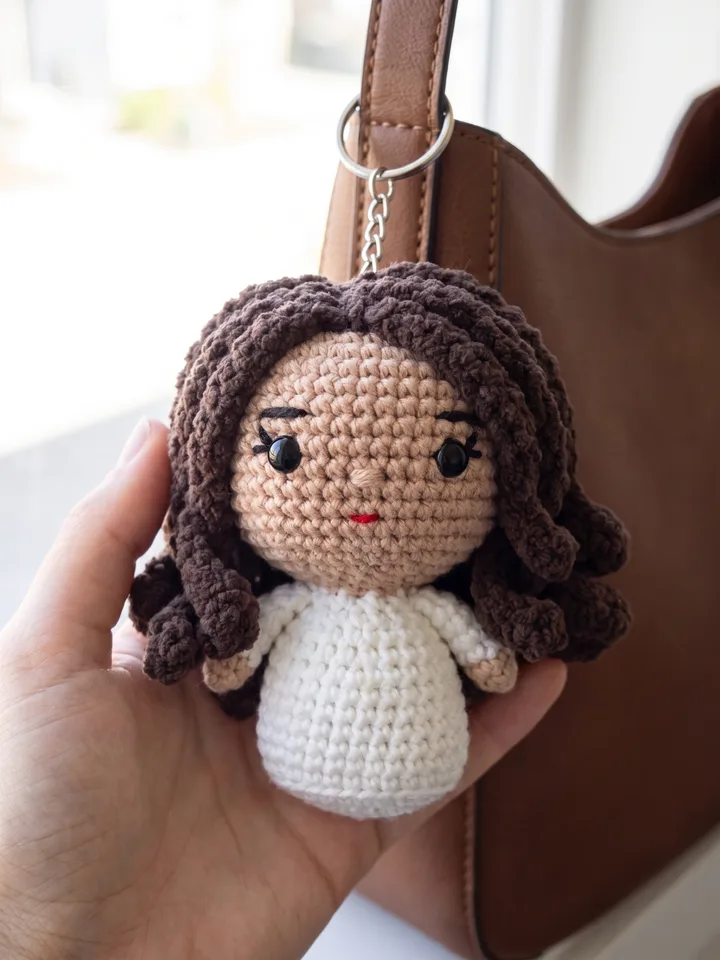
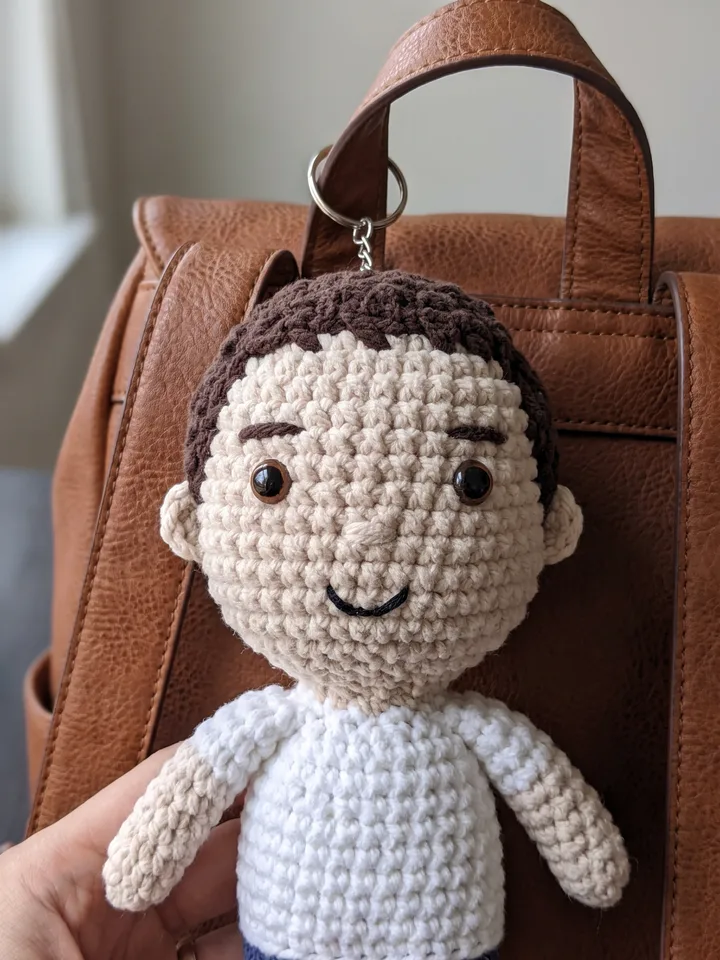
Crocheted plush keychain of the person hanging on a bag strap 27

Seu chaveiro de pelúcia de crochê

Uma selfie

Turn me into a hand-crocheted amigurumi plush keychain: chunky yarn texture, stitched eyes, a tiny embroidered smile, an oversized round head, my hairstyle and the colors of my clothes kept recognizable. The toy hangs on a metal ring from the strap of a leather bag, a hand holding it up. Macro shot, shallow depth of field, soft daylight.
Abrir o Mini App

Como escrever um prompt

O que vai no texto e o que se escolhe nos botões – com exemplos de antes e depois.

O básico

  1. Um vídeo, uma cena. Um clipe dura poucos segundos – cabe uma ação só. Divida um roteiro longo em cenas curtas: em cada uma, quem faz o quê e onde, com a mesma frase sobre o seu personagem. Grok e Veo têm Extend – descreva o que acontece depois.
  2. Formato e duração ficam nos botões. Escrever “9:16” ou “10 segundos” não muda nada – escolha embaixo do campo. Um vídeo feito a partir de uma foto pega o formato da foto.
  3. Diga o que você quer. Em vez de “sem zoom, sem mexer a câmera”, escreva static shot: o modelo costuma lidar melhor com o que fazer do que com uma lista de proibições.
  4. Cada tentativa começa do zero. O modelo não lembra da tentativa anterior. Para corrigir uma imagem, toque em Edit e descreva só o que deve mudar.
  5. Gere de novo. Cada tentativa sai diferente – Again, embaixo do resultado, repete o mesmo prompt para uma nova versão.
  6. Uma recusa nem sempre é por causa das palavras. Se um pedido inofensivo foi recusado, o filtro pode ter reagido à foto, a uma marca ou a um personagem famoso. Troque a foto ou tire o nome – os créditos de uma recusa voltam para você.

Um roteiro longo

Antes

Faça um vídeo de 15 segundos: manhã, uma garota acorda, vai até a cozinha, faz café, sai na varanda, a câmera sobrevoa a cidade e no final aparece o texto “Bom dia”… luz cinematográfica, transições suaves, 4K, 9:16, ela sorri, toma um gole de café, olha o nascer do sol, passam pássaros, música calma, depois a câmera sobe acima dos telhados, o sol aparece, ela acena, a cidade acorda, carros nas ruas, de novo o rosto dela em close, o vapor, a luz, o clima de um novo dia e no finalzinho o título de novo, maior, com um brilho suave e…

+2.000 caracteres
Depois
  1. Video Uma garota de cabelo chanel ruivo acorda em um quarto claro e se espreguiça. static shot
  2. Extend A garota de cabelo chanel ruivo serve café na cozinha, vapor saindo da xícara
  3. Extend Ela sai na varanda com a xícara, a câmera se afasta devagar, a cidade atrás dela
  4. Image O texto “Bom dia” sobre um céu de manhã

O que mudou: uma cena, uma ação, o principal primeiro, o personagem descrito sempre do mesmo jeito.

Configurações no texto

Antes

vídeo 9:16 10 segundos em 4K, gato brincando

Depois

Um gato laranja tenta pegar com a pata um reflexo de sol no chão

9:1610 s

O que mudou: as configurações foram para os botões, e o texto ficou só com a ação.

Palavras mágicas Frases curtas e opcionais que os modelos costumam entender de um jeito só. Toque nelas para montar uma linha e adicione a qualquer prompt, inclusive aos do catálogo.

  • close, o rosto ocupa o quadro
  • da cabeça aos pés
  • luz natural suave
  • parece uma foto real
  • fundo liso de uma cor só

Seu prompt: toque nas palavras acima

Perguntas frequentes

Quanto custa uma geração?

A geração funciona com créditos, e você ganha 10 créditos de boas-vindas ao começar – o bastante para editar fotos com o Seedream 5.0 Flash em 1K (2 créditos cada); os outros modelos são liberados com o seu primeiro pacote de créditos ou com um pagamento avulso em Stars por geração, a 2 ⭐ por crédito. O total exato aparece no botão Generate antes de você tocar nele, e os preços por modelo e nível de qualidade estão no guia.

Com qual modelo esses prompts funcionam?

Com qualquer modelo da aba Image que aceite uma foto. Os cenários com duas fotos precisam de um modelo que aceite várias: o Grok Imagine aceita uma, e o Grok Imagine 2 desenha só a partir de texto.

O que acontece com a minha foto?

A foto e o prompt vão para o provedor do modelo que você escolher, para que ele gere o resultado; cada provedor trata esses dados de acordo com os próprios termos. Os resultados ficam na sua galeria por 30 dias e depois são apagados automaticamente. Não treinamos nenhum modelo com os seus prompts, uploads ou resultados. Os detalhes estão na política de privacidade.

Por que os prompts estão em inglês?

Para que cada cartão funcione igual em todas as versões de idioma desta página. Escreva os seus próprios prompts em qualquer idioma – os modelos vão entender.

Onde o app abre?

Dentro do Telegram – no celular, no Telegram Desktop e no Telegram Web. Não precisa instalar nada: o Mini App faz o login com a sua conta do Telegram.

Teste o primeiro prompt com a sua foto

Sua foto, um prompt, um visual novo.

Abrir o Mini App