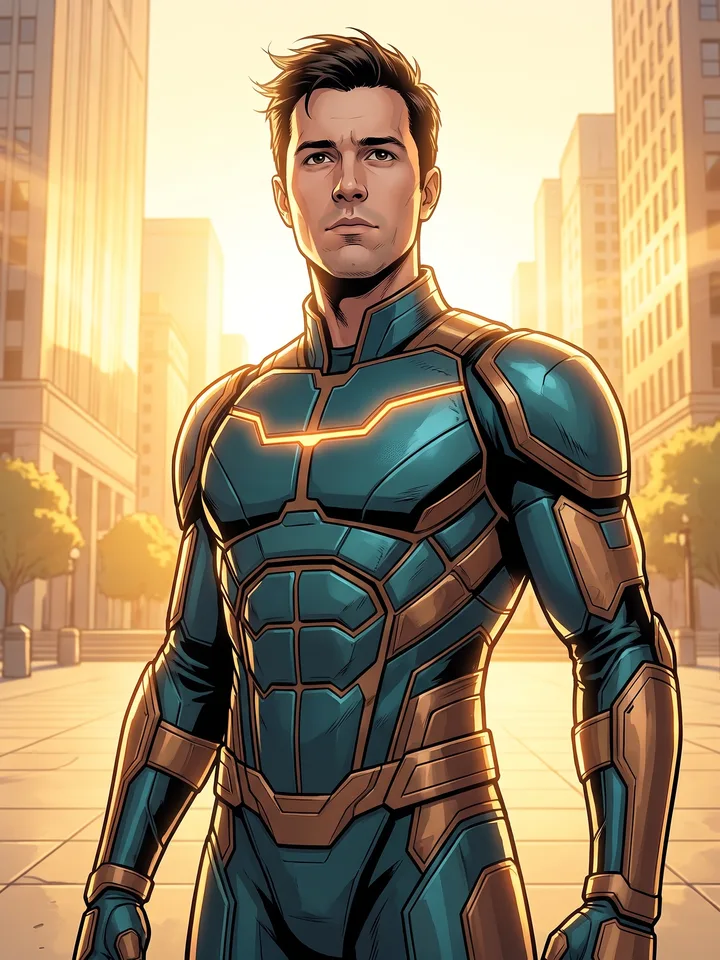
TinyFile TinyFile
Buka Mini App
Fitur Harga Mini App Kompres video Panduan Buka Mini App

Prompt foto AI siap salin dan tempel

Pilih gaya, salin prompt-nya, lalu tempel di samping foto kamu di Mini App TinyFile.

Buka Mini App Lihat prompt

Cara pakai prompt

Tiga langkah, semuanya di dalam Telegram.

  1. Buka Mini App

    Ketuk Buka Mini App di halaman ini, atau tombol Generate di bagian bawah chat @tinyfile_bot. Prompt dijalankan di tab Image.

  2. Lampirkan foto kamu

    Ketuk + dan pilih foto dari perangkat kamu – atau dua foto, kalau kartunya memintanya.

  3. Tempel prompt-nya

    Ketuk Salin prompt di sebuah kartu, tempel ke kolom prompt, lalu ketuk Generate. Teks di dalam [kurung siku] tinggal kamu ganti sendiri.

Pilih gaya

Setiap kartu menunjukkan apa yang perlu dilampirkan, hasilnya, dan prompt di baliknya.

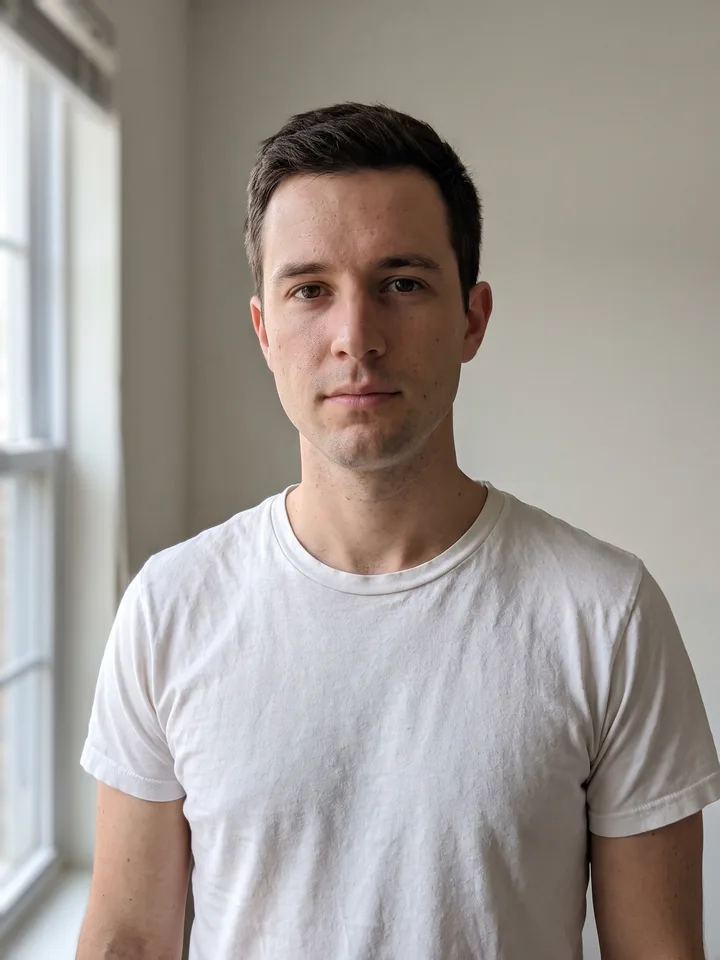
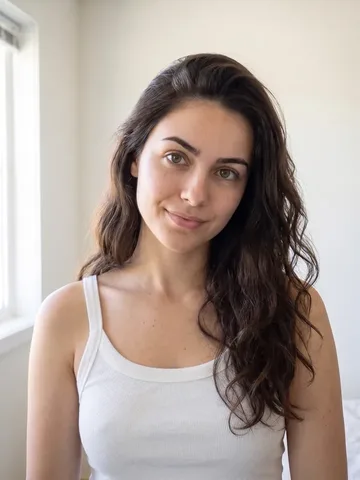
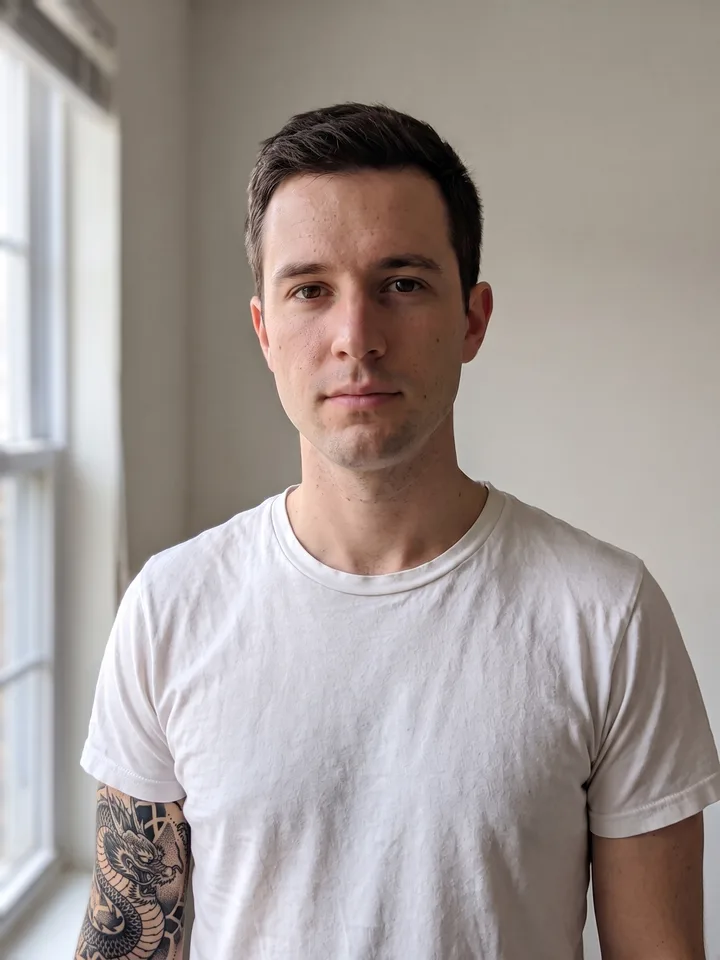
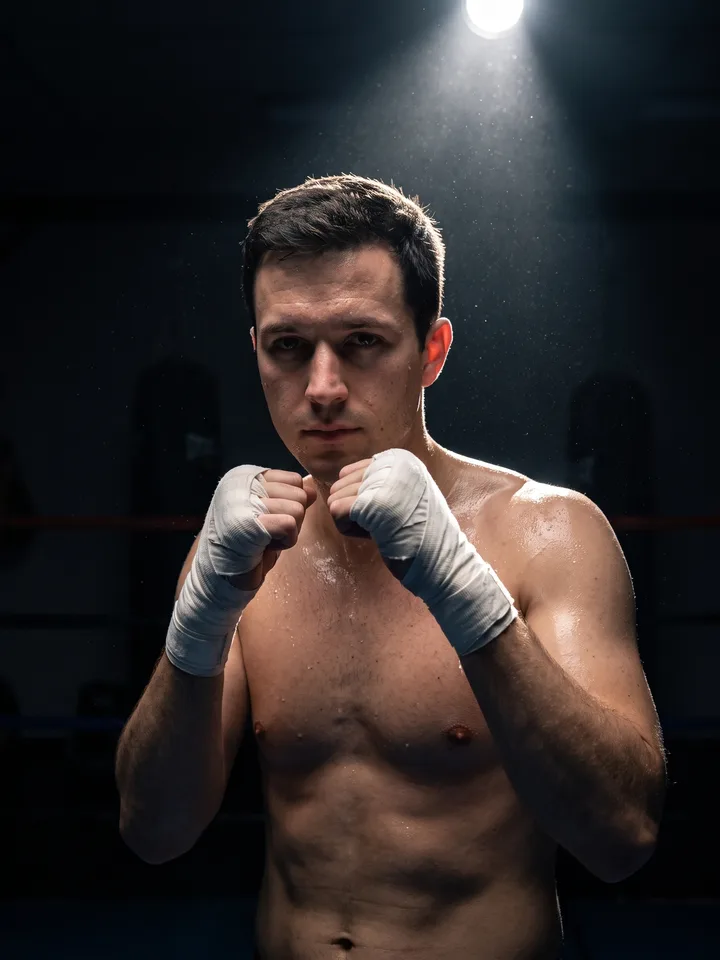
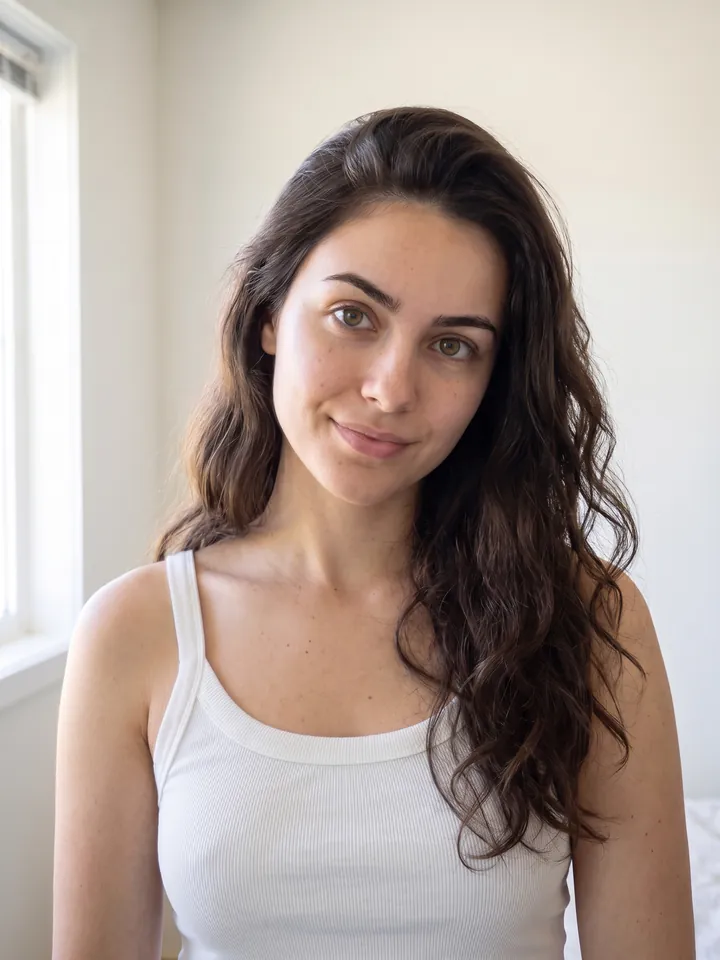
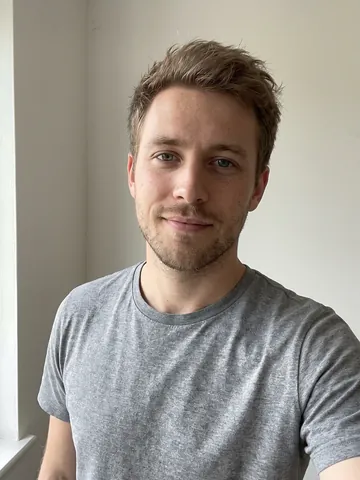
The source photo: a neutral portrait used as the input of every scenario
Foto asli Semua hasil di bawah dibuat dari satu foto ini.
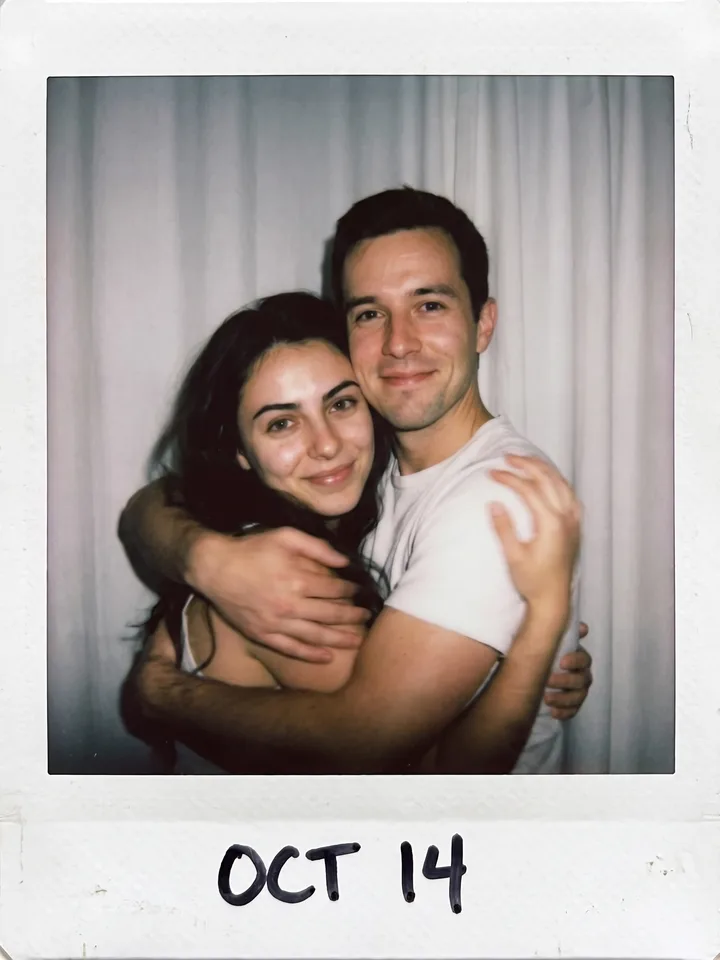
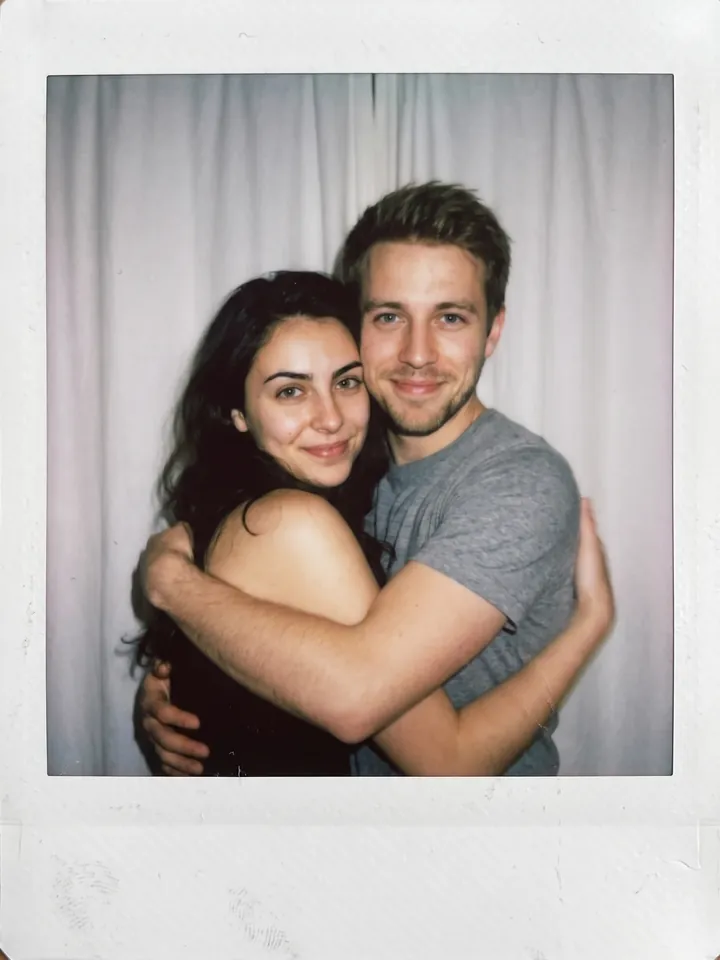
Polaroid-style snapshot of two people hugging, made from the reference photo 01

Momen Polaroid bareng siapa saja

Dua foto – foto kamu dan foto orang lain (aktor, teman, idola)

Make the photo of the two people look like a real Polaroid snapshot. The mood is spontaneous and alive, as if the shot was caught without posing. Add slight motion blur and the soft light of a flash in a dark room. Do not distort the faces – keep them as in the source photos. Replace the background with a plain white curtain. The two are hugging and looking straight into the camera, the moment is intimate and natural.
Buka Mini App
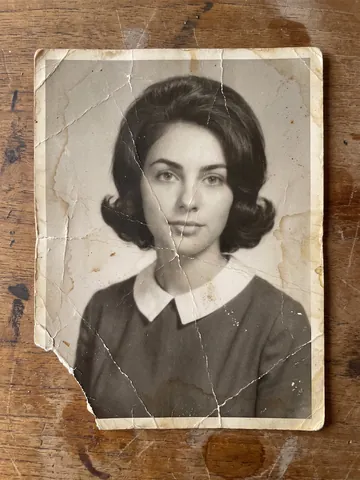
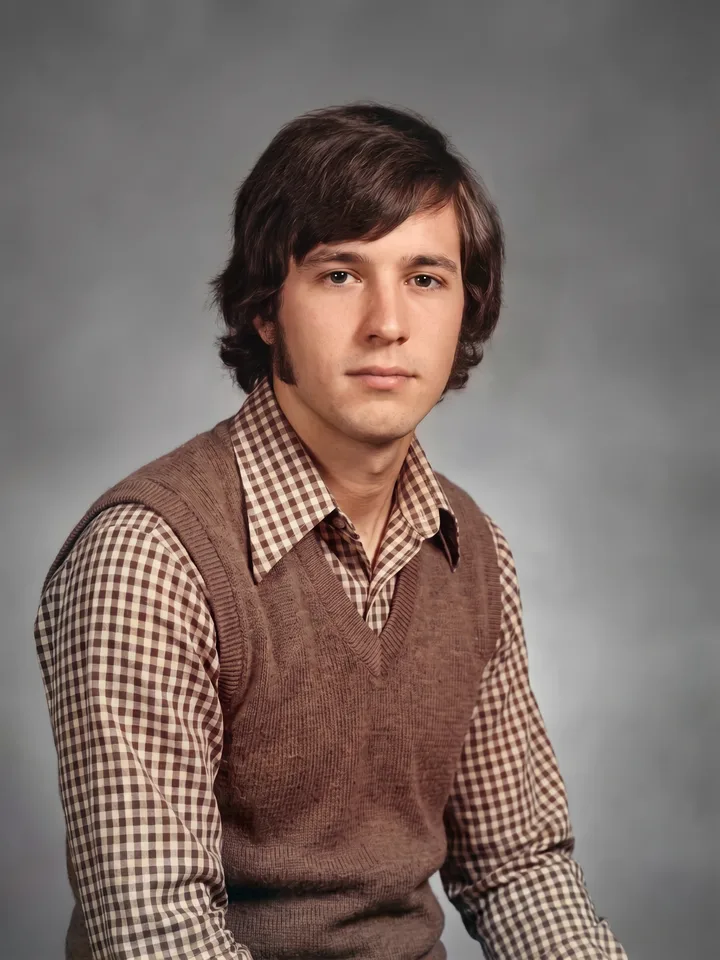
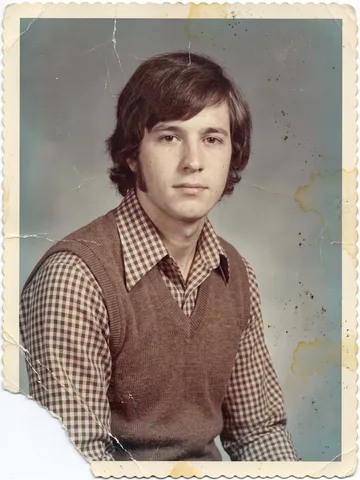
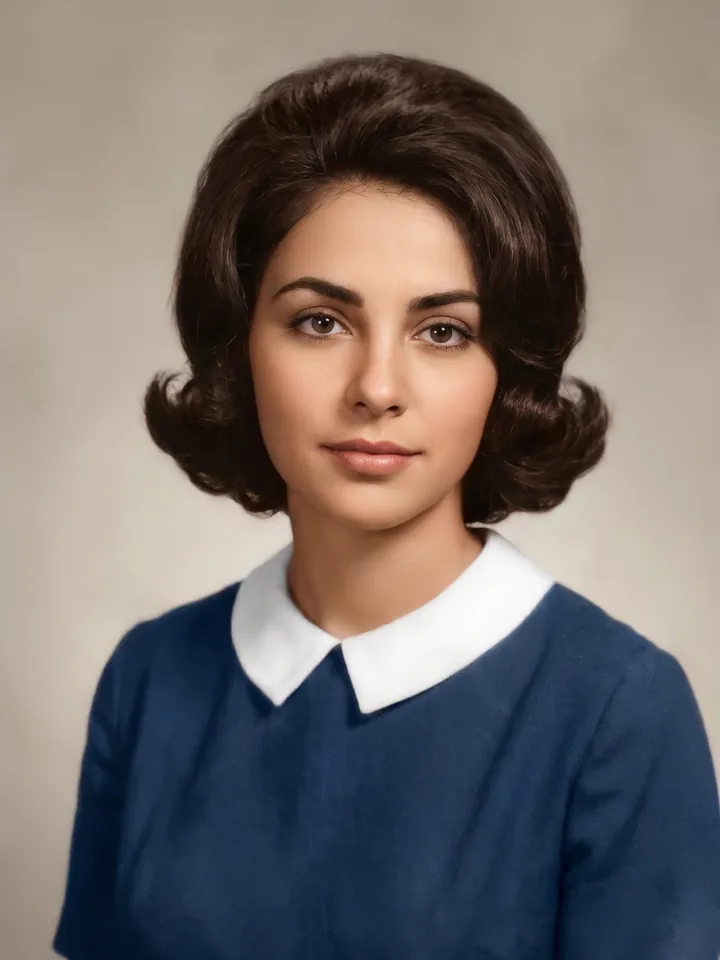
Old photo restored and colorized 02

Restorasi foto lama

Foto lama, pudar, atau rusak

Colorize the photo, repair the damage, improve quality and resolution. Remove everything around the edges and keep only the photograph itself. Preserve the faces and the atmosphere of the original.
Buka Mini App
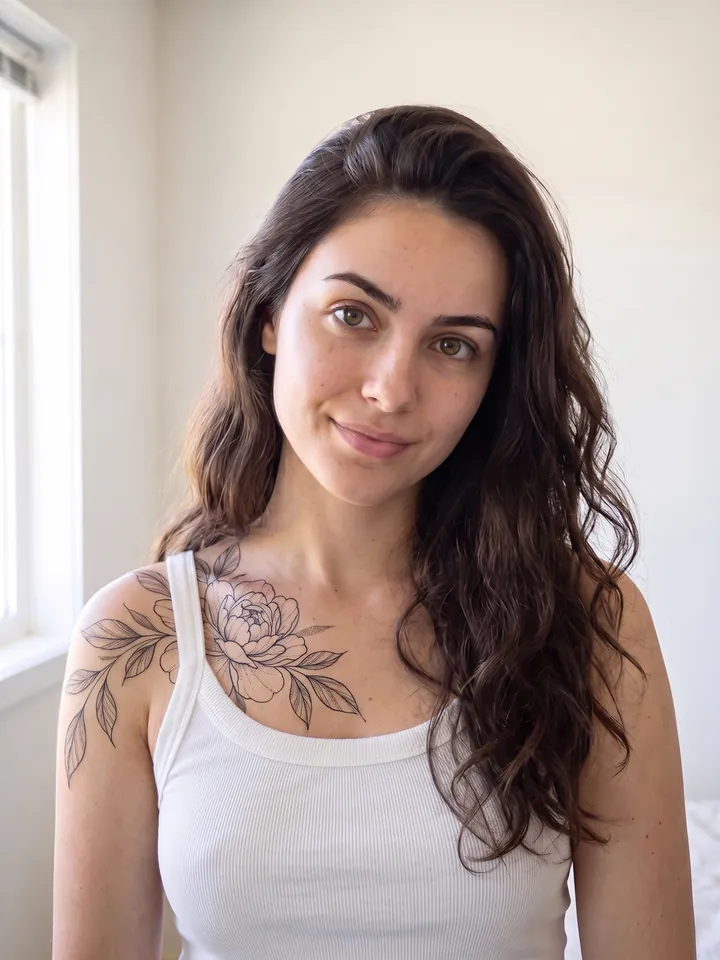
The reference photo with a tattoo added to the skin 03

Tato virtual

Foto dengan kulit yang terlihat – bahu, leher, lengan, atau punggung

Add a tattoo to the skin in [style: blackwork / watercolor / minimalism / old school / Japanese] style, theme – [for example: dragon, flowers, geometry]. Place it on the [neck / forearm / back]. Do not change the face or the background, improve quality and resolution.
Buka Mini App
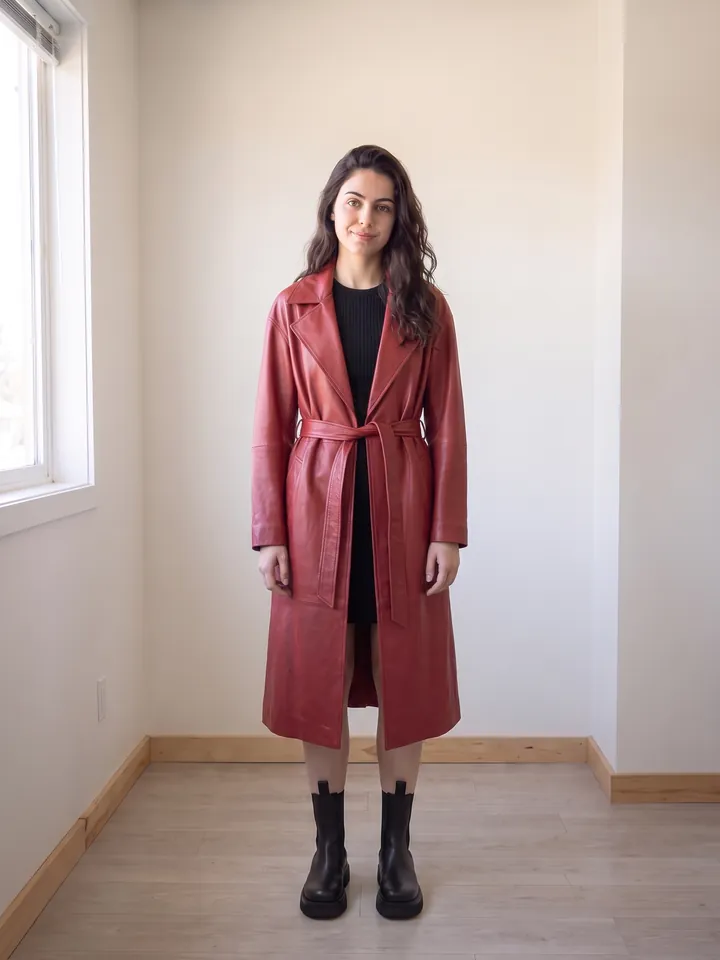
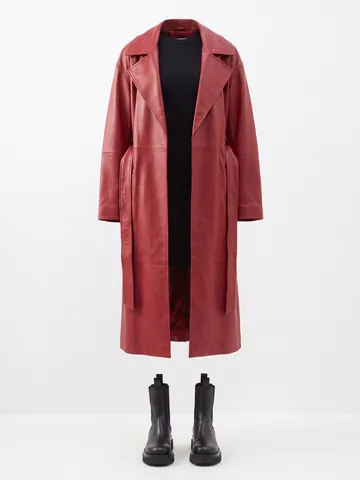
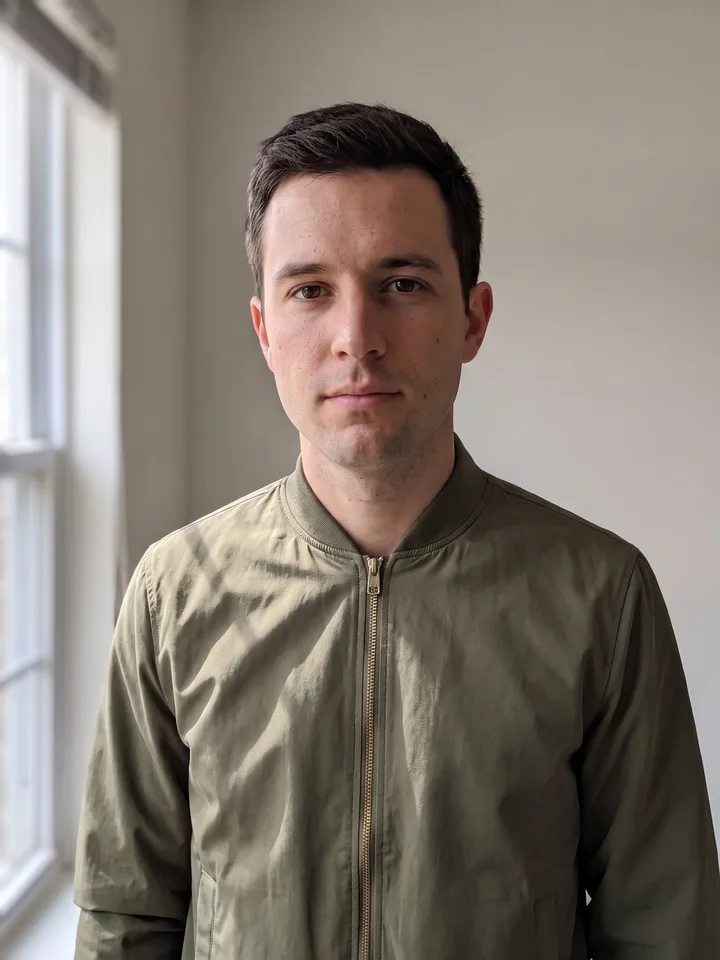
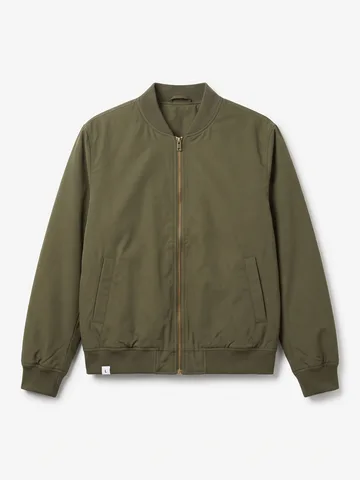
The person from the reference photo wearing the item from a product card 04

Coba baju secara virtual

Dua foto – foto kamu dan foto barangnya (kartu produk dari marketplace juga bisa)

Replace the person's clothing in the input image with the target clothing shown in the reference image. Keep the person's pose, facial expression, background, and overall realism unchanged. Make the new outfit look natural, well-fitted, and consistent with lighting and shadows. Do not alter the person's identity or the environment – only change the clothes.
Buka Mini App
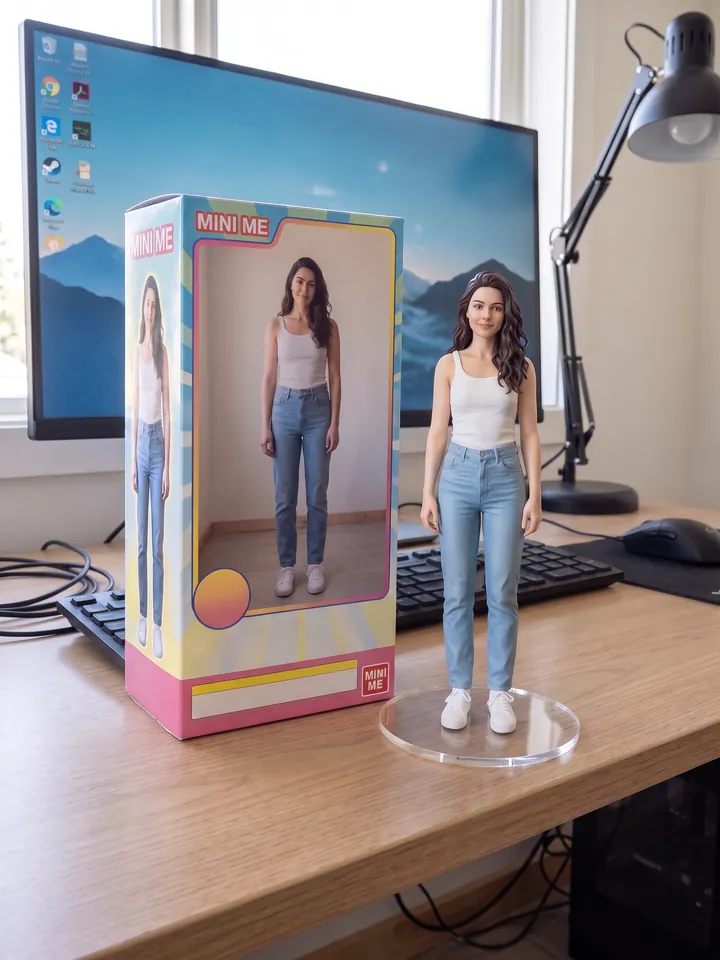
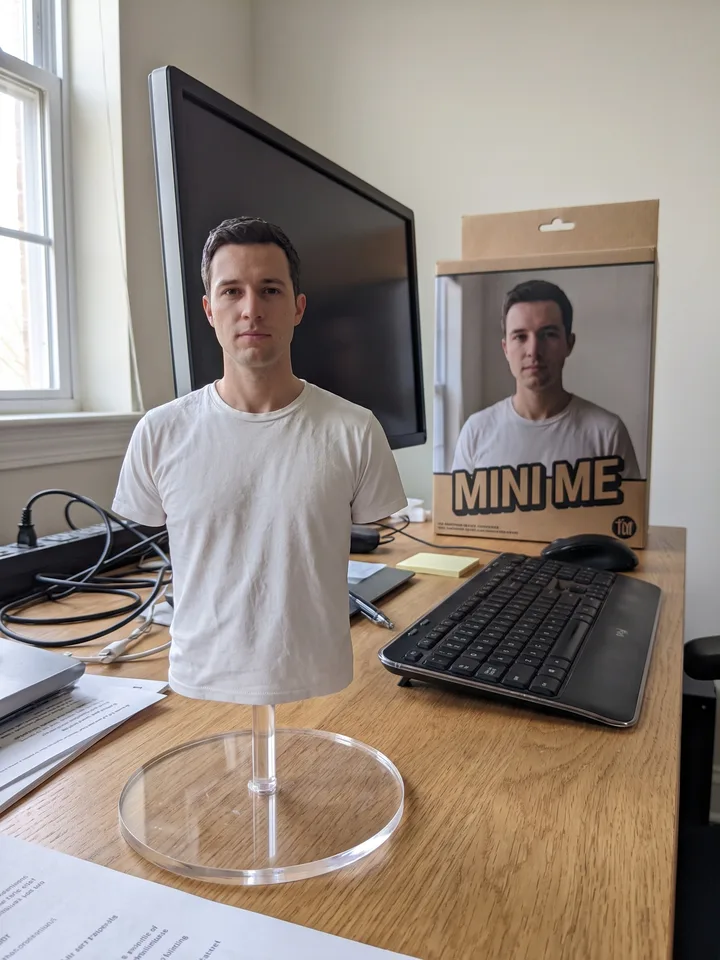
1/7 scale collectible figure of the person on a desk, next to its box 05

Figur koleksi diri kamu

Satu foto jelas seluruh badan atau setengah badan

Create a 1/7 scale commercialized figure of the character in the photo, in a realistic style and environment. Place the figure on a computer desk on a circular transparent acrylic base without any text. Next to the screen, place a BANDAI-style toy packaging box printed with the original artwork.
Buka Mini App
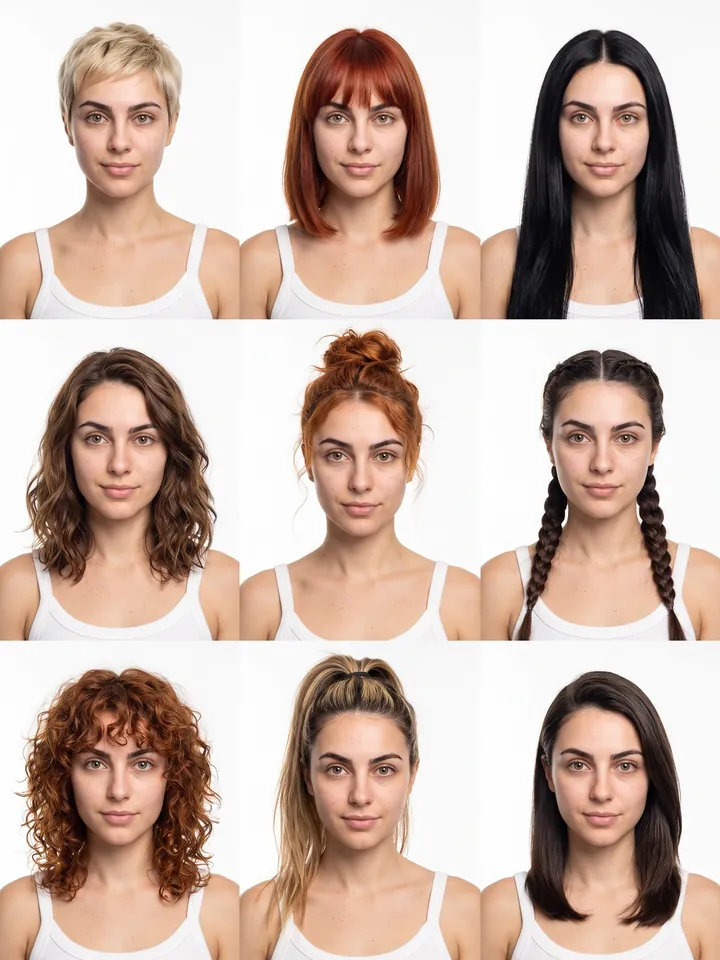
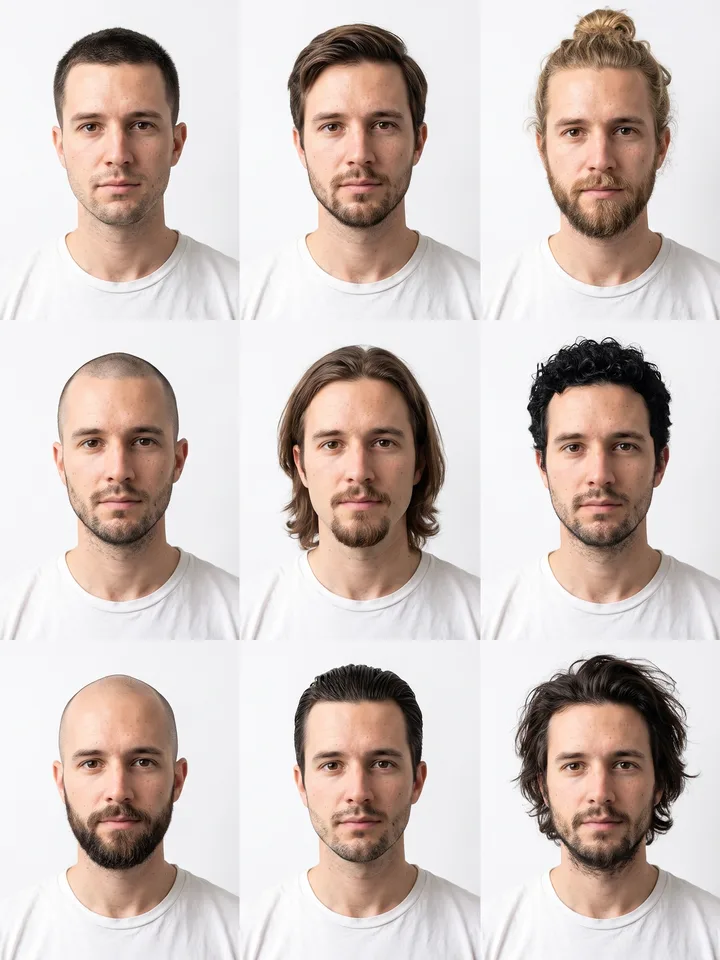
3x3 grid of the same face with nine hairstyles 06

Katalog gaya rambut 3×3

Satu selfie dengan ekspresi netral

Generate a 3x3 grid of avatars of this person with 9 different hairstyles. Keep the face identical in every cell, vary only the hair (length, color, styling). Clean white background, soft studio light.
Buka Mini App
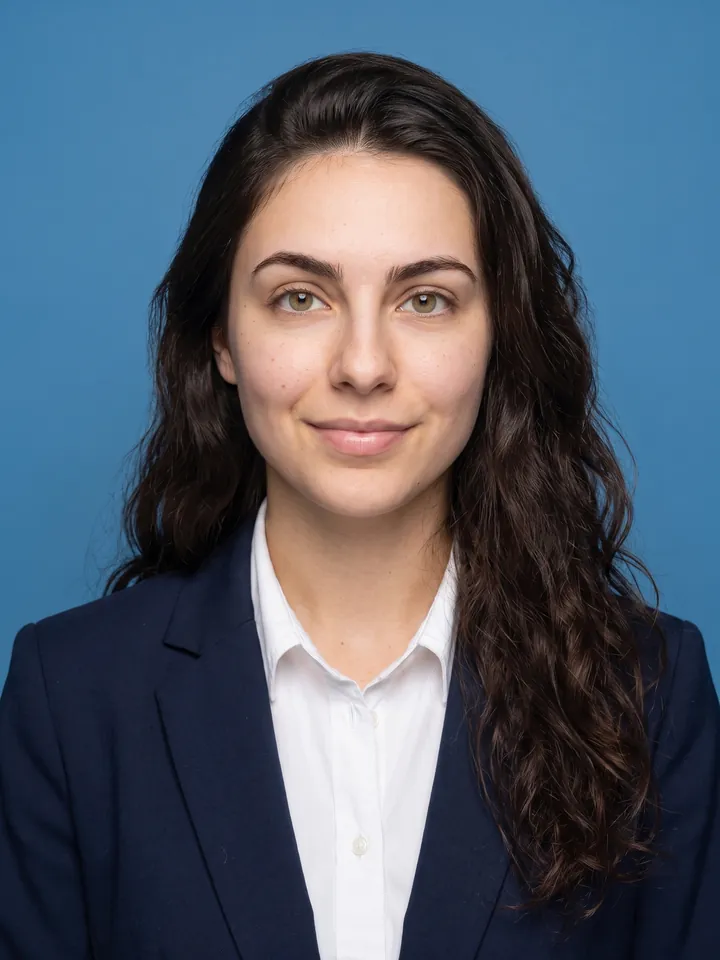
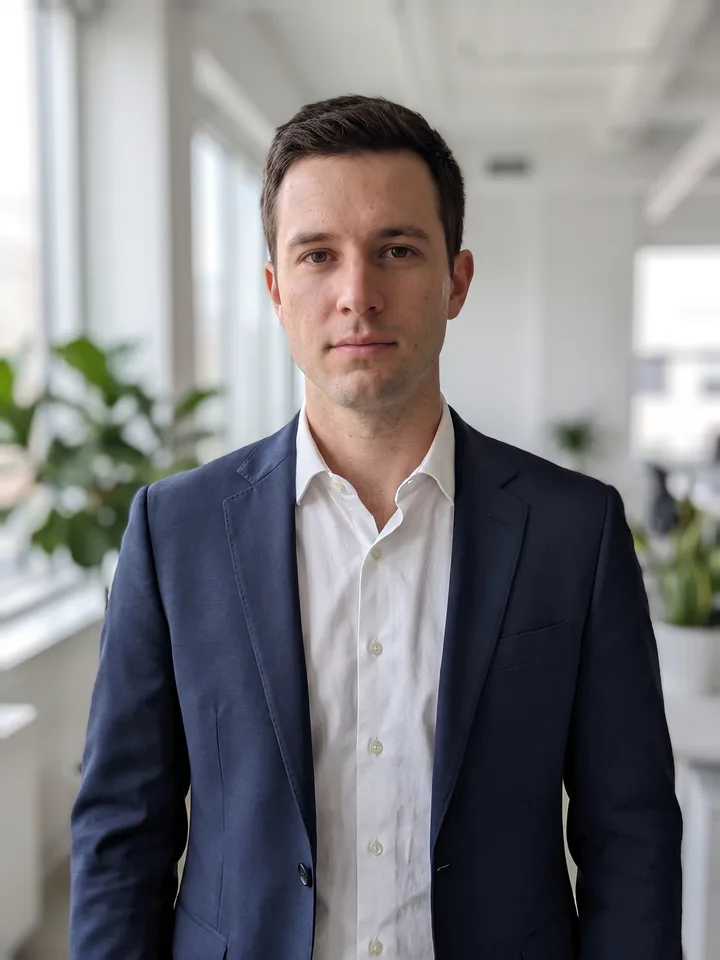
ID photo on a blue background in business attire 07

Pasfoto dalam 5 detik

Selfie apa saja

Crop the head and create a 2-inch ID photo with: 1) Blue background 2) Professional business attire 3) Frontal face 4) Slight smile 5) Even neutral studio lighting.
Buka Mini App
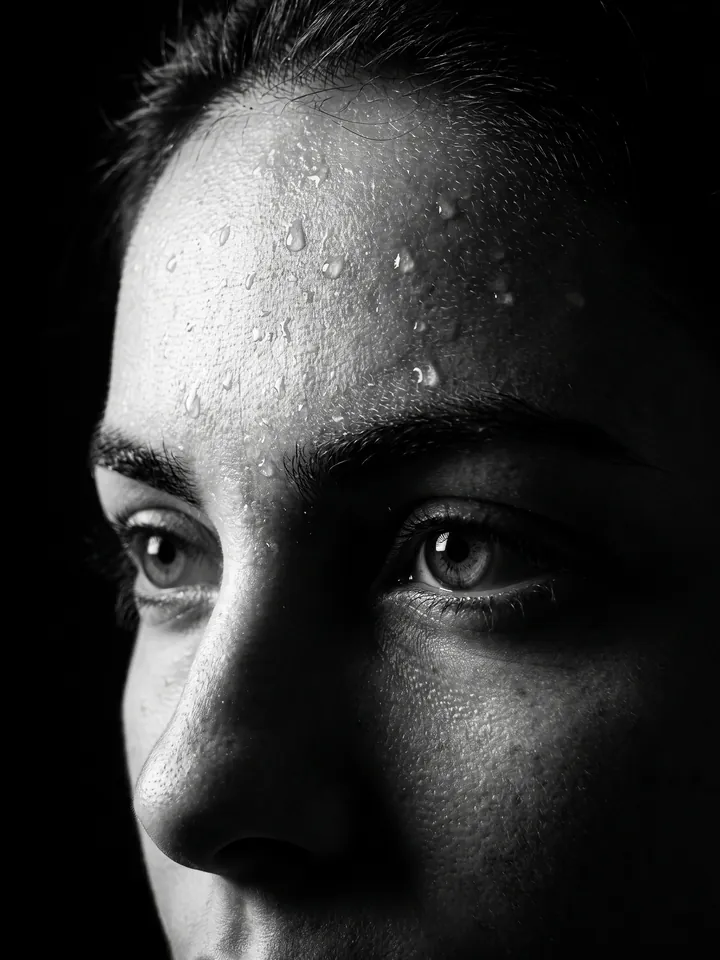
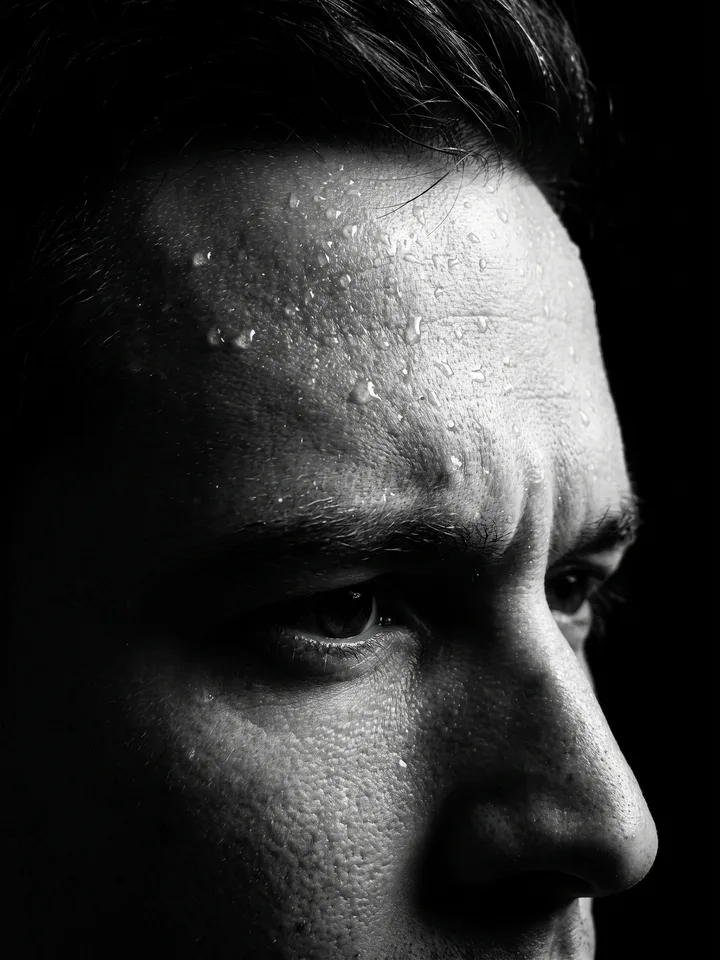
Black-and-white close-up portrait with water droplets on the face 08

Potret hitam-putih dramatis dengan tetesan air

Potret close-up

A high-contrast close-up portrait of my face focusing on the forehead, in black and white. 35mm lens, 4K HD quality. Proud expression. Water droplets on the face. Black shadow background, only the face visible with sharp profile. Ratio 4:3.
Buka Mini App
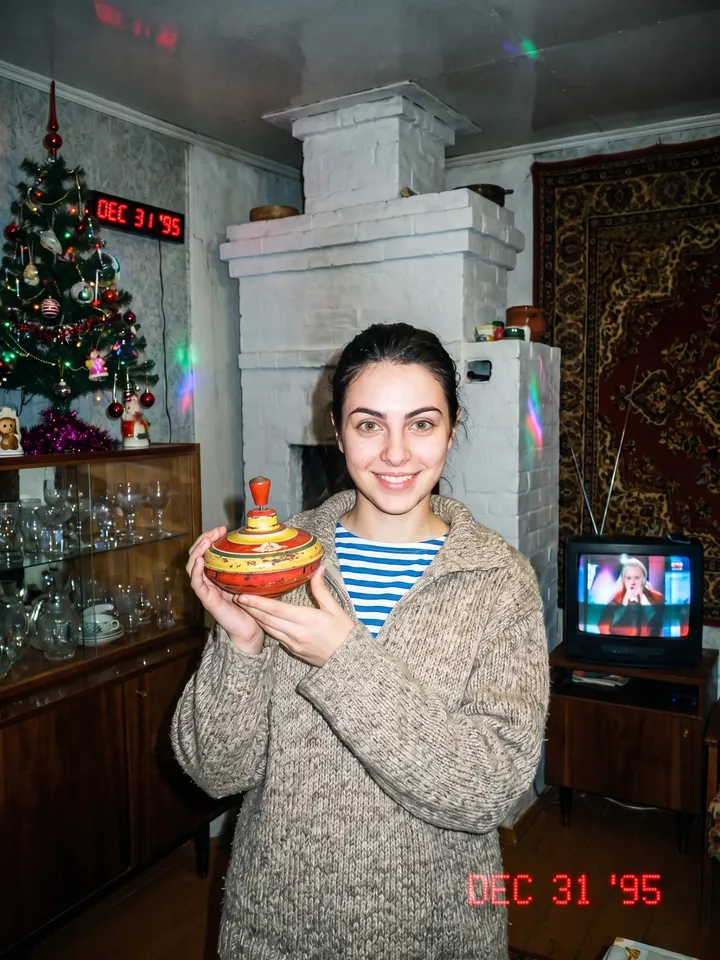
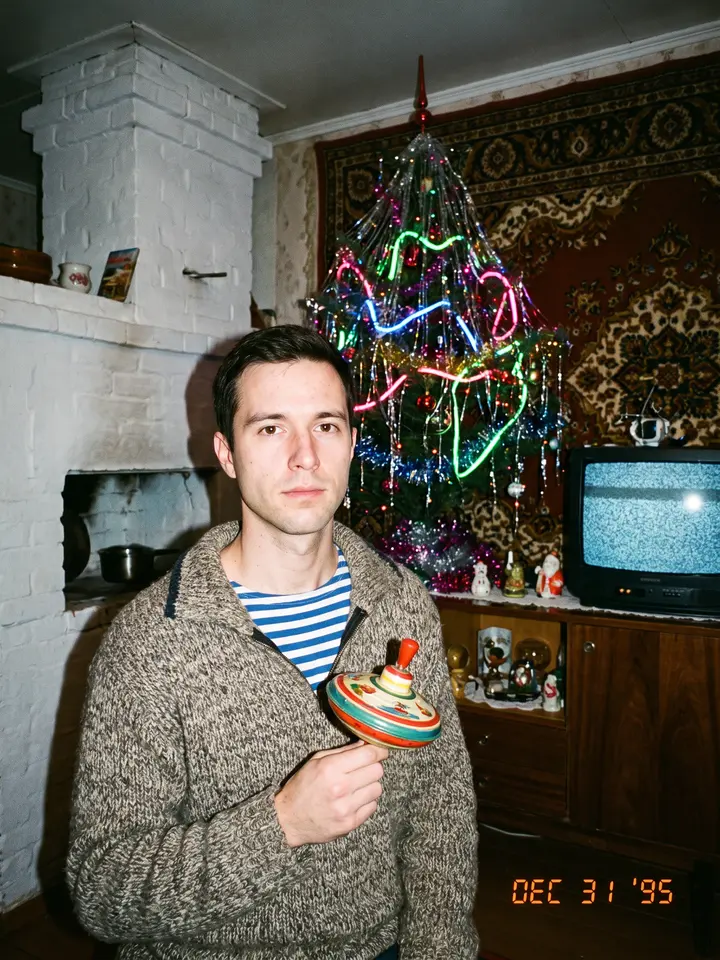
1990s flash snapshot in a village room with a carpet on the wall 09

Album keluarga pasca-Soviet era 90-an

Sebuah potret

Take the uploaded portrait and restyle it as a 1990s snapshot. A wool sweater with a striped telnyashka underneath, a Soviet toy in the hands. Background – a village interior with a white stove, a carpet on the wall, a New Year tree, a sideboard, an old TV. Harsh direct flash, film grain, muted colors with neon accents. A family album from 1995.
Buka Mini App
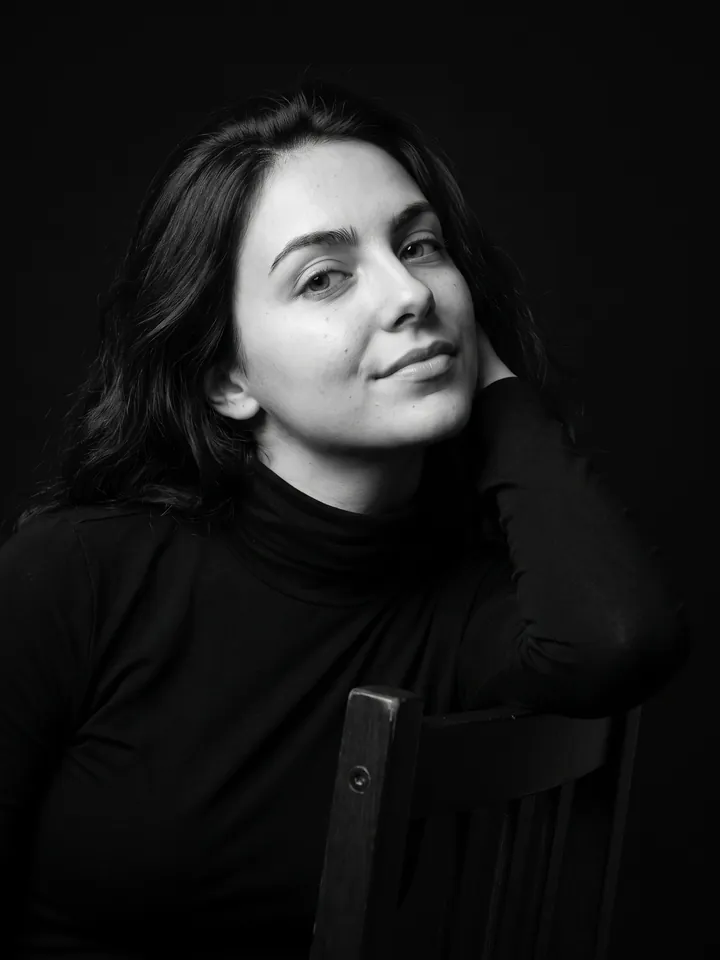
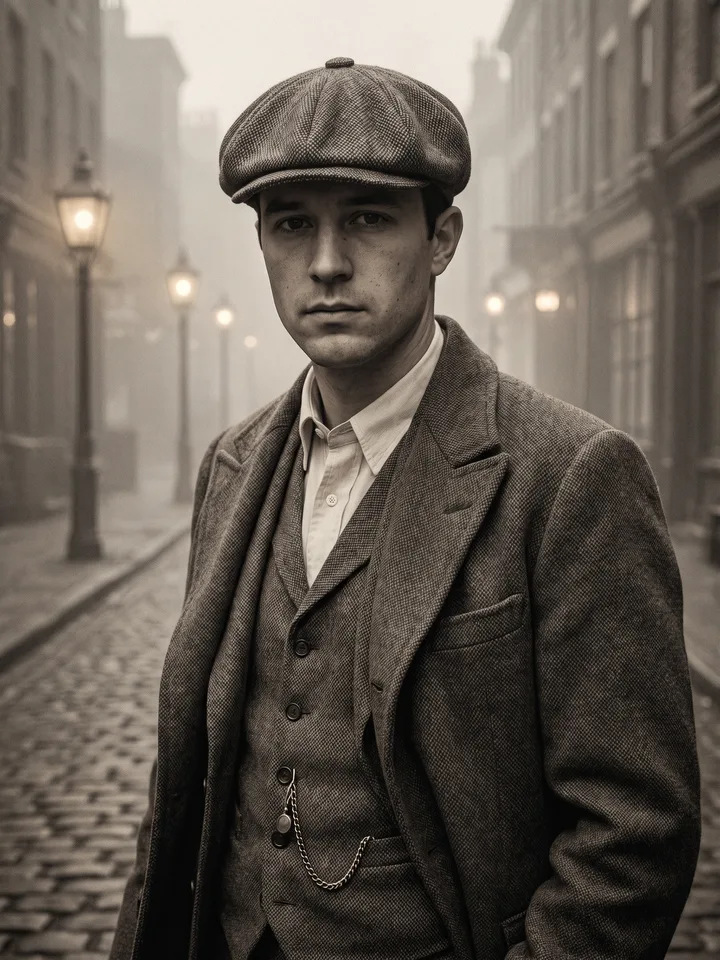
Black-and-white studio portrait of a person leaning on a chair 10

Potret fashion sinematik

Sebuah potret

Ultra-realistic studio portrait of a person leaning gracefully on the backrest of a chair, dressed in a sleek dark outfit. Subtle low-angle shot accentuating facial features and a confident expression. Cinematic black-and-white grade with refined skin tones. Solid black background, sharp 8K details, dramatic and lifelike effect.
Buka Mini App
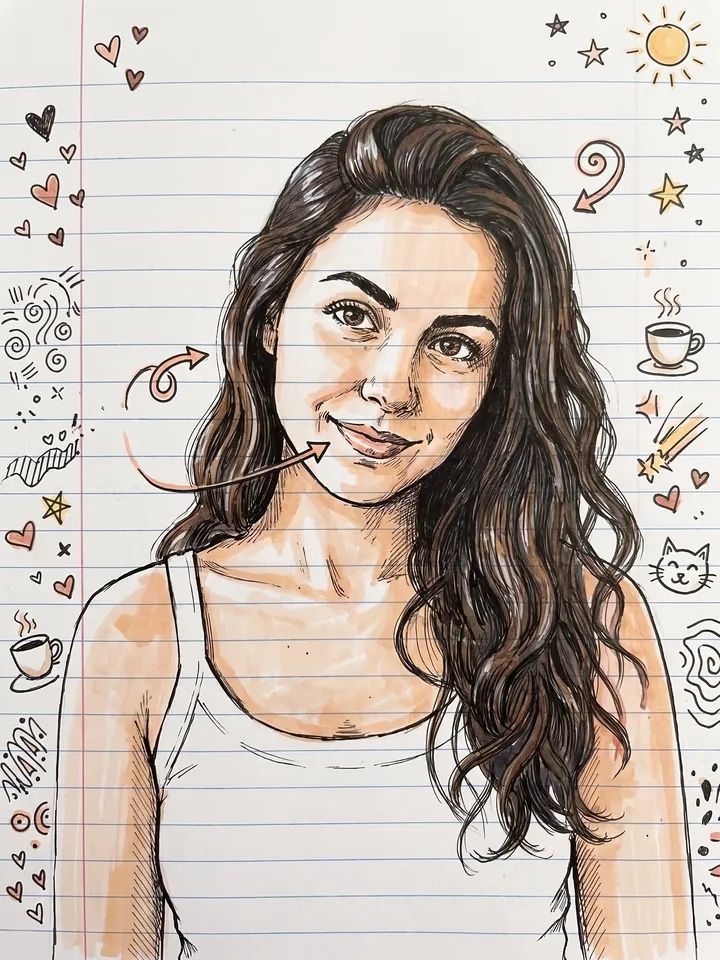
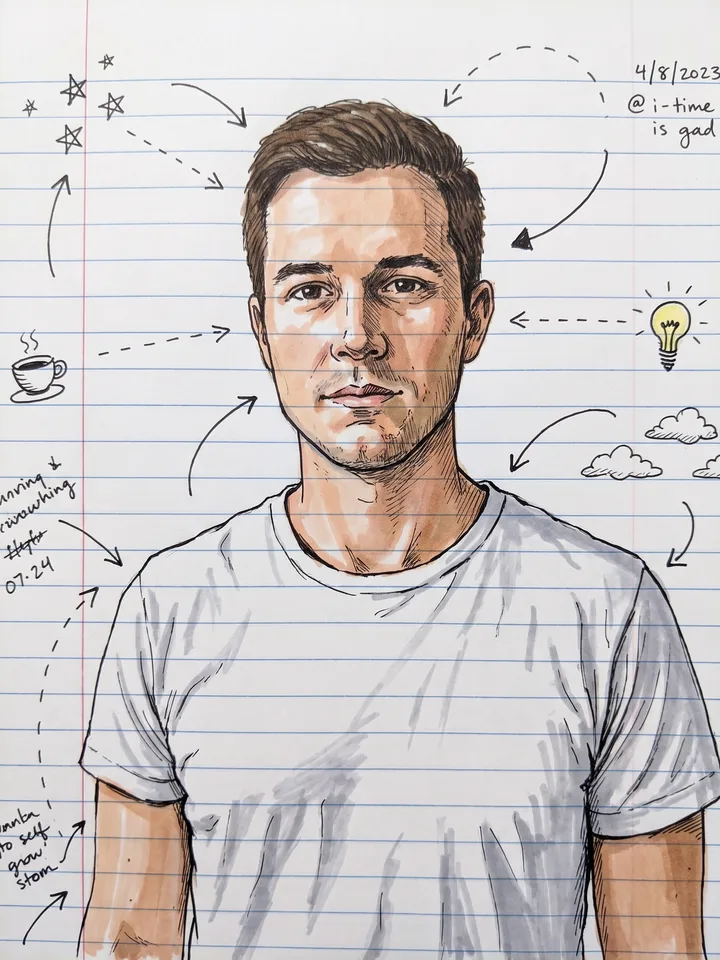
Pen-and-marker doodle portrait on ruled notebook paper 11

Coretan di buku tulis

Sebuah selfie

Turn my portrait into a pen-and-marker notebook doodle on ruled paper, with playful arrows and tiny margin sketches. Keep my face recognizable.
Buka Mini App
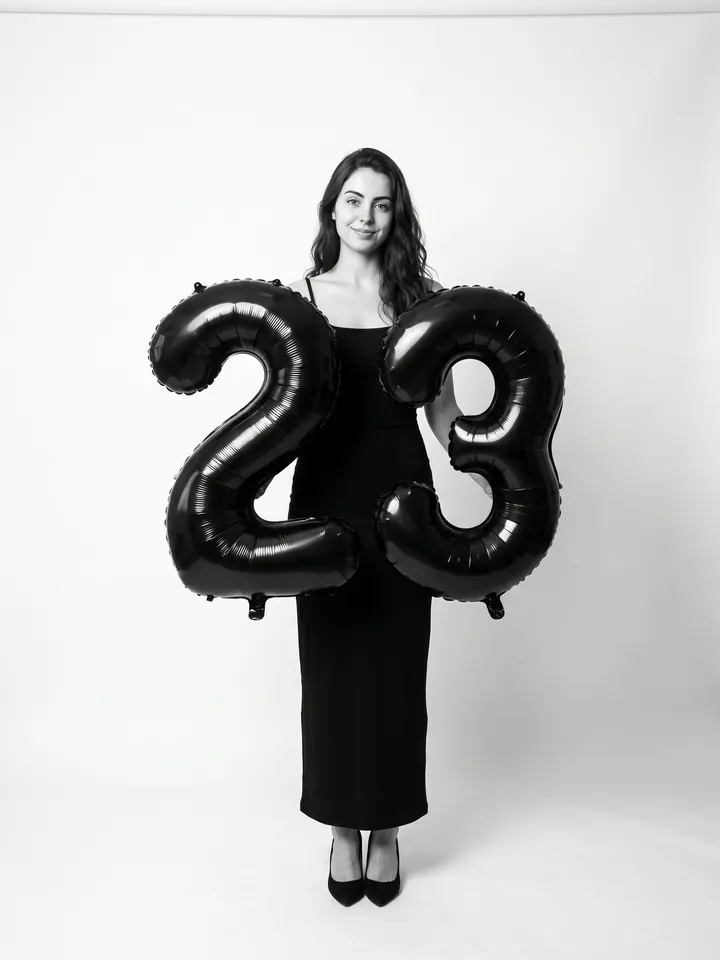
Studio birthday portrait with black number balloons 12

Photoshoot ulang tahun

Foto seluruh badan atau setengah badan

Use the person's appearance 1:1 – face, skin, hair and body unchanged. Full-length shot in a professional photo studio on a seamless white background. Camera at eye level, slightly below. In the hands – large black foil balloons shaped as the number "[your age]". A fitted long black dress with thin straps, black pumps. Soft even studio light from the front, natural shadows. Minimalist fashion portrait, black-and-white grade with natural skin tones.
Buka Mini App
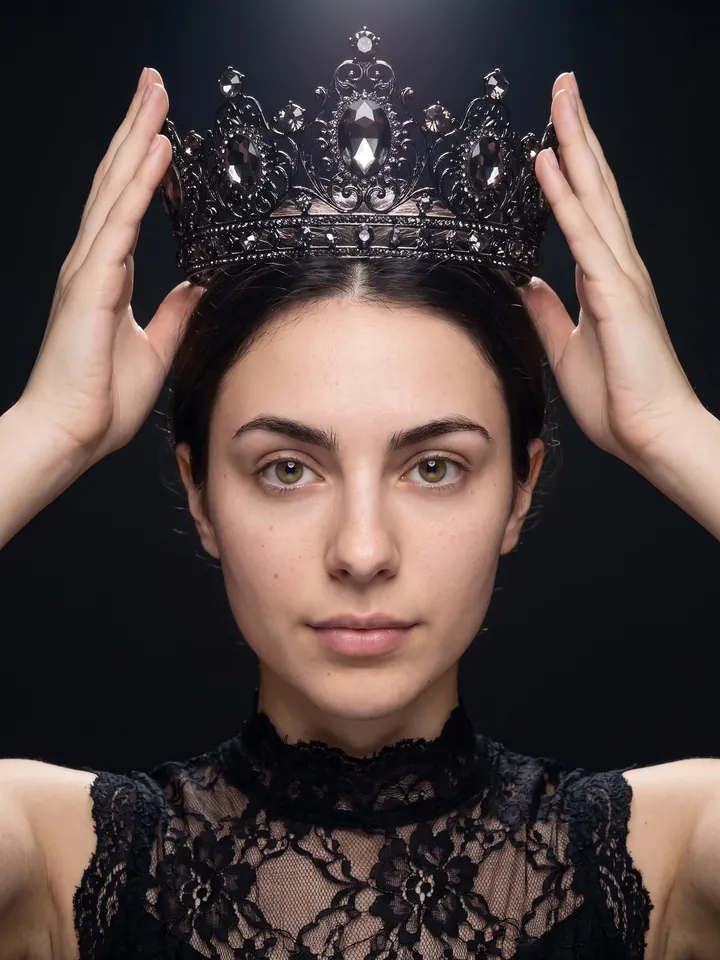
Fashion portrait holding a black crown above the head 13

Tren mahkota

Sebuah potret

Fashion portrait: I hold a black crown with rich filigree and large sparkling stones above my head. The light falls from above. The dress is delicate black lace with a high neck, the frame is cropped at the shoulders. The background is dark and minimalist.
Buka Mini App
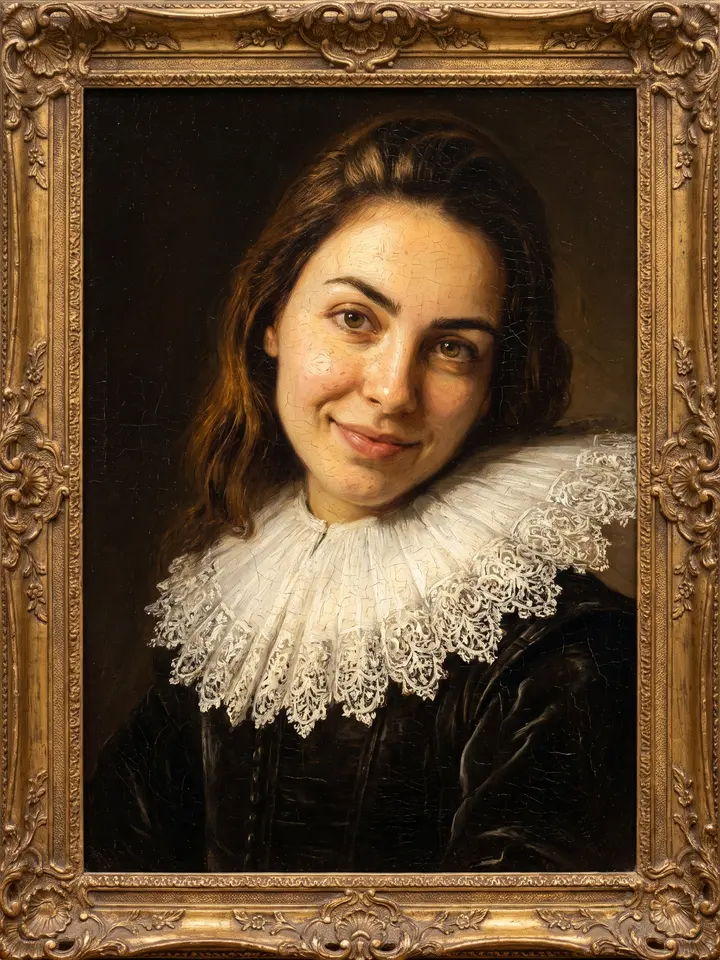
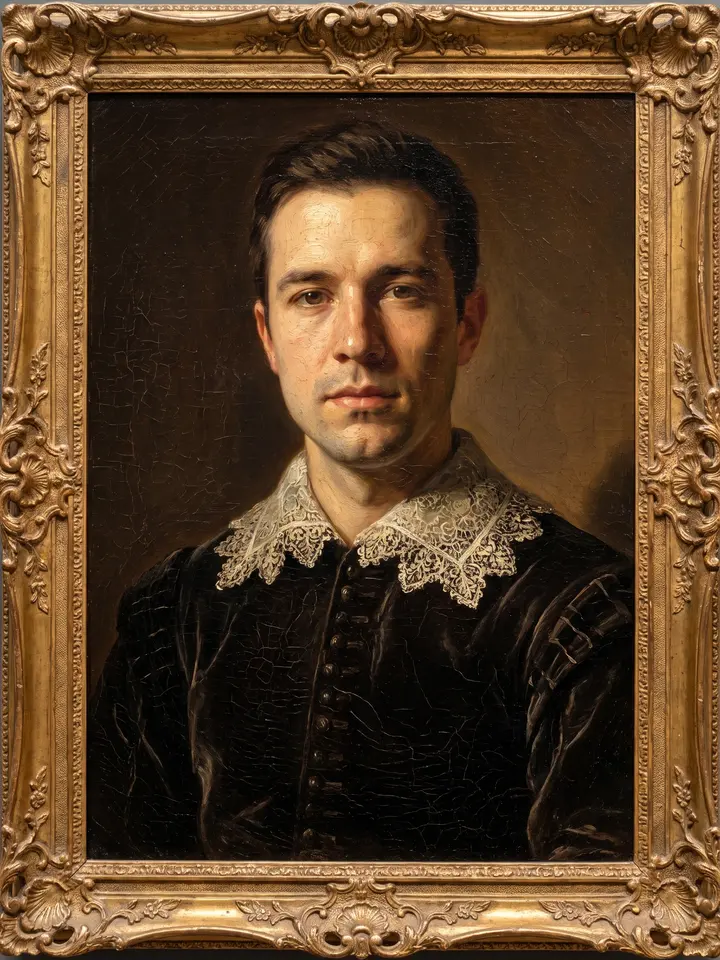
Portrait repainted as a 17th-century oil painting in a gilded frame 14

Potret cat minyak ala maestro lama

Sebuah potret

Repaint me as a 17th-century oil portrait in the manner of the old masters: visible brushwork and impasto, warm chiaroscuro with a single light source from the left, deep umber background, dark velvet clothing with a lace collar. Keep my face exactly as in the photo. Fine craquelure on the varnish, canvas texture, the look of a museum piece in a carved gilded frame.
Buka Mini App
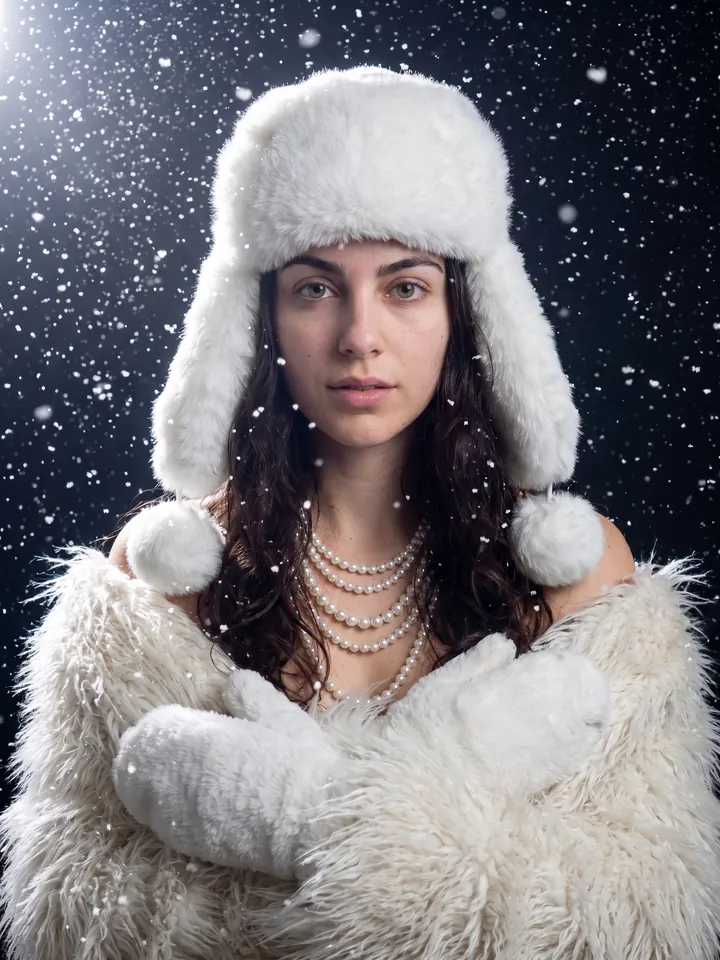
Winter portrait in white faux fur and pearls under falling snow 15

Glamor musim dingin – bulu, mutiara, kepingan salju

Sebuah potret

Use the user's face 1:1 without any changes. Glamorous winter portrait, medium slightly low-angle shot. Big fluffy white faux fur ushanka with ear flaps and pom-poms. Multiple lustrous white pearl strands as chokers and long necklaces. Wrapped in shaggy white faux fur, hands in matching white fur mittens. Wavy hair flowing from under the hat. Heavy fall of bright white snowflakes, magical ethereal atmosphere. Dramatic top-left lighting catching highlights on fur, pearls, hair and face. Dark out-of-focus background.
Buka Mini App
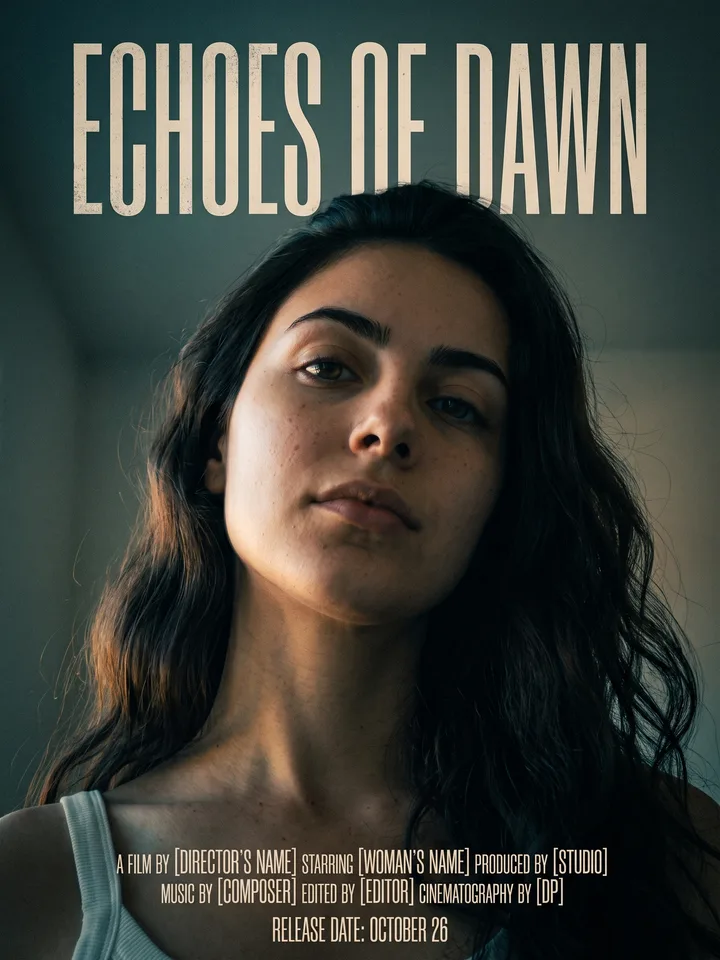
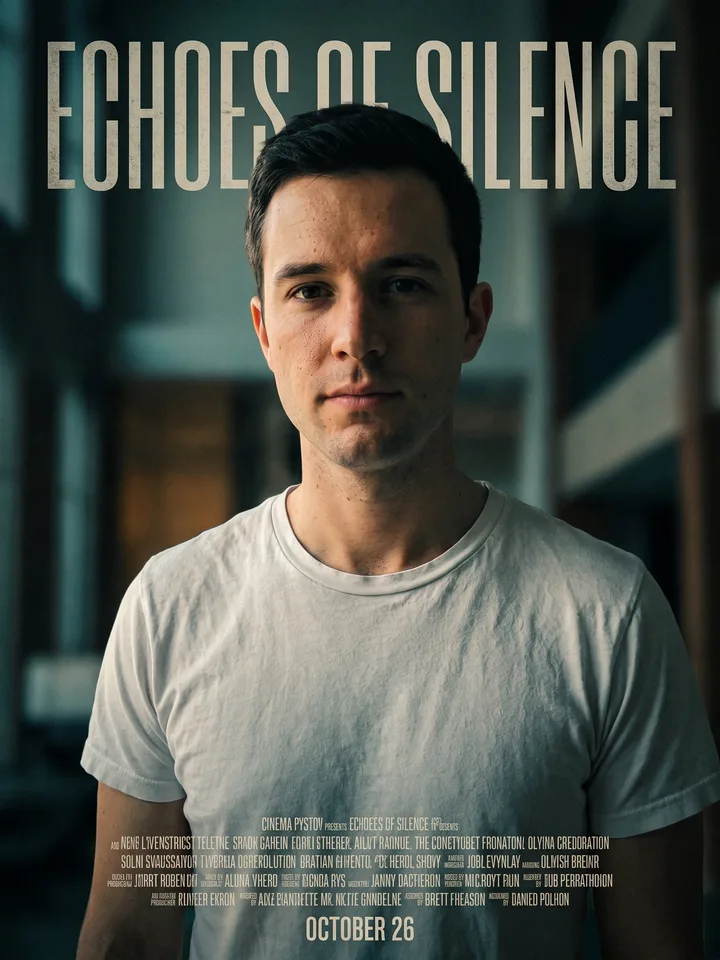
Cinema poster with the person in close-up and an invented film title above 16

Poster film kamu sendiri

Sebuah potret

Turn my photo into a cinema poster: I am shot from a low angle in the centre of the frame, dramatic side light, an invented film title in a tall condensed typeface above me, a block of small credits at the bottom, a release date line, muted teal and amber grade, fine film grain. Keep my face exactly as in the photo.
Buka Mini App
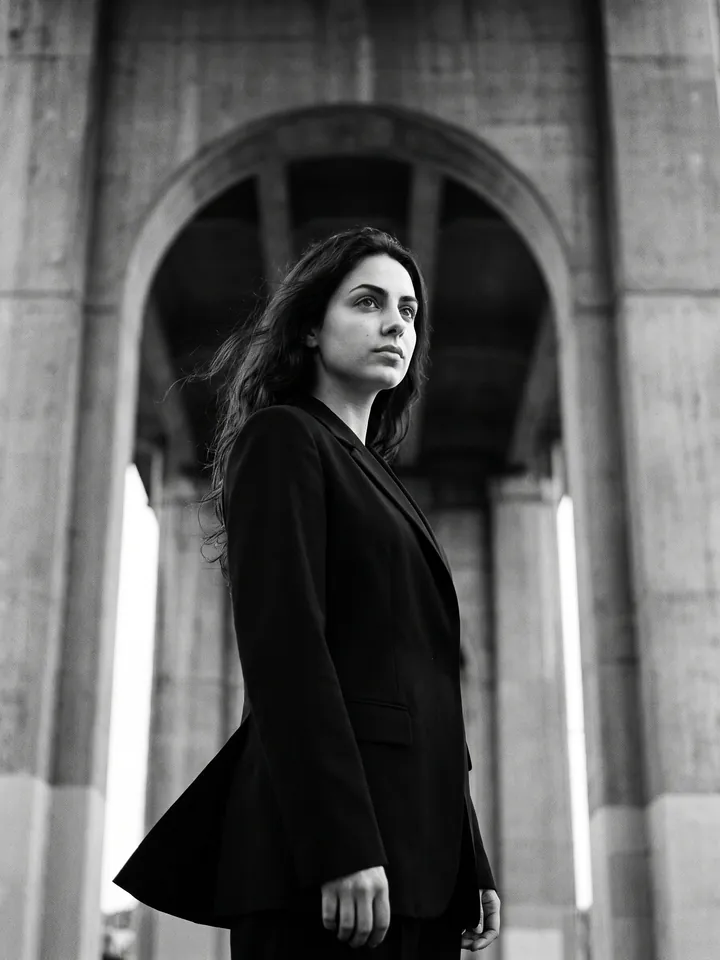
Black-and-white fashion shot in a black blazer by a concrete arch 17

Hitam-putih ala Yohji Yamamoto

Potret seluruh badan atau setengah badan

Black-and-white cinematic fashion photography in the raw style of Yohji Yamamoto. Industrial brutalist setting with a massive grey concrete arch in the background. Model seen from a low angle, portrait from the waist up, gazing into the distance. Wearing a sharply tailored matte black Yohji Yamamoto blazer, minimalist and structured. Subtle wind moving the fabric. Mood: raw, contemplative, timeless, anti-gloss. Analog film grain, high contrast, cinematic depth. Shot on 85mm, f/2.8, ISO 400, 1/125s. Ultra-detailed, photorealistic.
Buka Mini App
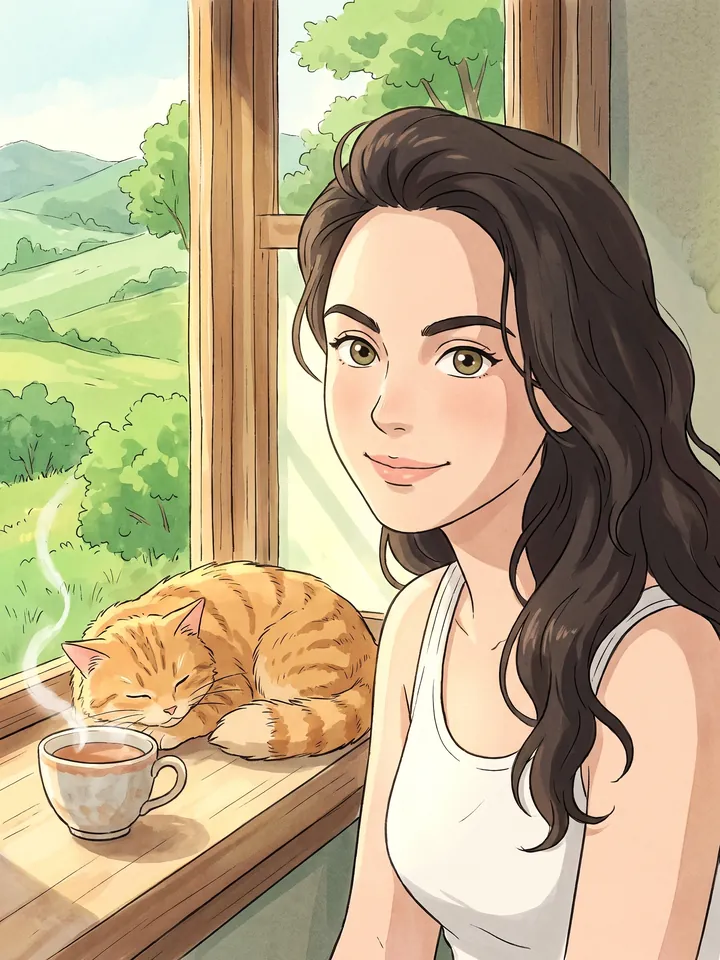
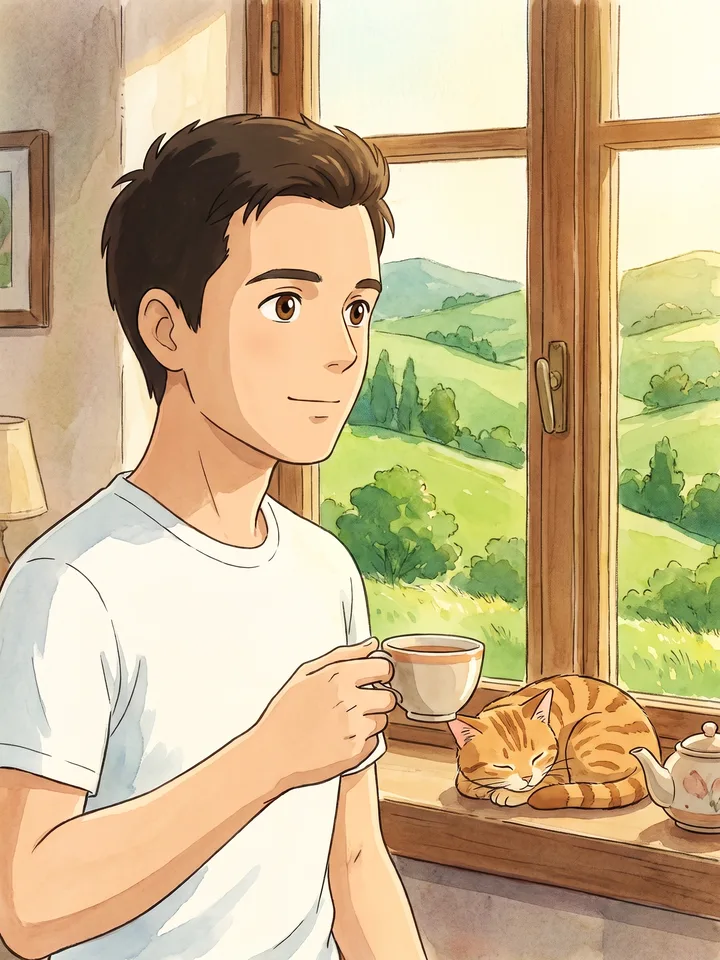
Studio Ghibli style character by a window with a cat and a cup of tea 18

Kamu versi anime / Studio Ghibli

Sebuah selfie

Turn me into a Studio Ghibli style character: soft watercolor fills, clean line work, kind big eyes, the face stays recognizable. Place me in a cozy scene – a window looking out on summer hills, a lazy cat and a cup of tea on the windowsill. Warm daylight.

Buka Mini App
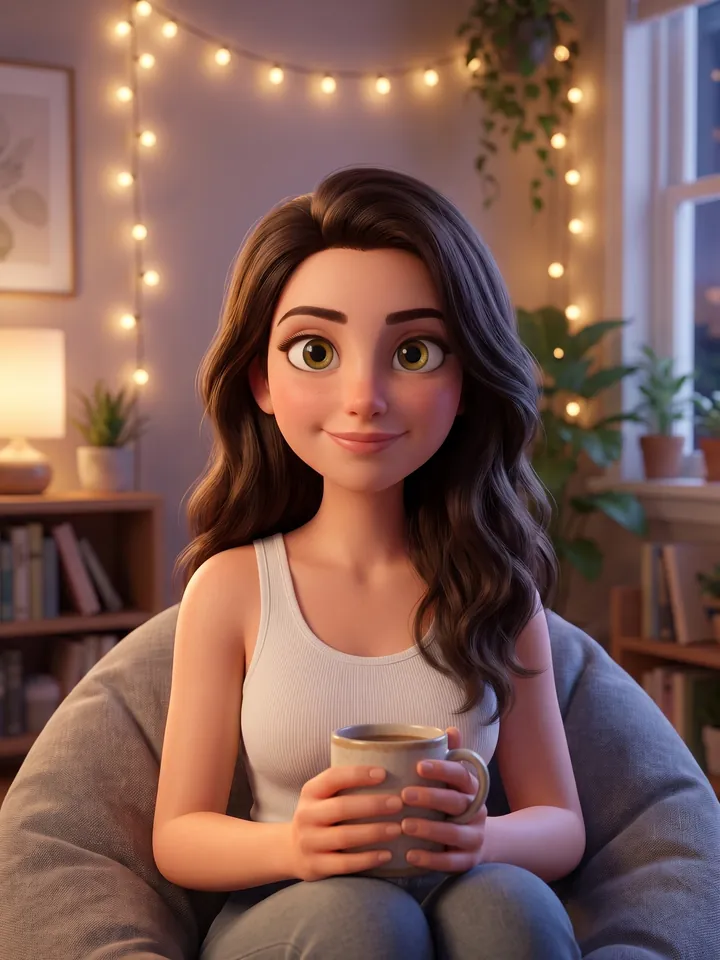
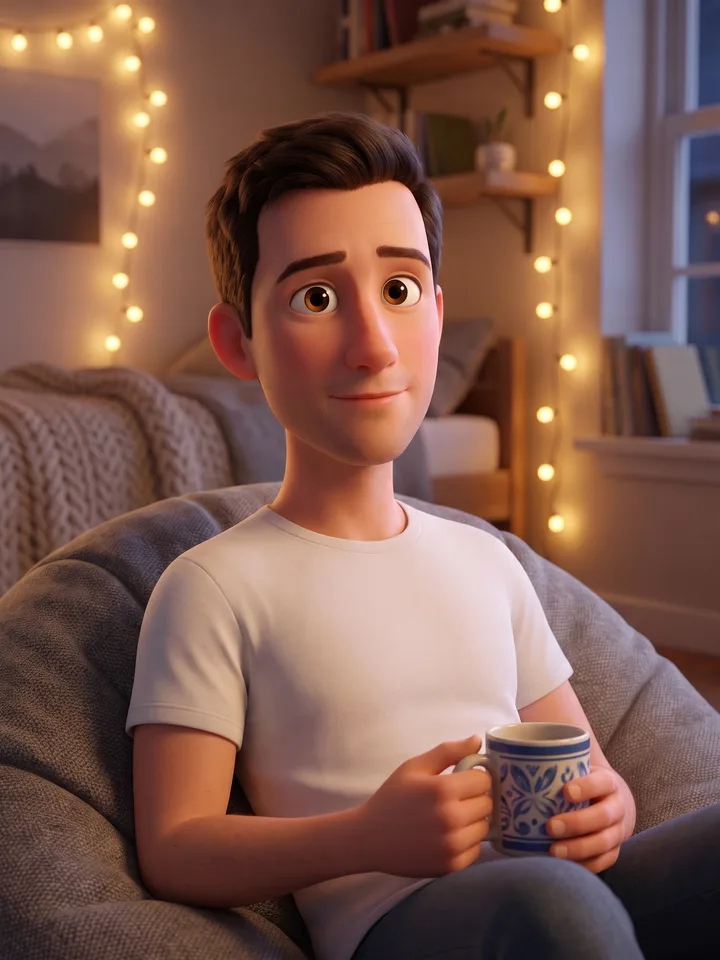
3D Pixar-style character on a beanbag with a mug 19

Karakter 3D ala Pixar

Sebuah selfie

Turn me into a 3D Pixar-style character: large expressive eyes, soft rounded shapes, realistic lighting, recognizable facial features. Scene: a cozy room with fairy lights, I sit on a beanbag with my favorite mug.
Buka Mini App
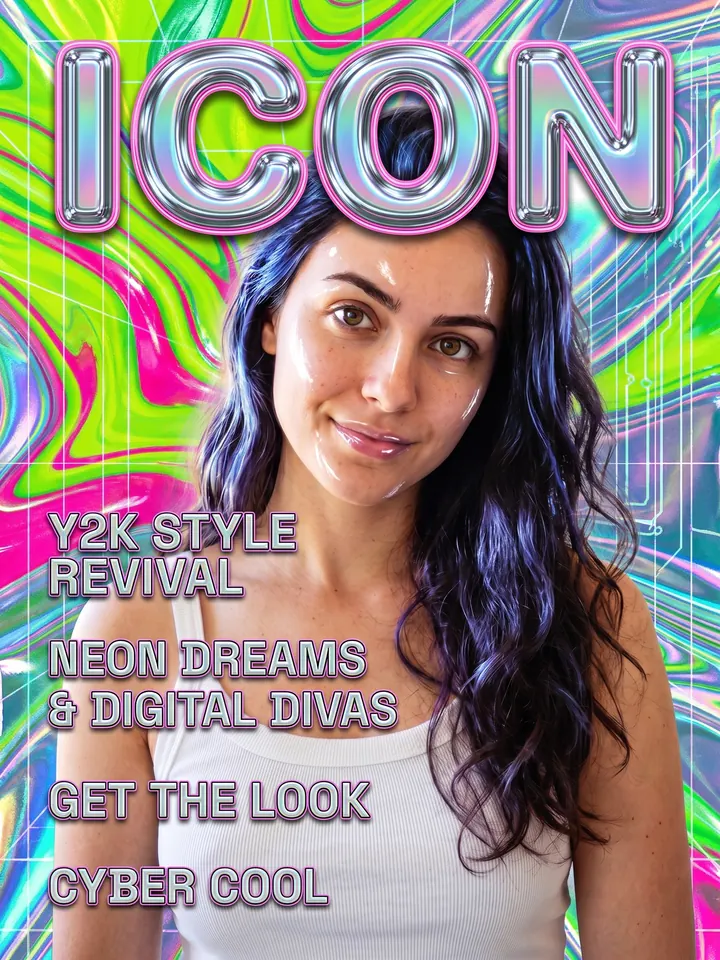
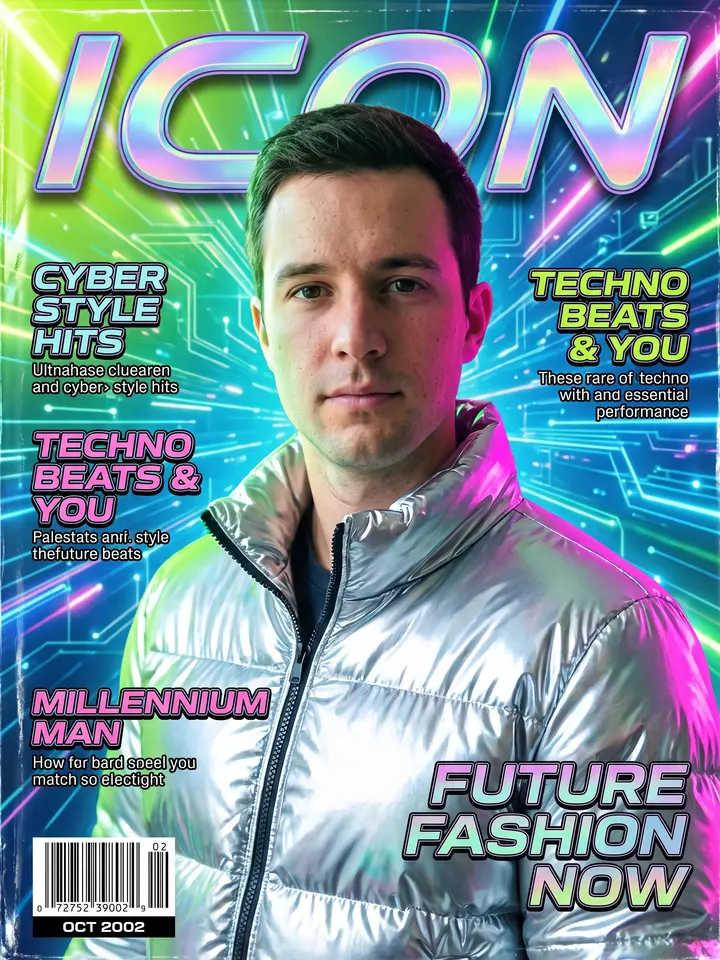
Y2K magazine cover with the word ICON 20

Sampul majalah Y2K

Sebuah selfie

Make a magazine cover of me in the Y2K style of the early 2000s: gloss, acid colors, metallics, holographic foil, the word "ICON" in a large typeface, small captions like article headlines. Keep the face.
Buka Mini App
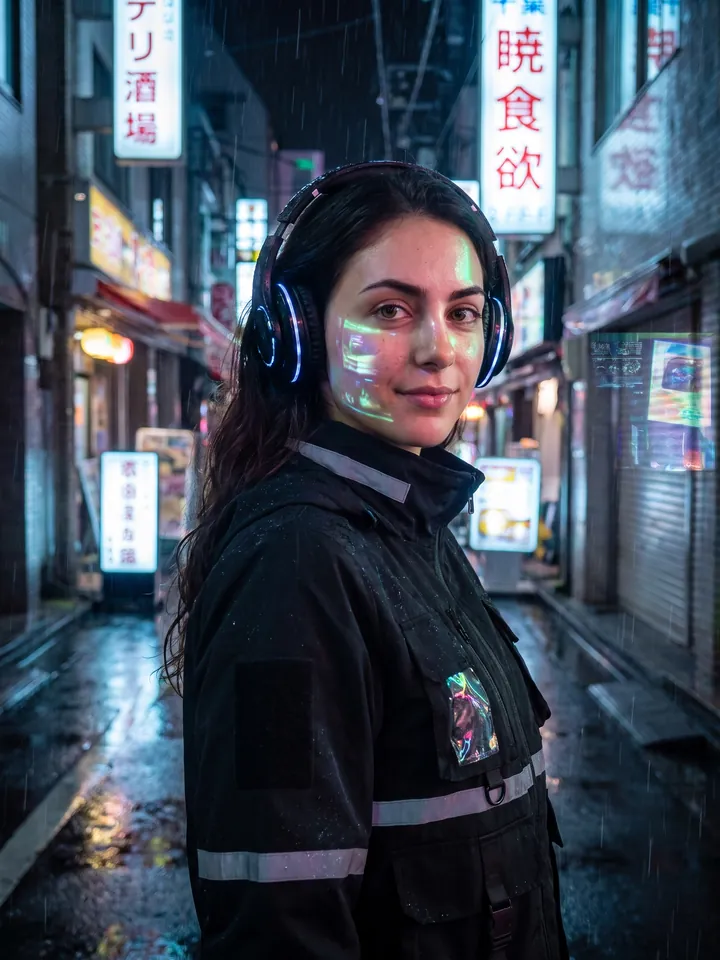
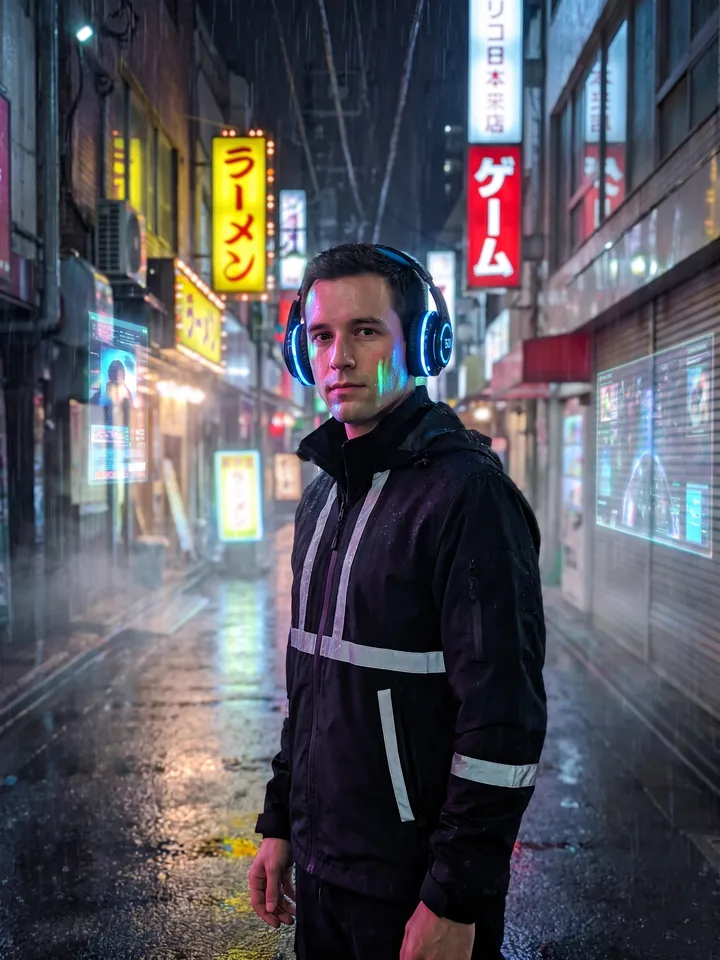
Portrait in a rainy neon alley of cyberpunk Tokyo 21

Cyberpunk: Tokyo bermandi neon

Sebuah potret

Place me in the middle of a neon alley in cyberpunk Tokyo: shiny wet asphalt, kanji on the signs, holograms, rain, reflections. I wear a techwear jacket with reflective strips and cyber headphones. Realistic highlights on the skin, cinematic look.
Buka Mini App
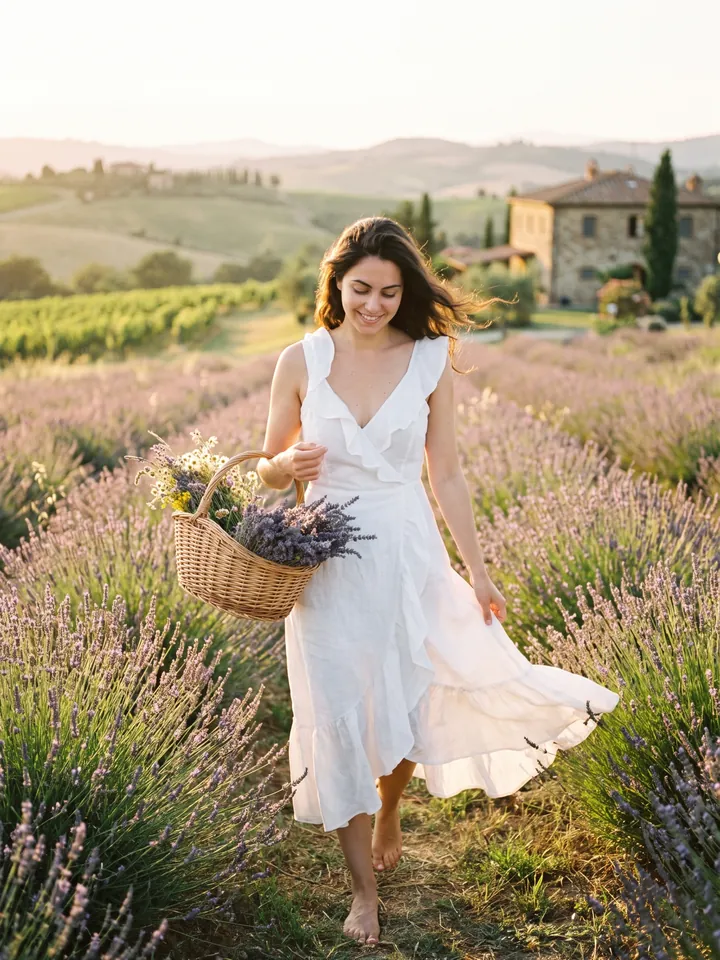
Portrait in a lavender field in Tuscany at sunset 22

Cottagecore – padang rumput di Toscana

Sebuah potret

Move me to a lavender field in Tuscany. I wear a white linen dress with ruffles, carry a wicker basket of flowers, barefoot in the grass. Golden sunset light, a soft breeze, film grain, the romance of Vogue Living.
Buka Mini App
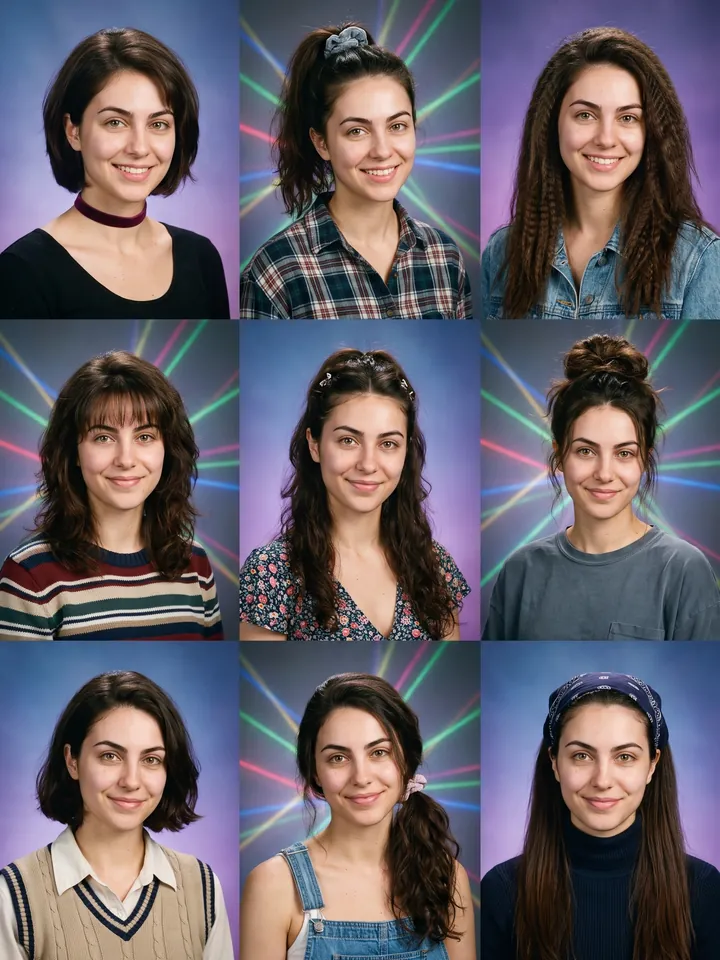
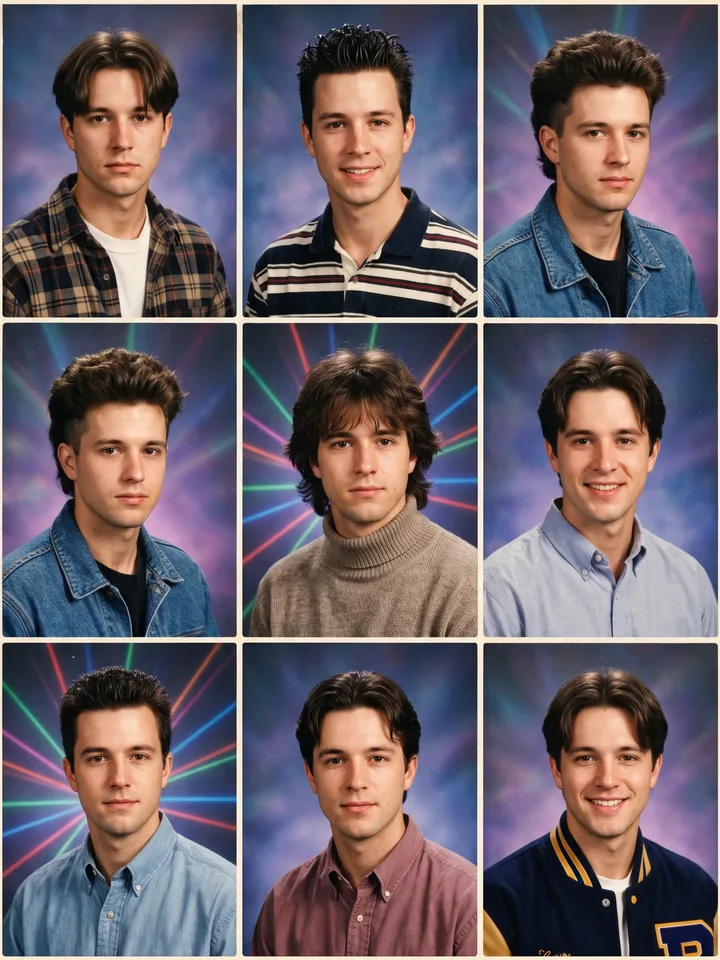
3x3 grid of 1995 yearbook portraits of one person 23

Buku tahunan AI era 90-an

Sebuah selfie

Make 9 school portraits of me in the style of a 1995 American yearbook: colored gradient backdrop (blue, purple, laser), period hairstyles, different looks, film grain, soft studio light. 3x3 grid.
Buka Mini App
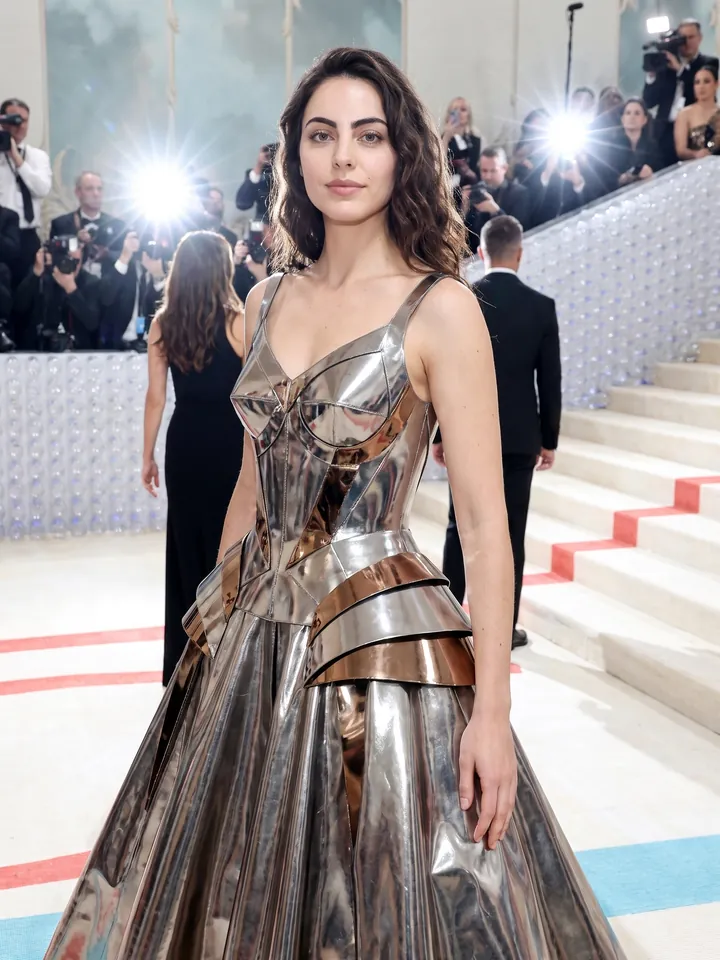
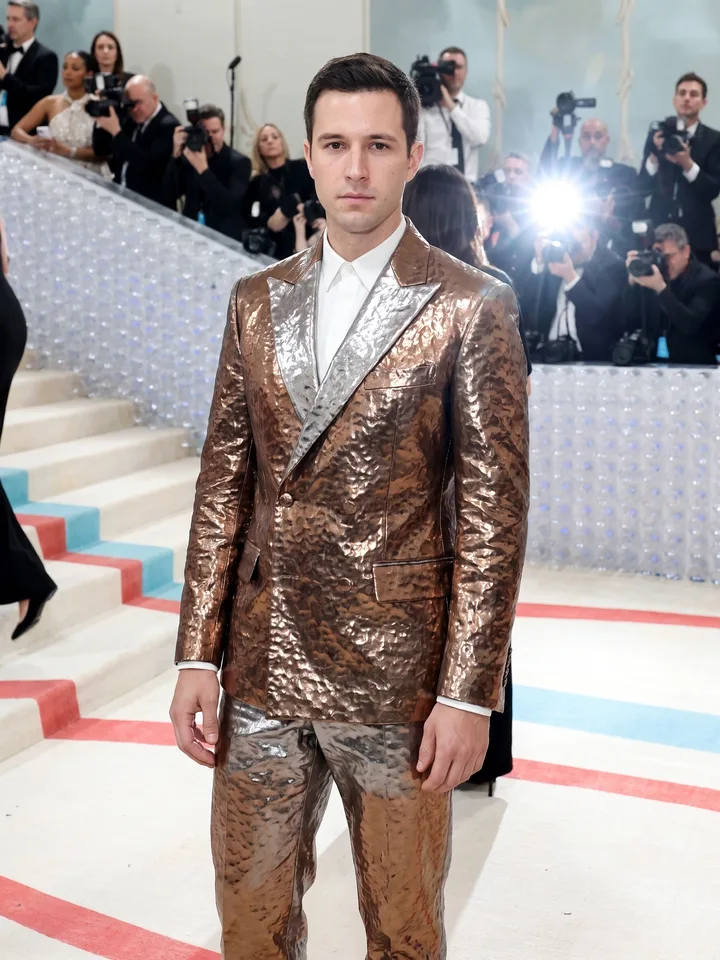
Met Gala look on a white carpet by a marble staircase 24

Busana couture Met Gala

Potret seluruh badan

Turn me into a Met Gala guest. I wear a haute couture gown or tuxedo in a [sculptural / metallic / gothic / bionic] style, standing on a white carpet by a marble staircase, paparazzi flashes around. Keep the face 1:1.
Buka Mini App
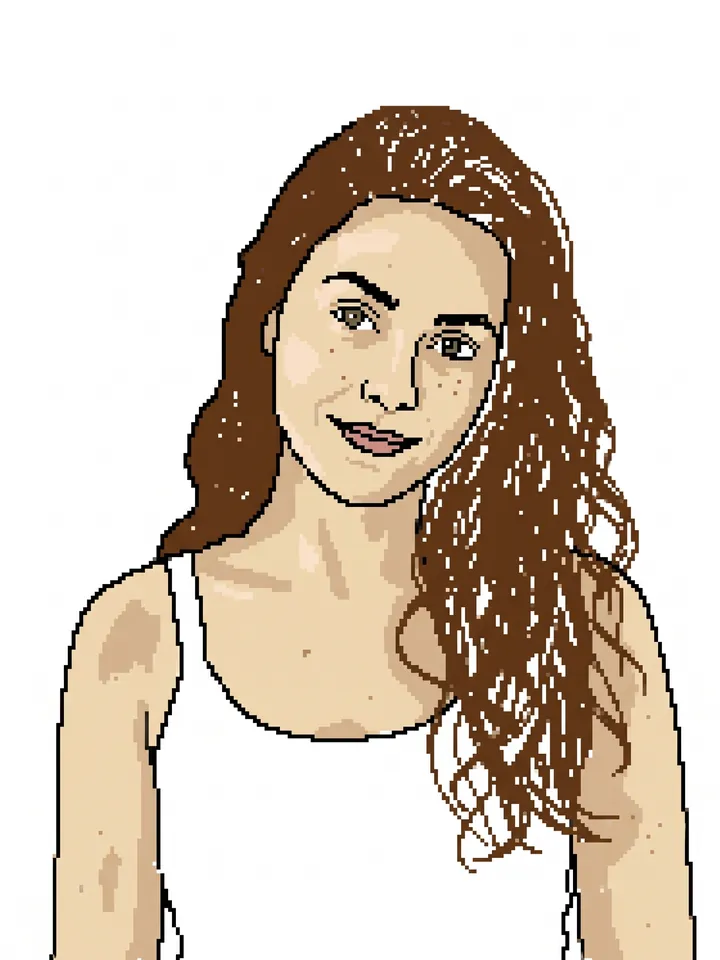
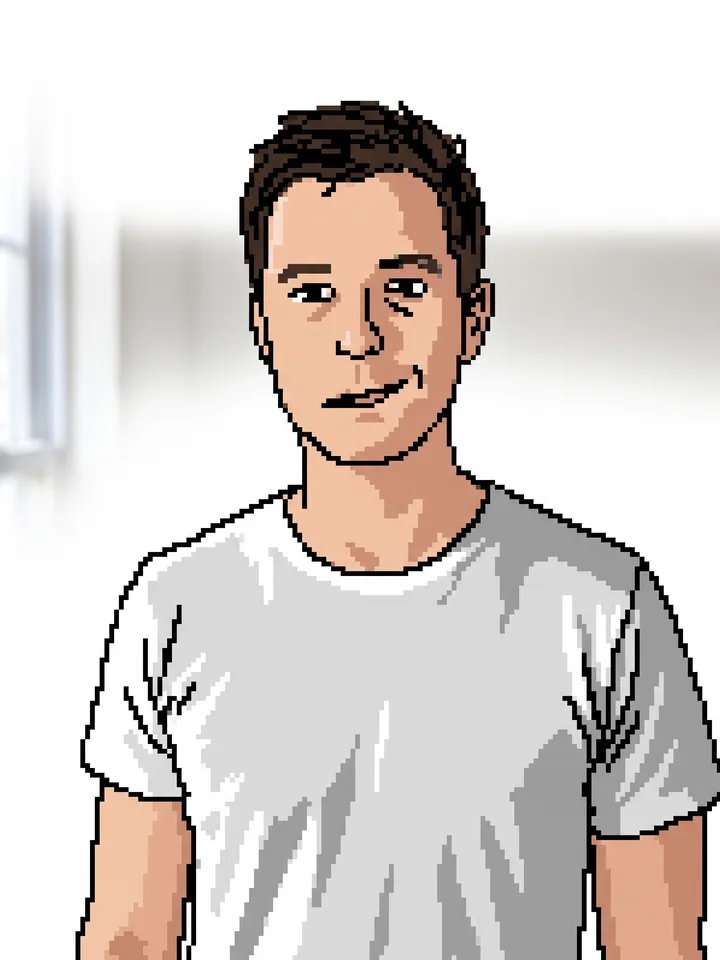
Clumsy MS Paint style redraw of the reference photo 25

Mahakarya MS Paint

Gambar apa saja

Redraw the attached image in the most clumsy, scribbly, and utterly pathetic way possible. Use a white background, and make it look like it was drawn in MS Paint with a mouse. It should be vaguely similar but also not really, kind of matching but also off in a confusing, awkward way, with that low-quality pixel-by-pixel feel that really emphasizes how ridiculously bad it is. Actually, you know what, whatever, just draw it however you want.
Buka Mini App
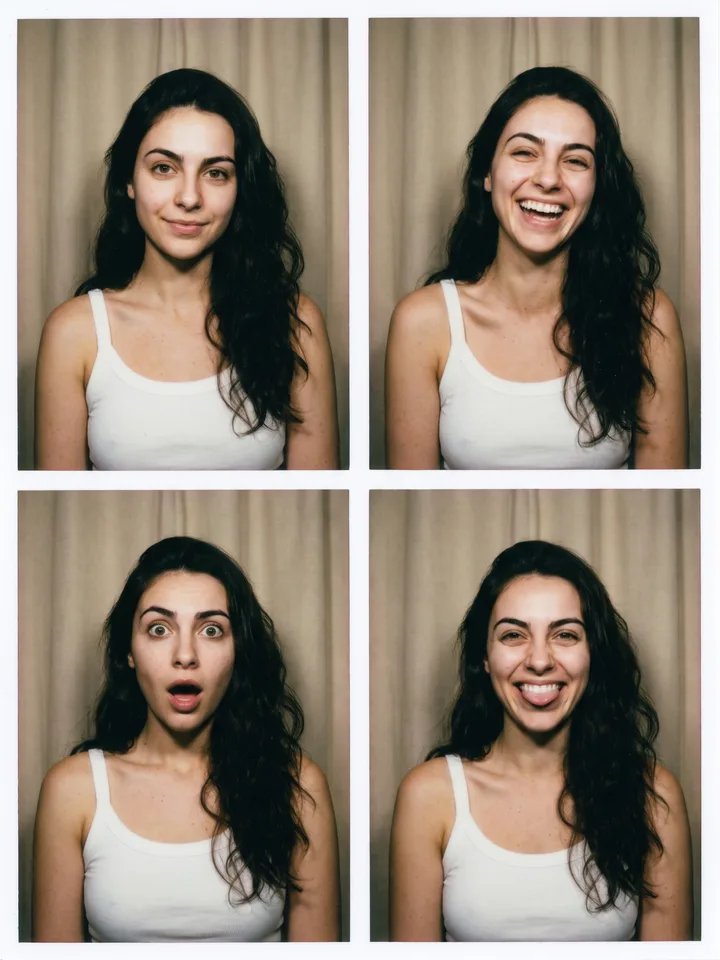
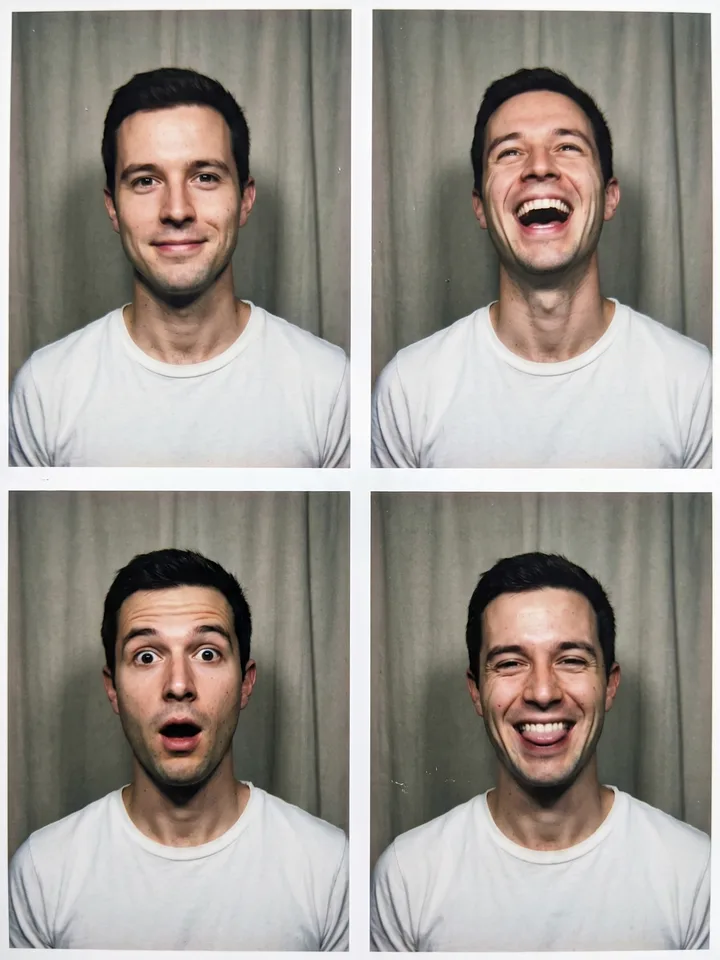
Four photo booth frames of the same face with different expressions 26

Strip photobooth, empat wajah

Sebuah selfie

Make a photo booth sheet of me: four frames in a 2x2 grid with thin white borders, the same face in every frame with four different expressions - a calm smile, a laugh, wide-eyed surprise and a silly grin. Harsh on-camera flash, a plain curtain behind, slight film grain, the colors of a cheap print. Keep my face identical in all four frames.
Buka Mini App
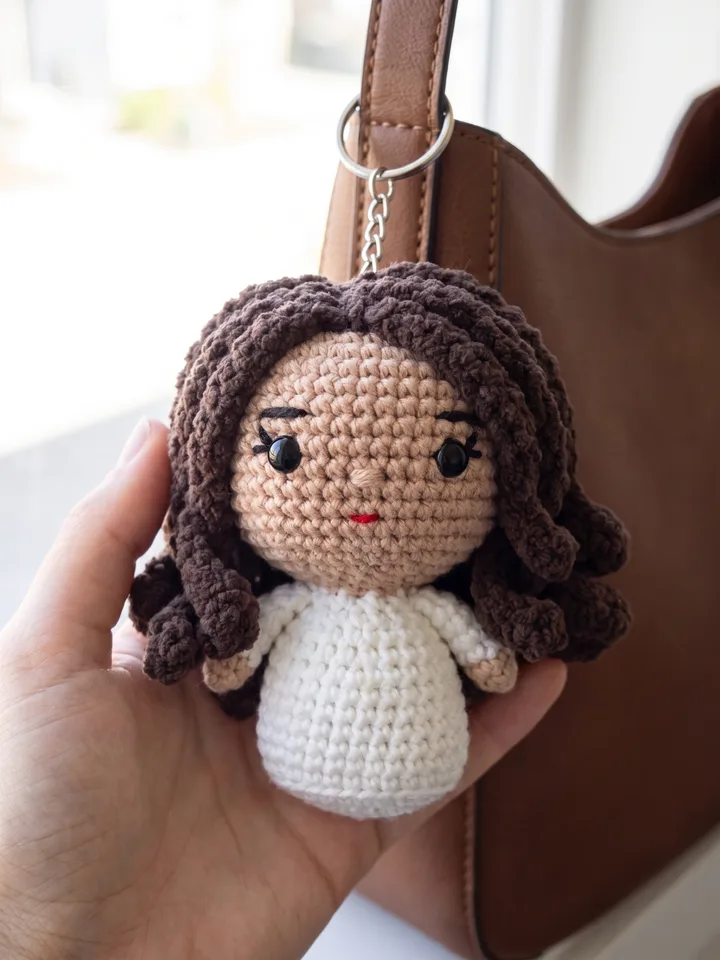
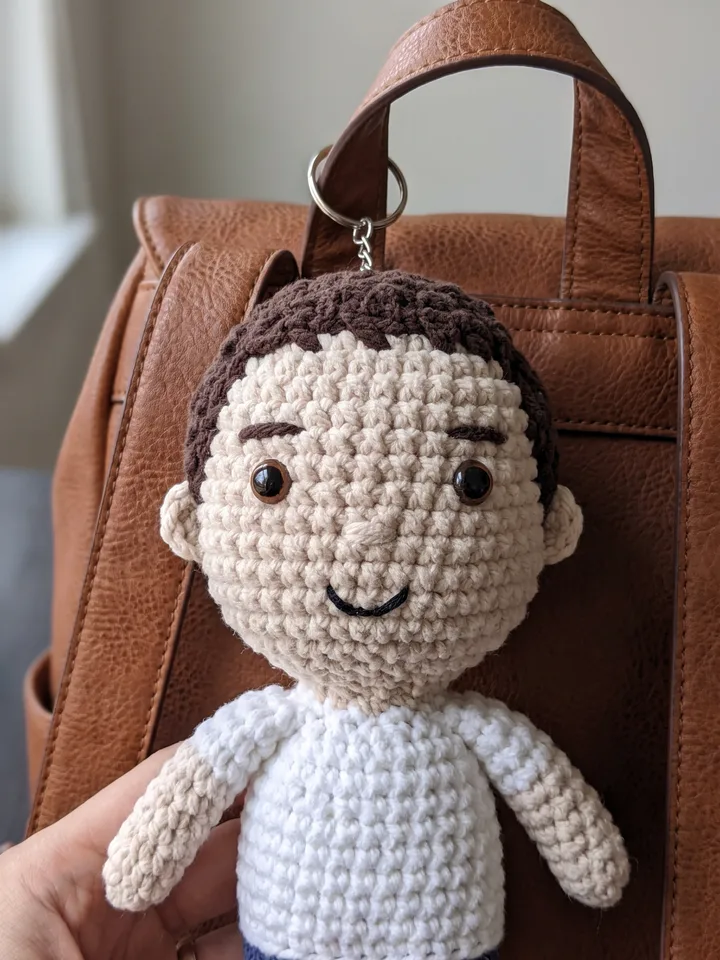
Crocheted plush keychain of the person hanging on a bag strap 27

Gantungan kunci boneka rajut diri kamu

Sebuah selfie

Turn me into a hand-crocheted amigurumi plush keychain: chunky yarn texture, stitched eyes, a tiny embroidered smile, an oversized round head, my hairstyle and the colors of my clothes kept recognizable. The toy hangs on a metal ring from the strap of a leather bag, a hand holding it up. Macro shot, shallow depth of field, soft daylight.
Buka Mini App

Cara menulis prompt

Apa yang perlu diketik dan apa yang dipilih lewat tombol – lengkap dengan contoh sebelum dan sesudah.

Dasar

  1. Satu video, satu adegan. Sebuah klip hanya berdurasi beberapa detik – cukup untuk satu aksi. Pecah naskah panjang jadi adegan-adegan pendek: di tiap adegan, siapa melakukan apa dan di mana, dengan kalimat yang sama tentang karakter kamu. Grok dan Veo punya Extend – tulis apa yang terjadi berikutnya.
  2. Format dan durasi dipilih lewat tombol. Mengetik “9:16” atau “10 detik” tidak mengubah apa pun – pilih di bawah kolom teks. Video yang dibuat dari foto mengikuti format fotonya.
  3. Tulis apa yang kamu mau. Daripada “jangan zoom, kamera jangan bergerak”, tulis static shot: model biasanya lebih paham perintah apa yang harus dilakukan daripada daftar larangan.
  4. Setiap percobaan mulai dari nol. Model tidak ingat percobaan sebelumnya. Untuk memperbaiki gambar, ketuk Edit dan jelaskan hanya bagian yang perlu diubah.
  5. Coba lagi. Setiap percobaan hasilnya beda – Again di bawah hasil akan menjalankan prompt yang sama untuk versi baru.
  6. Penolakan tidak selalu karena kata-katanya. Kalau permintaan yang wajar ditolak, filter mungkin bereaksi pada foto, merek, atau karakter terkenal. Ganti fotonya atau hapus namanya – kredit untuk permintaan yang ditolak akan dikembalikan.

Naskah panjang

Sebelum

Buat video 15 detik: pagi hari, seorang gadis bangun, berjalan ke dapur, bikin kopi, keluar ke balkon, kamera terbang mengelilingi kota, dan di akhir muncul tulisan “Selamat pagi”… cahaya sinematik, transisi halus, 4K, 9:16, dia tersenyum, menyeruput kopi, menatap matahari terbit, burung-burung terbang lewat, musik yang tenang, lalu kamera naik ke atas atap-atap rumah, matahari muncul, dia melambaikan tangan, kota mulai bangun, mobil-mobil di jalan, lalu kembali ke close-up wajahnya, uap kopi, cahaya, suasana hari baru, dan di bagian paling akhir judulnya muncul lagi, lebih besar, dengan cahaya lembut dan…

+2.000 karakter
Sesudah
  1. Video Seorang gadis berambut bob merah bangun di kamar tidur yang terang dan meregangkan badan. static shot
  2. Extend Gadis berambut bob merah menuang kopi di dapur, uap mengepul dari cangkir
  3. Extend Dia keluar ke balkon membawa cangkir, kamera perlahan mundur, kota terlihat di belakangnya
  4. Image Tulisan “Selamat pagi” di atas langit pagi

Yang berubah: satu adegan, satu aksi, hal utama di depan, karakter dijelaskan dengan cara yang sama.

Pengaturan di dalam teks

Sebelum

video 9:16 10 detik 4K, kucing main

Sesudah

Seekor kucing oranye mencakar-cakar bercak sinar matahari di lantai

9:1610 dtk

Yang berubah: pengaturan pindah ke tombol, teksnya hanya berisi aksi.

Kata-kata ajaib Frasa pendek opsional yang biasanya hanya dipahami model dengan satu cara. Ketuk untuk menyusun satu baris, lalu tambahkan ke prompt mana saja, termasuk yang ada di katalog.

  • close-up wajah
  • seluruh badan
  • cahaya siang lembut
  • seperti foto asli
  • latar polos satu warna

Prompt kamu: ketuk kata-kata di atas

Pertanyaan yang sering diajukan

Berapa biaya sekali generate?

Generate memakai kredit, dan kamu dapat 10 kredit sambutan saat mulai – cukup untuk mengedit foto dengan Seedream 5.0 Flash di 1K (2 kredit per foto); model lainnya terbuka setelah paket kredit pertama kamu, atau dengan pembayaran sekali pakai lewat Stars per generate, 2 ⭐ per kredit. Total persisnya tertera di tombol Generate sebelum kamu ketuk, dan harga per model serta tingkat kualitas ada di panduan.

Model apa yang menjalankan prompt ini?

Model apa saja di tab Image yang menerima foto. Skenario dengan dua foto butuh model yang bisa menerima beberapa foto: Grok Imagine menerima satu, dan Grok Imagine 2 hanya membuat gambar dari teks.

Apa yang terjadi dengan foto saya?

Foto dan prompt dikirim ke penyedia model yang kamu pilih agar hasilnya bisa dibuat; setiap penyedia memprosesnya sesuai ketentuannya sendiri. Hasil disimpan di galeri kamu selama 30 hari, lalu dihapus otomatis. Kami tidak melatih model apa pun dengan prompt, upload, atau hasil kamu. Detailnya ada di kebijakan privasi.

Kenapa prompt-nya dalam bahasa Inggris?

Supaya setiap kartu bekerja sama persis di semua versi bahasa halaman ini. Prompt kamu sendiri bisa ditulis dalam bahasa apa saja – modelnya akan mengerti.

Aplikasinya terbuka di mana?

Di dalam Telegram – di HP, di Telegram Desktop, dan di Telegram Web. Tidak ada yang perlu diinstal: Mini App langsung masuk dengan akun Telegram kamu.

Coba prompt pertama di foto kamu sendiri

Foto kamu, satu prompt, gaya baru.

Buka Mini App