TinyFile TinyFile
Open Mini App
Features Pricing Mini App Video Compressor Guide FAQ Open Mini App

AI photo prompts you can copy and paste

Pick a look, copy the prompt and paste it next to your photo in the TinyFile Mini App.

Open Mini App See the prompts

How to use a prompt

Three steps, all inside Telegram.

1

Open the Mini App

Tap Open Mini App on this page, or the Generate button at the bottom of the @tinyfile_bot chat. The prompts run in the Image tab.

2

Attach your photo

Tap + and pick a photo from your device – or two, where the card asks for them.

3

Paste the prompt

Tap Copy prompt on a card, paste it into the prompt field and tap Generate. Text in [brackets] is yours to replace.

Pick a look

Each card shows what to attach, the result and the prompt behind it.

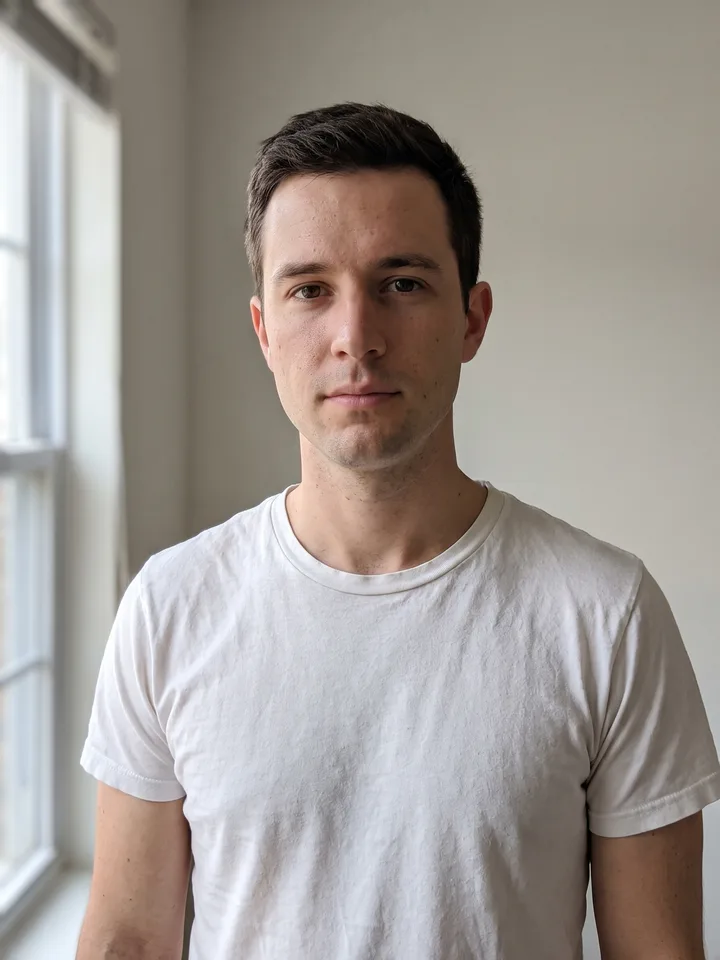
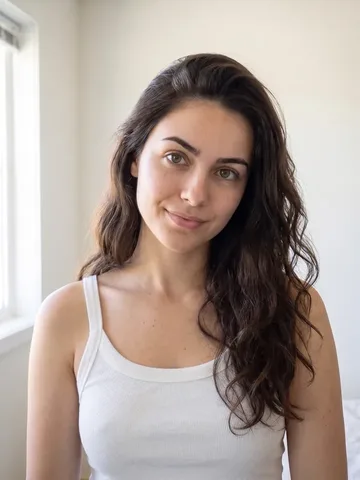
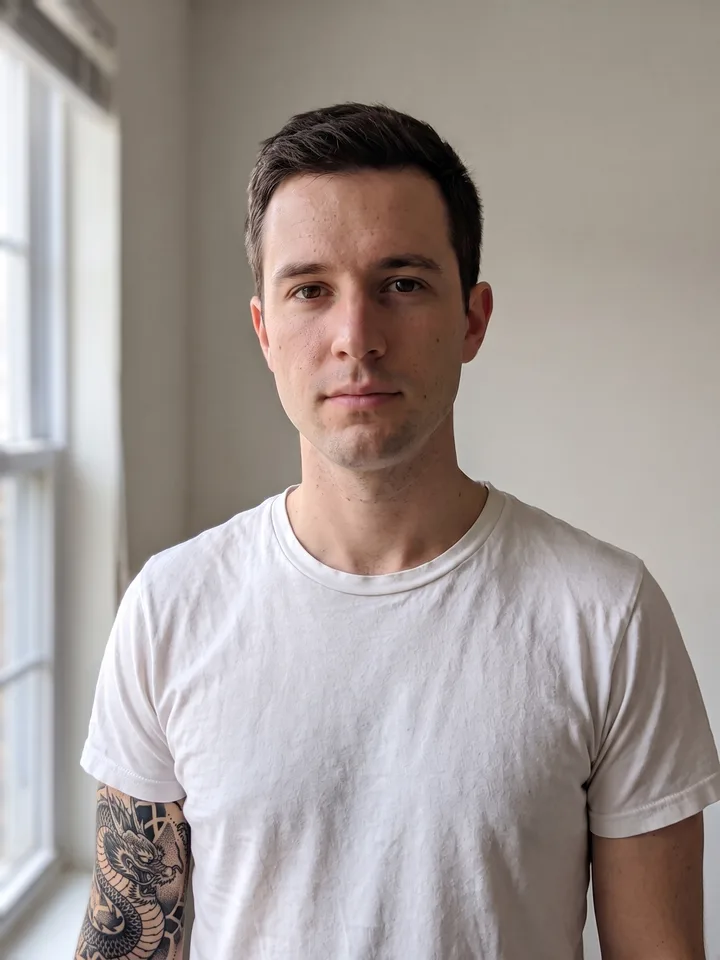
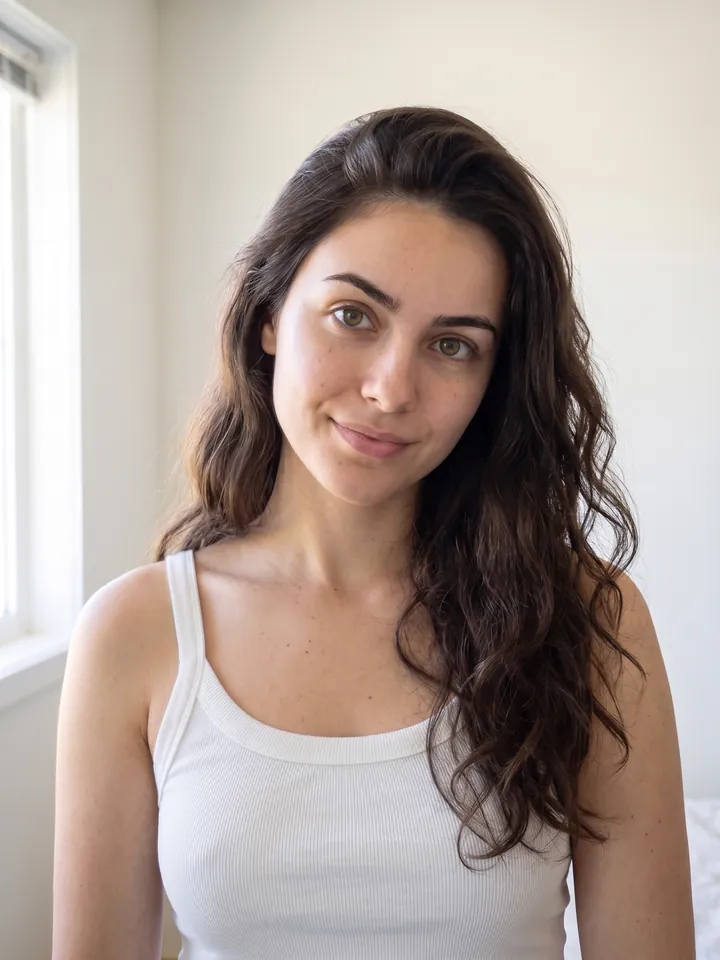
The source photo: a neutral portrait used as the input of every scenario
The source photo Every result below is made from this one photo.
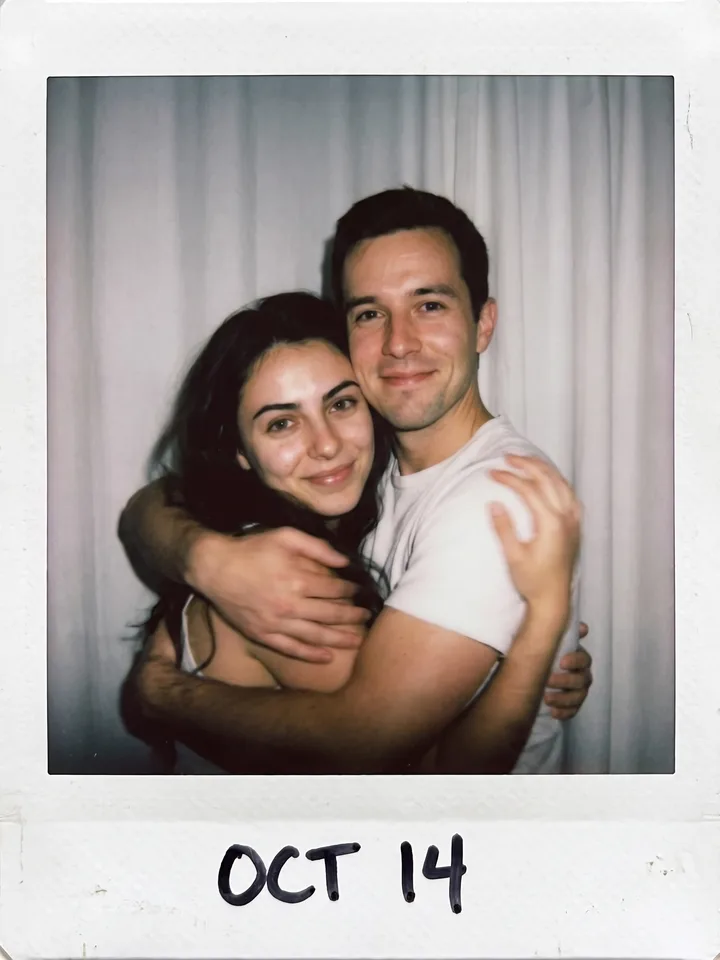
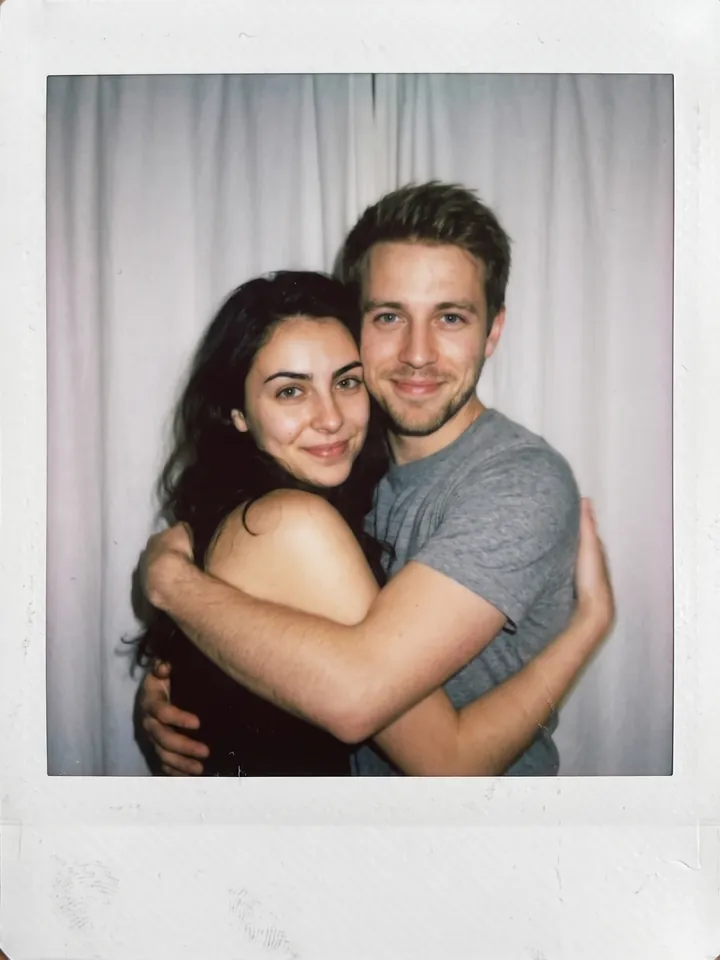
Polaroid-style snapshot of two people hugging, made from the reference photo 01

Polaroid moment with anyone

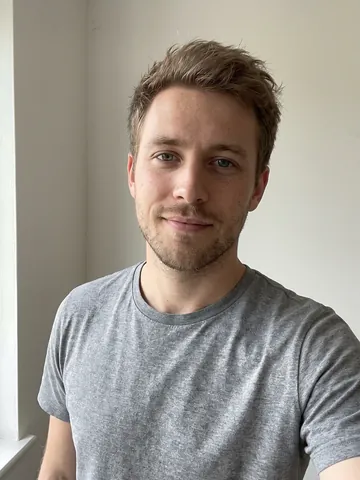
Two photos – yours and the other person's (an actor, a friend, an idol)

Make the photo of the two people look like a real Polaroid snapshot. The mood is spontaneous and alive, as if the shot was caught without posing. Add slight motion blur and the soft light of a flash in a dark room. Do not distort the faces – keep them as in the source photos. Replace the background with a plain white curtain. The two are hugging and looking straight into the camera, the moment is intimate and natural.
Open Mini App
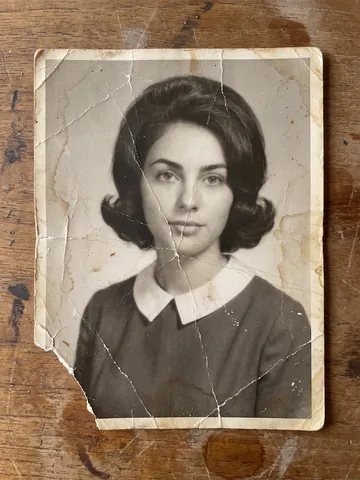
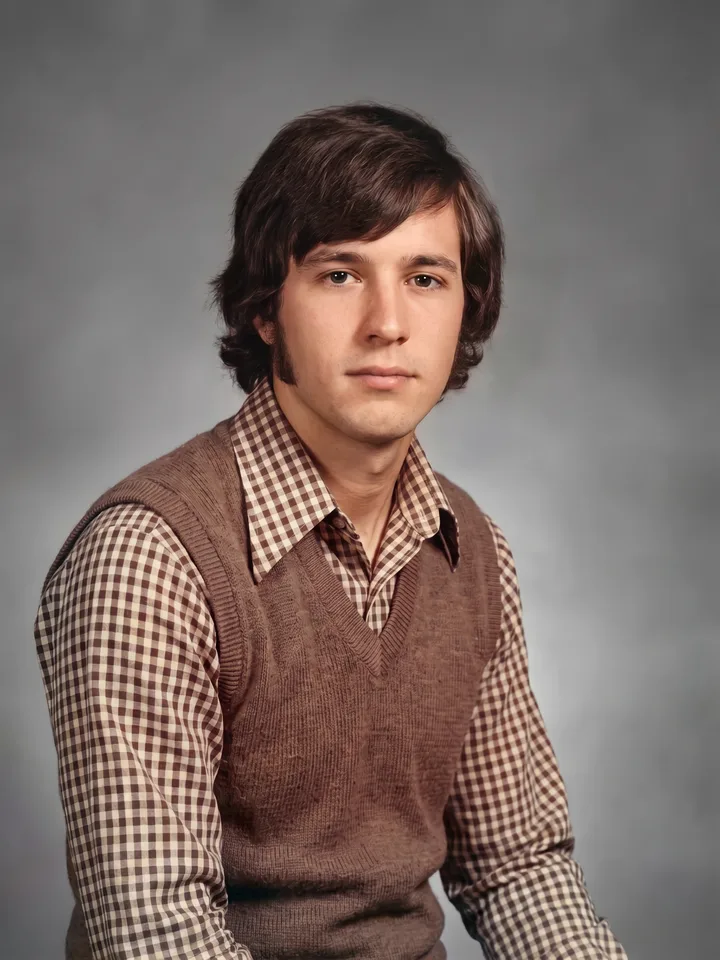
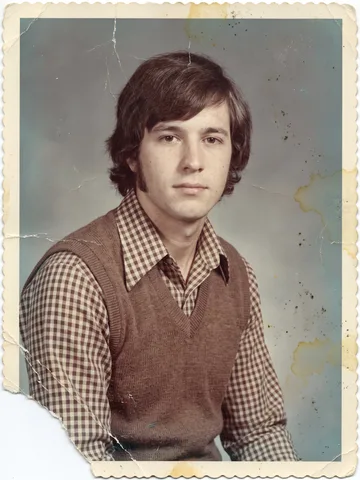
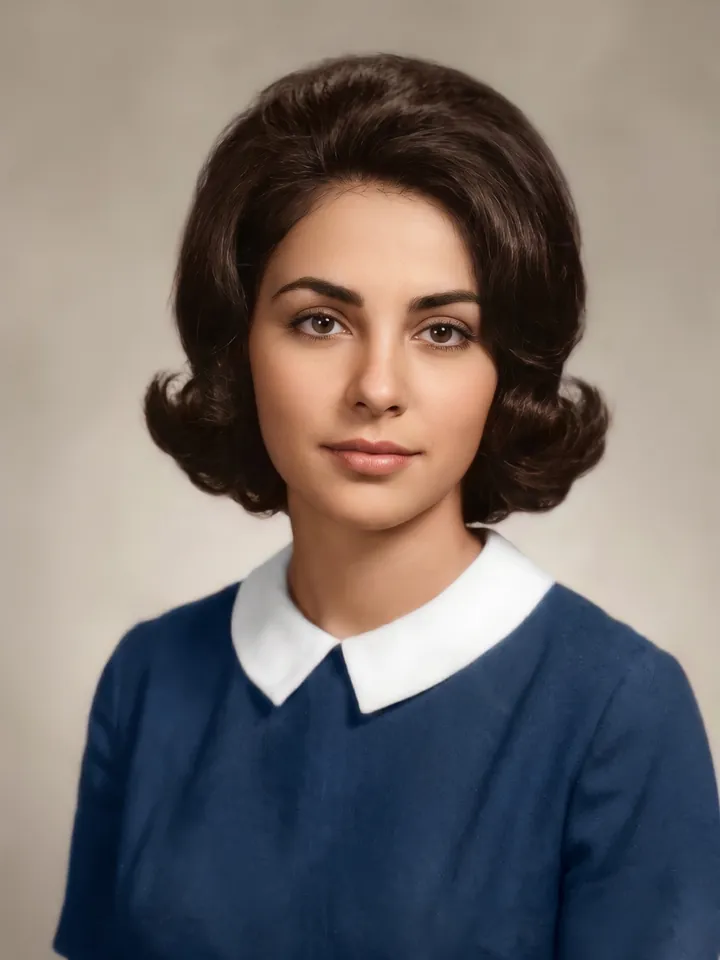
Old photo restored and colorized 02

Restore an old photo

An old, faded or damaged photo

Colorize the photo, repair the damage, improve quality and resolution. Remove everything around the edges and keep only the photograph itself. Preserve the faces and the atmosphere of the original.
Open Mini App
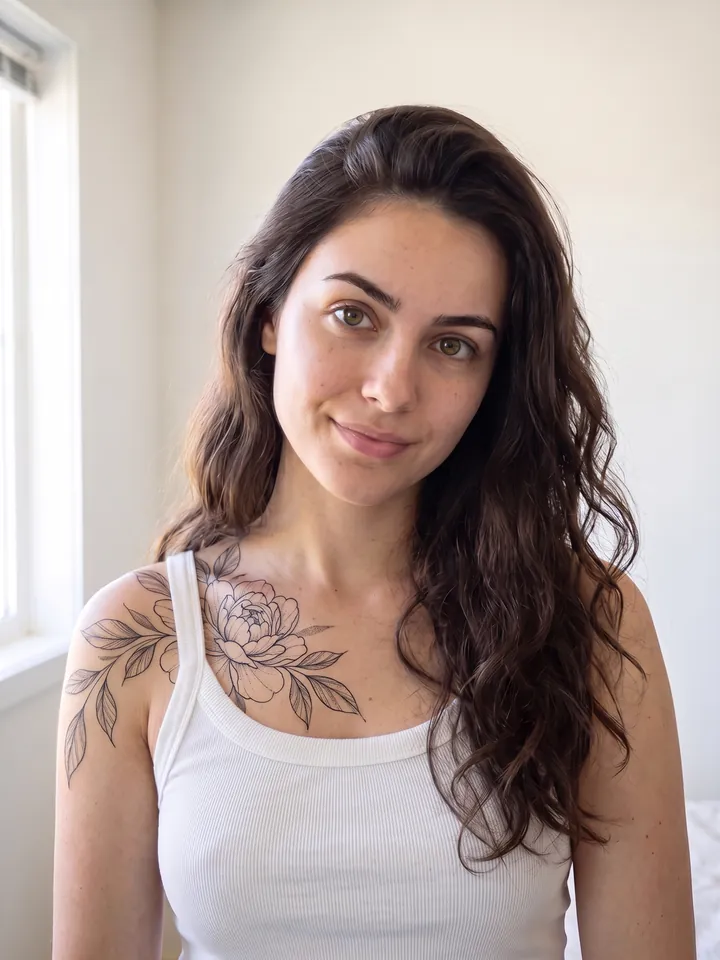
The reference photo with a tattoo added to the skin 03

Virtual tattoo

A photo with bare skin – shoulder, neck, arm or back

Add a tattoo to the skin in [style: blackwork / watercolor / minimalism / old school / Japanese] style, theme – [for example: dragon, flowers, geometry]. Place it on the [neck / forearm / back]. Do not change the face or the background, improve quality and resolution.
Open Mini App
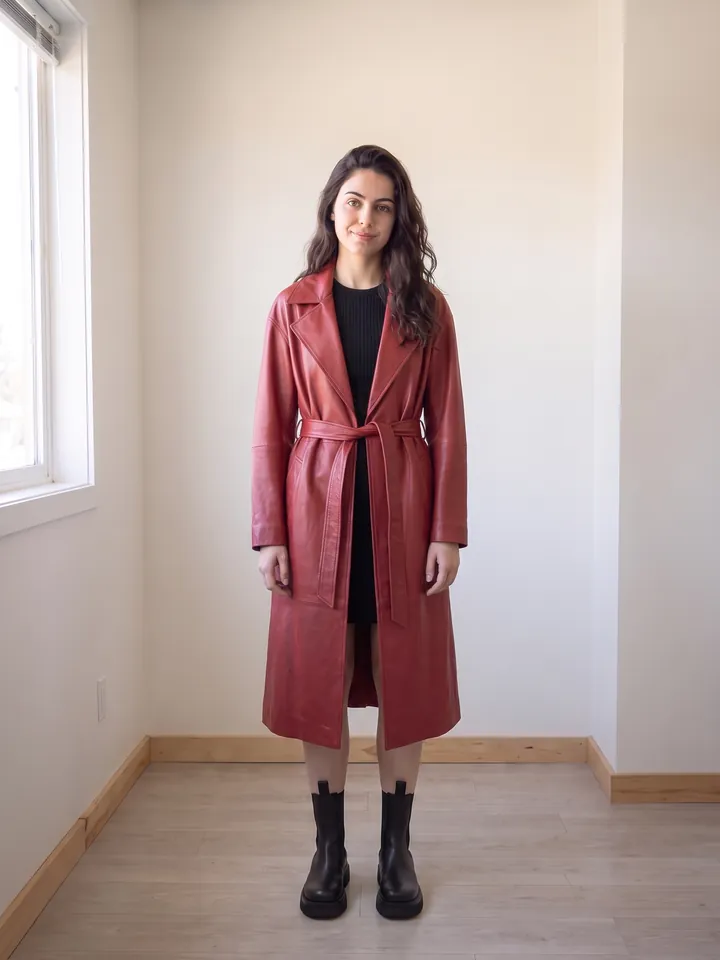
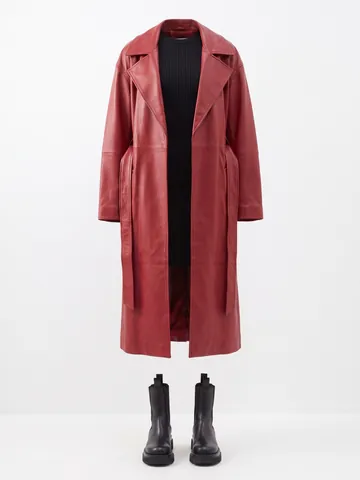
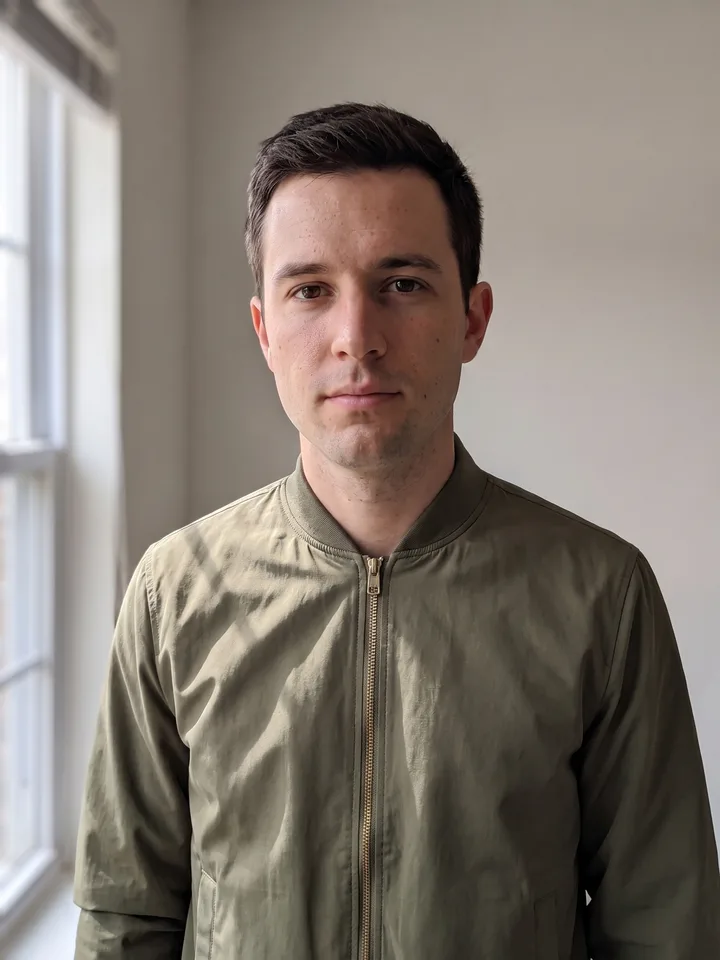
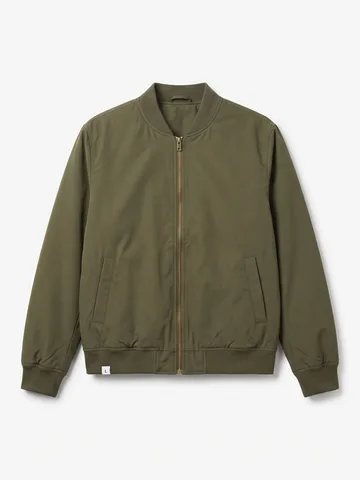
The person from the reference photo wearing the item from a product card 04

Virtual clothing try-on

Two photos – yours and the item (a marketplace product card works)

Replace the person's clothing in the input image with the target clothing shown in the reference image. Keep the person's pose, facial expression, background, and overall realism unchanged. Make the new outfit look natural, well-fitted, and consistent with lighting and shadows. Do not alter the person's identity or the environment – only change the clothes.
Open Mini App
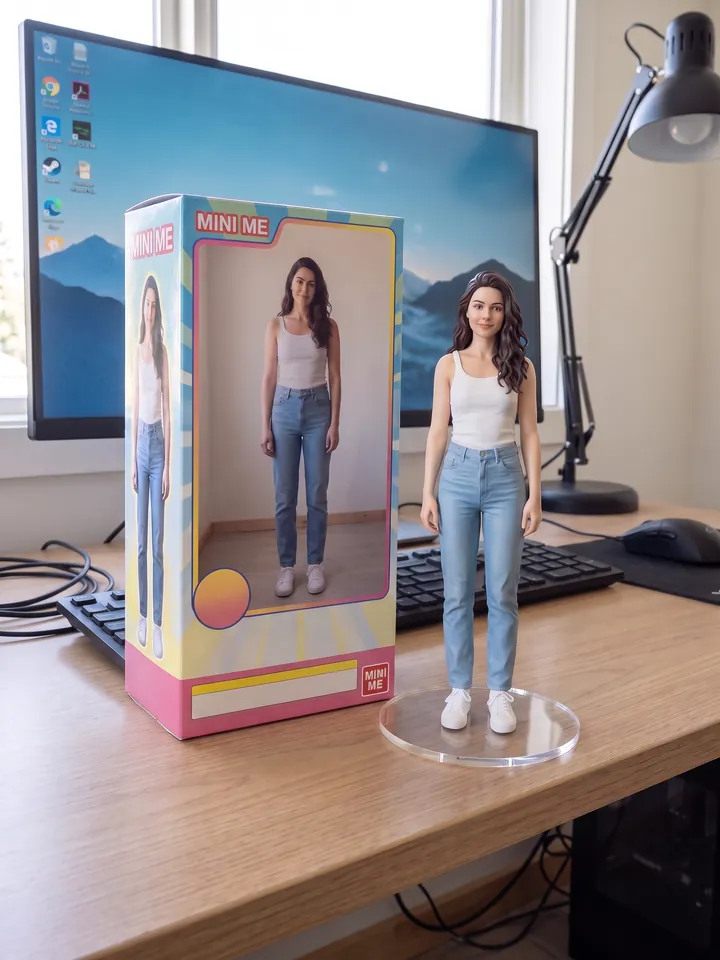
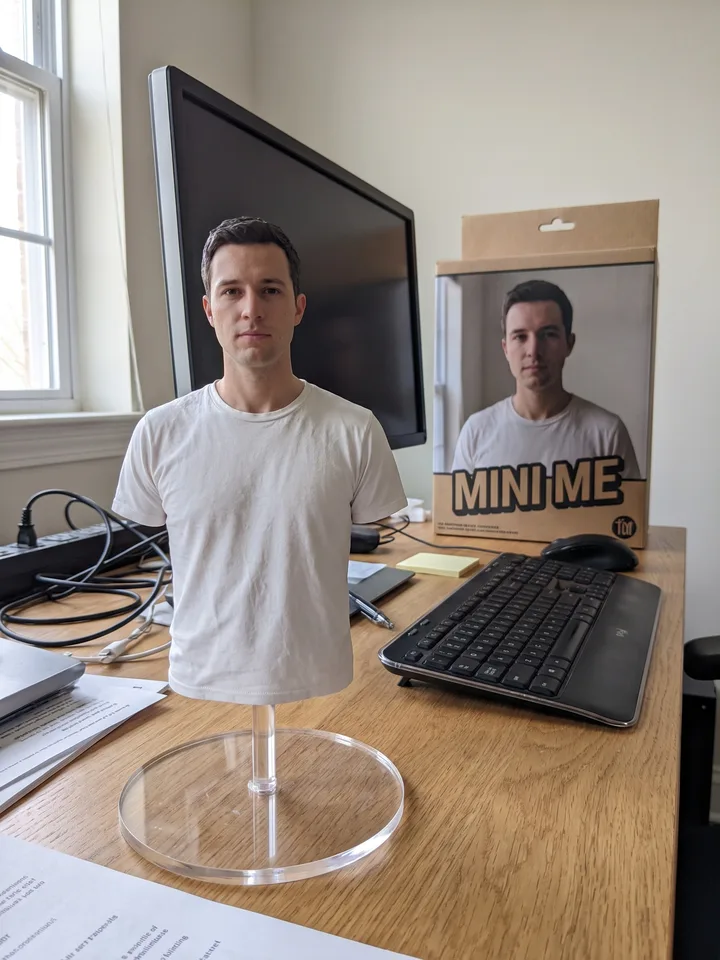
1/7 scale collectible figure of the person on a desk, next to its box 05

A collectible figure of you

One clear full-length or waist-up photo

Create a 1/7 scale commercialized figure of the character in the photo, in a realistic style and environment. Place the figure on a computer desk on a circular transparent acrylic base without any text. Next to the screen, place a BANDAI-style toy packaging box printed with the original artwork.
Open Mini App
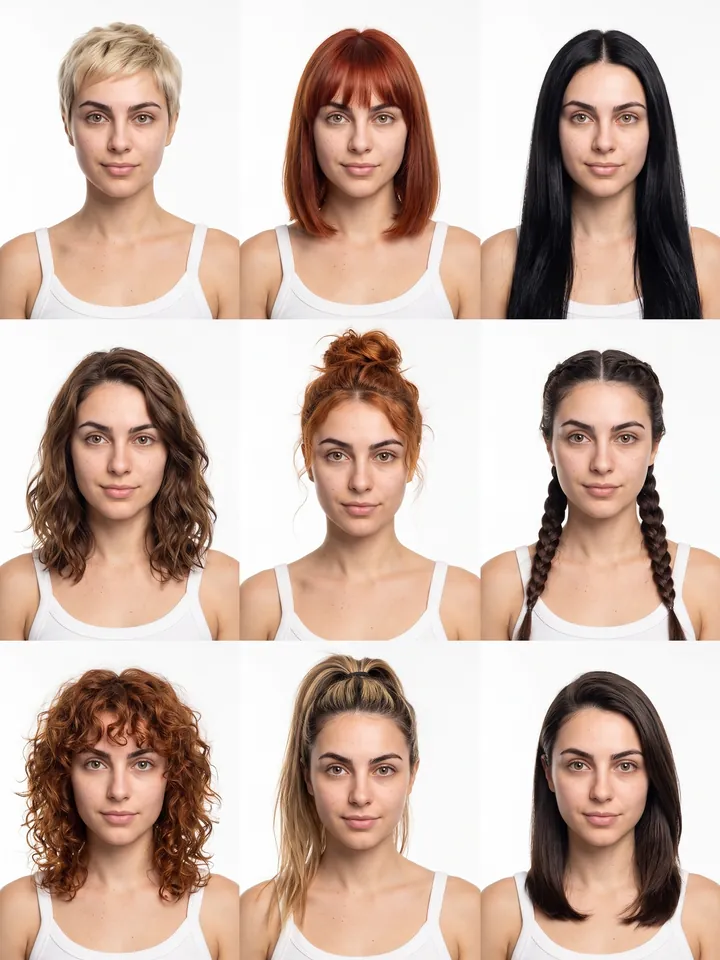
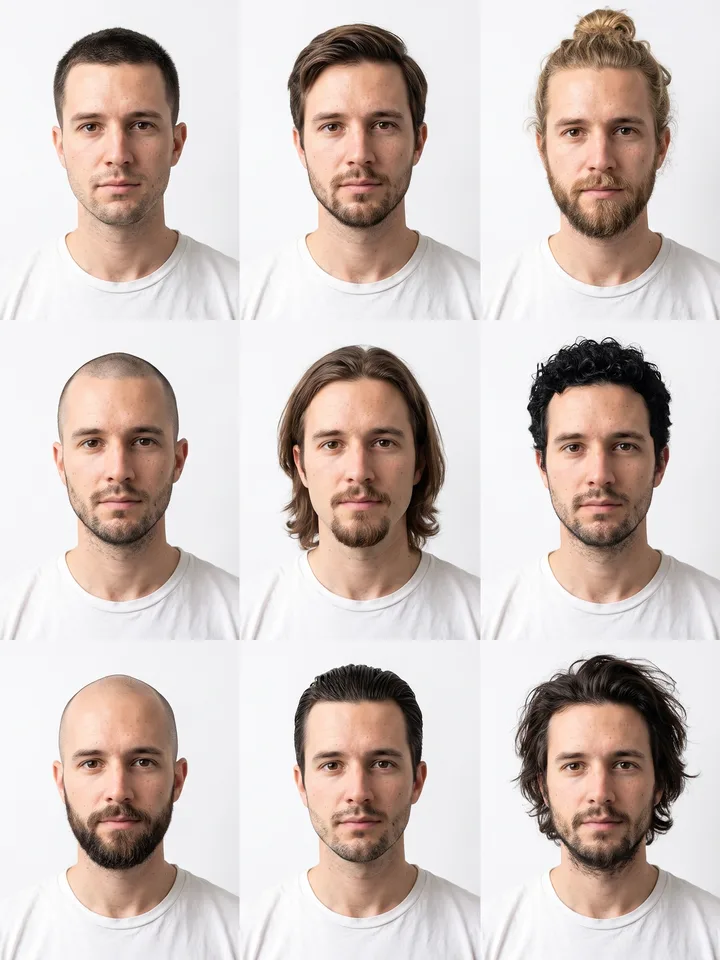
3x3 grid of the same face with nine hairstyles 06

3×3 hairstyle catalogue

One neutral selfie

Generate a 3x3 grid of avatars of this person with 9 different hairstyles. Keep the face identical in every cell, vary only the hair (length, color, styling). Clean white background, soft studio light.
Open Mini App
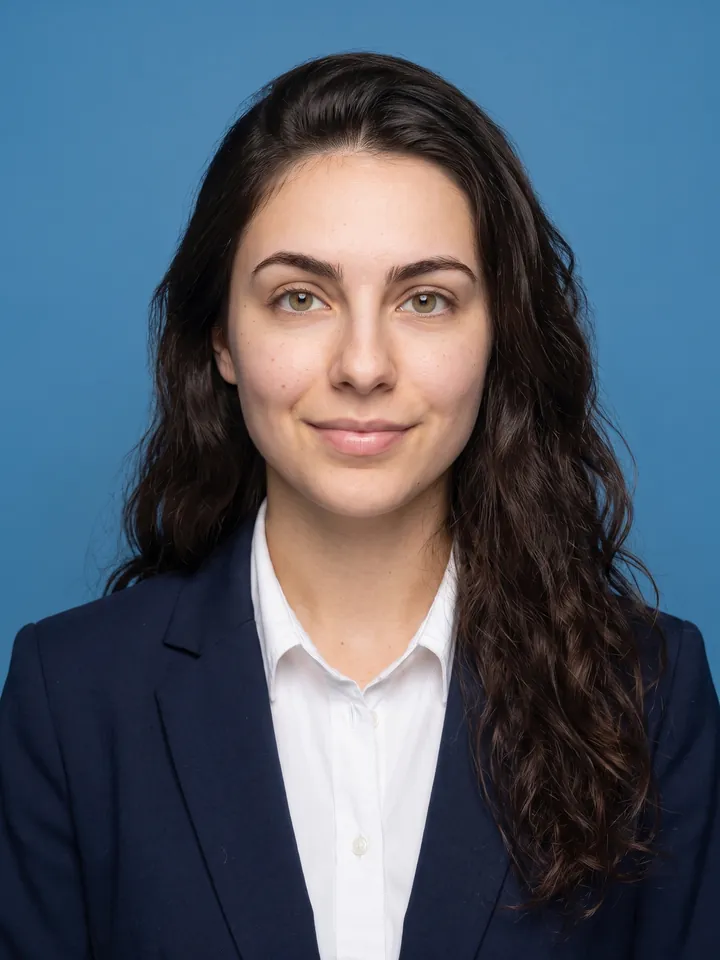
ID photo on a blue background in business attire 07

ID photo in 5 seconds

Any selfie

Crop the head and create a 2-inch ID photo with: 1) Blue background 2) Professional business attire 3) Frontal face 4) Slight smile 5) Even neutral studio lighting.
Open Mini App
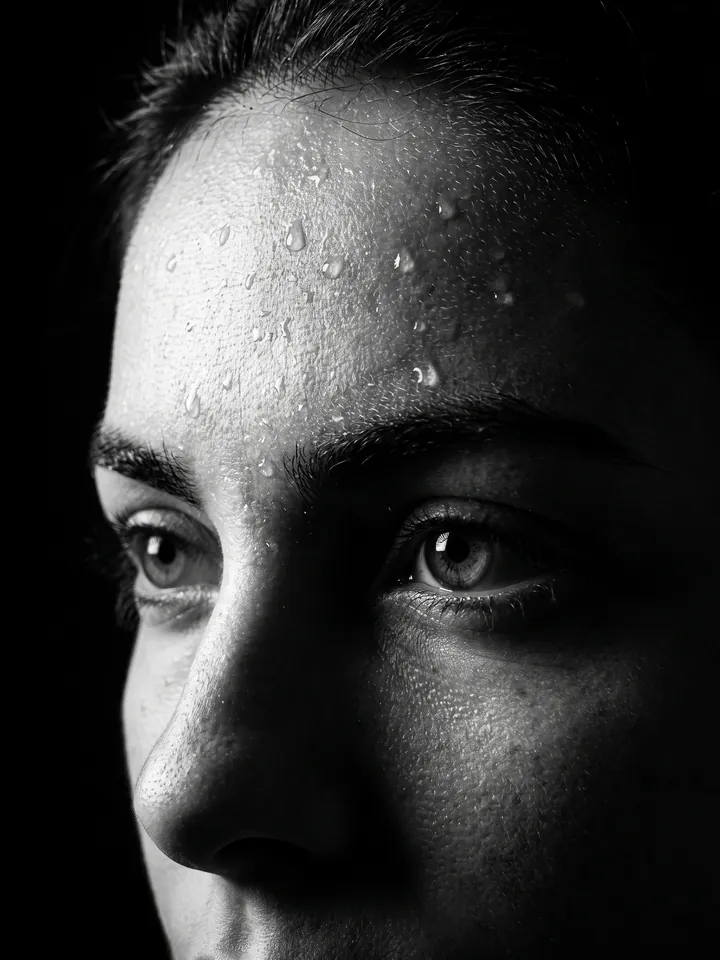
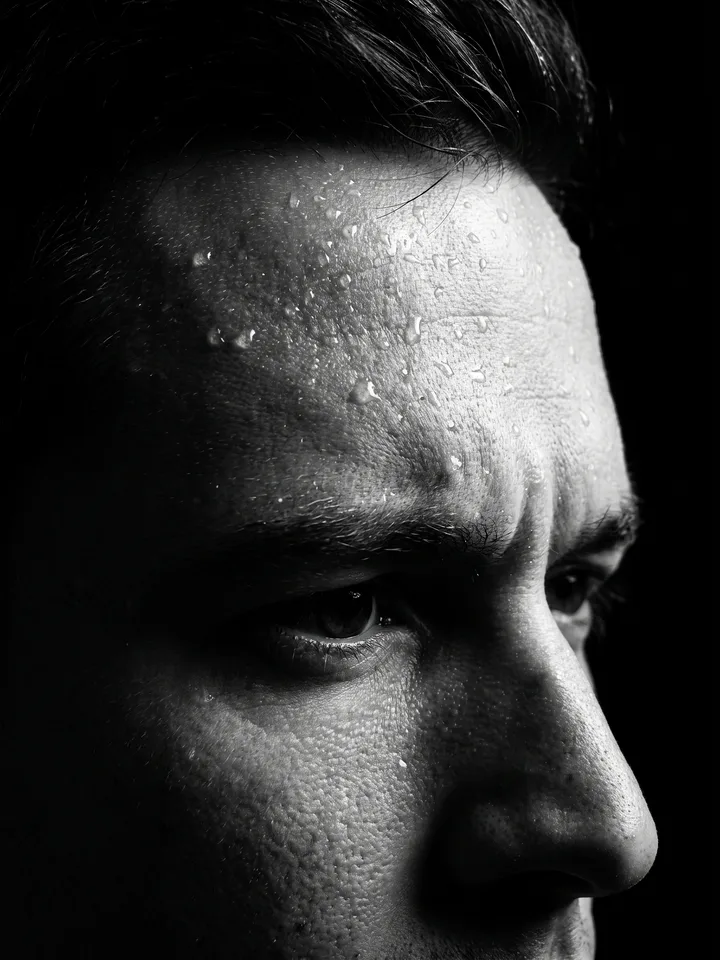
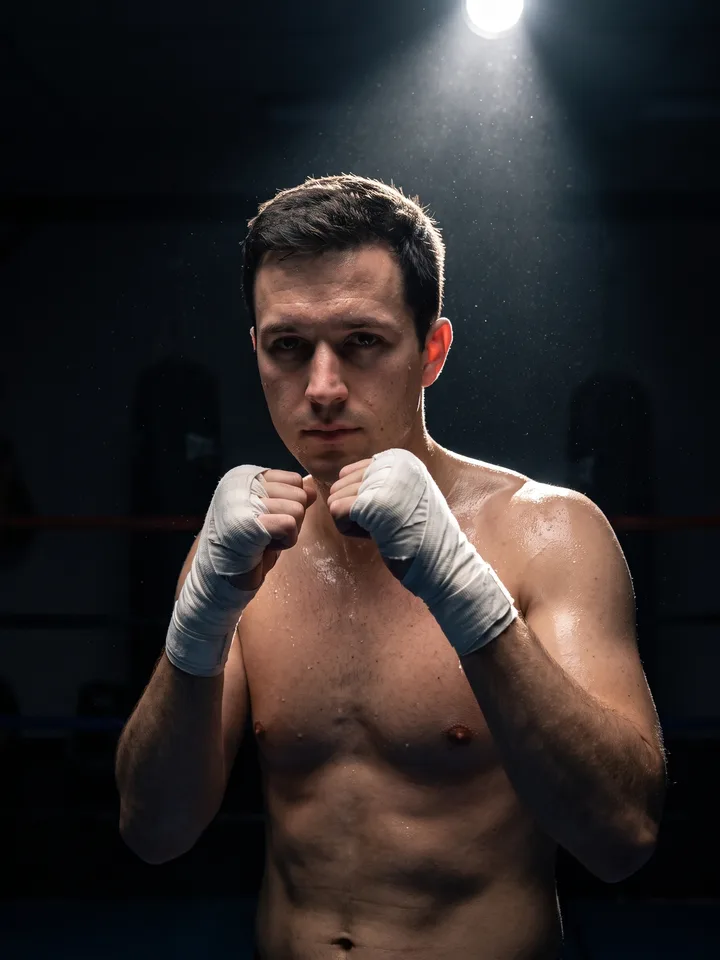
Black-and-white close-up portrait with water droplets on the face 08

Dramatic B&W portrait with water drops

A close-up portrait

A high-contrast close-up portrait of my face focusing on the forehead, in black and white. 35mm lens, 4K HD quality. Proud expression. Water droplets on the face. Black shadow background, only the face visible with sharp profile. Ratio 4:3.
Open Mini App
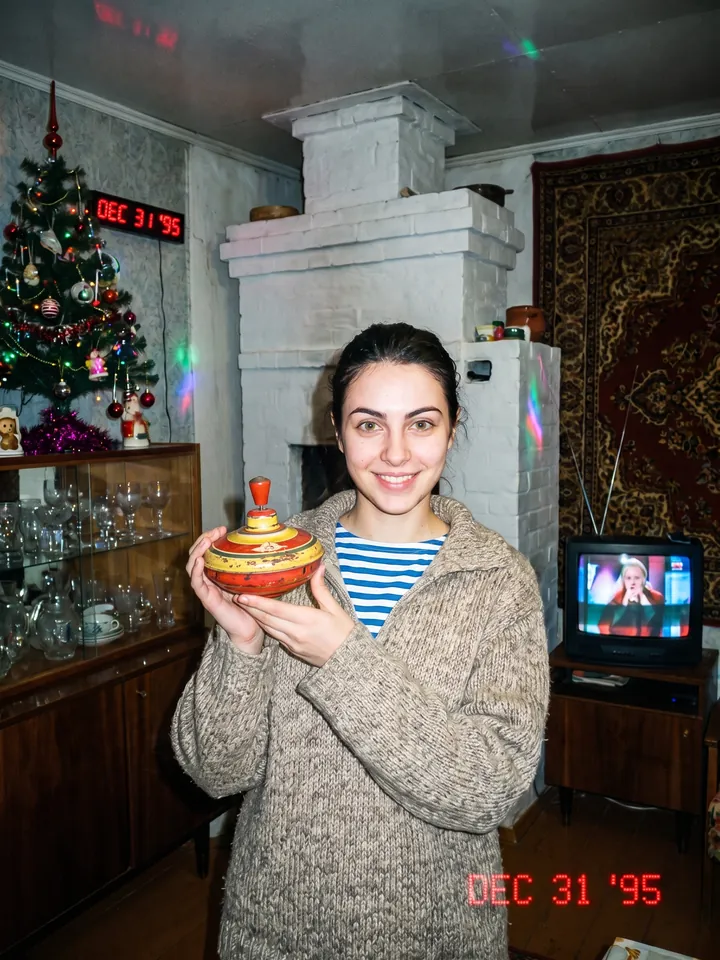
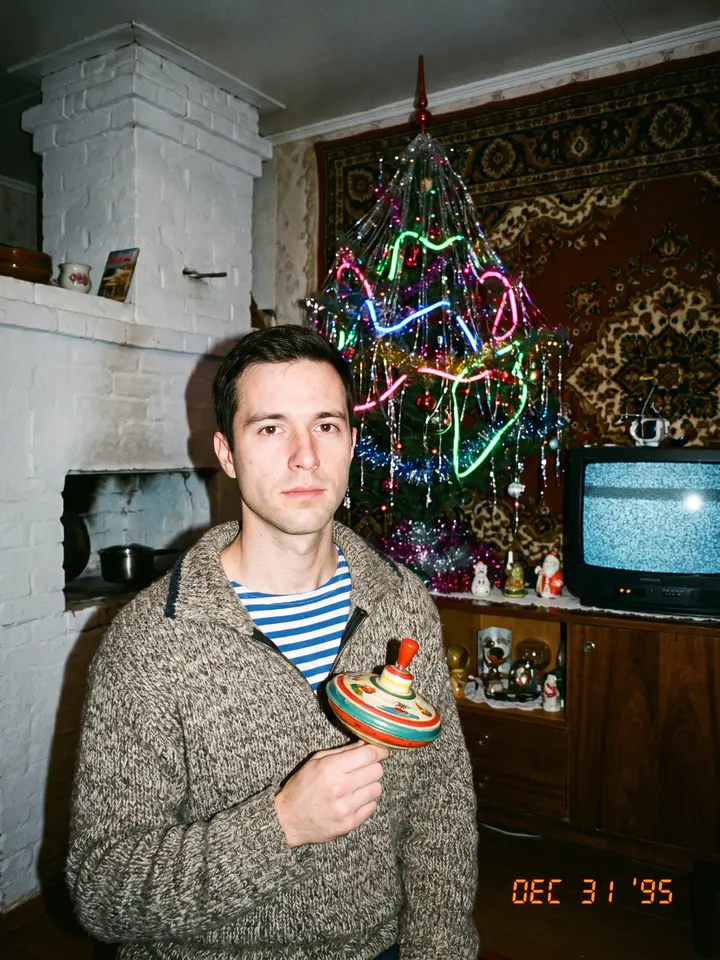
1990s flash snapshot in a village room with a carpet on the wall 09

90s post-Soviet family album

A portrait

Take the uploaded portrait and restyle it as a 1990s snapshot. A wool sweater with a striped telnyashka underneath, a Soviet toy in the hands. Background – a village interior with a white stove, a carpet on the wall, a New Year tree, a sideboard, an old TV. Harsh direct flash, film grain, muted colors with neon accents. A family album from 1995.
Open Mini App
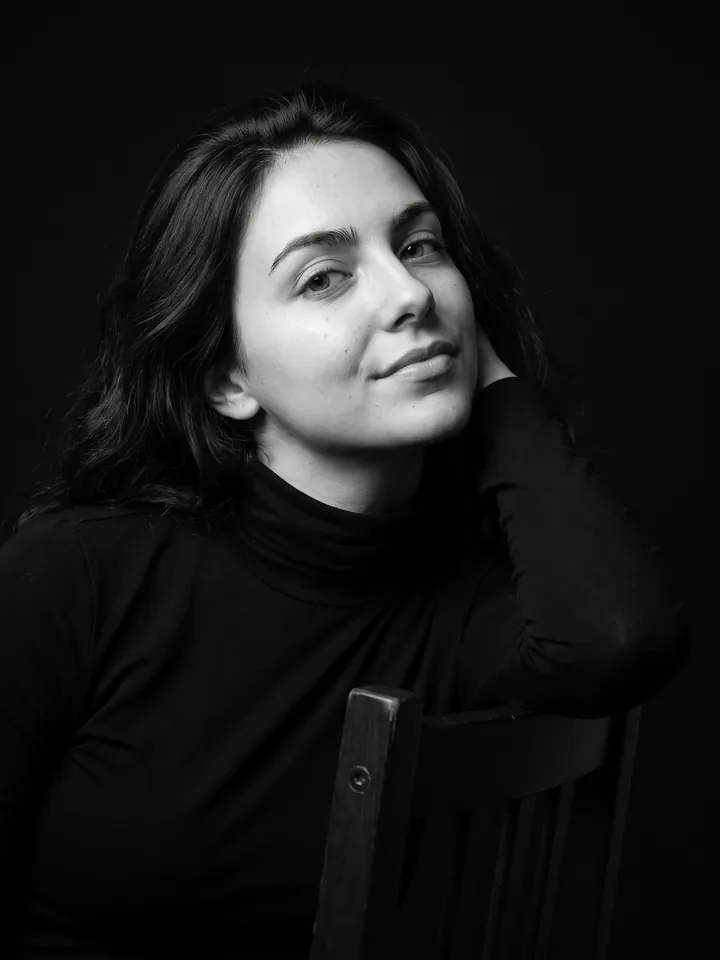
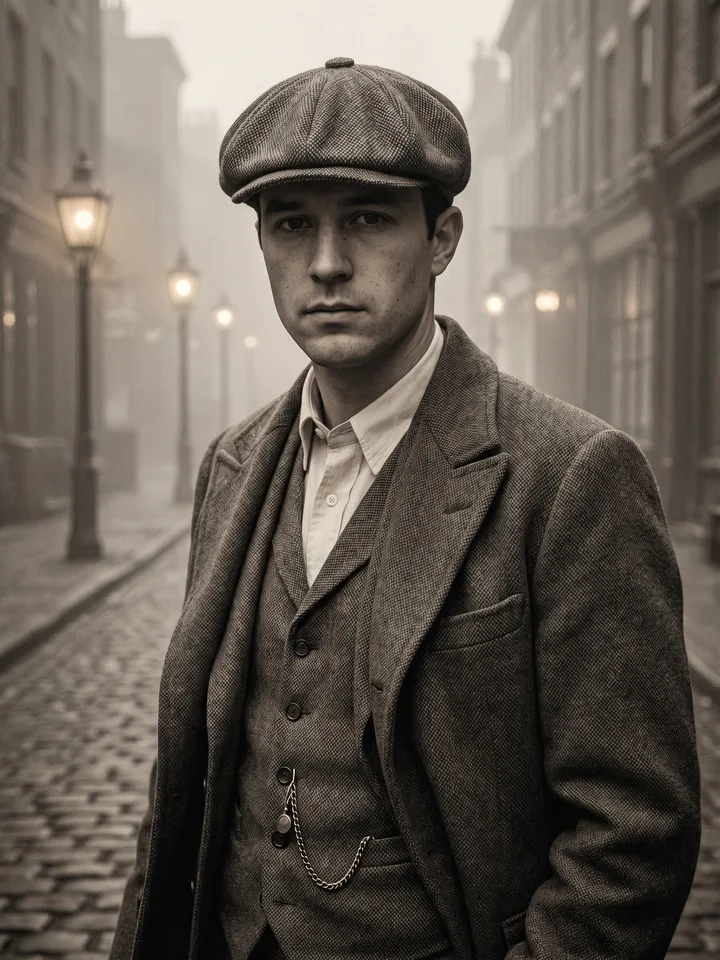
Black-and-white studio portrait of a person leaning on a chair 10

Cinematic fashion portrait

A portrait

Ultra-realistic studio portrait of a person leaning gracefully on the backrest of a chair, dressed in a sleek dark outfit. Subtle low-angle shot accentuating facial features and a confident expression. Cinematic black-and-white grade with refined skin tones. Solid black background, sharp 8K details, dramatic and lifelike effect.
Open Mini App
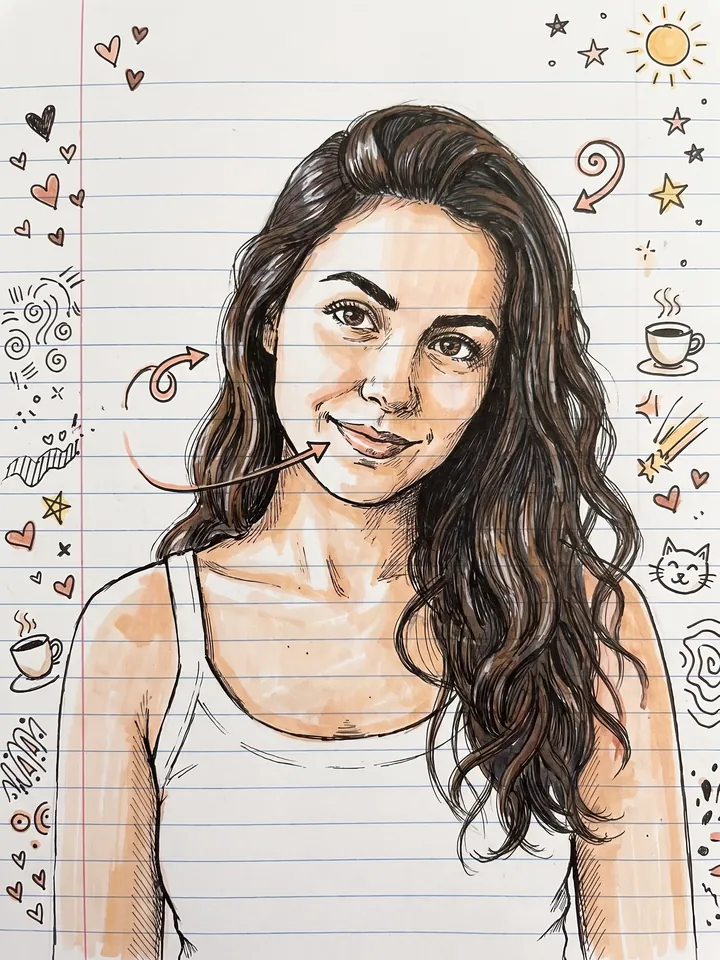
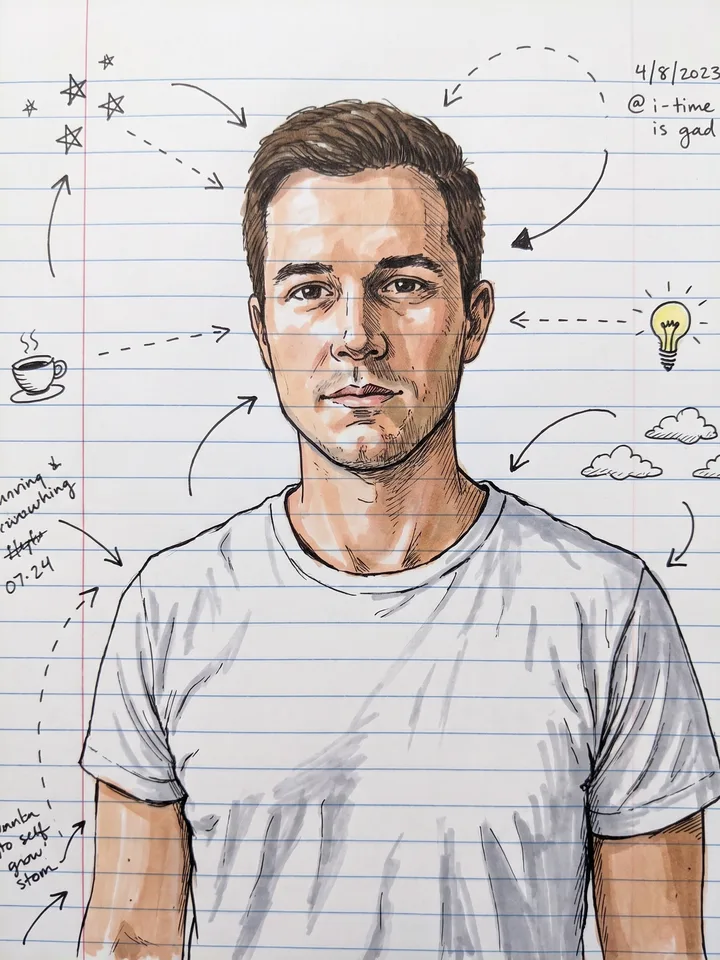
Pen-and-marker doodle portrait on ruled notebook paper 11

Notebook doodle

A selfie

Turn my portrait into a pen-and-marker notebook doodle on ruled paper, with playful arrows and tiny margin sketches. Keep my face recognizable.
Open Mini App
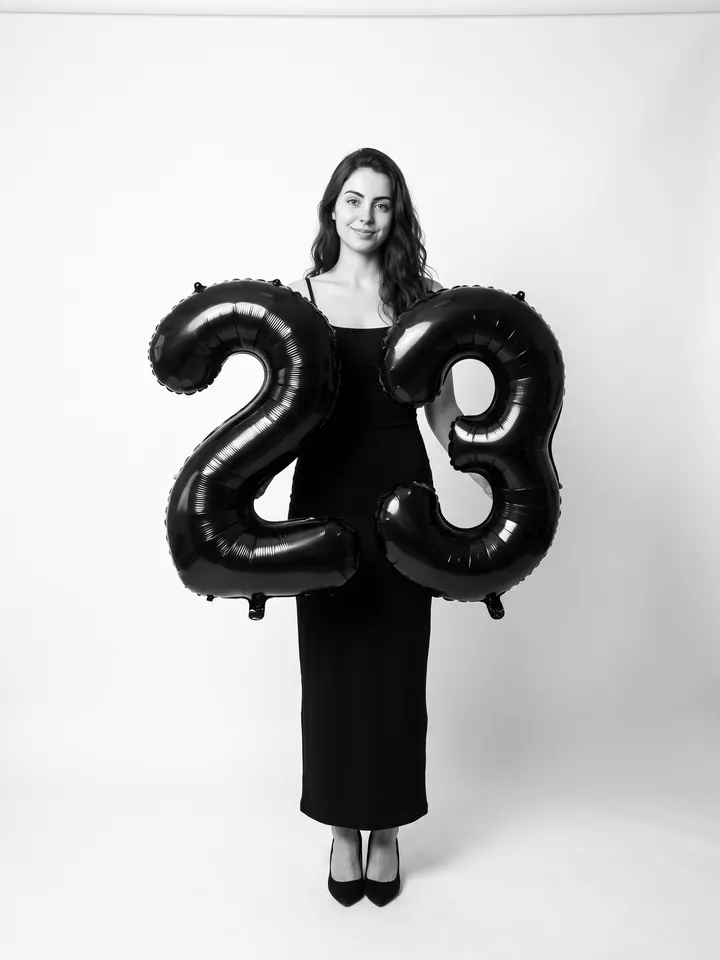
Studio birthday portrait with black number balloons 12

Birthday photoshoot

A full-length or waist-up photo

Use the person's appearance 1:1 – face, skin, hair and body unchanged. Full-length shot in a professional photo studio on a seamless white background. Camera at eye level, slightly below. In the hands – large black foil balloons shaped as the number "[your age]". A fitted long black dress with thin straps, black pumps. Soft even studio light from the front, natural shadows. Minimalist fashion portrait, black-and-white grade with natural skin tones.
Open Mini App
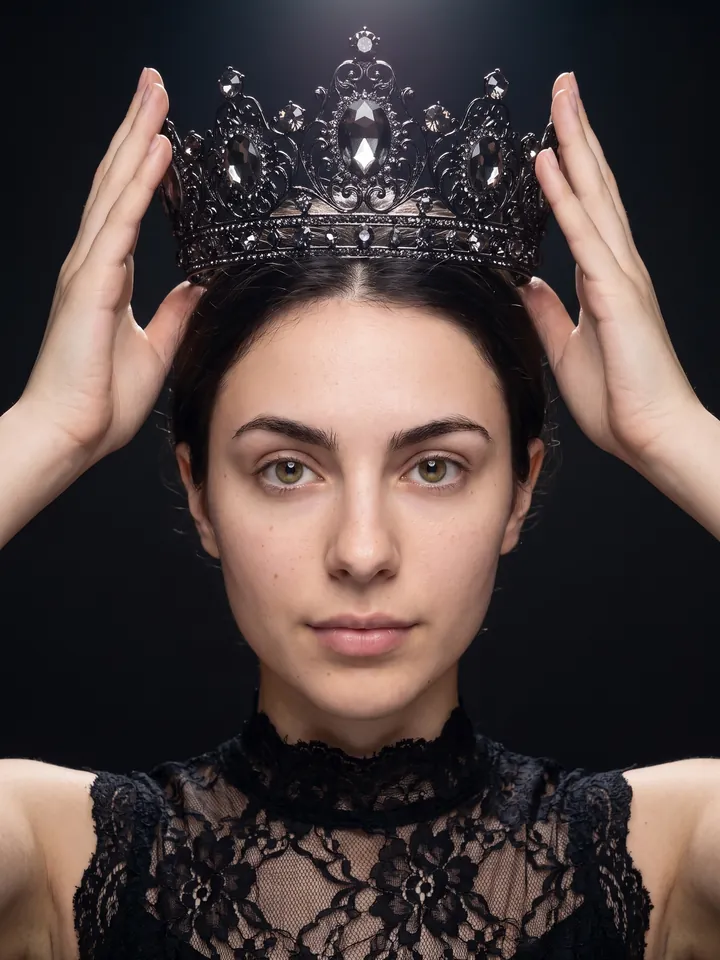
Fashion portrait holding a black crown above the head 13

The crown trend

A portrait

Fashion portrait: I hold a black crown with rich filigree and large sparkling stones above my head. The light falls from above. The dress is delicate black lace with a high neck, the frame is cropped at the shoulders. The background is dark and minimalist.
Open Mini App
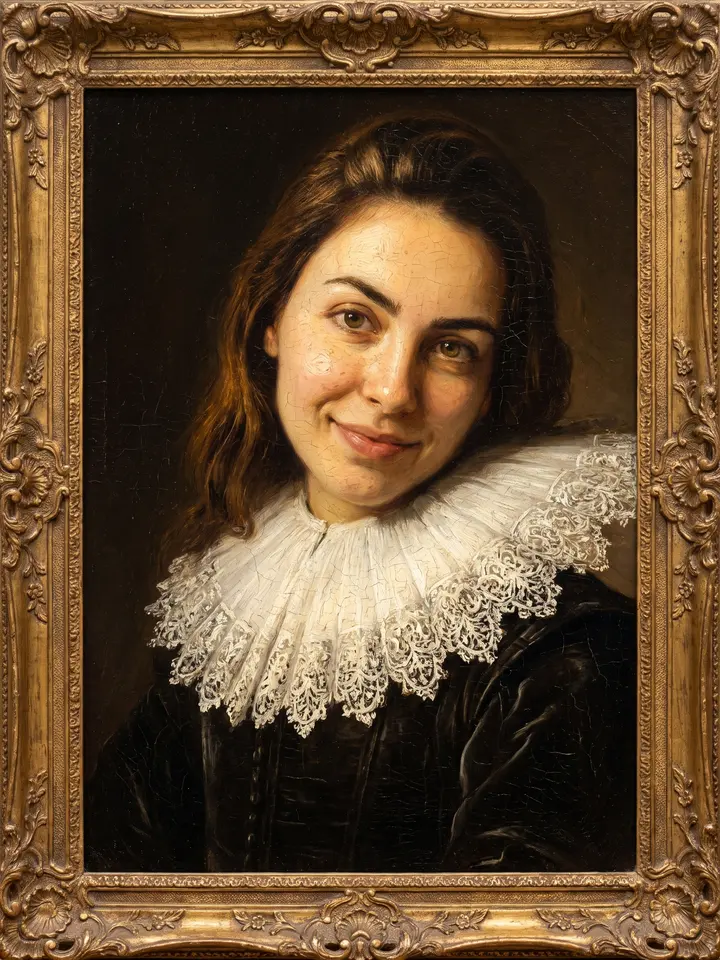
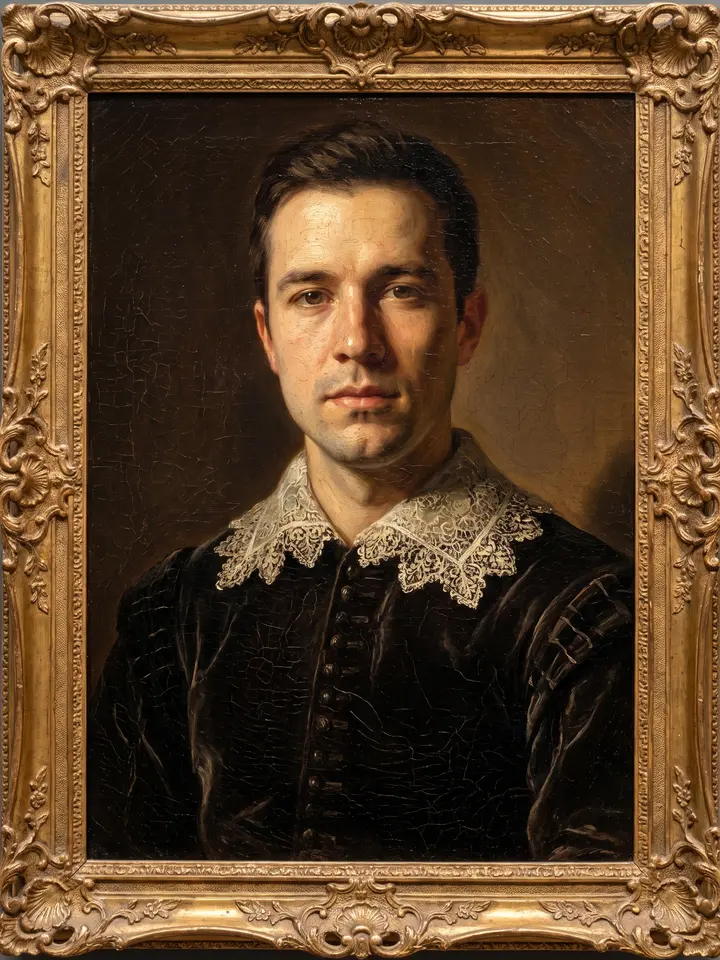
Portrait repainted as a 17th-century oil painting in a gilded frame 14

Oil portrait, like the old masters

A portrait

Repaint me as a 17th-century oil portrait in the manner of the old masters: visible brushwork and impasto, warm chiaroscuro with a single light source from the left, deep umber background, dark velvet clothing with a lace collar. Keep my face exactly as in the photo. Fine craquelure on the varnish, canvas texture, the look of a museum piece in a carved gilded frame.
Open Mini App
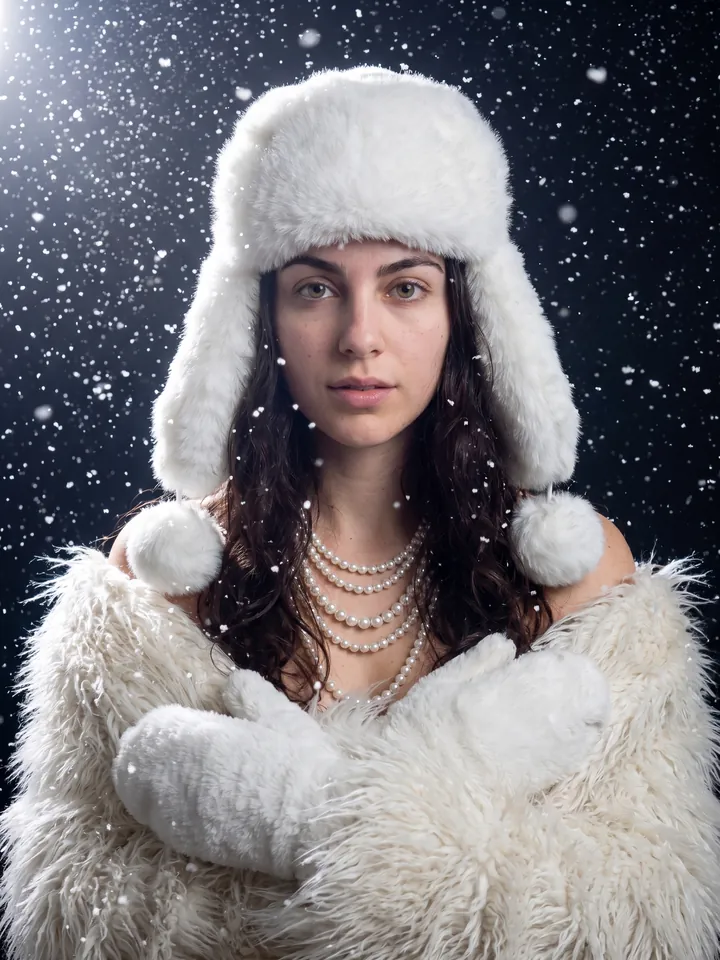
Winter portrait in white faux fur and pearls under falling snow 15

Winter glam – fur, pearls, snowflakes

A portrait

Use the user's face 1:1 without any changes. Glamorous winter portrait, medium slightly low-angle shot. Big fluffy white faux fur ushanka with ear flaps and pom-poms. Multiple lustrous white pearl strands as chokers and long necklaces. Wrapped in shaggy white faux fur, hands in matching white fur mittens. Wavy hair flowing from under the hat. Heavy fall of bright white snowflakes, magical ethereal atmosphere. Dramatic top-left lighting catching highlights on fur, pearls, hair and face. Dark out-of-focus background.
Open Mini App
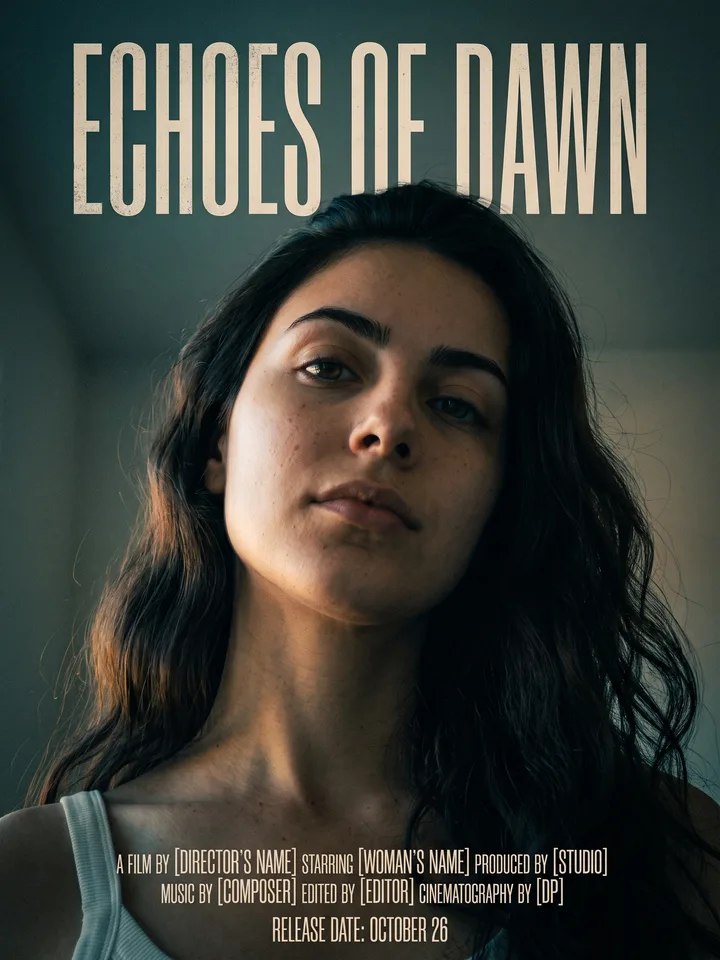
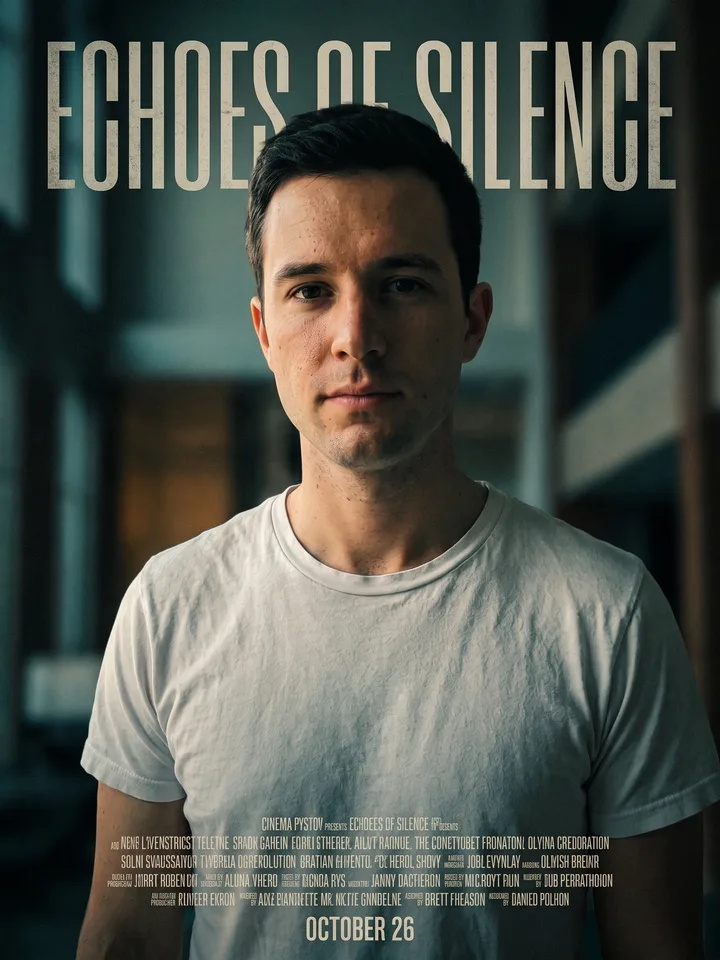
Cinema poster with the person in close-up and an invented film title above 16

Poster of your own film

A portrait

Turn my photo into a cinema poster: I am shot from a low angle in the centre of the frame, dramatic side light, an invented film title in a tall condensed typeface above me, a block of small credits at the bottom, a release date line, muted teal and amber grade, fine film grain. Keep my face exactly as in the photo.
Open Mini App
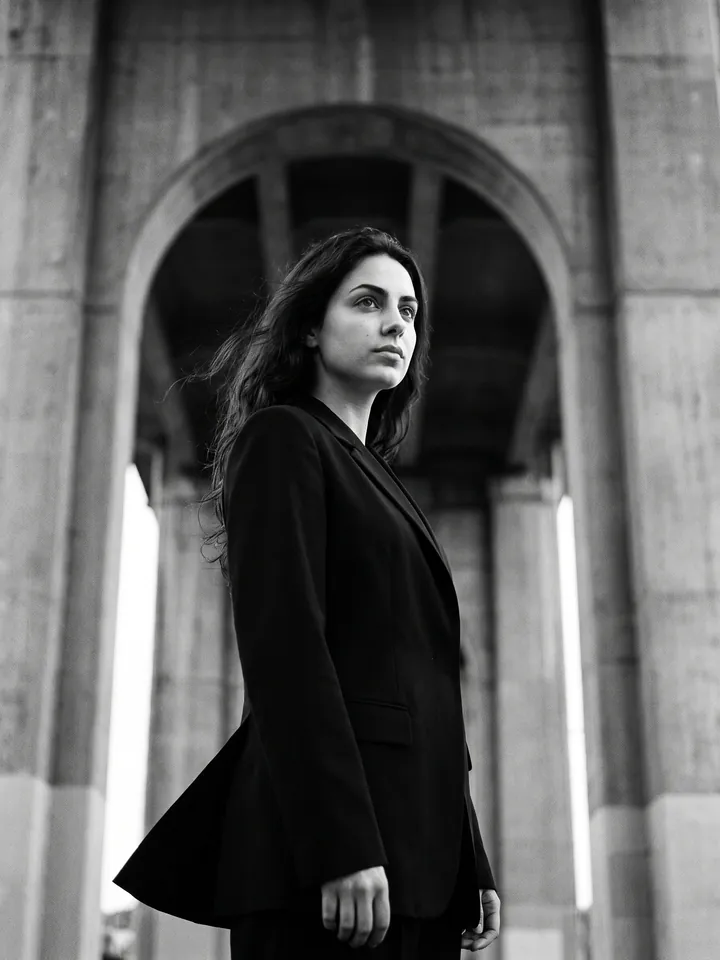
Black-and-white fashion shot in a black blazer by a concrete arch 17

B&W in the style of Yohji Yamamoto

A full-length or waist-up portrait

Black-and-white cinematic fashion photography in the raw style of Yohji Yamamoto. Industrial brutalist setting with a massive grey concrete arch in the background. Model seen from a low angle, portrait from the waist up, gazing into the distance. Wearing a sharply tailored matte black Yohji Yamamoto blazer, minimalist and structured. Subtle wind moving the fabric. Mood: raw, contemplative, timeless, anti-gloss. Analog film grain, high contrast, cinematic depth. Shot on 85mm, f/2.8, ISO 400, 1/125s. Ultra-detailed, photorealistic.
Open Mini App
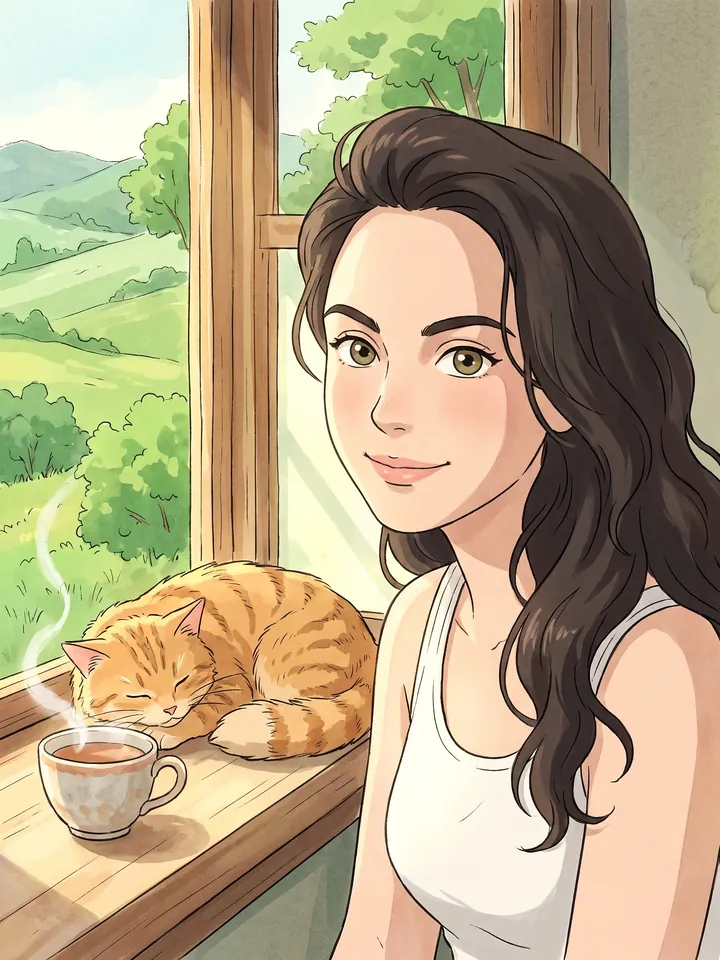
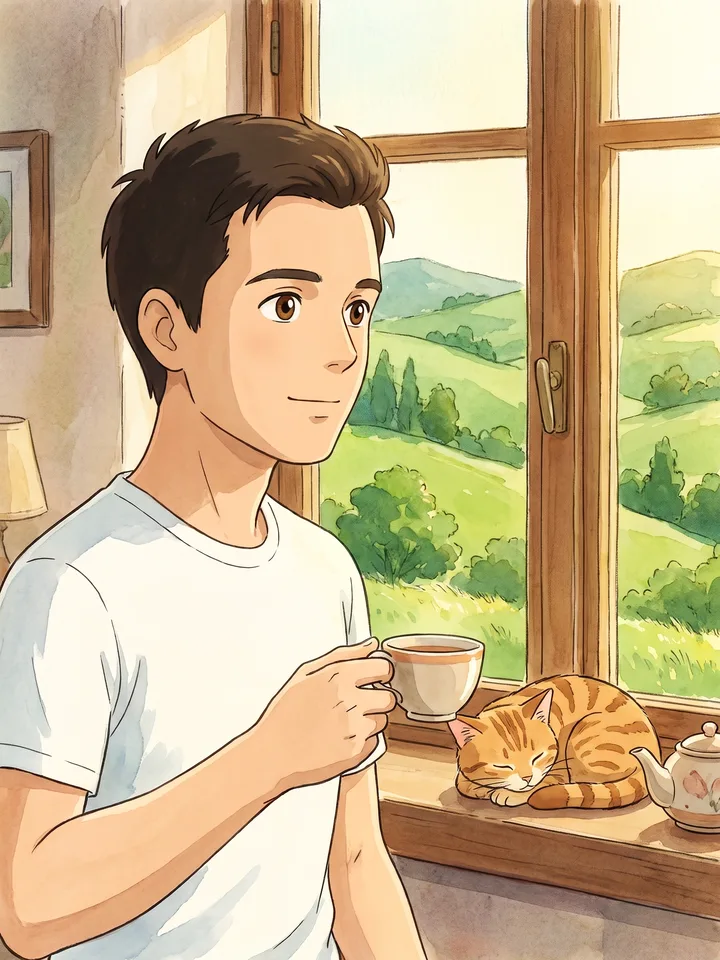
Studio Ghibli style character by a window with a cat and a cup of tea 18

Anime / Studio Ghibli you

A selfie

Turn me into a Studio Ghibli style character: soft watercolor fills, clean line work, kind big eyes, the face stays recognizable. Place me in a cozy scene – a window looking out on summer hills, a lazy cat and a cup of tea on the windowsill. Warm daylight.

Open Mini App
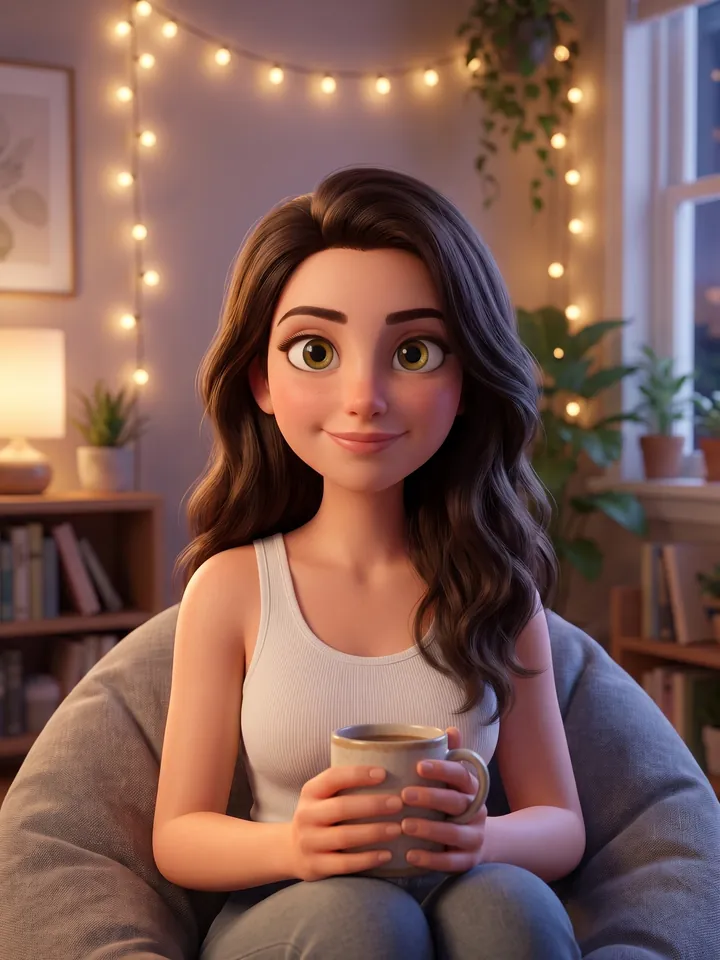
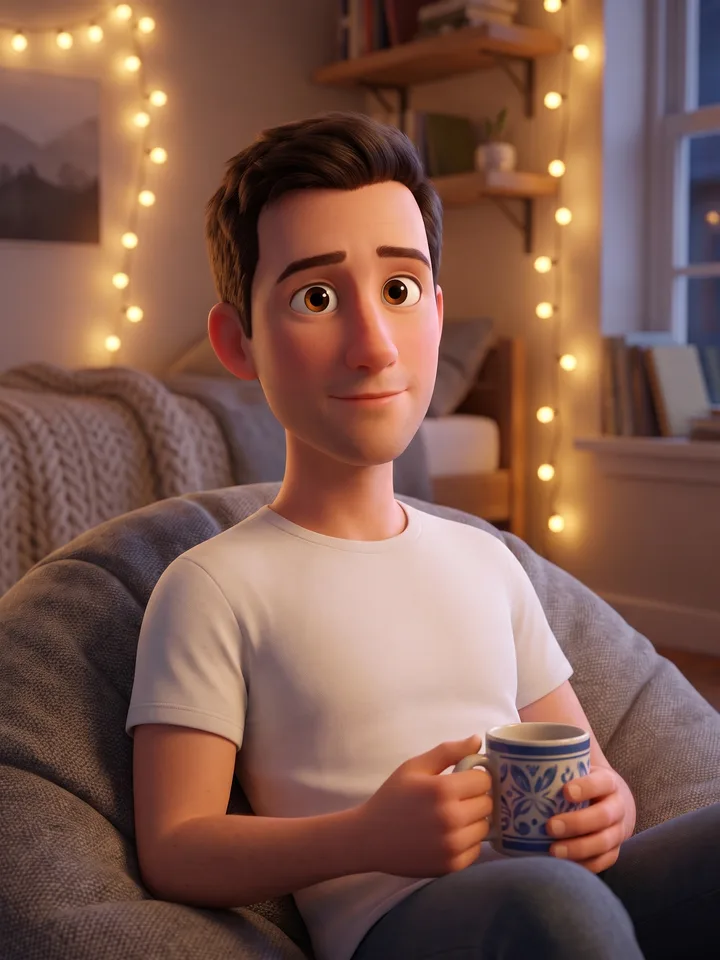
3D Pixar-style character on a beanbag with a mug 19

3D Pixar-style character

A selfie

Turn me into a 3D Pixar-style character: large expressive eyes, soft rounded shapes, realistic lighting, recognizable facial features. Scene: a cozy room with fairy lights, I sit on a beanbag with my favorite mug.
Open Mini App
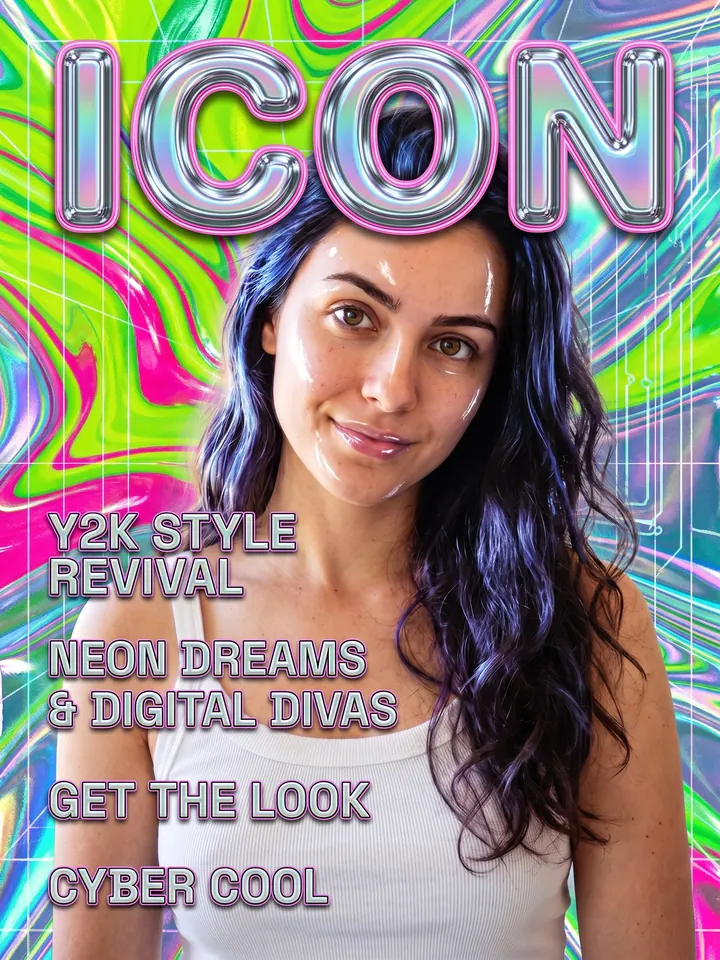
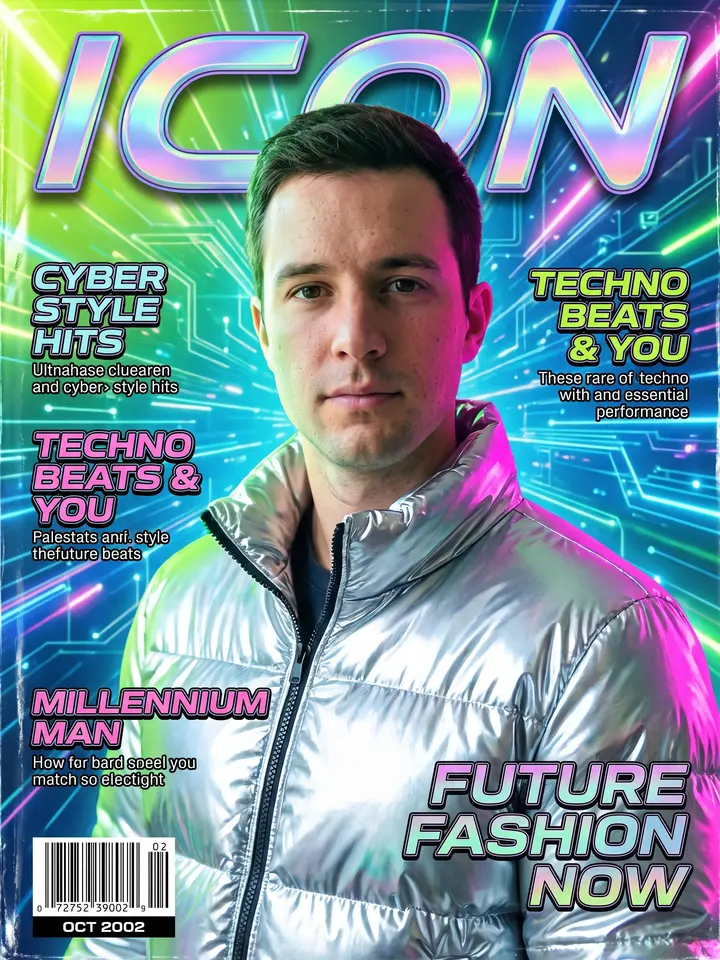
Y2K magazine cover with the word ICON 20

Y2K magazine cover

A selfie

Make a magazine cover of me in the Y2K style of the early 2000s: gloss, acid colors, metallics, holographic foil, the word "ICON" in a large typeface, small captions like article headlines. Keep the face.
Open Mini App
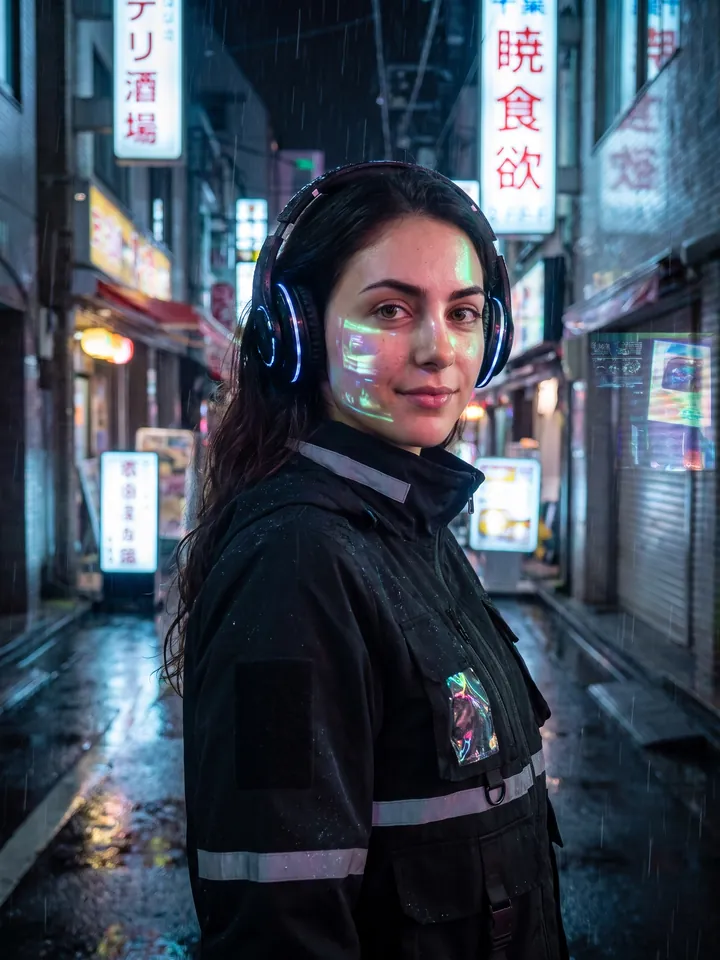
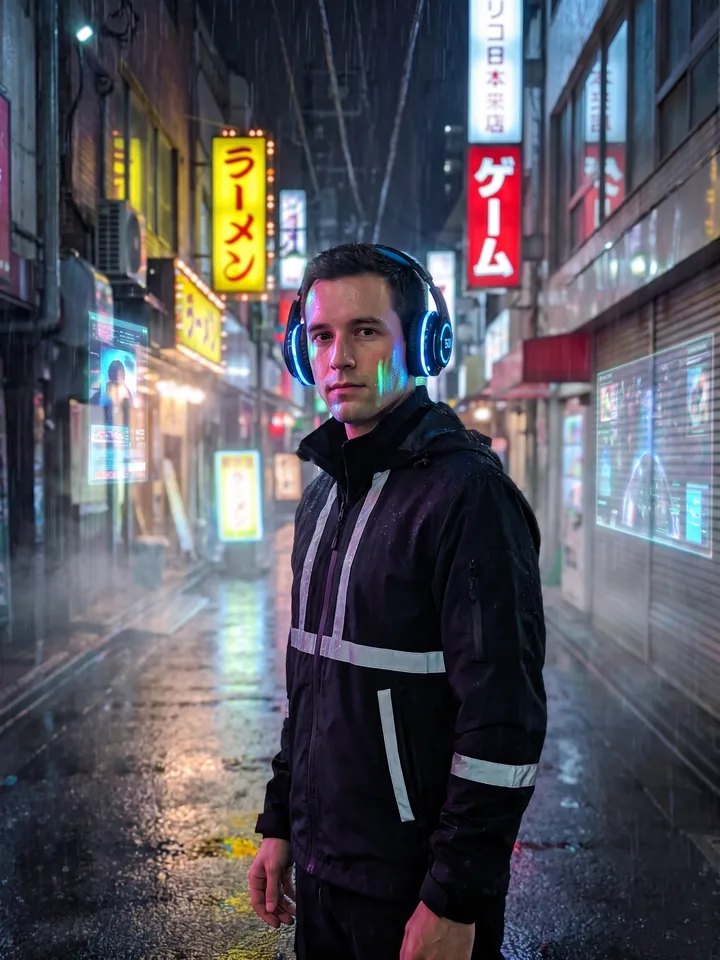
Portrait in a rainy neon alley of cyberpunk Tokyo 21

Cyberpunk neon Tokyo

A portrait

Place me in the middle of a neon alley in cyberpunk Tokyo: shiny wet asphalt, kanji on the signs, holograms, rain, reflections. I wear a techwear jacket with reflective strips and cyber headphones. Realistic highlights on the skin, cinematic look.
Open Mini App
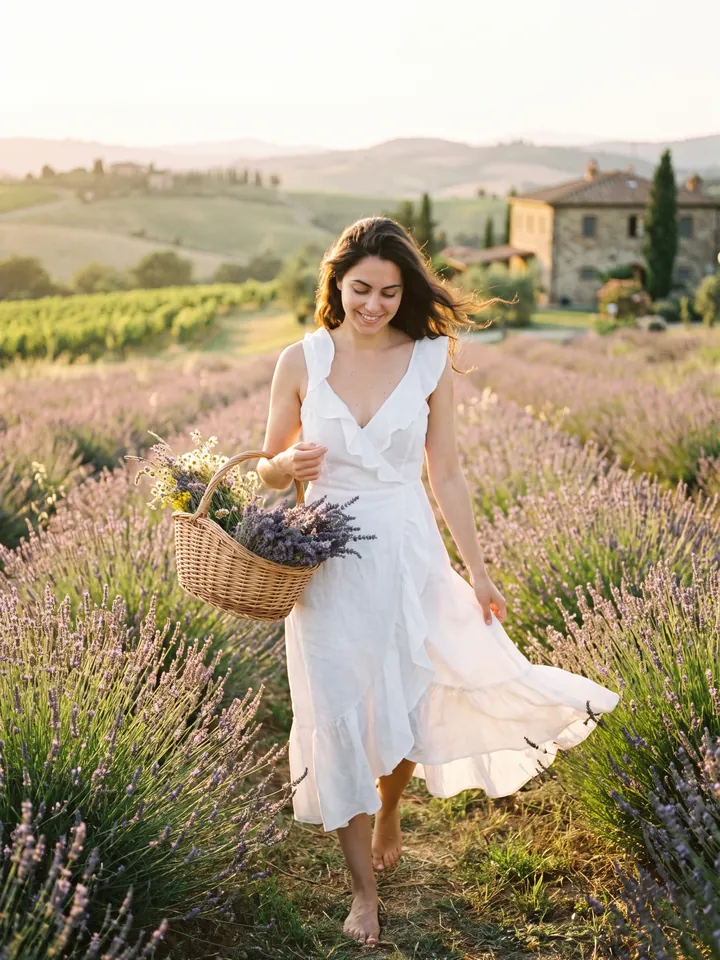
Portrait in a lavender field in Tuscany at sunset 22

Cottagecore – a field in Tuscany

A portrait

Move me to a lavender field in Tuscany. I wear a white linen dress with ruffles, carry a wicker basket of flowers, barefoot in the grass. Golden sunset light, a soft breeze, film grain, the romance of Vogue Living.
Open Mini App
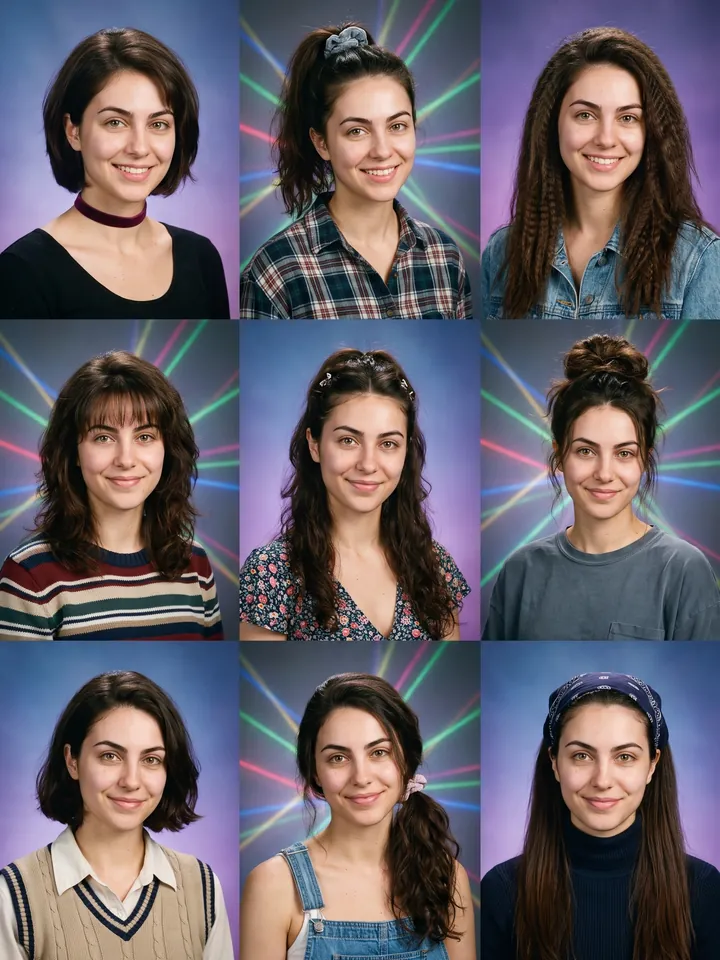
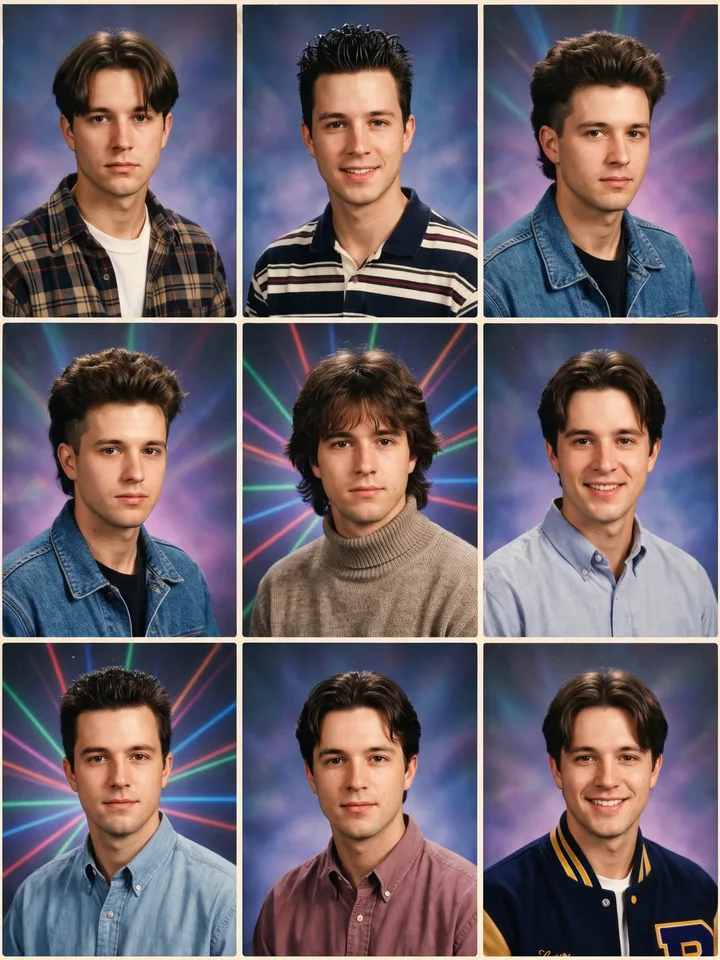
3x3 grid of 1995 yearbook portraits of one person 23

90s AI yearbook

A selfie

Make 9 school portraits of me in the style of a 1995 American yearbook: colored gradient backdrop (blue, purple, laser), period hairstyles, different looks, film grain, soft studio light. 3x3 grid.
Open Mini App
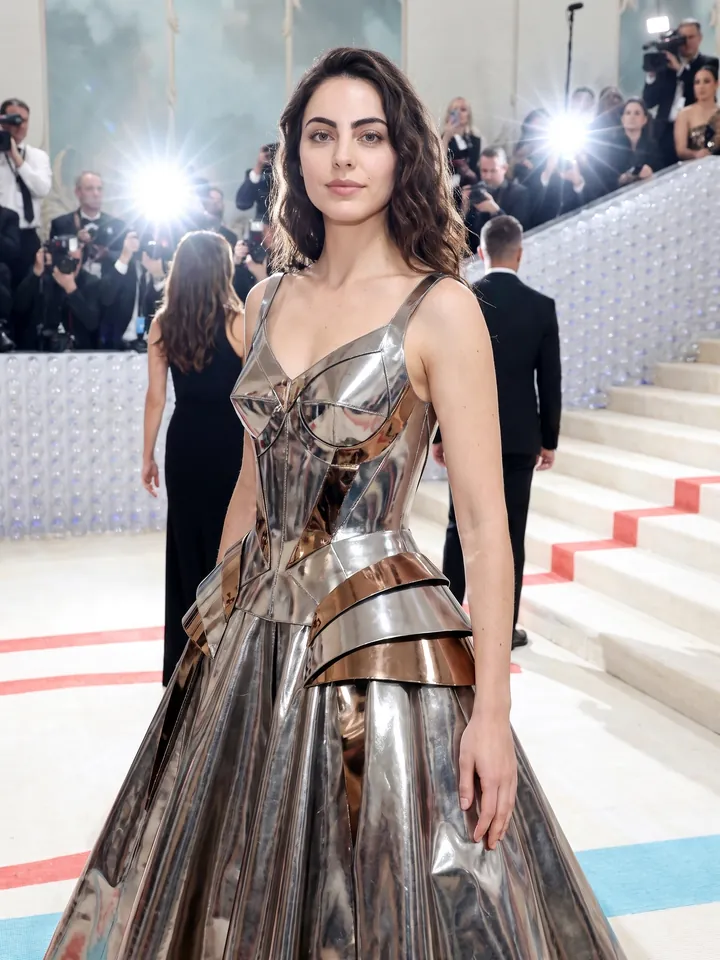
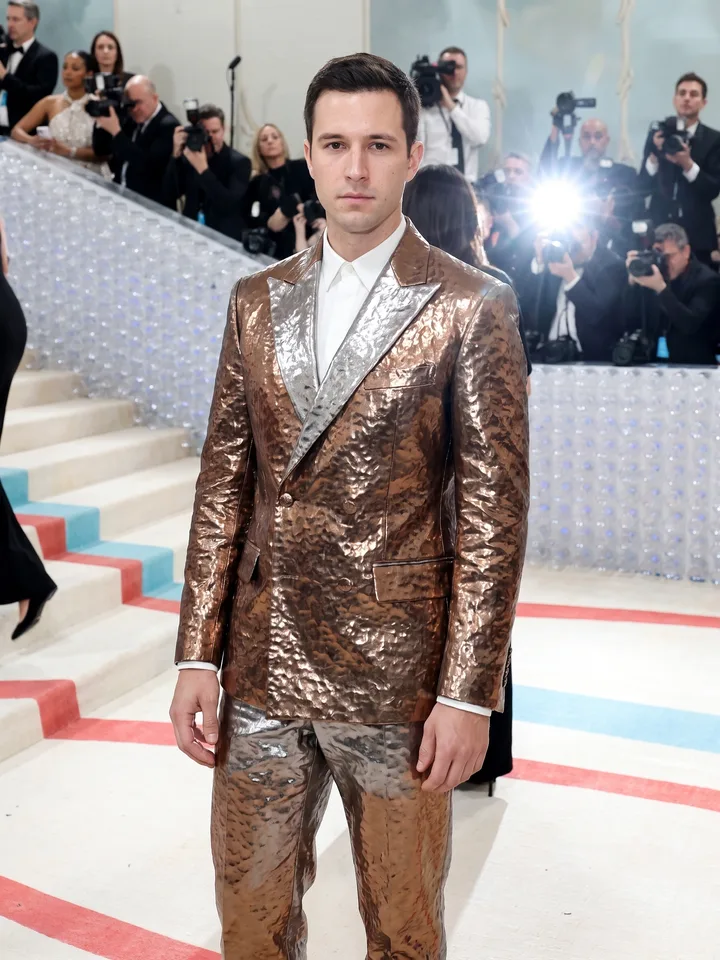
Met Gala look on a white carpet by a marble staircase 24

Met Gala couture

A full-length portrait

Turn me into a Met Gala guest. I wear a haute couture gown or tuxedo in a [sculptural / metallic / gothic / bionic] style, standing on a white carpet by a marble staircase, paparazzi flashes around. Keep the face 1:1.
Open Mini App
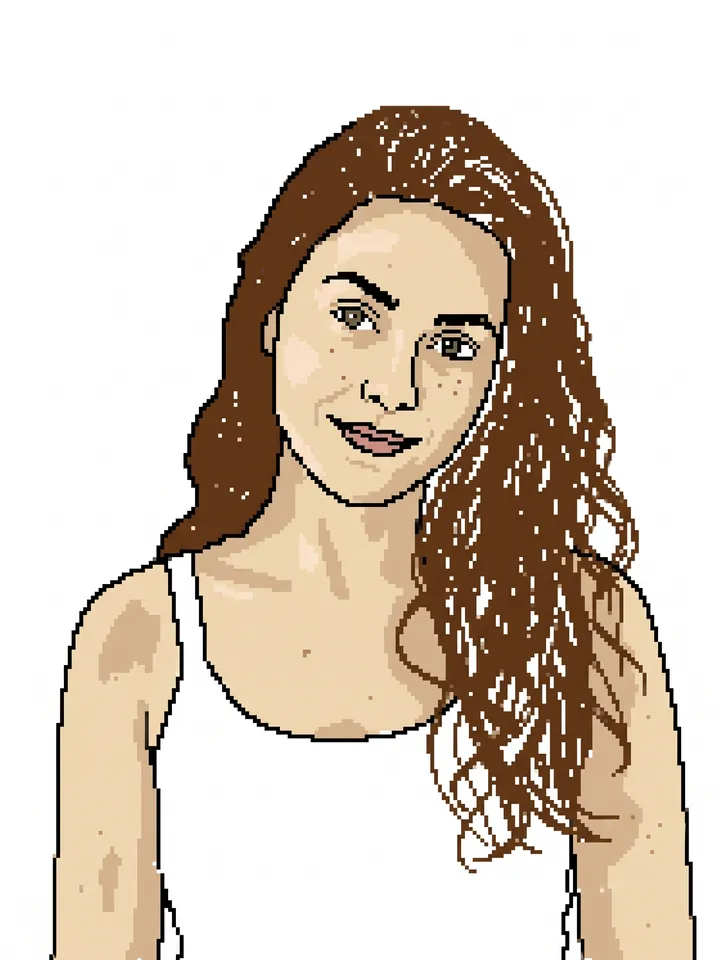
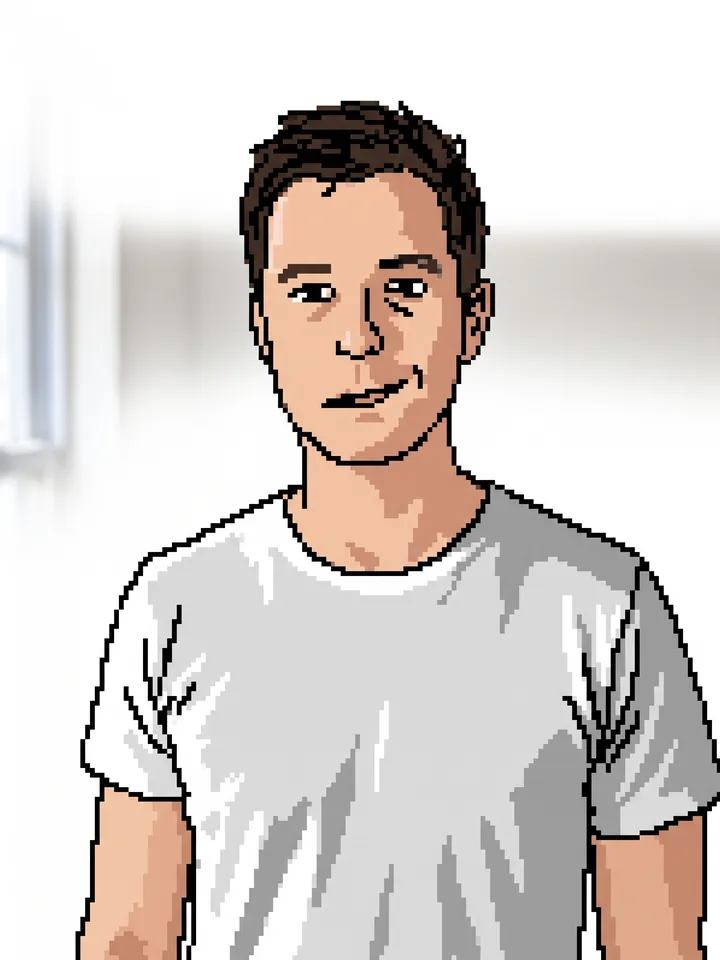
Clumsy MS Paint style redraw of the reference photo 25

MS Paint masterpiece

Any image

Redraw the attached image in the most clumsy, scribbly, and utterly pathetic way possible. Use a white background, and make it look like it was drawn in MS Paint with a mouse. It should be vaguely similar but also not really, kind of matching but also off in a confusing, awkward way, with that low-quality pixel-by-pixel feel that really emphasizes how ridiculously bad it is. Actually, you know what, whatever, just draw it however you want.
Open Mini App
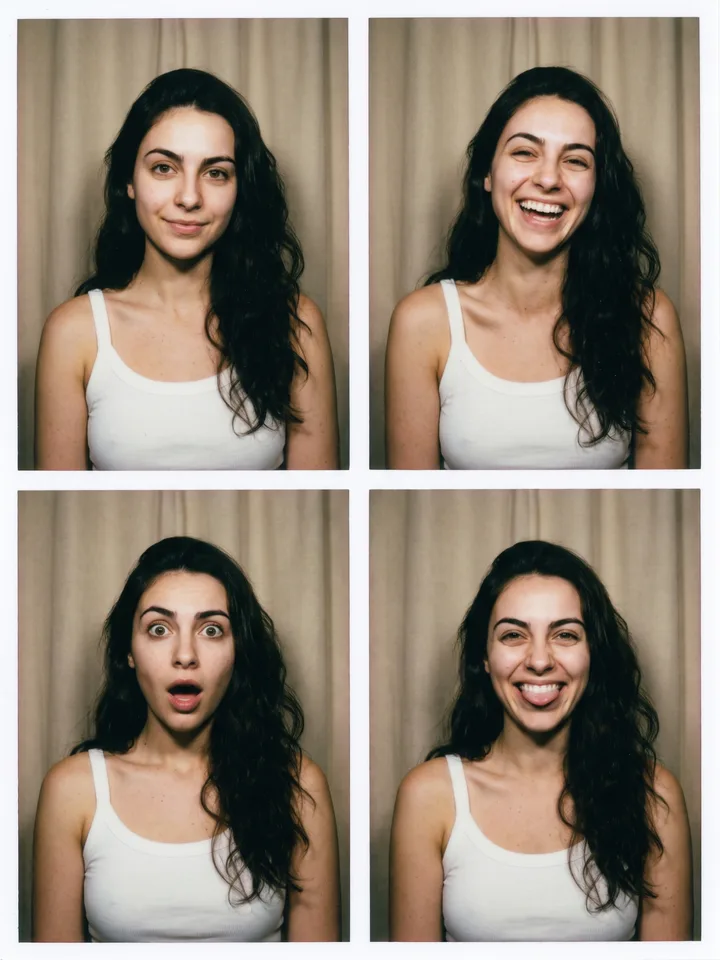
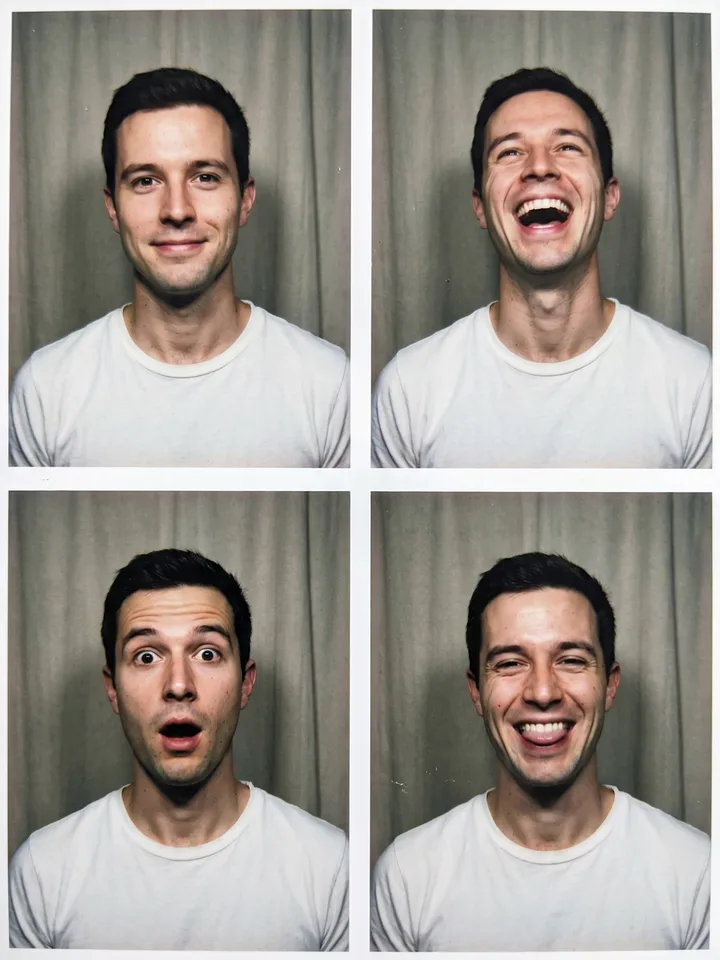
Four photo booth frames of the same face with different expressions 26

Photo booth sheet, four faces

A selfie

Make a photo booth sheet of me: four frames in a 2x2 grid with thin white borders, the same face in every frame with four different expressions - a calm smile, a laugh, wide-eyed surprise and a silly grin. Harsh on-camera flash, a plain curtain behind, slight film grain, the colors of a cheap print. Keep my face identical in all four frames.
Open Mini App
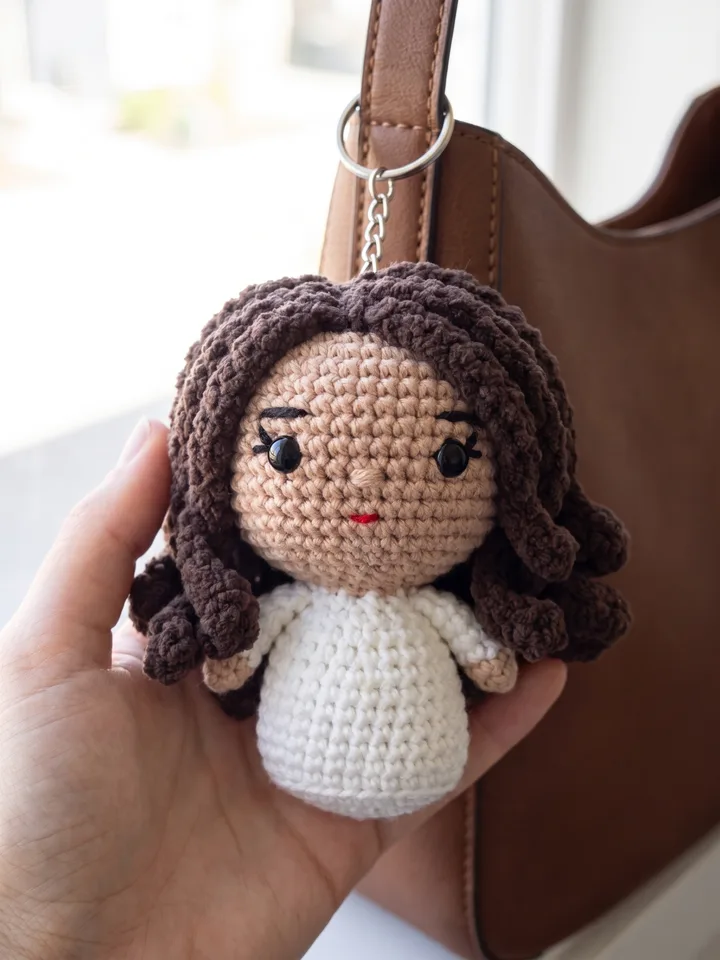
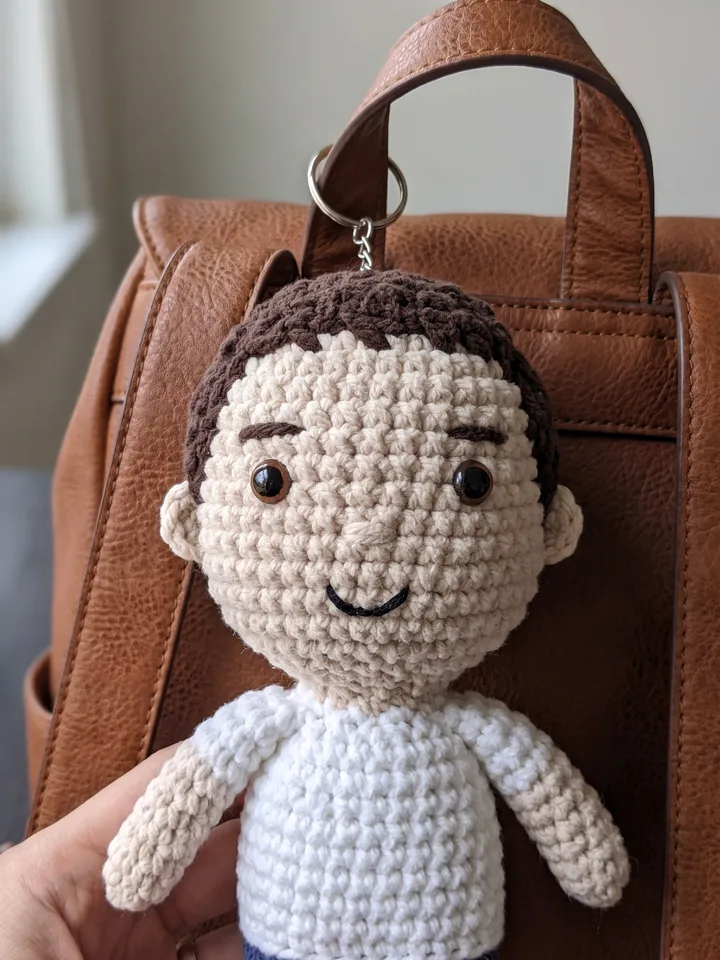
Crocheted plush keychain of the person hanging on a bag strap 27

Crocheted plush keychain of you

A selfie

Turn me into a hand-crocheted amigurumi plush keychain: chunky yarn texture, stitched eyes, a tiny embroidered smile, an oversized round head, my hairstyle and the colors of my clothes kept recognizable. The toy hangs on a metal ring from the strap of a leather bag, a hand holding it up. Macro shot, shallow depth of field, soft daylight.
Open Mini App

How to write a prompt

What to type and what to pick with buttons – with examples of before and after.

Basics

  1. One video, one scene. A clip lasts a few seconds – room for one action. Split a long script into short scenes: in each, who does what and where, with the same line about your character. Grok and Veo have Extend – describe what happens next.
  2. Format and length go on the buttons. Typing “9:16” or “10 seconds” switches nothing – pick them under the field. A video made from a photo takes its format from the photo.
  3. Say what you want. Instead of “no zoom, no camera movement”, write static shot: a model usually copes better with what to do than with a list of don'ts.
  4. Every run starts from scratch. The model does not remember the last attempt. To fix a picture, tap Edit and describe only what to change.
  5. Run it again. Every run comes out different – Again under the result repeats the same prompt for a fresh take.
  6. A refusal is not always about the words. If a harmless request was declined, the filter may have reacted to the photo, a brand or a famous character. Change the photo or drop the name – the credits for a refusal come back.

A long script

Before

Make a 15-second video: morning, a girl wakes up, walks to the kitchen, makes coffee, steps out onto the balcony, the camera flies around the city, and at the end the words “Good morning”… cinematic light, smooth transitions, 4K, 9:16, she smiles, sips the coffee, watches the sunrise, birds fly past, calm music, then the camera rises above the rooftops, the sun comes out, she waves, the city wakes up, cars on the streets, then back to her face in close-up, the steam, the light, the mood of a new day, and at the very end the title again, bigger, with a soft glow and…

+2,000 characters
After
  1. Video A girl with a red bob wakes up in a bright bedroom and stretches. static shot
  2. Extend The girl with the red bob pours coffee in the kitchen, steam over the cup
  3. Extend She steps out onto the balcony with the cup, the camera slowly pulls back, the city behind her
  4. Image The words “Good morning” over a morning sky

What changed: one scene, one action, the main thing first, the character described the same way.

Settings in the text

Before

video 9:16 10 seconds in 4K, cat playing

After

A ginger cat paws at a spot of sunlight on the floor

9:1610 s

What changed: the settings moved to the buttons, the text only has the action.

Magic words Optional short phrases that models usually read one way only. Tap to build a line and add it to any prompt, the catalogue ones included.

  • a close shot, the face fills the frame
  • head to toe
  • soft daylight
  • looks like a real photo
  • an even, single-colour background

Your prompt: tap the words above

Frequently asked questions

How much does a generation cost?

Generation runs on credits, and you get 10 welcome credits when you start. The exact total is on the Generate button before you tap it, and the prices per model and quality level are in the guide.

Which model runs these prompts?

Any model in the Image tab that accepts a photo. Scenarios with two photos need a model that takes several: Grok Imagine accepts one, and Grok Imagine 2 draws from text only.

What happens to my photo?

The photo and the prompt go to the provider of the model you pick, so it can make the result; each provider handles them under its own terms. Results stay in your gallery for 30 days, then are deleted automatically. We do not train any models on your prompts, uploads or results. The details are in the privacy policy.

Why are the prompts in English?

So every card works the same on every language version of this page. Write your own prompts in any language – the models will understand them.

Where does the app open?

Inside Telegram – on a phone, in Telegram Desktop and in Telegram Web. There is nothing to install: the Mini App signs you in with your Telegram account.

Try the first prompt on your own photo

Your photo, one prompt, a new look.

Open Mini App