TinyFile TinyFile
Abrir Mini App
Funciones Precios Mini App Compresor de vídeo Guía FAQ Abrir Mini App

Prompts para fotos con IA, listos para copiar

Elige un estilo, copia el prompt y pégalo junto a tu foto en la Mini App de TinyFile.

Abrir Mini App Ver los prompts

Cómo usar un prompt

Tres pasos, todo dentro de Telegram.

1

Abre la Mini App

Toca Abrir Mini App en esta página o el botón Generar al final del chat de @tinyfile_bot. Los prompts funcionan en la pestaña Imagen.

2

Adjunta tu foto

Toca + y elige una foto de tu dispositivo, o dos si la tarjeta lo pide.

3

Pega el prompt

Toca Copiar prompt en una tarjeta, pégalo en el campo de texto y toca Generar. El texto entre [corchetes] lo cambias por el tuyo.

Elige un estilo

Cada tarjeta muestra qué adjuntar, el resultado y el prompt que lo creó.

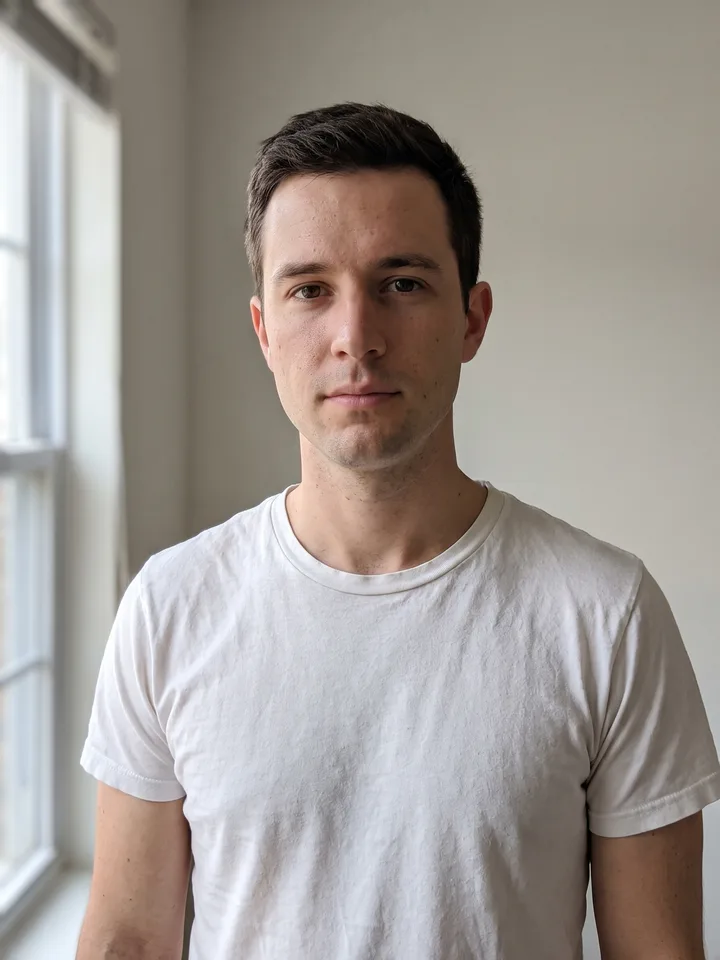
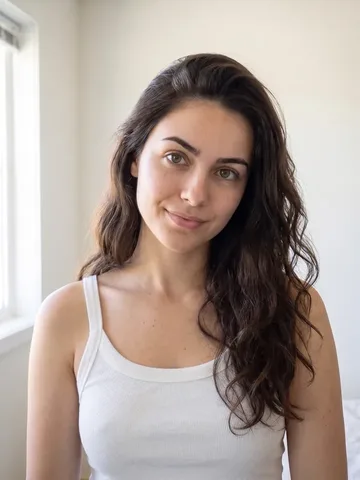
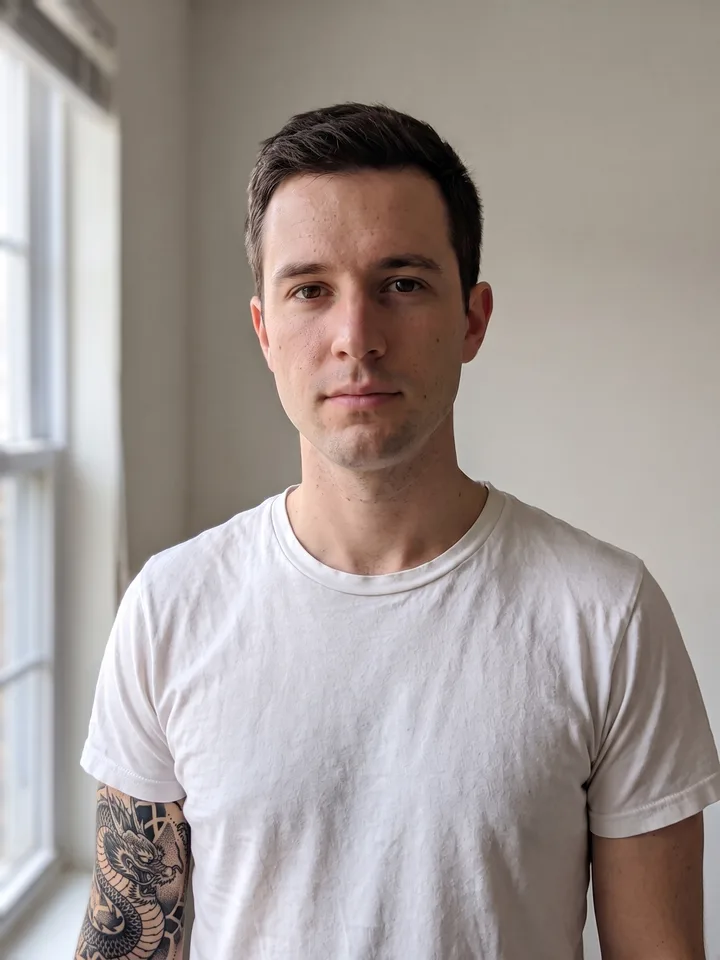
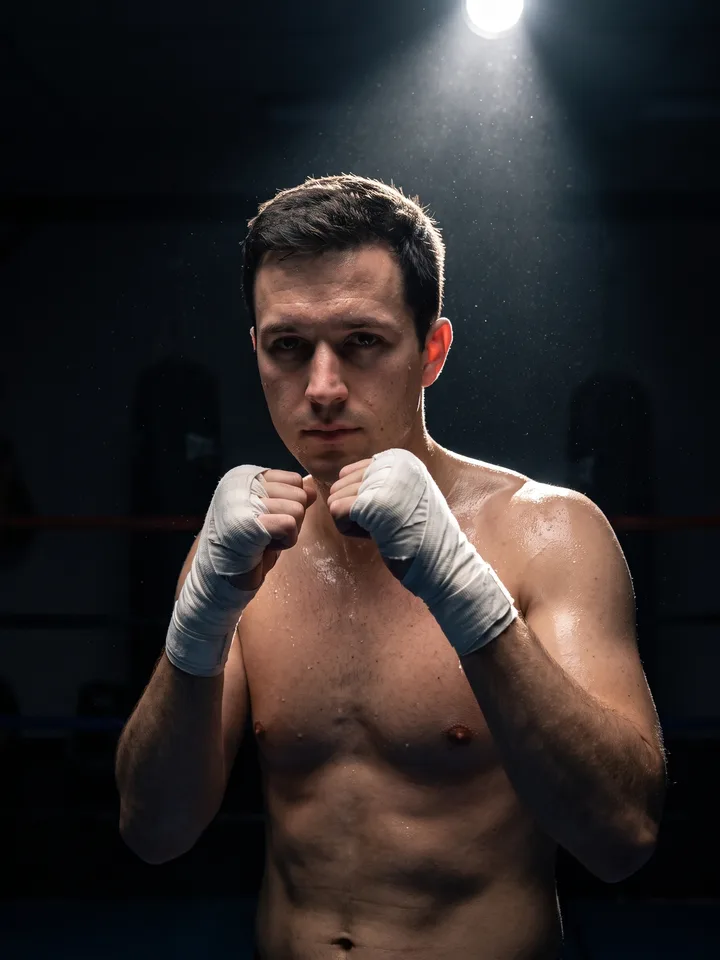
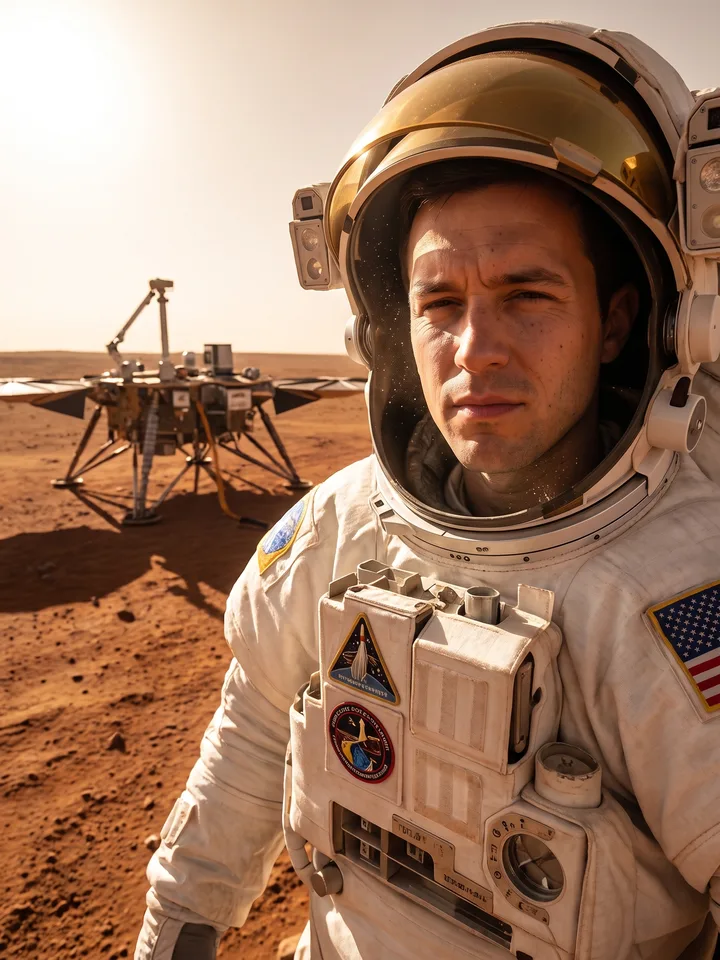
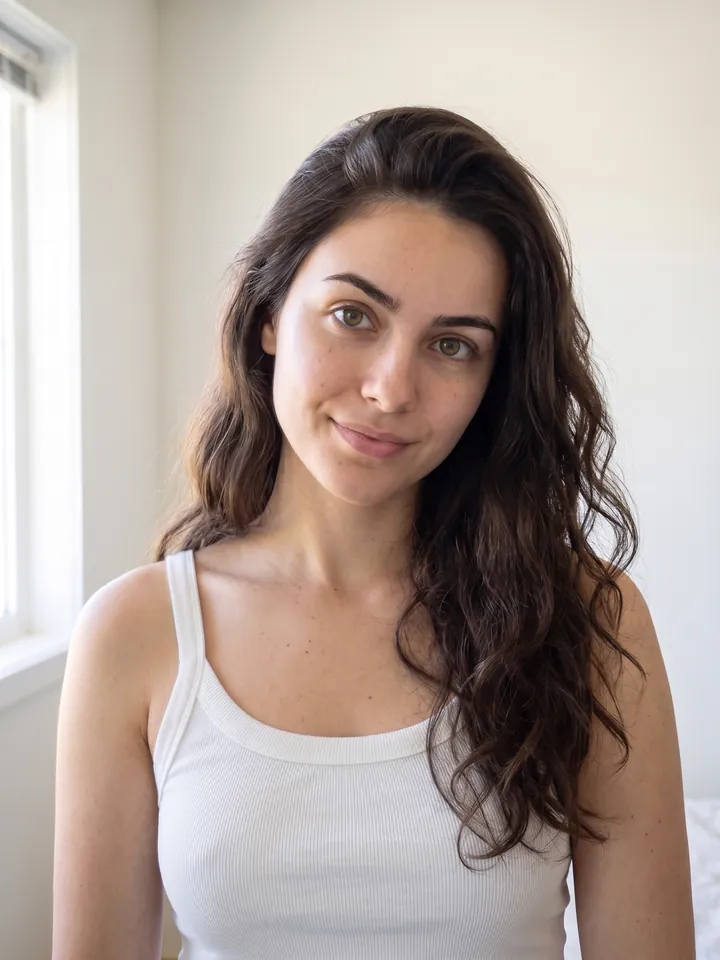
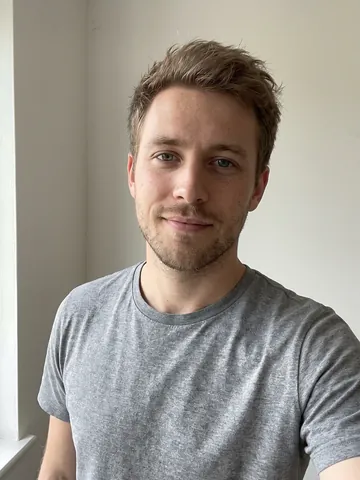
The source photo: a neutral portrait used as the input of every scenario
La foto original Todos los resultados de abajo salen de esta única foto.
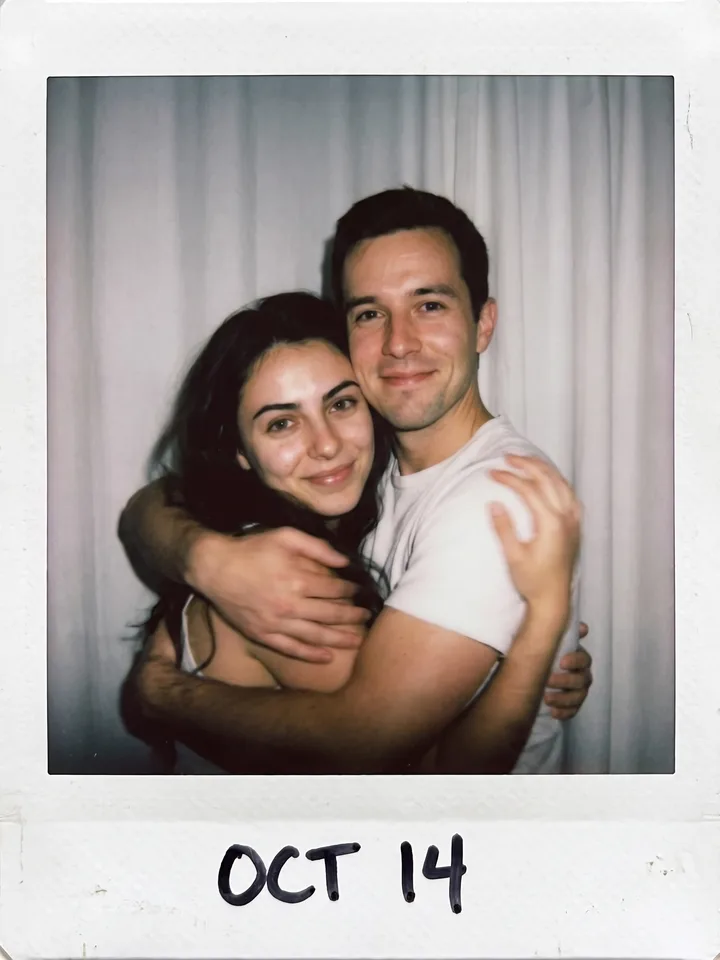
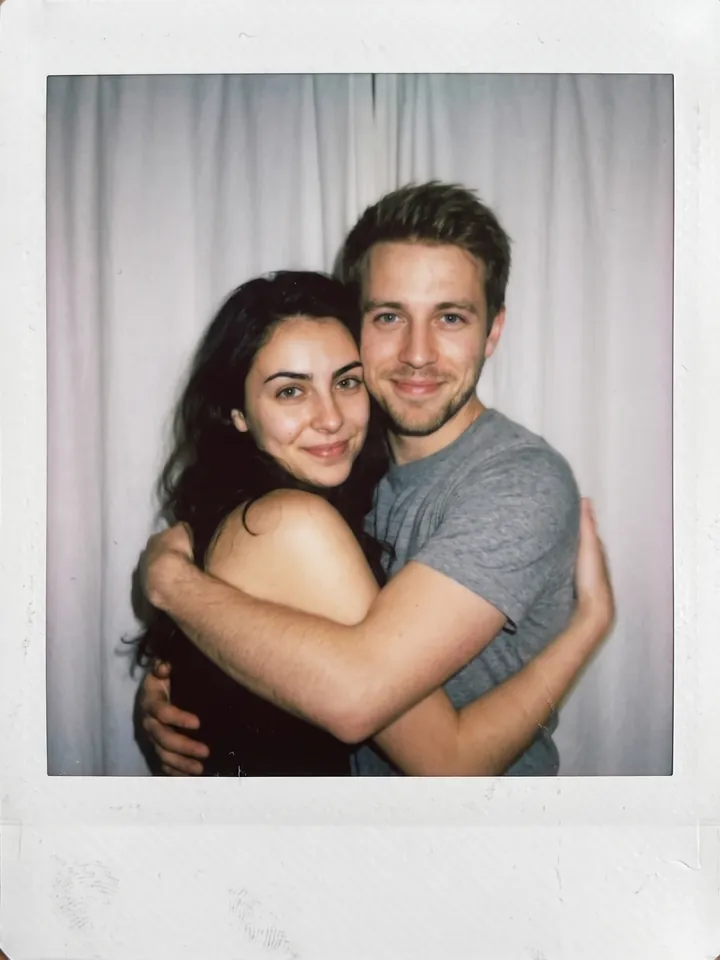
Polaroid-style snapshot of two people hugging, made from the reference photo 01

Momento Polaroid con quien quieras

Dos fotos: la tuya y la de la otra persona (un actor, un amigo, un ídolo)

Make the photo of the two people look like a real Polaroid snapshot. The mood is spontaneous and alive, as if the shot was caught without posing. Add slight motion blur and the soft light of a flash in a dark room. Do not distort the faces – keep them as in the source photos. Replace the background with a plain white curtain. The two are hugging and looking straight into the camera, the moment is intimate and natural.
Abrir Mini App
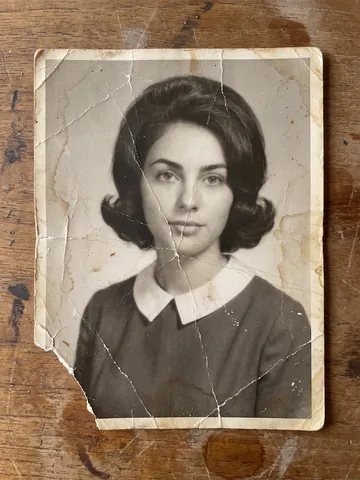
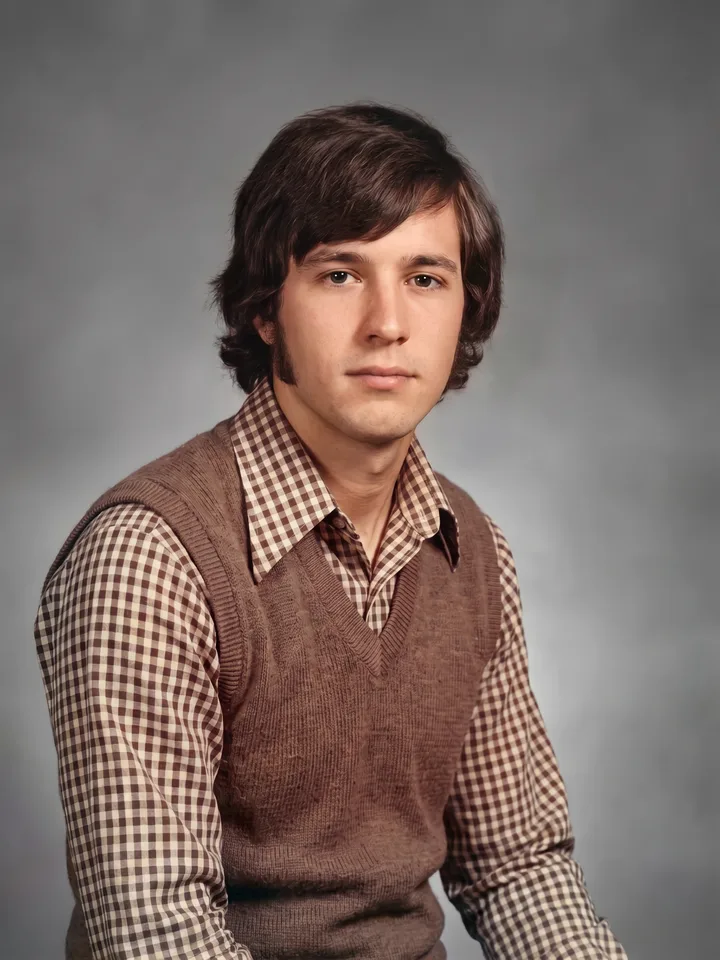
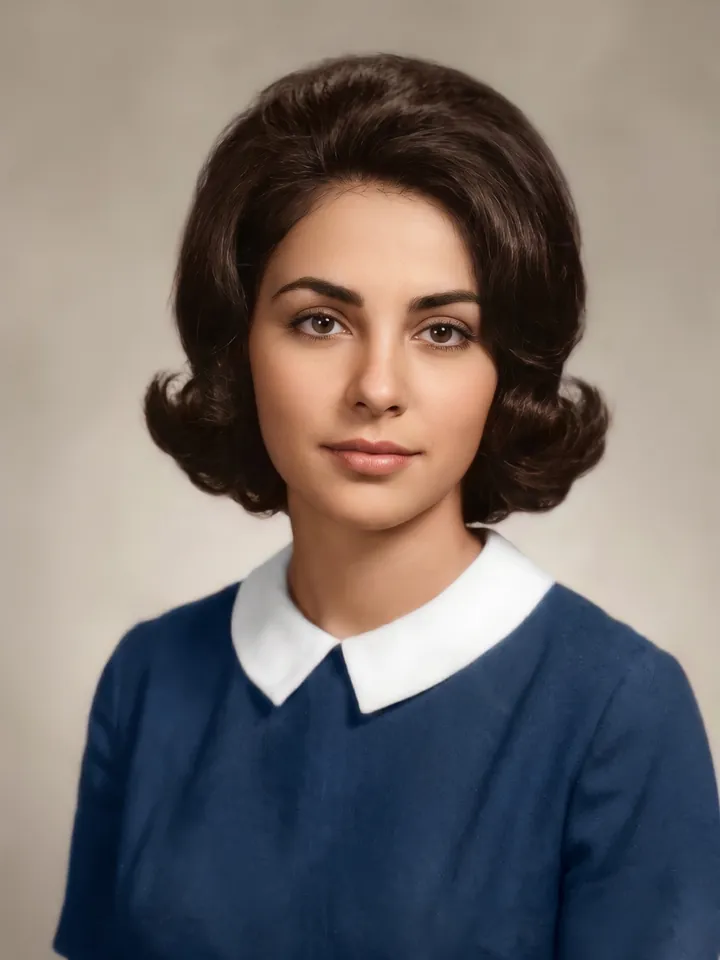
Old photo restored and colorized 02

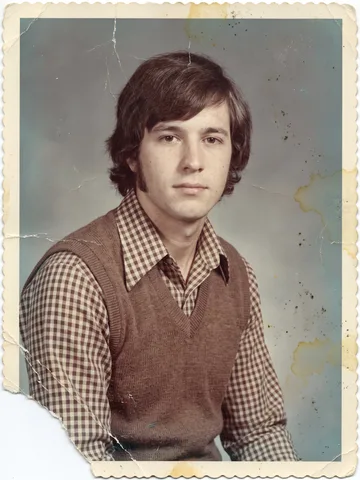
Restaura una foto antigua

Una foto antigua, descolorida o dañada

Colorize the photo, repair the damage, improve quality and resolution. Remove everything around the edges and keep only the photograph itself. Preserve the faces and the atmosphere of the original.
Abrir Mini App
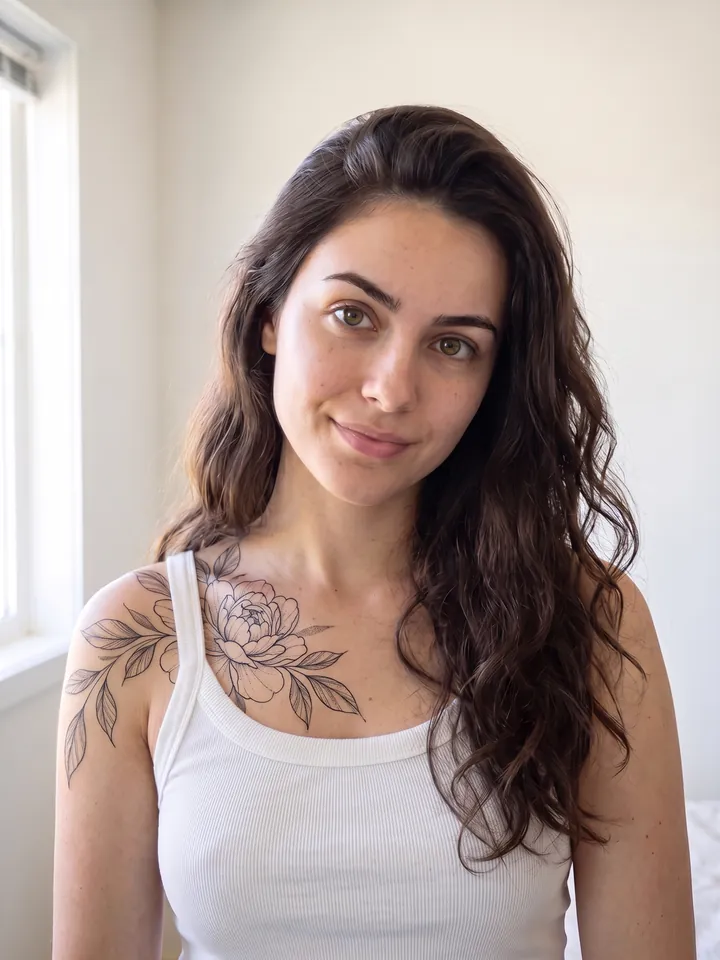
The reference photo with a tattoo added to the skin 03

Tatuaje virtual

Una foto con la piel a la vista: hombro, cuello, brazo o espalda

Add a tattoo to the skin in [style: blackwork / watercolor / minimalism / old school / Japanese] style, theme – [for example: dragon, flowers, geometry]. Place it on the [neck / forearm / back]. Do not change the face or the background, improve quality and resolution.
Abrir Mini App
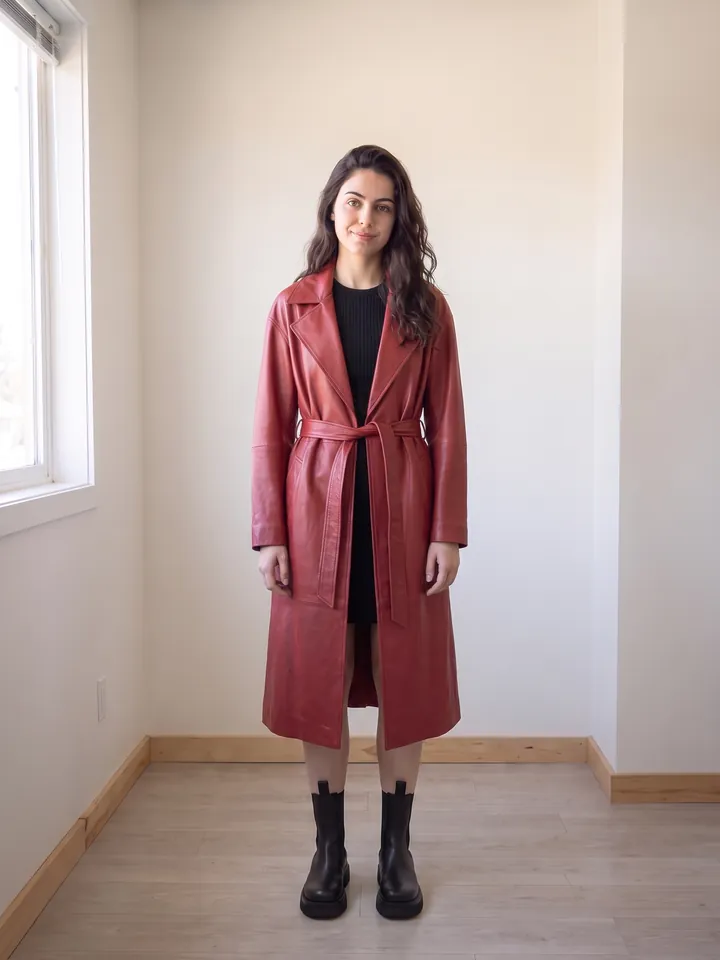
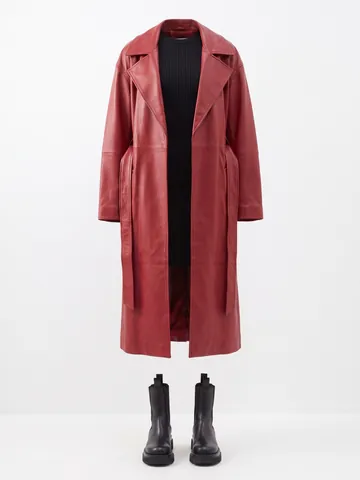
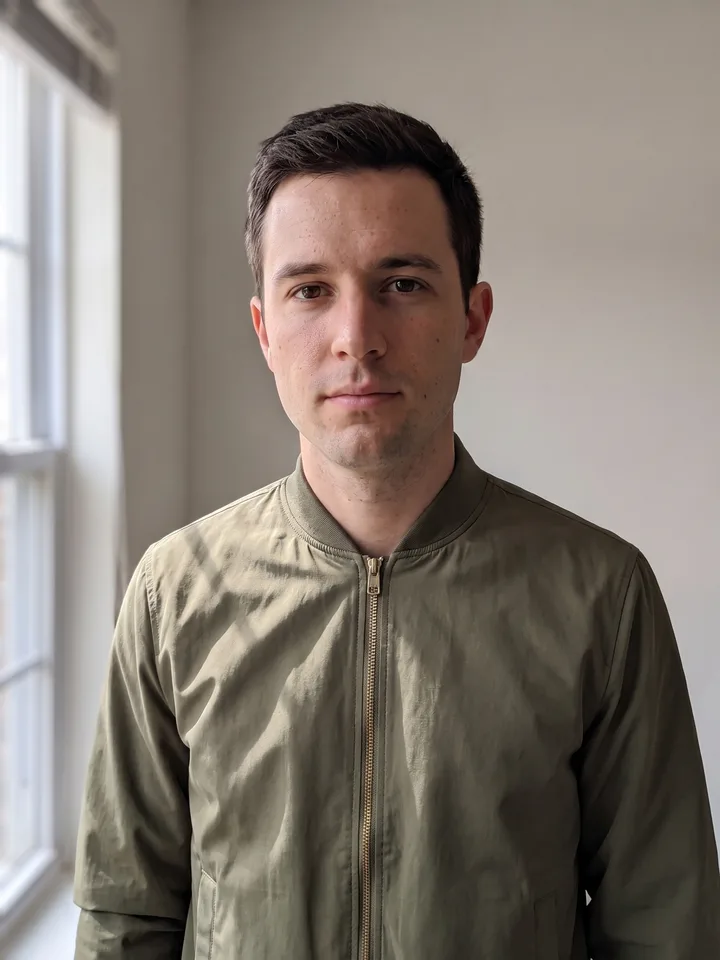
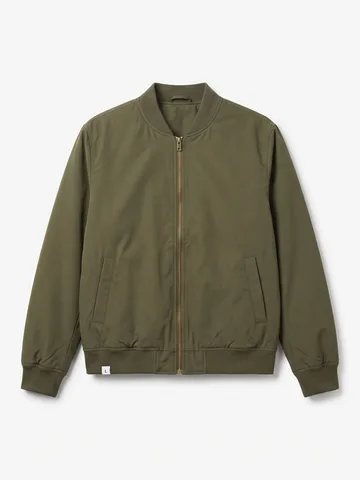
The person from the reference photo wearing the item from a product card 04

Probador virtual de ropa

Dos fotos: la tuya y la de la prenda (vale la ficha de producto de una tienda online)

Replace the person's clothing in the input image with the target clothing shown in the reference image. Keep the person's pose, facial expression, background, and overall realism unchanged. Make the new outfit look natural, well-fitted, and consistent with lighting and shadows. Do not alter the person's identity or the environment – only change the clothes.
Abrir Mini App
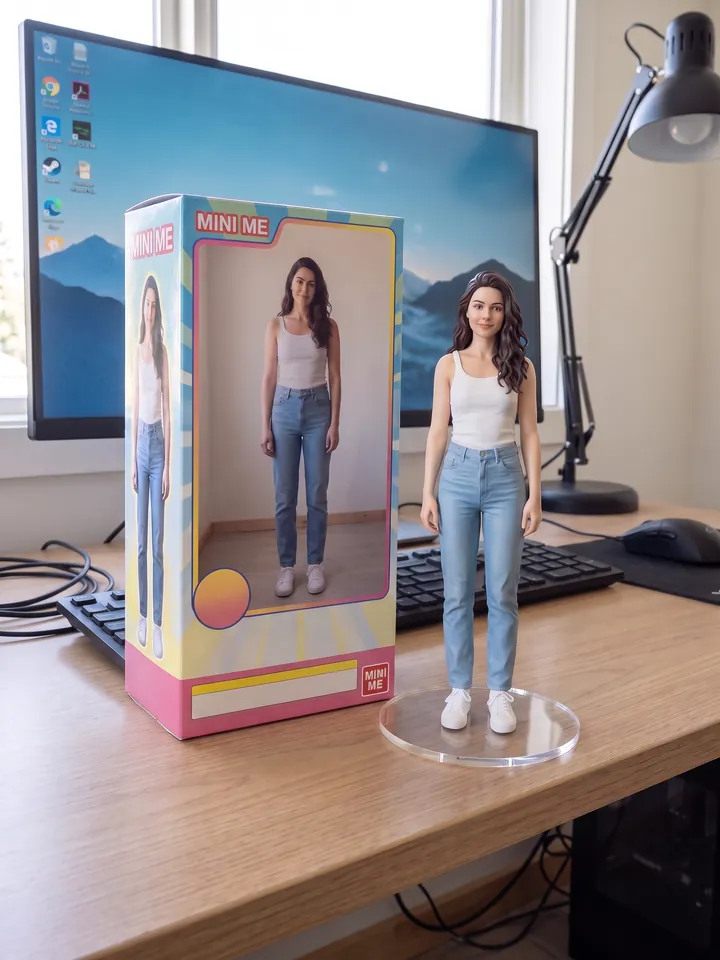
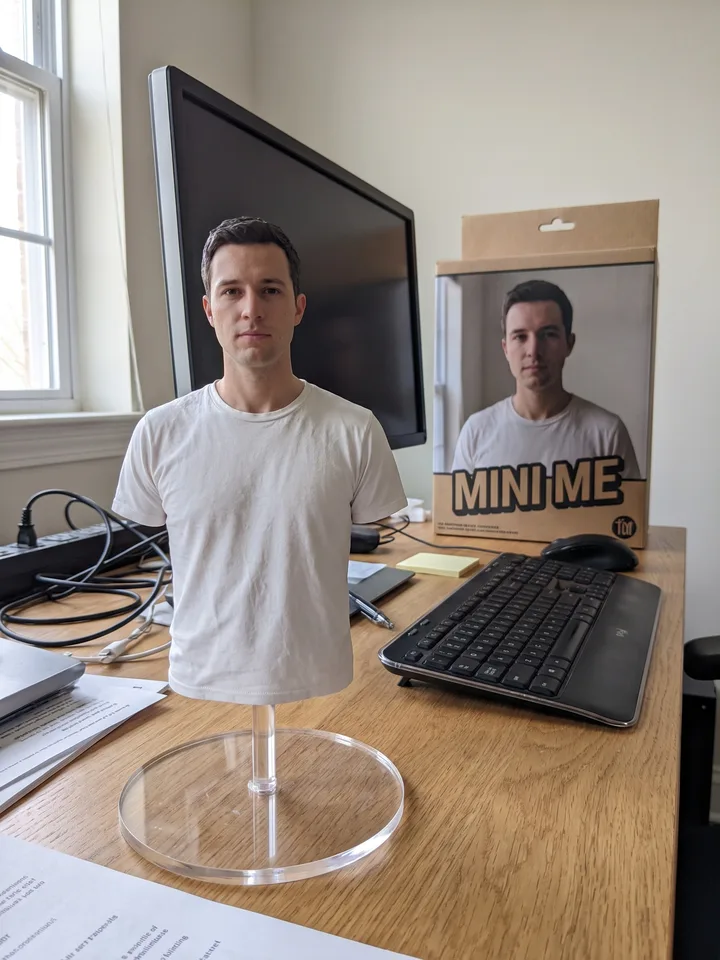
1/7 scale collectible figure of the person on a desk, next to its box 05

Tu figura de colección

Una foto nítida de cuerpo entero o de cintura para arriba

Create a 1/7 scale commercialized figure of the character in the photo, in a realistic style and environment. Place the figure on a computer desk on a circular transparent acrylic base without any text. Next to the screen, place a BANDAI-style toy packaging box printed with the original artwork.
Abrir Mini App
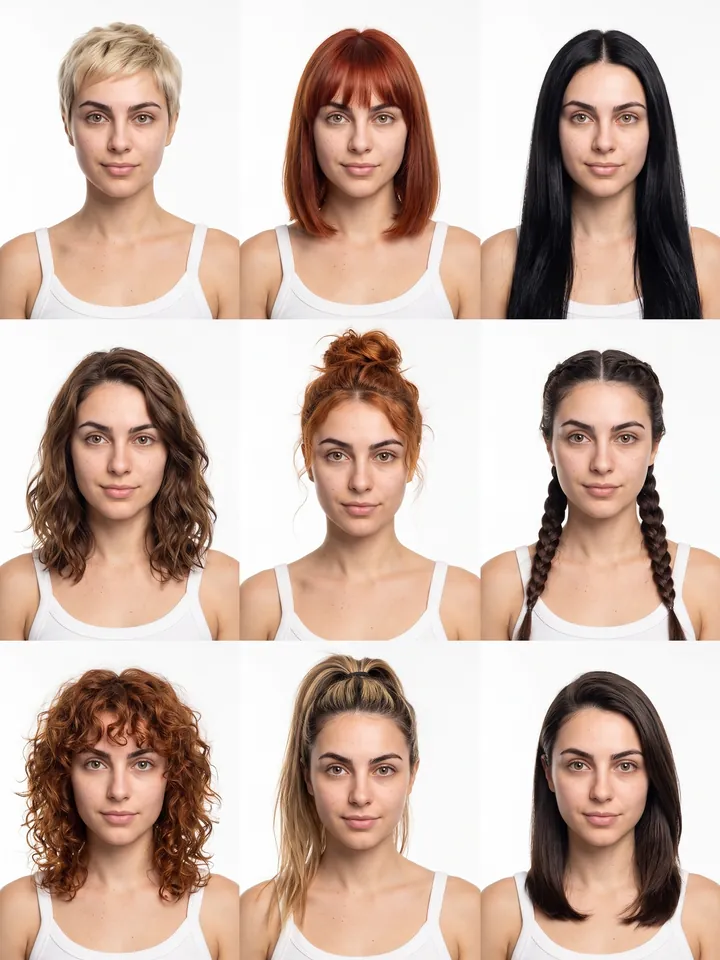
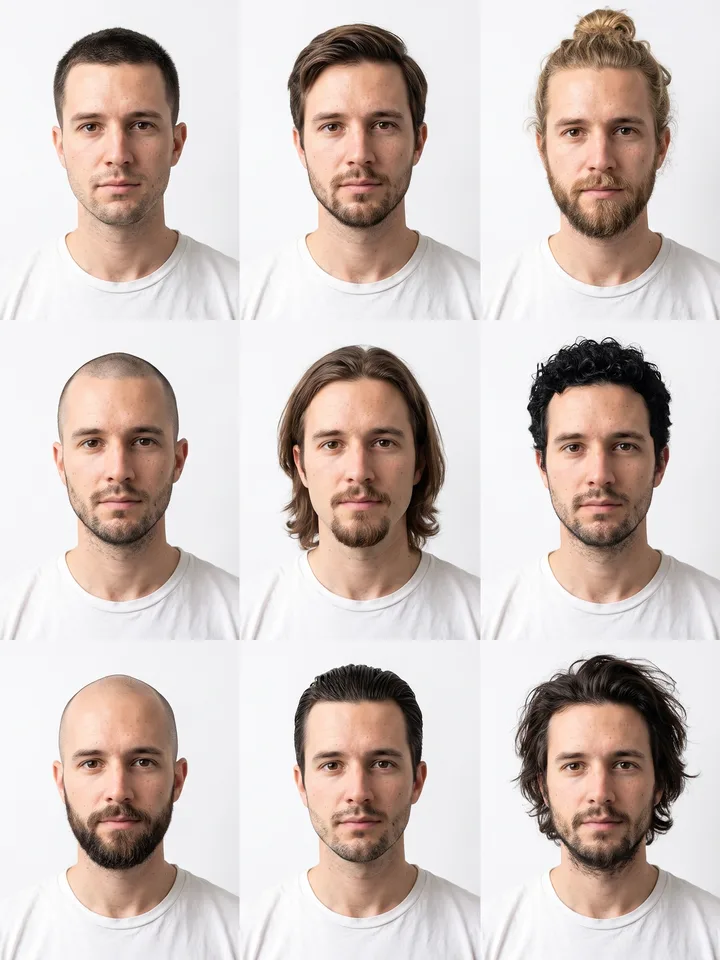
3x3 grid of the same face with nine hairstyles 06

Catálogo de peinados 3×3

Un selfi neutro

Generate a 3x3 grid of avatars of this person with 9 different hairstyles. Keep the face identical in every cell, vary only the hair (length, color, styling). Clean white background, soft studio light.
Abrir Mini App
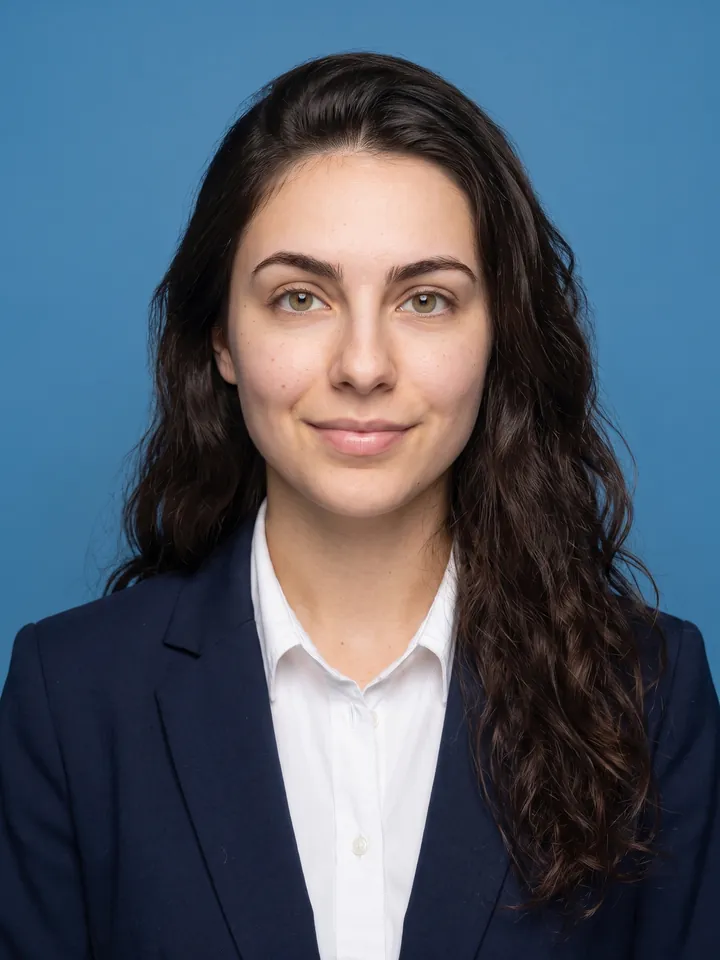
ID photo on a blue background in business attire 07

Foto de carné en 5 segundos

Cualquier selfi

Crop the head and create a 2-inch ID photo with: 1) Blue background 2) Professional business attire 3) Frontal face 4) Slight smile 5) Even neutral studio lighting.
Abrir Mini App
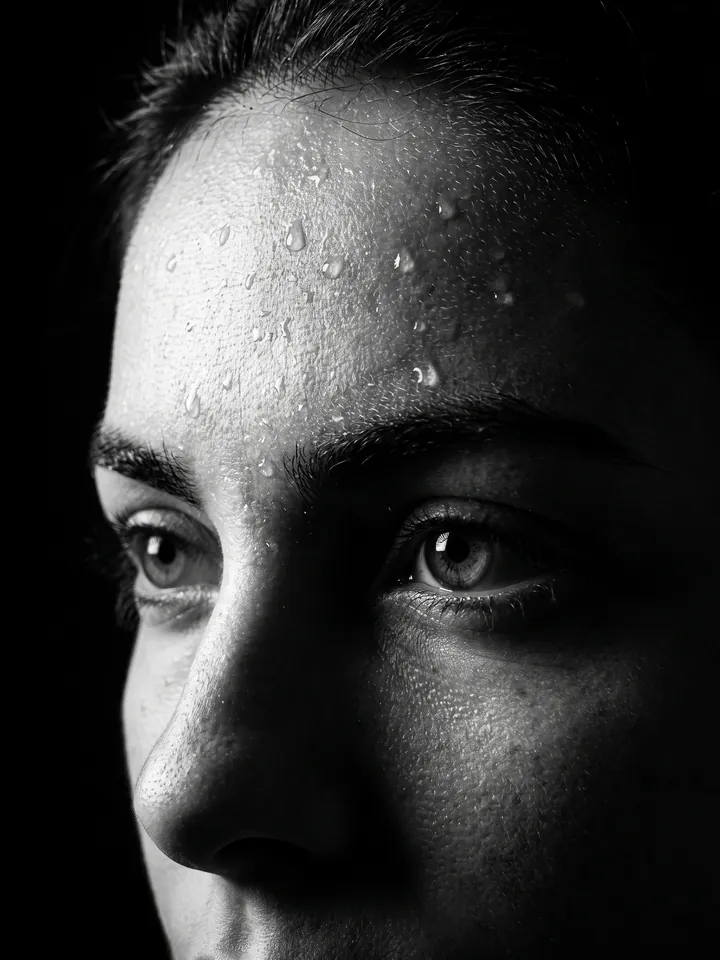
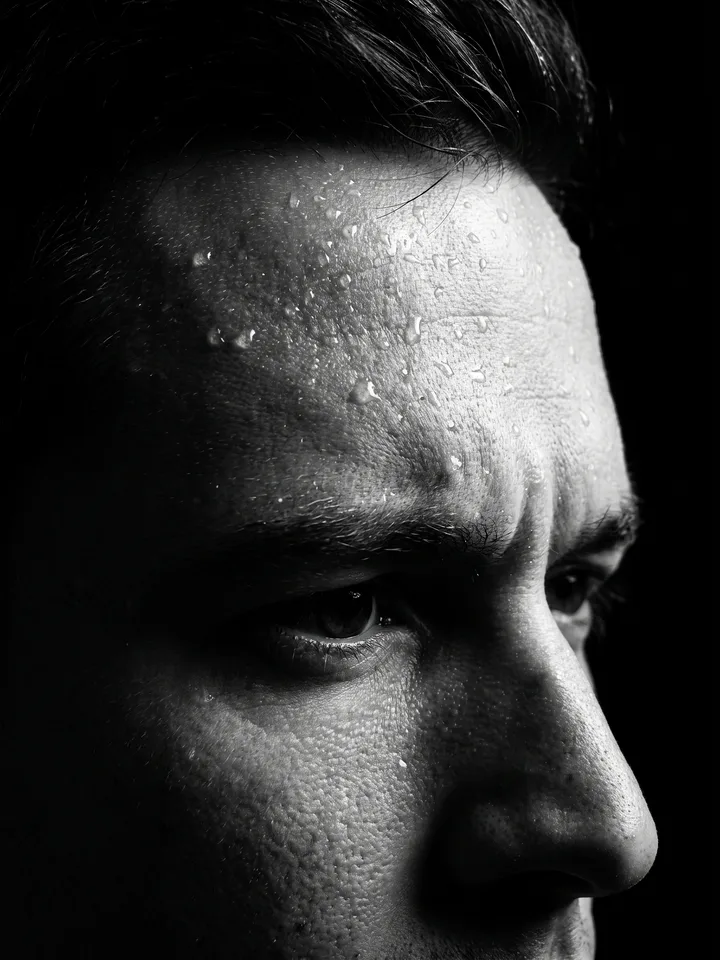
Black-and-white close-up portrait with water droplets on the face 08

Retrato dramático en B/N con gotas de agua

Un retrato en primer plano

A high-contrast close-up portrait of my face focusing on the forehead, in black and white. 35mm lens, 4K HD quality. Proud expression. Water droplets on the face. Black shadow background, only the face visible with sharp profile. Ratio 4:3.
Abrir Mini App
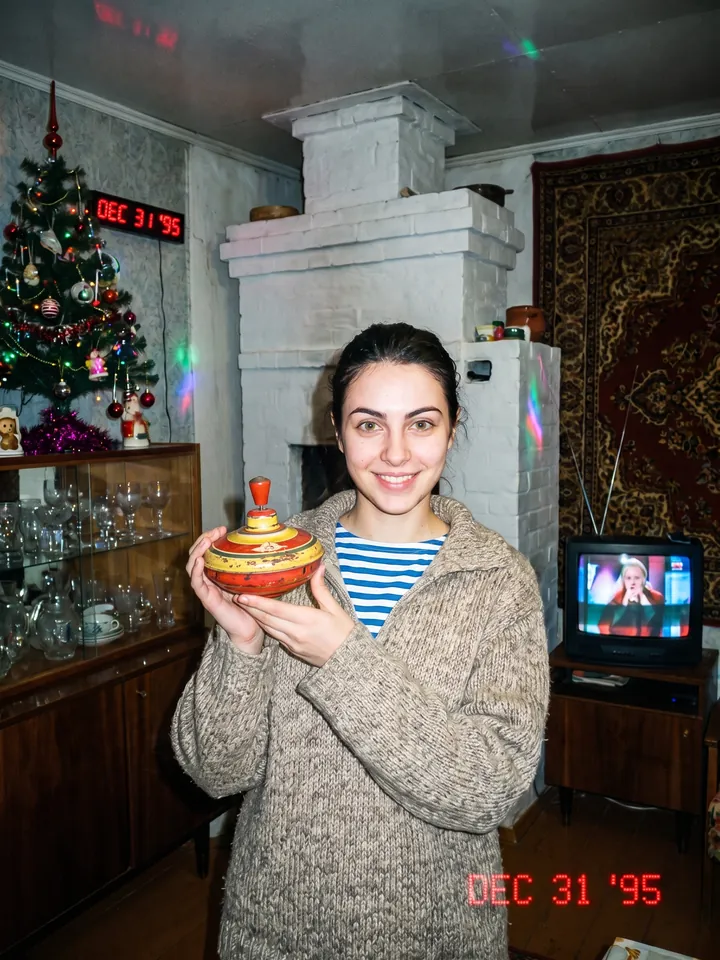
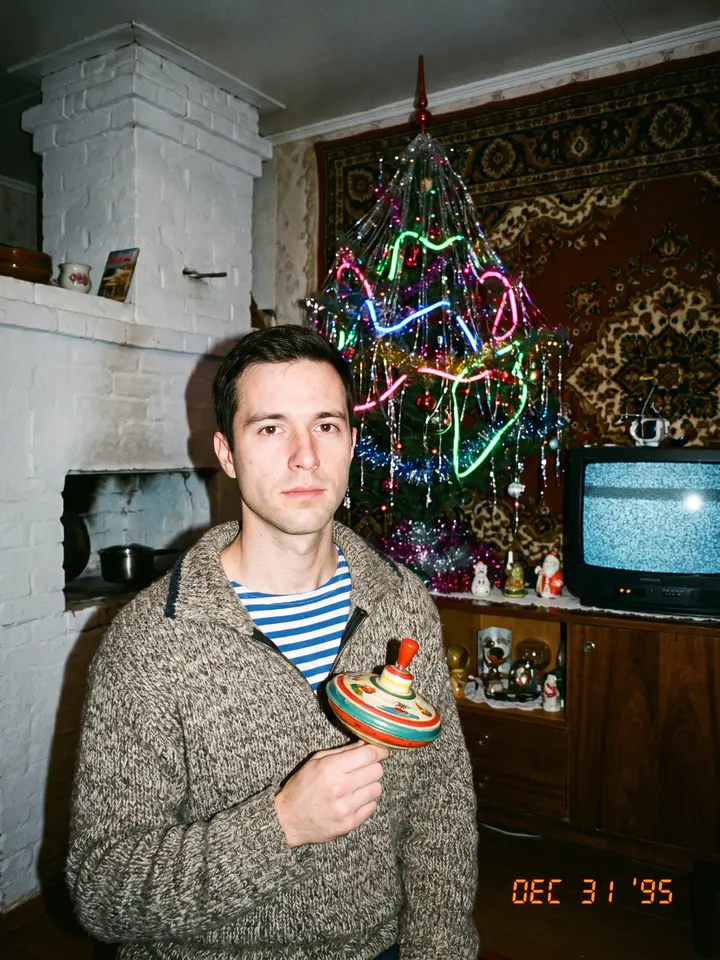
1990s flash snapshot in a village room with a carpet on the wall 09

Álbum familiar postsoviético de los 90

Un retrato

Take the uploaded portrait and restyle it as a 1990s snapshot. A wool sweater with a striped telnyashka underneath, a Soviet toy in the hands. Background – a village interior with a white stove, a carpet on the wall, a New Year tree, a sideboard, an old TV. Harsh direct flash, film grain, muted colors with neon accents. A family album from 1995.
Abrir Mini App
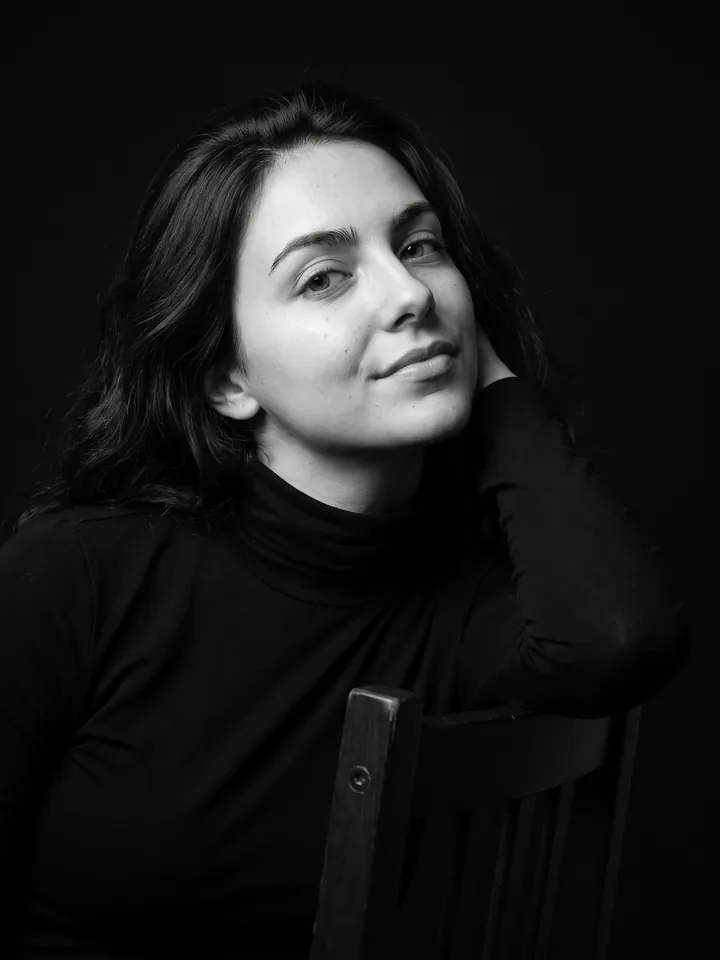
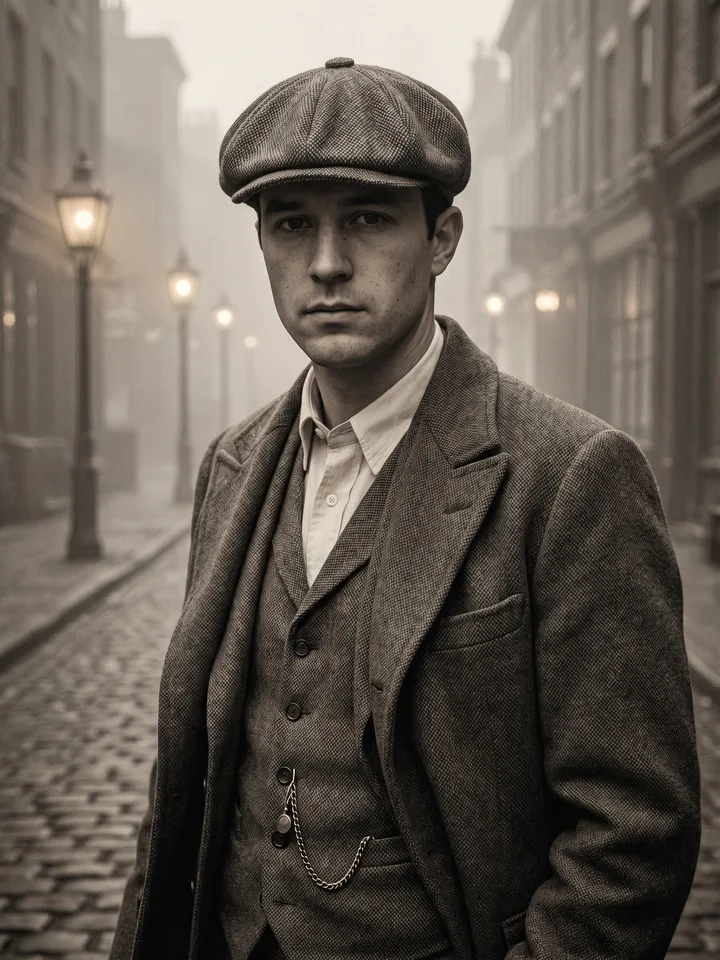
Black-and-white studio portrait of a person leaning on a chair 10

Retrato de moda cinematográfico

Un retrato

Ultra-realistic studio portrait of a person leaning gracefully on the backrest of a chair, dressed in a sleek dark outfit. Subtle low-angle shot accentuating facial features and a confident expression. Cinematic black-and-white grade with refined skin tones. Solid black background, sharp 8K details, dramatic and lifelike effect.
Abrir Mini App
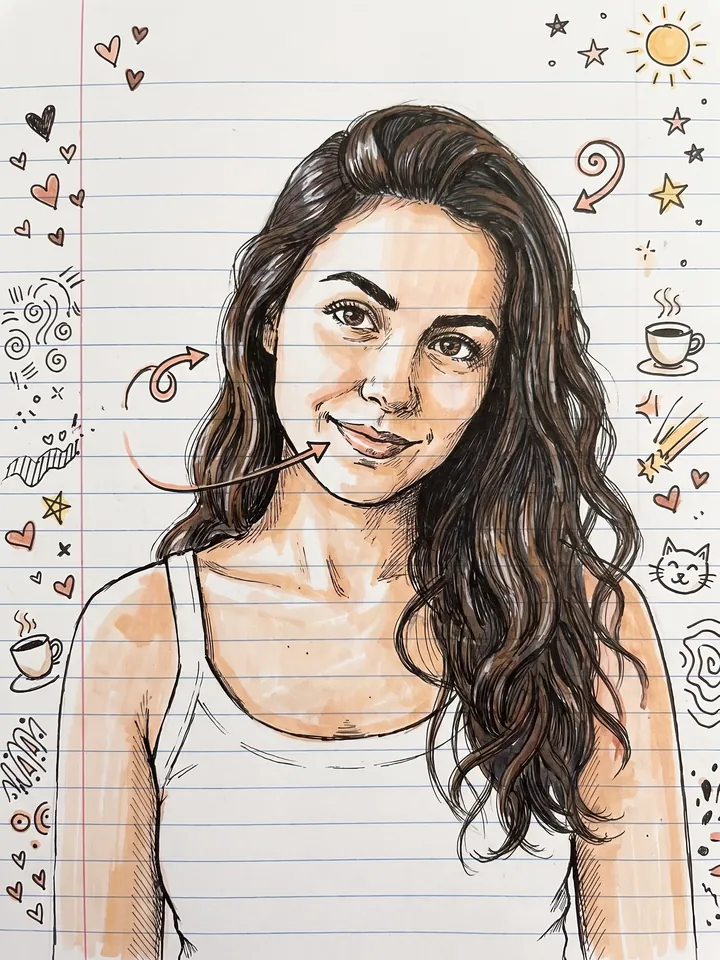
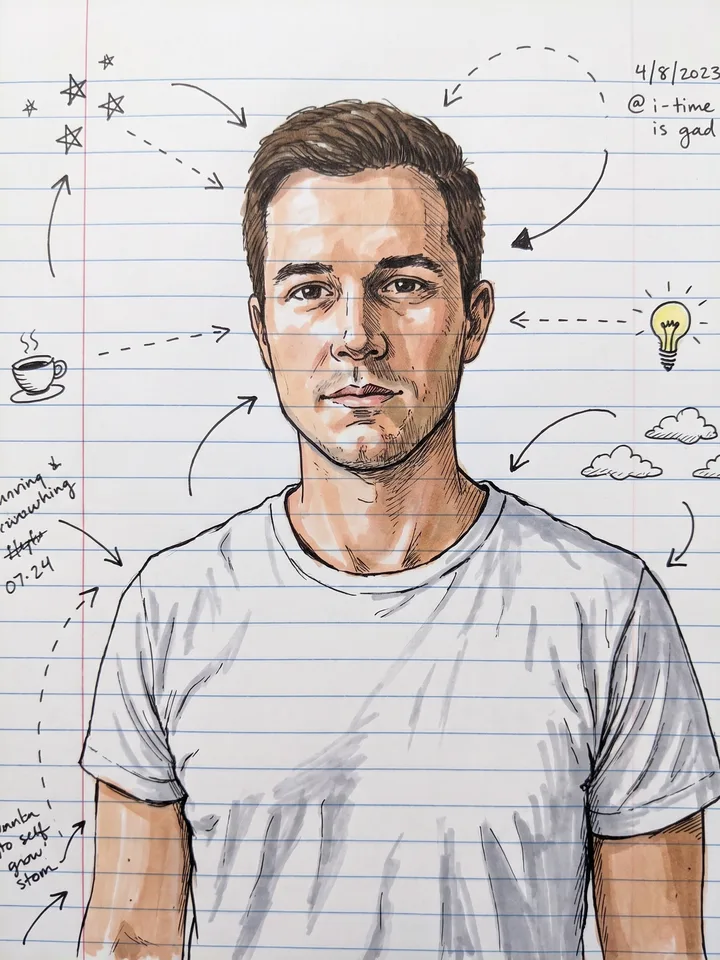
Pen-and-marker doodle portrait on ruled notebook paper 11

Garabato de cuaderno

Un selfi

Turn my portrait into a pen-and-marker notebook doodle on ruled paper, with playful arrows and tiny margin sketches. Keep my face recognizable.
Abrir Mini App
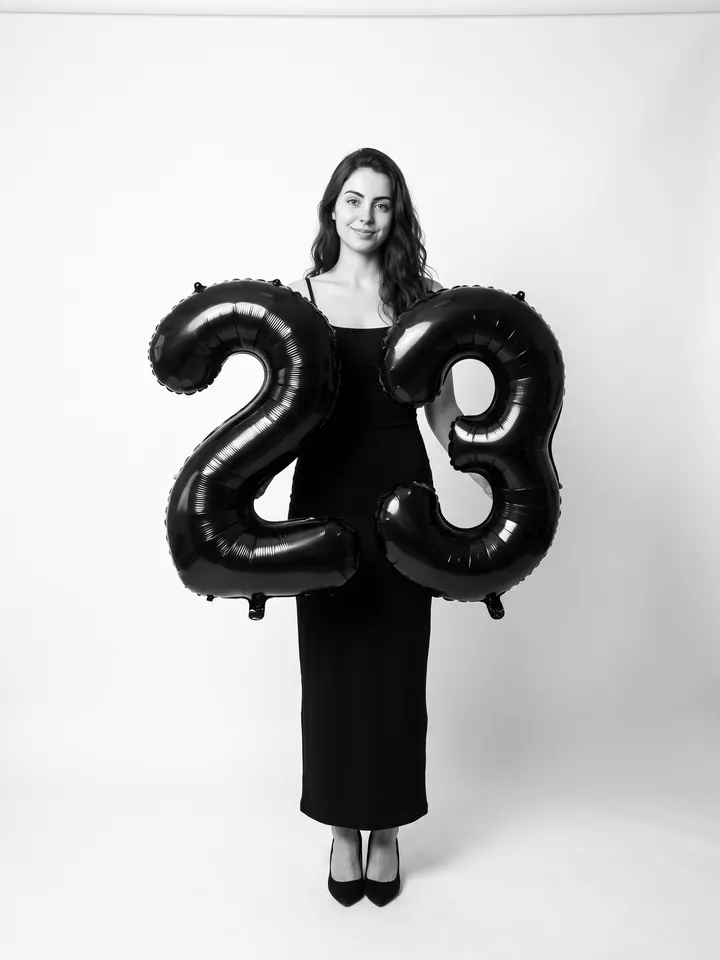
Studio birthday portrait with black number balloons 12

Sesión de fotos de cumpleaños

Una foto de cuerpo entero o de cintura para arriba

Use the person's appearance 1:1 – face, skin, hair and body unchanged. Full-length shot in a professional photo studio on a seamless white background. Camera at eye level, slightly below. In the hands – large black foil balloons shaped as the number "[your age]". A fitted long black dress with thin straps, black pumps. Soft even studio light from the front, natural shadows. Minimalist fashion portrait, black-and-white grade with natural skin tones.
Abrir Mini App
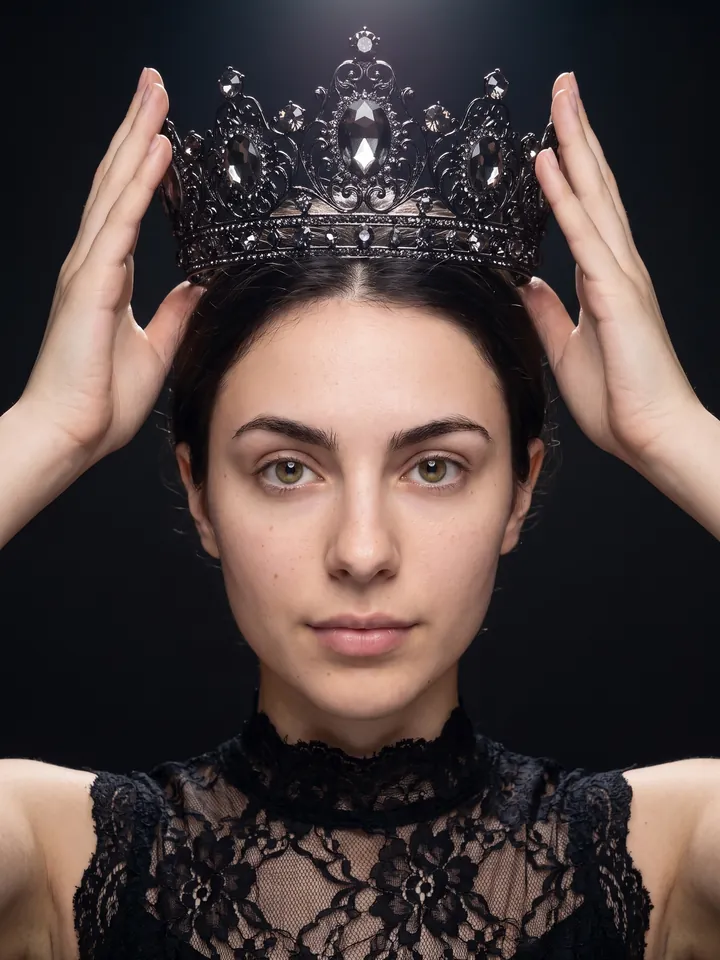
Fashion portrait holding a black crown above the head 13

La tendencia de la corona

Un retrato

Fashion portrait: I hold a black crown with rich filigree and large sparkling stones above my head. The light falls from above. The dress is delicate black lace with a high neck, the frame is cropped at the shoulders. The background is dark and minimalist.
Abrir Mini App
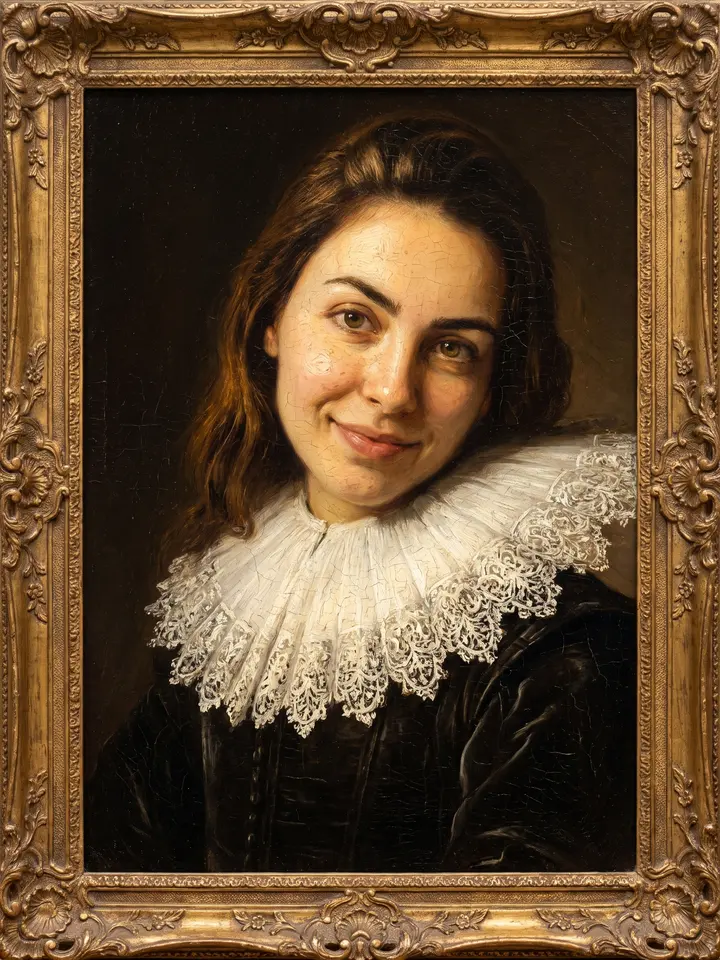
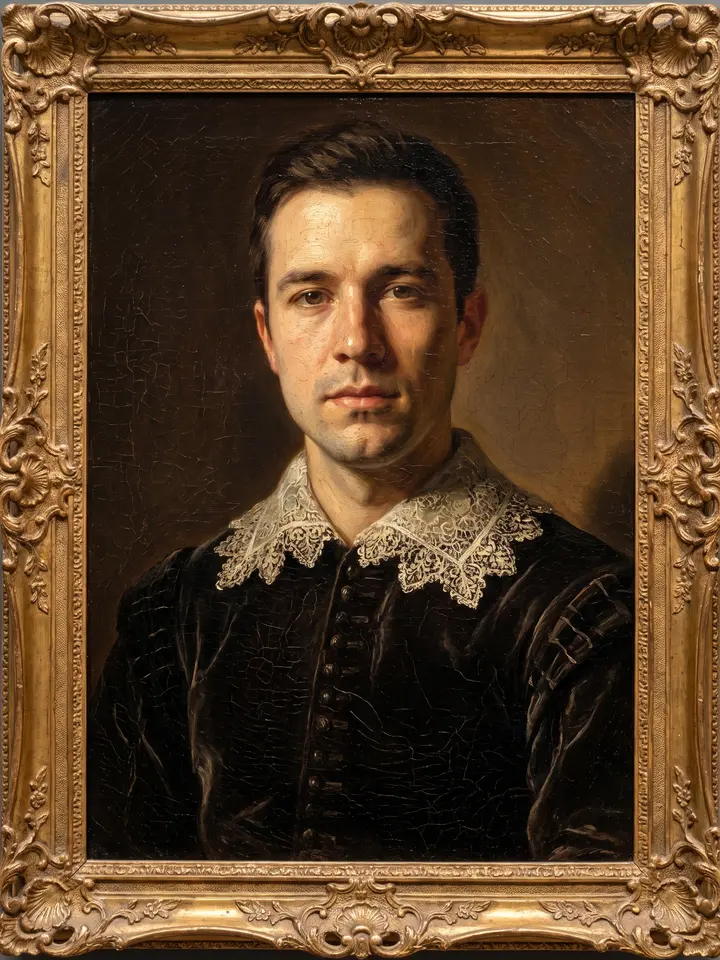
Portrait repainted as a 17th-century oil painting in a gilded frame 14

Retrato al óleo, como los viejos maestros

Un retrato

Repaint me as a 17th-century oil portrait in the manner of the old masters: visible brushwork and impasto, warm chiaroscuro with a single light source from the left, deep umber background, dark velvet clothing with a lace collar. Keep my face exactly as in the photo. Fine craquelure on the varnish, canvas texture, the look of a museum piece in a carved gilded frame.
Abrir Mini App
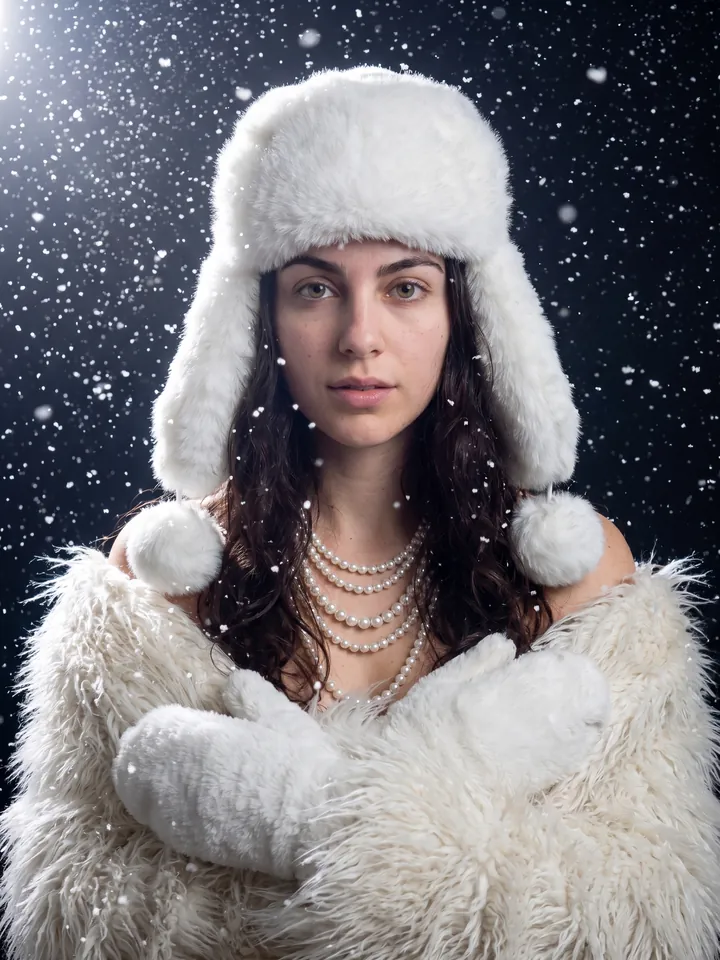
Winter portrait in white faux fur and pearls under falling snow 15

Glamour de invierno: piel, perlas y copos de nieve

Un retrato

Use the user's face 1:1 without any changes. Glamorous winter portrait, medium slightly low-angle shot. Big fluffy white faux fur ushanka with ear flaps and pom-poms. Multiple lustrous white pearl strands as chokers and long necklaces. Wrapped in shaggy white faux fur, hands in matching white fur mittens. Wavy hair flowing from under the hat. Heavy fall of bright white snowflakes, magical ethereal atmosphere. Dramatic top-left lighting catching highlights on fur, pearls, hair and face. Dark out-of-focus background.
Abrir Mini App
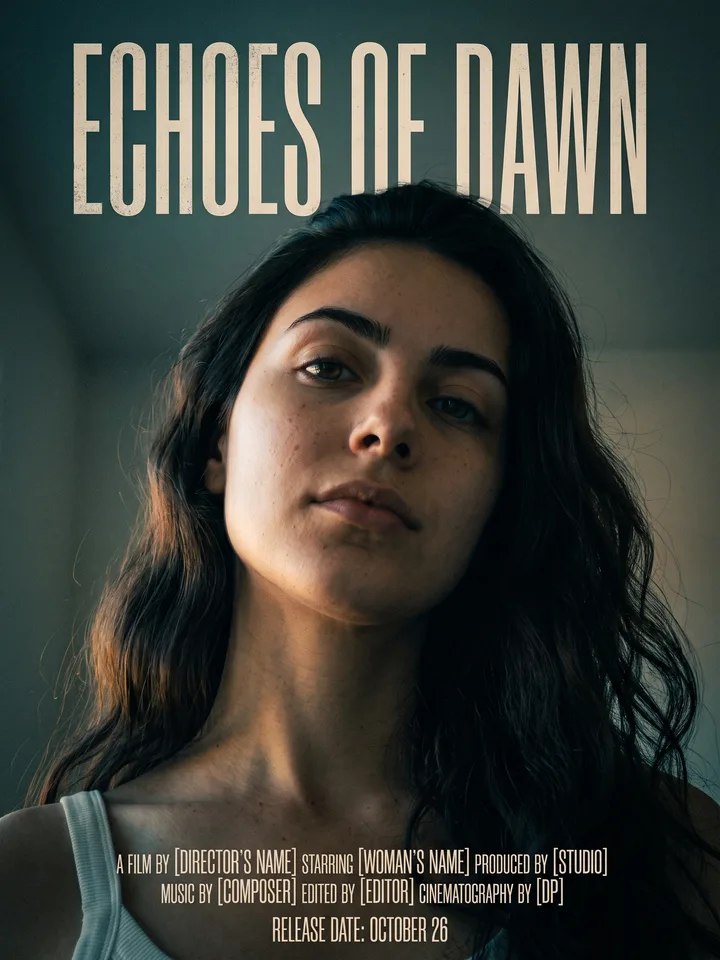
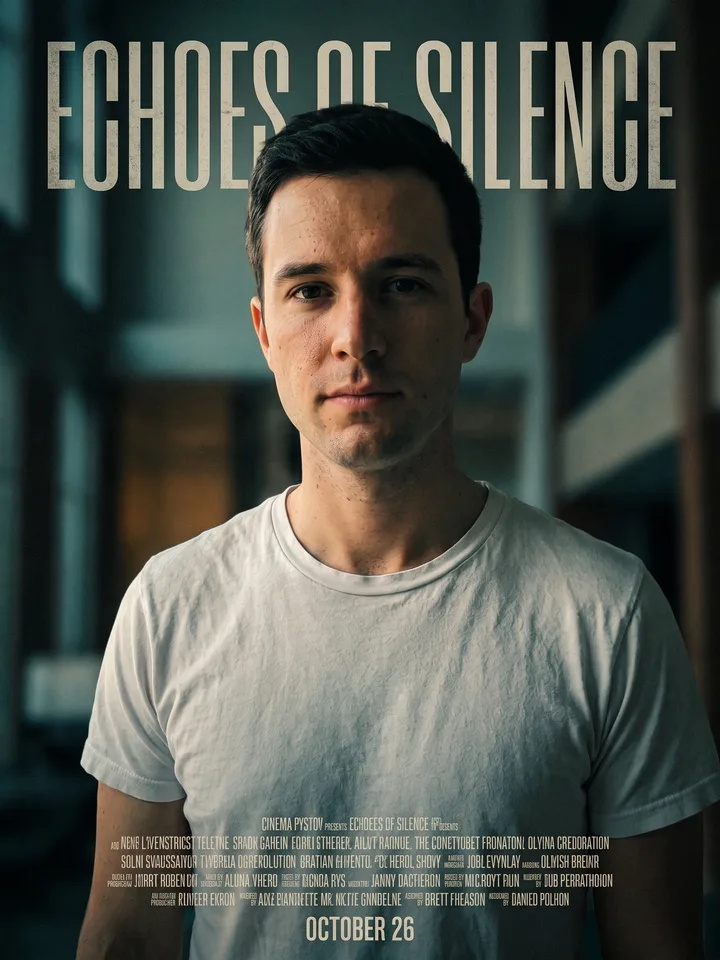
Cinema poster with the person in close-up and an invented film title above 16

Cartel de tu propia película

Un retrato

Turn my photo into a cinema poster: I am shot from a low angle in the centre of the frame, dramatic side light, an invented film title in a tall condensed typeface above me, a block of small credits at the bottom, a release date line, muted teal and amber grade, fine film grain. Keep my face exactly as in the photo.
Abrir Mini App
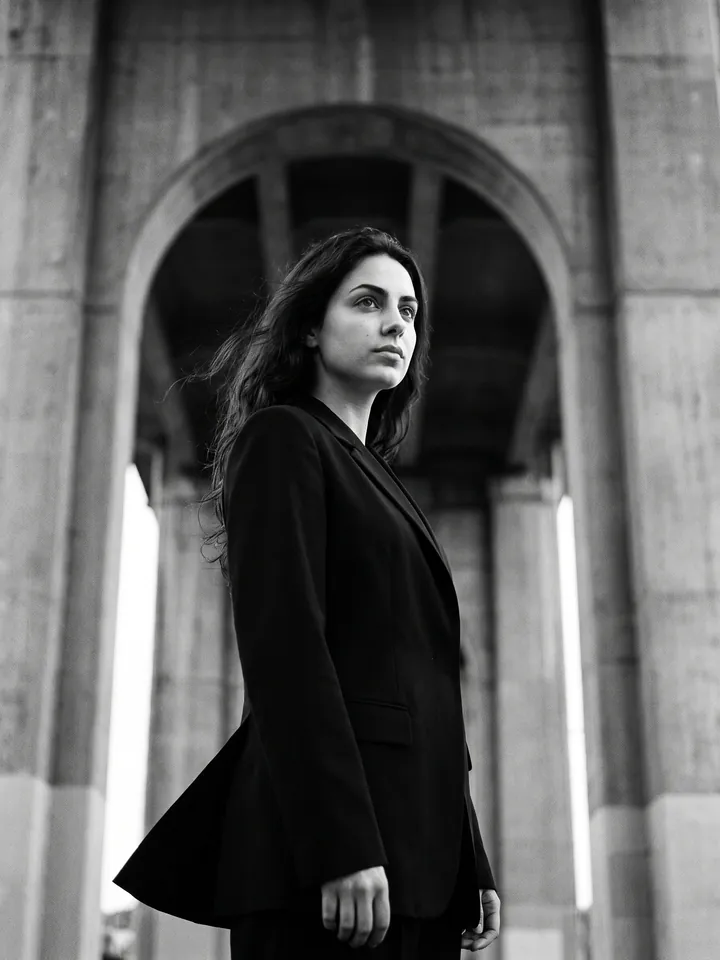
Black-and-white fashion shot in a black blazer by a concrete arch 17

B/N al estilo de Yohji Yamamoto

Un retrato de cuerpo entero o de cintura para arriba

Black-and-white cinematic fashion photography in the raw style of Yohji Yamamoto. Industrial brutalist setting with a massive grey concrete arch in the background. Model seen from a low angle, portrait from the waist up, gazing into the distance. Wearing a sharply tailored matte black Yohji Yamamoto blazer, minimalist and structured. Subtle wind moving the fabric. Mood: raw, contemplative, timeless, anti-gloss. Analog film grain, high contrast, cinematic depth. Shot on 85mm, f/2.8, ISO 400, 1/125s. Ultra-detailed, photorealistic.
Abrir Mini App
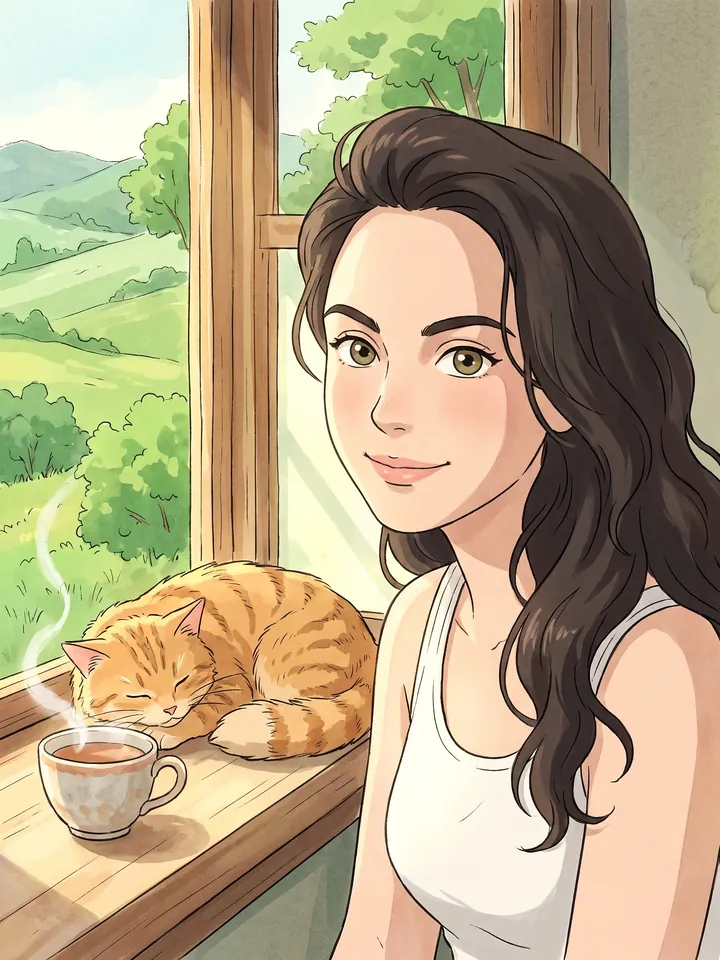
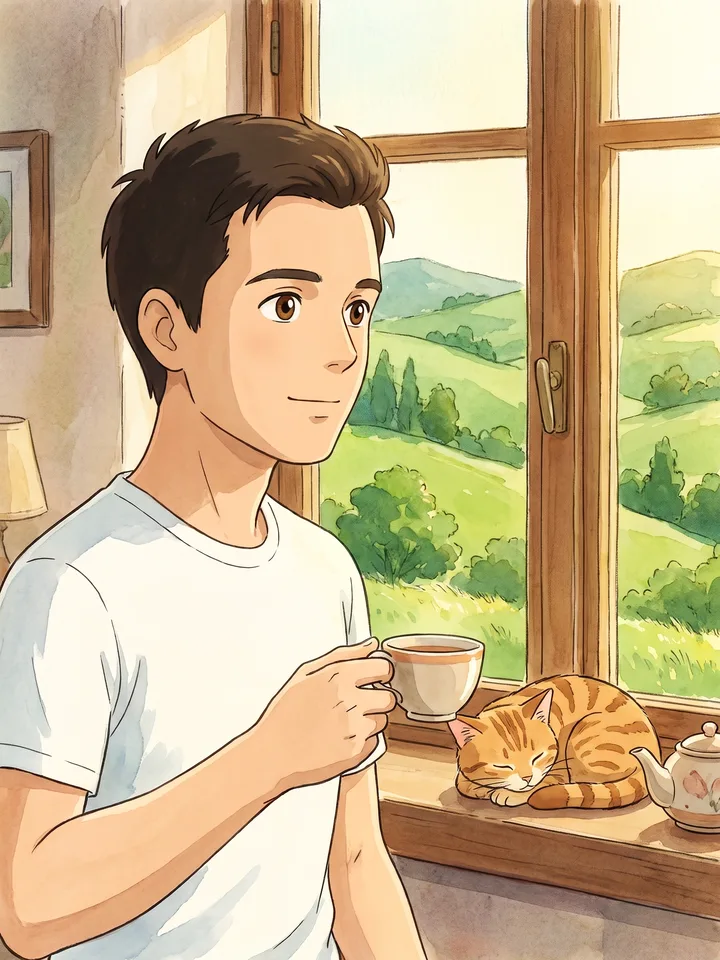
Studio Ghibli style character by a window with a cat and a cup of tea 18

Tú en anime al estilo Studio Ghibli

Un selfi

Turn me into a Studio Ghibli style character: soft watercolor fills, clean line work, kind big eyes, the face stays recognizable. Place me in a cozy scene – a window looking out on summer hills, a lazy cat and a cup of tea on the windowsill. Warm daylight.

Abrir Mini App
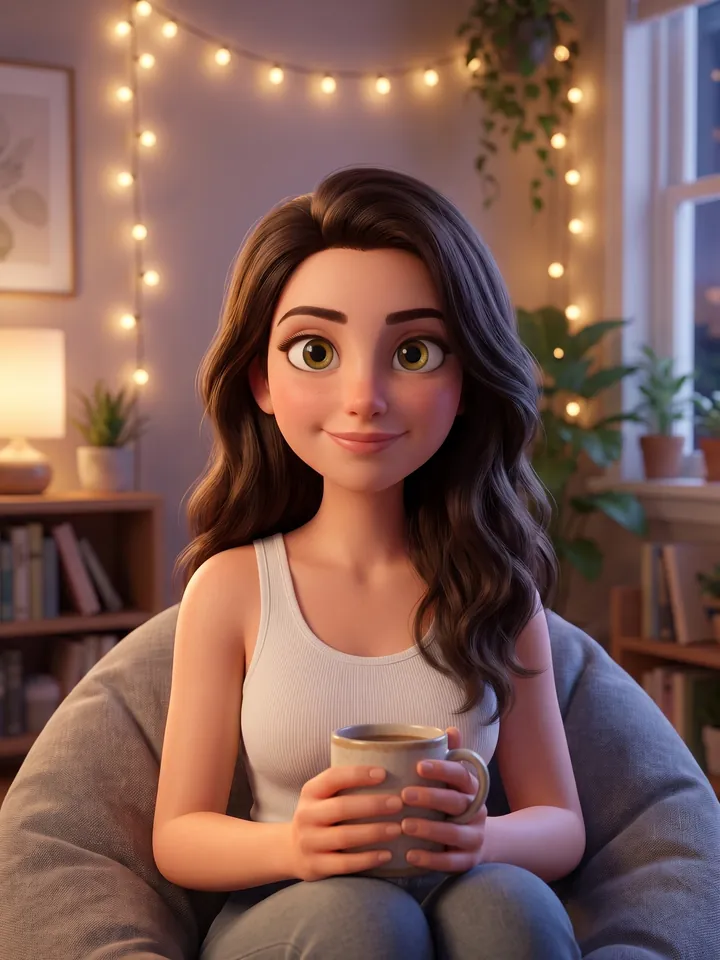
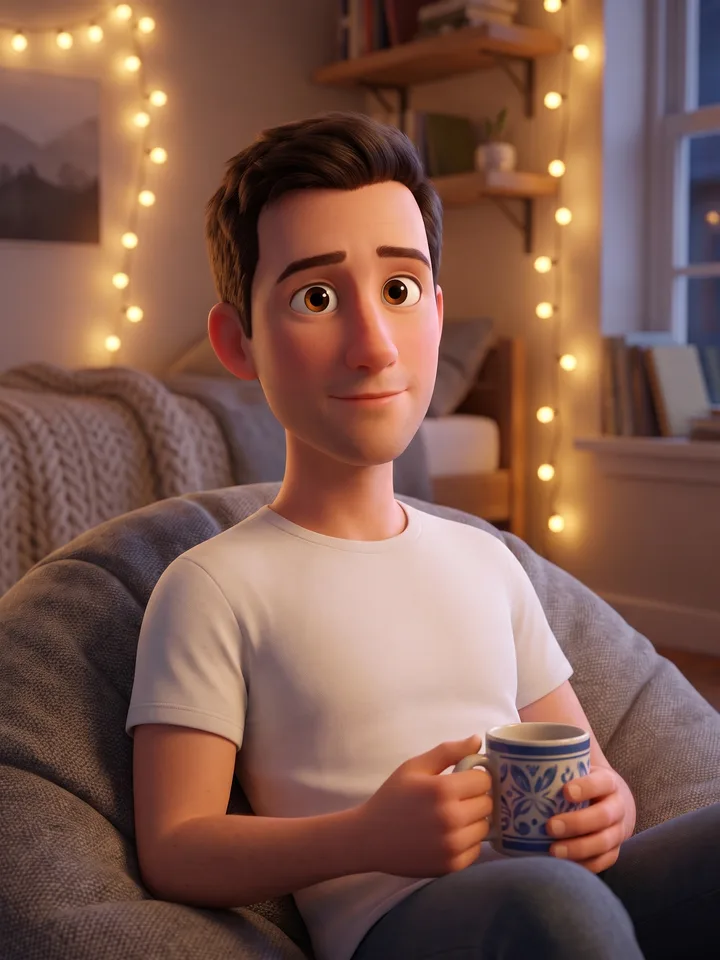
3D Pixar-style character on a beanbag with a mug 19

Personaje 3D al estilo Pixar

Un selfi

Turn me into a 3D Pixar-style character: large expressive eyes, soft rounded shapes, realistic lighting, recognizable facial features. Scene: a cozy room with fairy lights, I sit on a beanbag with my favorite mug.
Abrir Mini App
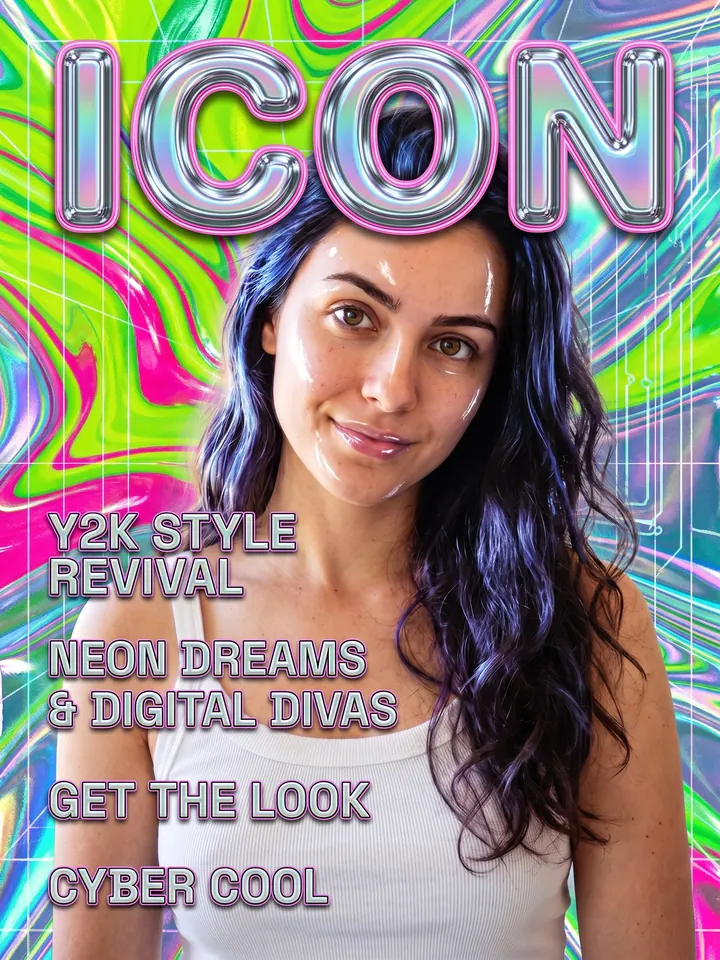
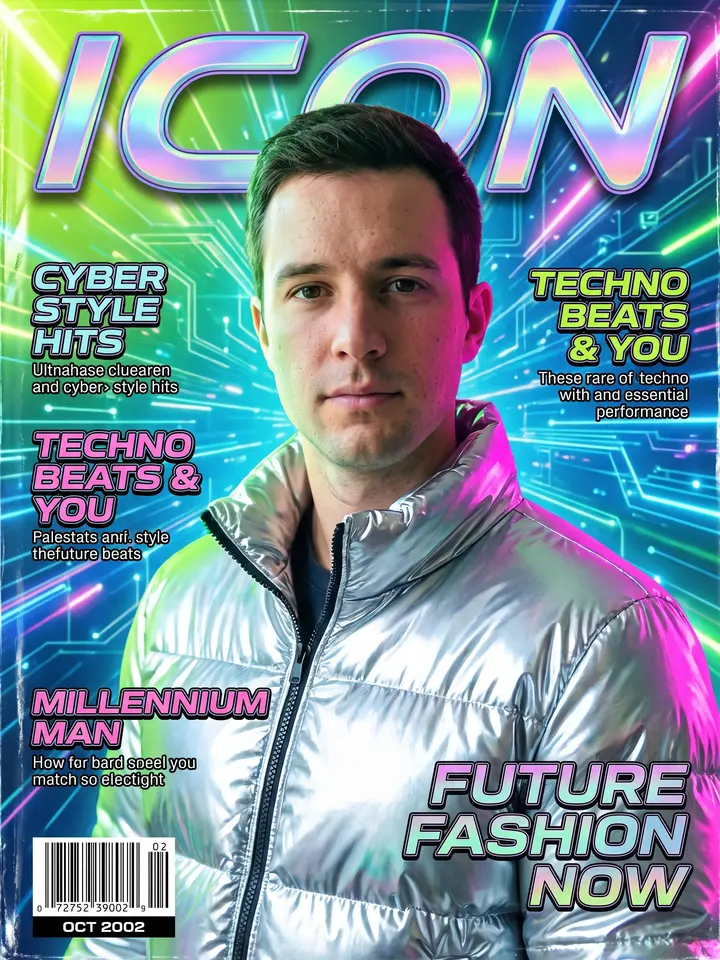
Y2K magazine cover with the word ICON 20

Portada de revista Y2K

Un selfi

Make a magazine cover of me in the Y2K style of the early 2000s: gloss, acid colors, metallics, holographic foil, the word "ICON" in a large typeface, small captions like article headlines. Keep the face.
Abrir Mini App
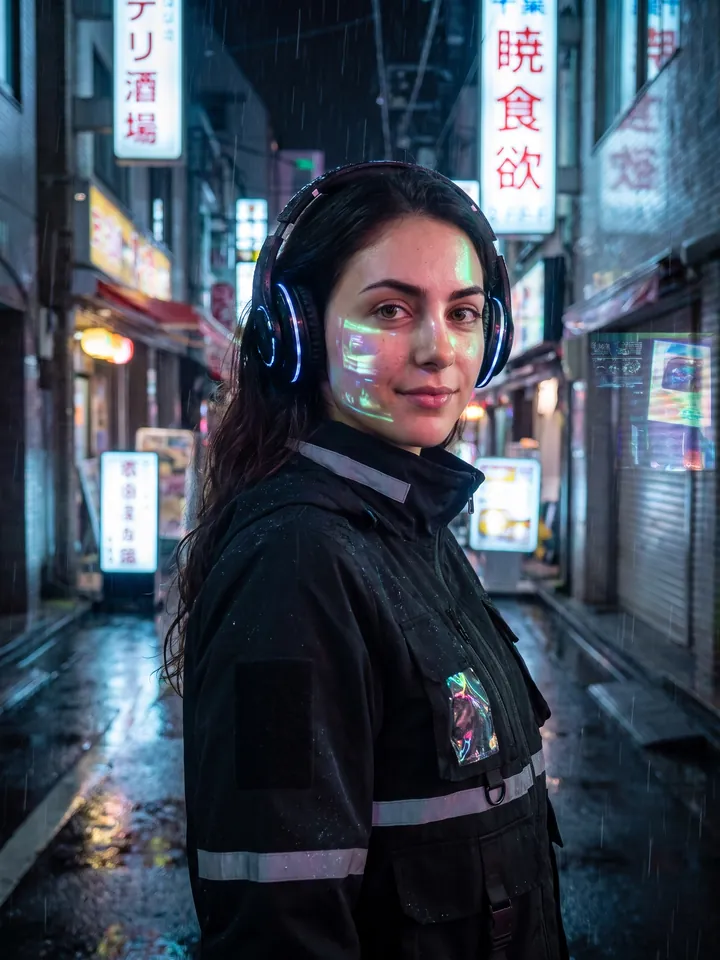
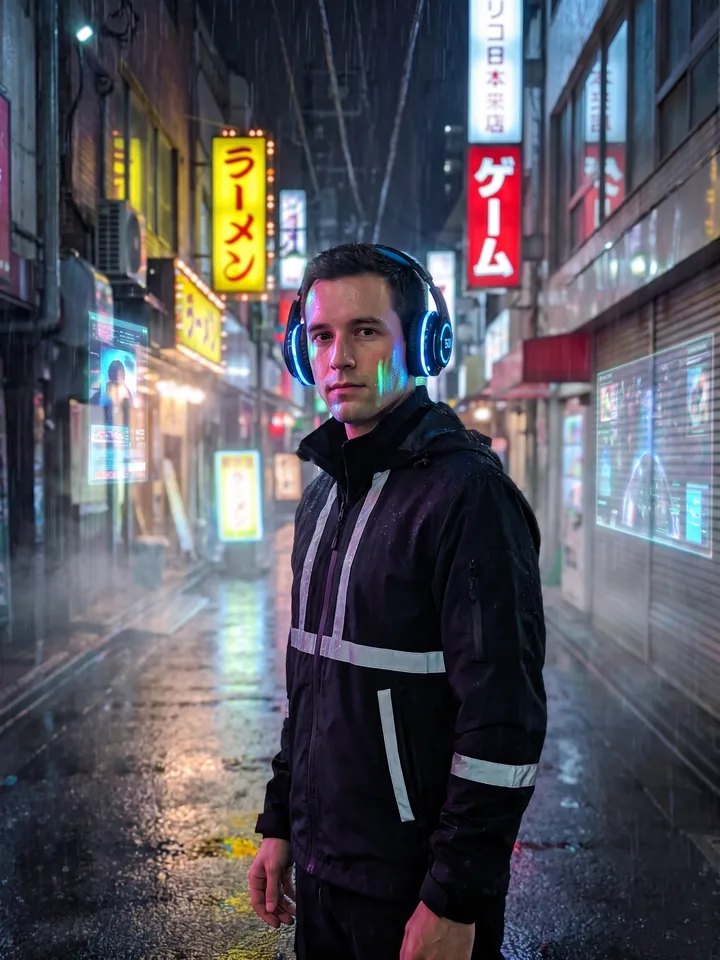
Portrait in a rainy neon alley of cyberpunk Tokyo 21

Cyberpunk: Tokio de neón

Un retrato

Place me in the middle of a neon alley in cyberpunk Tokyo: shiny wet asphalt, kanji on the signs, holograms, rain, reflections. I wear a techwear jacket with reflective strips and cyber headphones. Realistic highlights on the skin, cinematic look.
Abrir Mini App
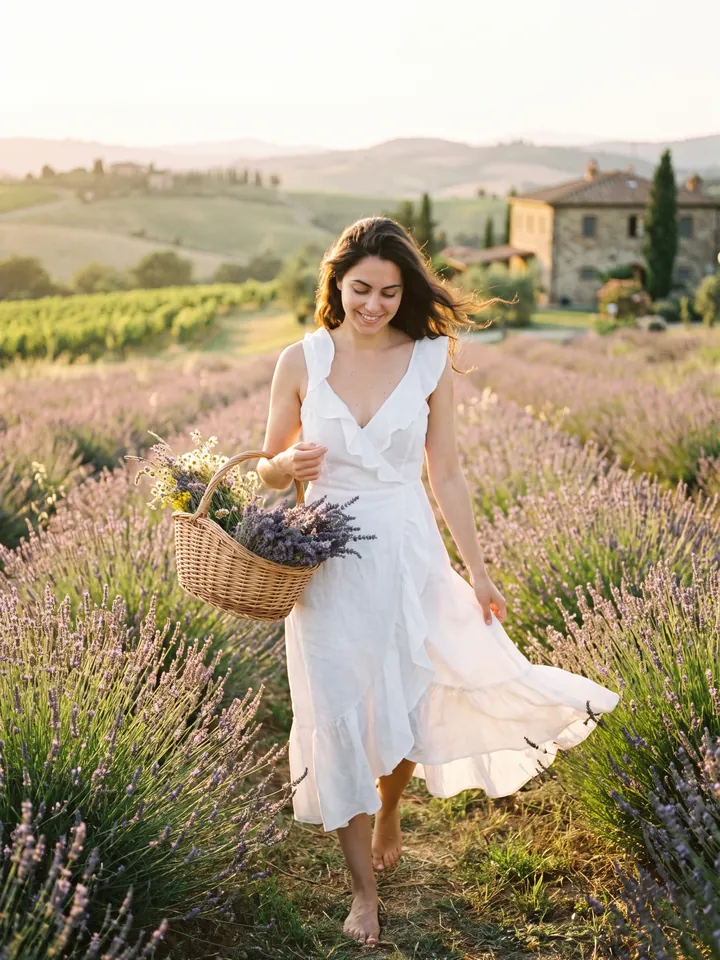
Portrait in a lavender field in Tuscany at sunset 22

Cottagecore: un campo en la Toscana

Un retrato

Move me to a lavender field in Tuscany. I wear a white linen dress with ruffles, carry a wicker basket of flowers, barefoot in the grass. Golden sunset light, a soft breeze, film grain, the romance of Vogue Living.
Abrir Mini App
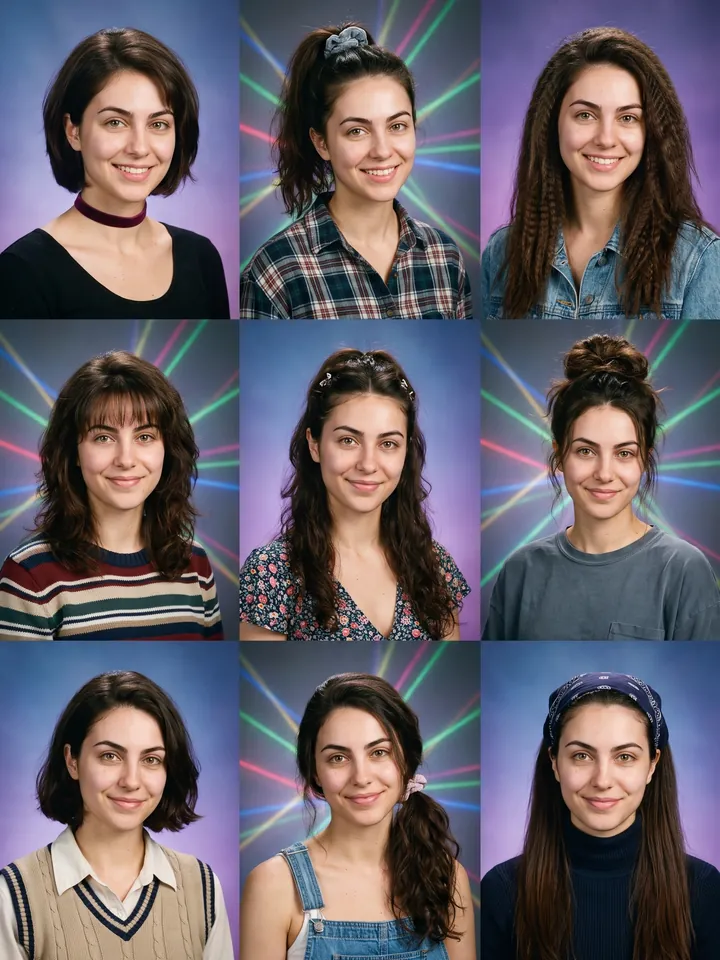
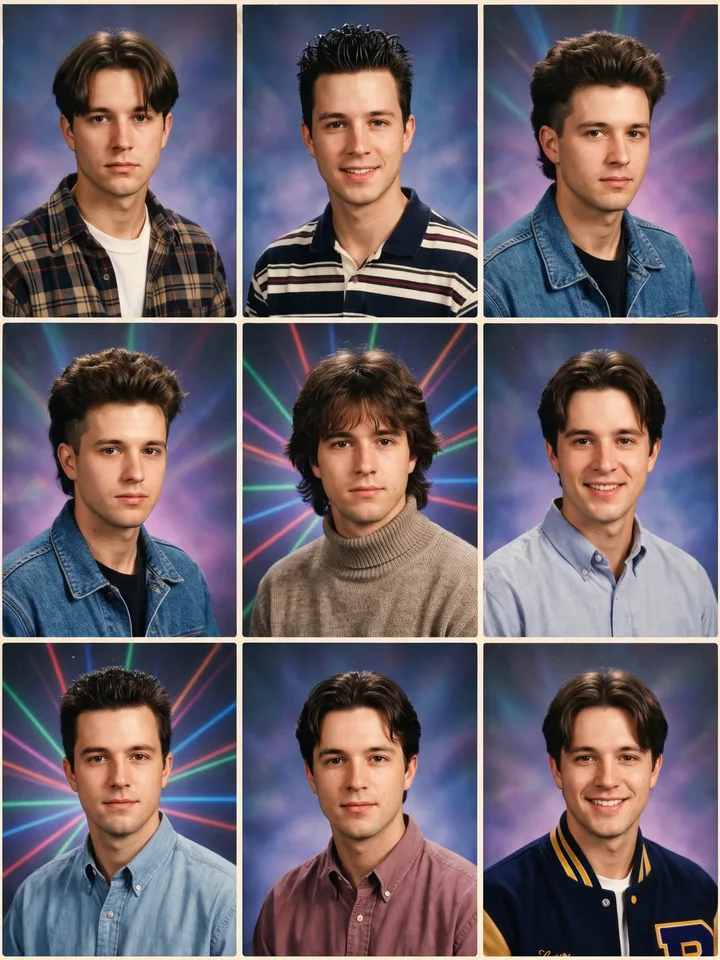
3x3 grid of 1995 yearbook portraits of one person 23

Anuario de los 90 con IA

Un selfi

Make 9 school portraits of me in the style of a 1995 American yearbook: colored gradient backdrop (blue, purple, laser), period hairstyles, different looks, film grain, soft studio light. 3x3 grid.
Abrir Mini App
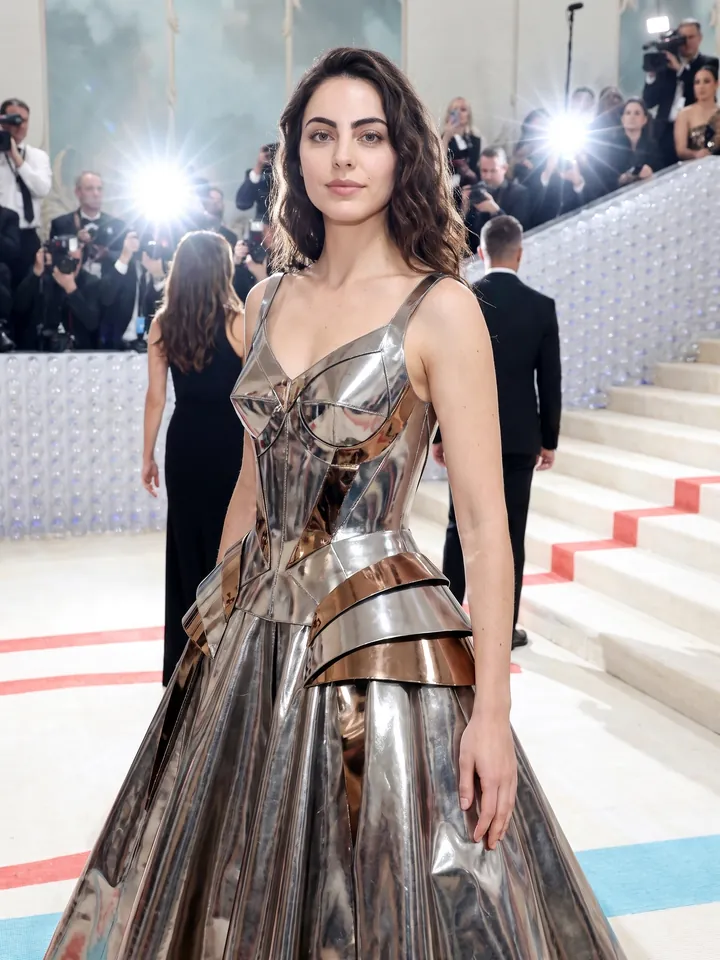
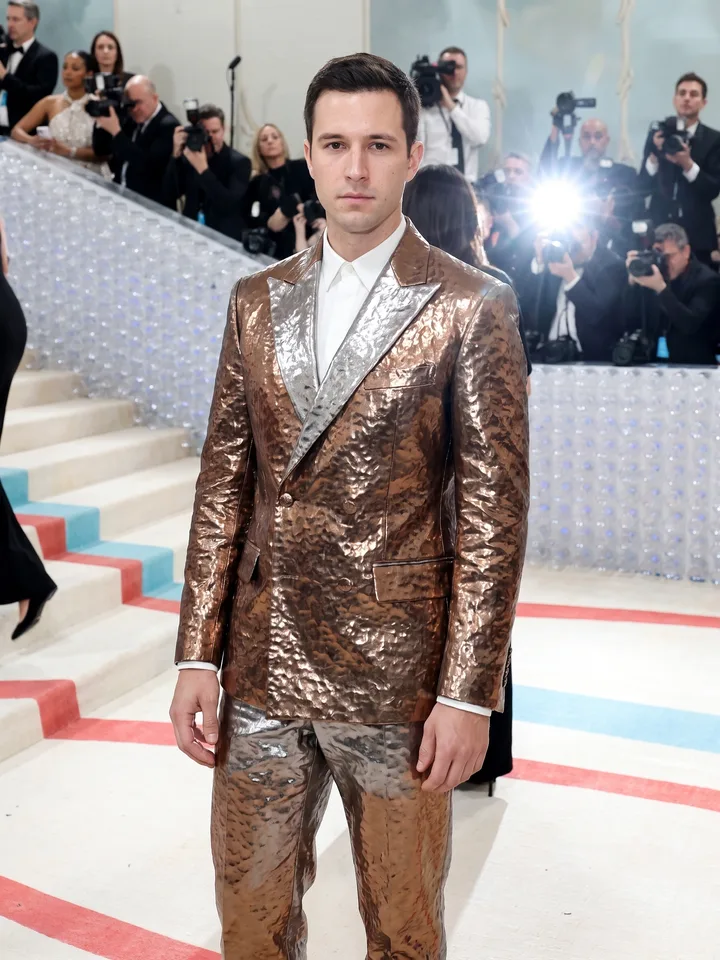
Met Gala look on a white carpet by a marble staircase 24

Alta costura para la Met Gala

Un retrato de cuerpo entero

Turn me into a Met Gala guest. I wear a haute couture gown or tuxedo in a [sculptural / metallic / gothic / bionic] style, standing on a white carpet by a marble staircase, paparazzi flashes around. Keep the face 1:1.
Abrir Mini App
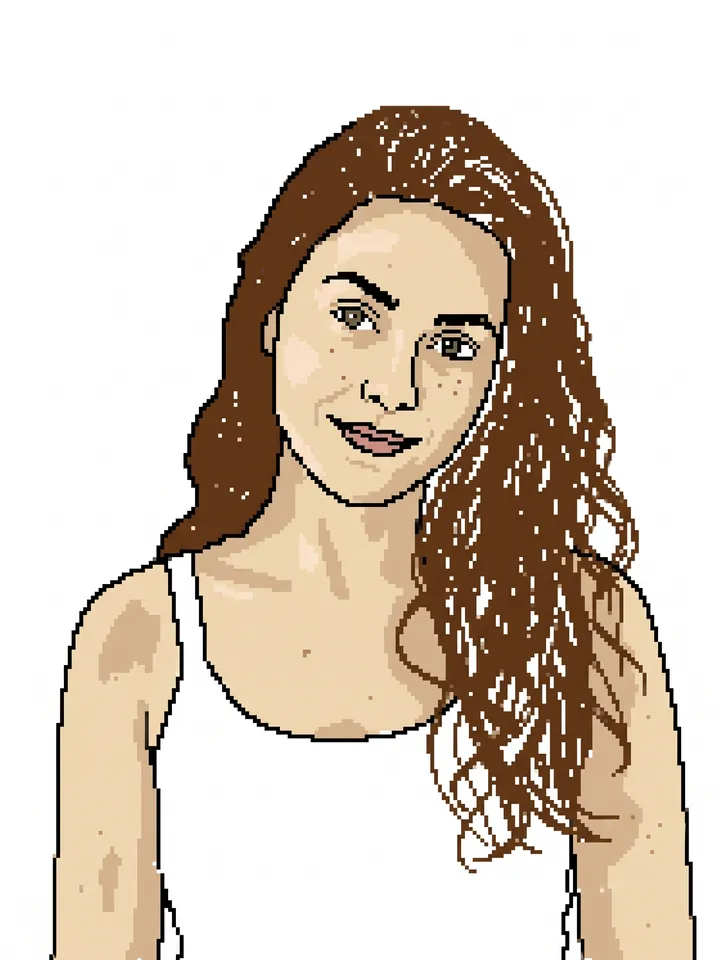
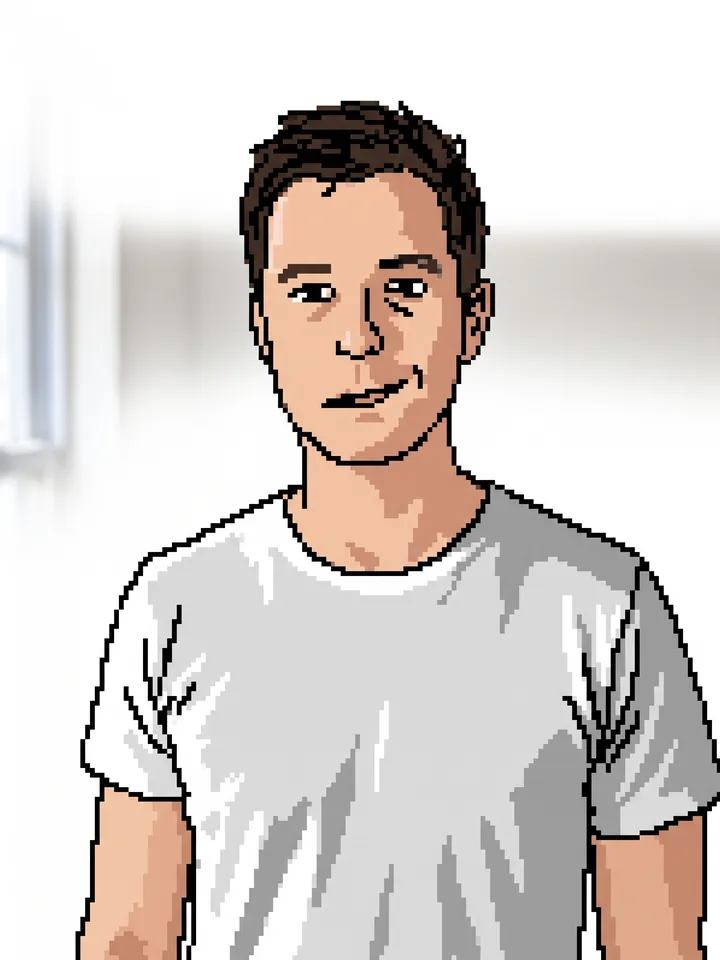
Clumsy MS Paint style redraw of the reference photo 25

Obra maestra en MS Paint

Cualquier imagen

Redraw the attached image in the most clumsy, scribbly, and utterly pathetic way possible. Use a white background, and make it look like it was drawn in MS Paint with a mouse. It should be vaguely similar but also not really, kind of matching but also off in a confusing, awkward way, with that low-quality pixel-by-pixel feel that really emphasizes how ridiculously bad it is. Actually, you know what, whatever, just draw it however you want.
Abrir Mini App
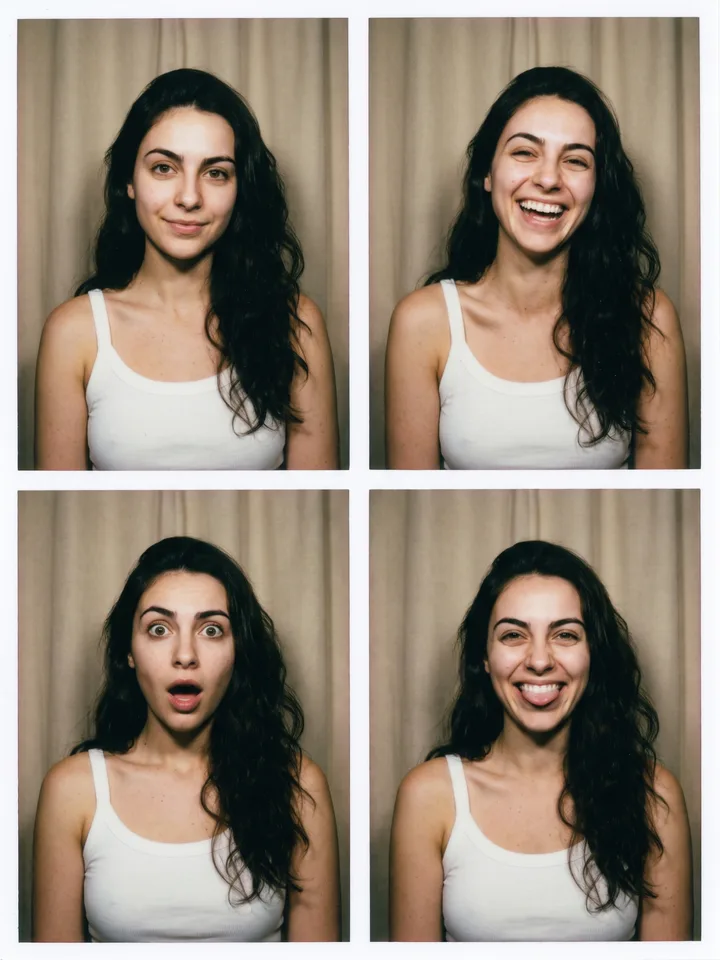
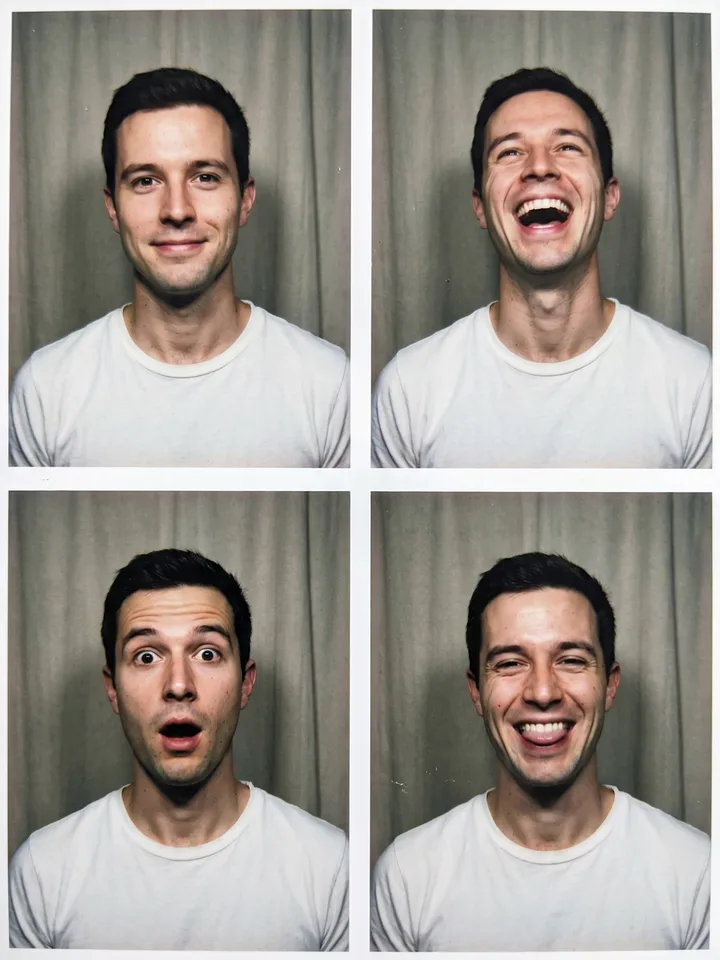
Four photo booth frames of the same face with different expressions 26

Fotomatón: cuatro fotos

Un selfi

Make a photo booth sheet of me: four frames in a 2x2 grid with thin white borders, the same face in every frame with four different expressions - a calm smile, a laugh, wide-eyed surprise and a silly grin. Harsh on-camera flash, a plain curtain behind, slight film grain, the colors of a cheap print. Keep my face identical in all four frames.
Abrir Mini App
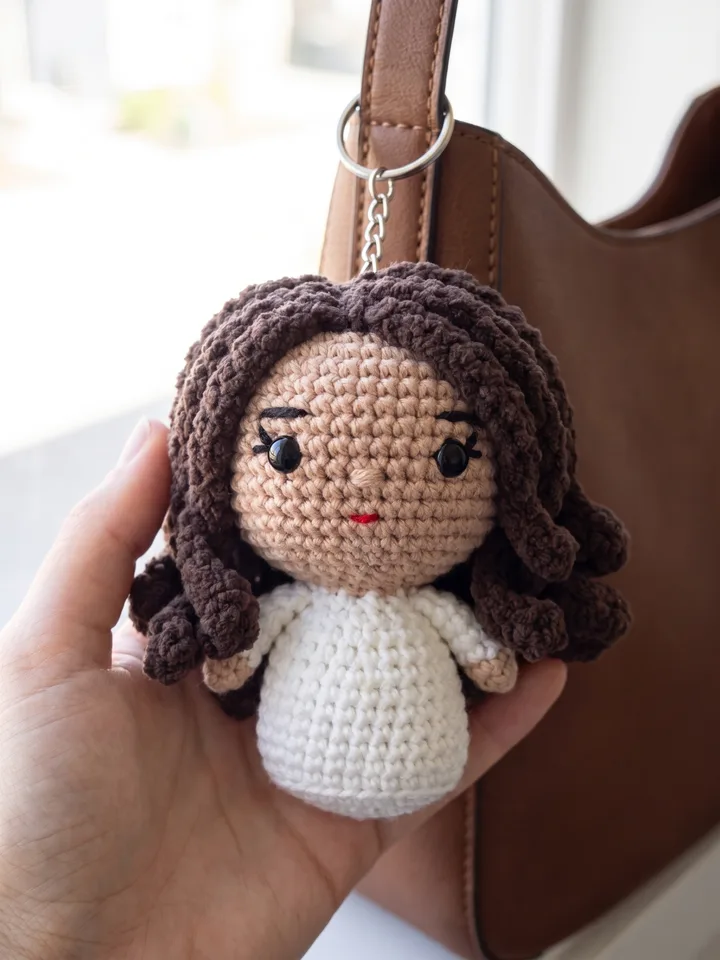
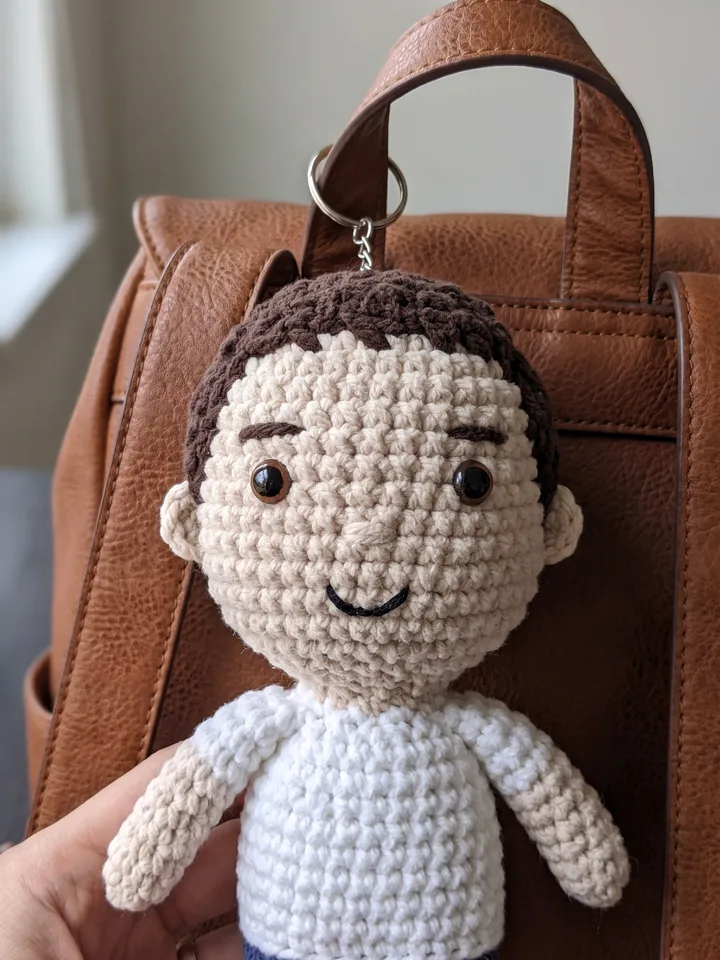
Crocheted plush keychain of the person hanging on a bag strap 27

Llavero de peluche a crochet

Un selfi

Turn me into a hand-crocheted amigurumi plush keychain: chunky yarn texture, stitched eyes, a tiny embroidered smile, an oversized round head, my hairstyle and the colors of my clothes kept recognizable. The toy hangs on a metal ring from the strap of a leather bag, a hand holding it up. Macro shot, shallow depth of field, soft daylight.
Abrir Mini App

Cómo escribir un prompt

Qué va en el texto y qué se elige con botones – con ejemplos de antes y después.

Lo básico

  1. Un vídeo, una escena. Un clip dura unos segundos: cabe una sola acción. Divide un guion largo en escenas cortas: en cada una, quién hace qué y dónde, con la misma frase sobre tu personaje. Grok y Veo tienen Continuar: describe qué pasa después.
  2. Formato y duración, con botones. Escribir «9:16» o «10 segundos» no cambia nada: elígelos debajo del campo. Un vídeo hecho a partir de una foto toma el formato de la foto.
  3. Escribe lo que quieres. En lugar de «sin zoom, sin mover la cámara», pon static shot: al modelo suele resultarle más fácil que una lista de prohibiciones.
  4. Cada intento empieza de cero. El modelo no recuerda el intento anterior. Para corregir una imagen, toca Editar y describe solo lo que hay que cambiar.
  5. Repítelo. Cada intento sale distinto: Otra vez, bajo el resultado, repite el mismo prompt.
  6. Un rechazo no siempre es por las palabras. Si una petición inofensiva no pasó, el filtro pudo reaccionar a la foto, a una marca o a un personaje conocido. Cambia la foto o quita el nombre: los créditos de un rechazo se devuelven.

Un guion largo

Antes

Haz un vídeo de 15 segundos: mañana, una chica se despierta, va a la cocina, prepara café, sale al balcón, la cámara sobrevuela la ciudad y al final aparece el texto «Buenos días»… luz cinematográfica, transiciones suaves, 4K, 9:16, sonríe, bebe el café, mira el amanecer, pasan pájaros, música tranquila, luego la cámara sube por encima de los tejados, sale el sol, ella saluda, la ciudad despierta, coches en las calles, otra vez su cara en primer plano, el vapor, la luz, el ambiente de un día nuevo y al final otra vez el texto, más grande, con un brillo suave y…

+2000 caracteres
Después
  1. Vídeo Una chica con melena corta pelirroja se despierta en un dormitorio luminoso y se estira. static shot
  2. Continuar La chica de melena corta pelirroja sirve café en la cocina, sale vapor de la taza
  3. Continuar Sale al balcón con la taza, la cámara se aleja despacio, detrás está la ciudad
  4. Imagen El texto «Buenos días» sobre un cielo de mañana

Qué cambió: una escena, una acción, lo importante primero, el personaje descrito siempre igual.

Ajustes en el texto

Antes

vídeo 9:16 de 10 segundos en 4K, gato jugando

Después

Un gato naranja intenta atrapar con la pata un reflejo de sol en el suelo

9:1610 s

Qué cambió: los ajustes pasaron a los botones y el texto solo tiene la acción.

Palabras mágicas Frases cortas y opcionales que los modelos suelen entender de una sola manera. Tócalas para armar una línea y añádela a cualquier prompt, también a los del catálogo.

  • plano cercano
  • de cuerpo entero
  • luz natural suave
  • como una foto real
  • fondo liso de un solo color

Tu prompt: toca las palabras de arriba

Preguntas frecuentes

¿Cuánto cuesta una generación?

La generación funciona con créditos y recibes 10 créditos de bienvenida al empezar. El total exacto aparece en el botón Generar antes de pulsarlo, y los precios por modelo y nivel de calidad están en la guía.

¿Con qué modelo funcionan estos prompts?

Con cualquier modelo de la pestaña Imagen que acepte una foto. Los escenarios con dos fotos necesitan un modelo que admita varias: Grok Imagine acepta una y Grok Imagine 2 dibuja solo a partir de texto.

¿Qué pasa con mi foto?

La foto y el prompt se envían al proveedor del modelo que elijas para que genere el resultado; cada proveedor los trata según sus propias condiciones. Los resultados se quedan en tu galería 30 días y después se borran automáticamente. No entrenamos ningún modelo con tus prompts, archivos ni resultados. Los detalles están en la política de privacidad.

¿Por qué los prompts están en inglés?

Para que cada tarjeta funcione igual en todas las versiones de idioma de esta página. Tus propios prompts puedes escribirlos en cualquier idioma – los modelos los entienden.

¿Dónde se abre la app?

Dentro de Telegram: en el móvil, en Telegram Desktop y en Telegram Web. No hay nada que instalar: la Mini App inicia sesión con tu cuenta de Telegram.

Prueba el primer prompt con tu foto

Tu foto, un prompt, un estilo nuevo.

Abrir Mini App