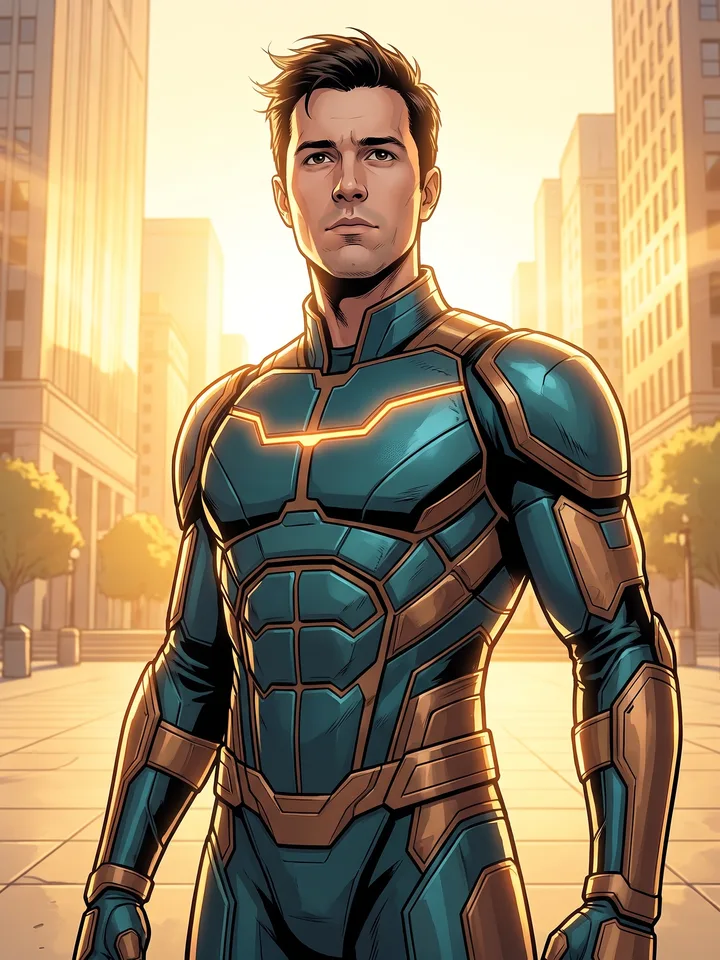
TinyFile TinyFile
Ouvrir la Mini App
Fonctions Tarifs Mini App Compresseur vidéo Guide Ouvrir la Mini App

Prompts photo IA à copier-coller

Choisissez un style, copiez le prompt et collez-le avec votre photo dans la Mini App TinyFile.

Ouvrir la Mini App Voir les prompts

Comment utiliser un prompt

Trois étapes, sans quitter Telegram.

  1. Ouvrez la Mini App

    Appuyez sur Ouvrir la Mini App sur cette page, ou sur le bouton Generate en bas du chat @tinyfile_bot. Les prompts s'utilisent dans l'onglet Image.

  2. Joignez votre photo

    Appuyez sur + et choisissez une photo sur votre appareil – ou deux, si la carte le demande.

  3. Collez le prompt

    Appuyez sur Copier le prompt sur une carte, collez-le dans le champ du prompt et appuyez sur Generate. Le texte entre [crochets] est à remplacer par le vôtre.

Choisissez un style

Chaque carte indique quoi joindre, le résultat et le prompt qui l'a produit.

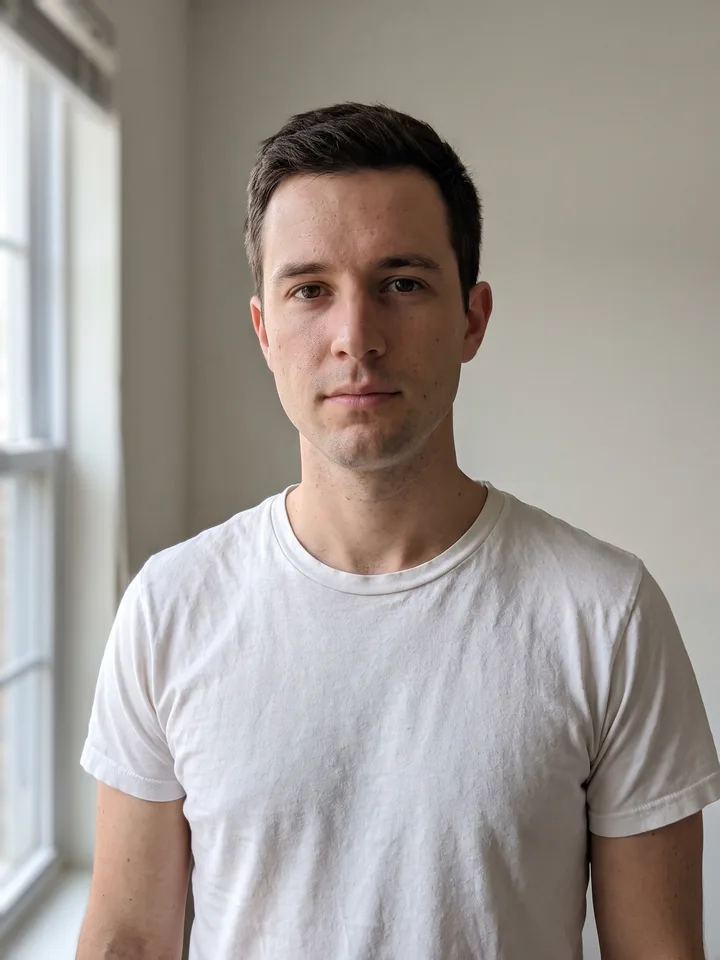
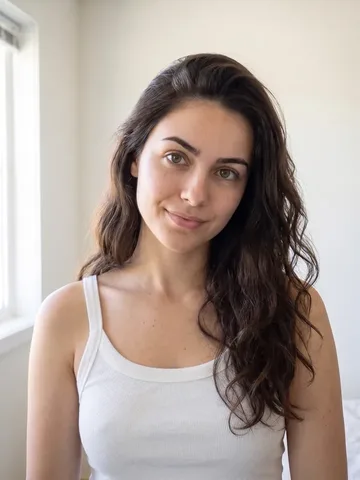
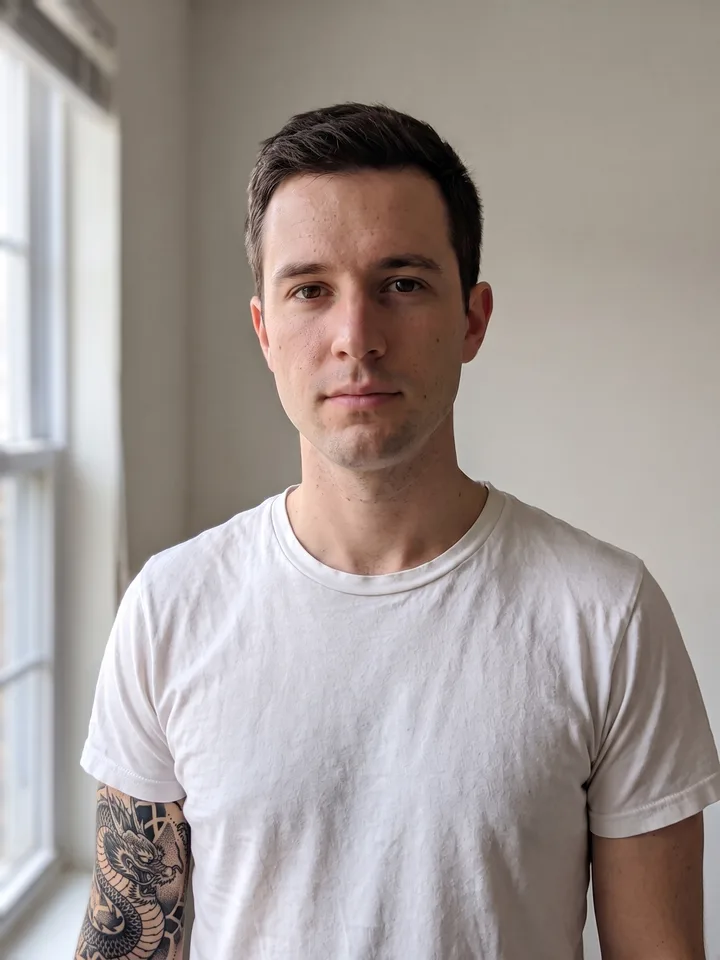
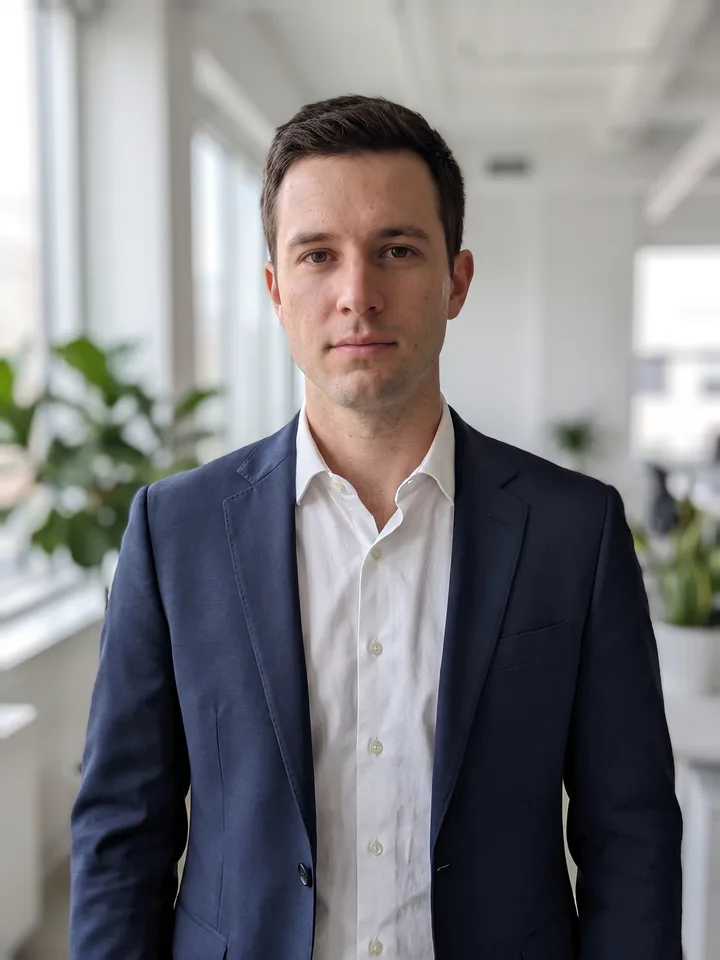
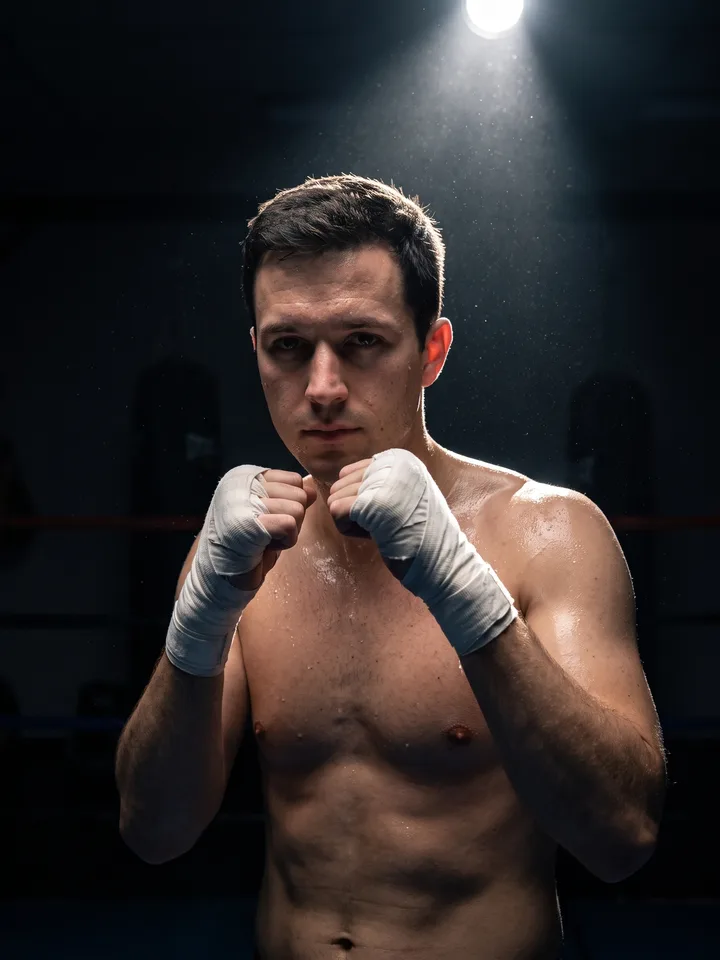
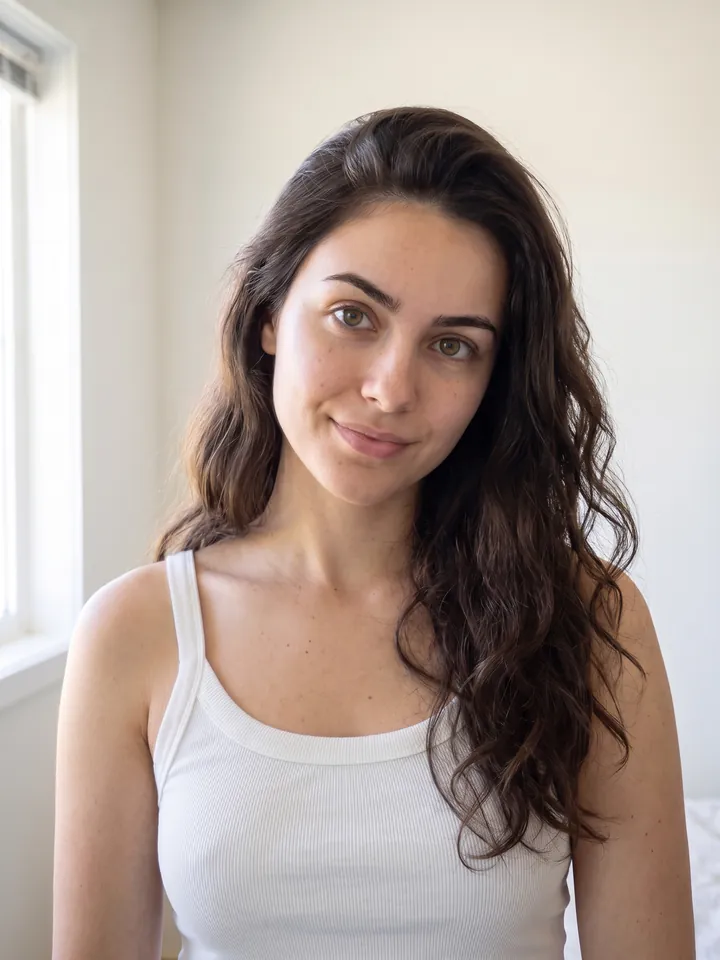
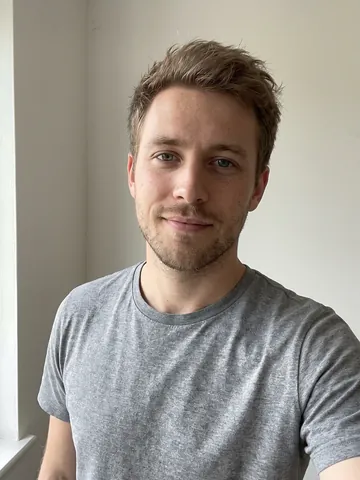
The source photo: a neutral portrait used as the input of every scenario
La photo d'origine Tous les résultats ci-dessous viennent de cette seule photo.
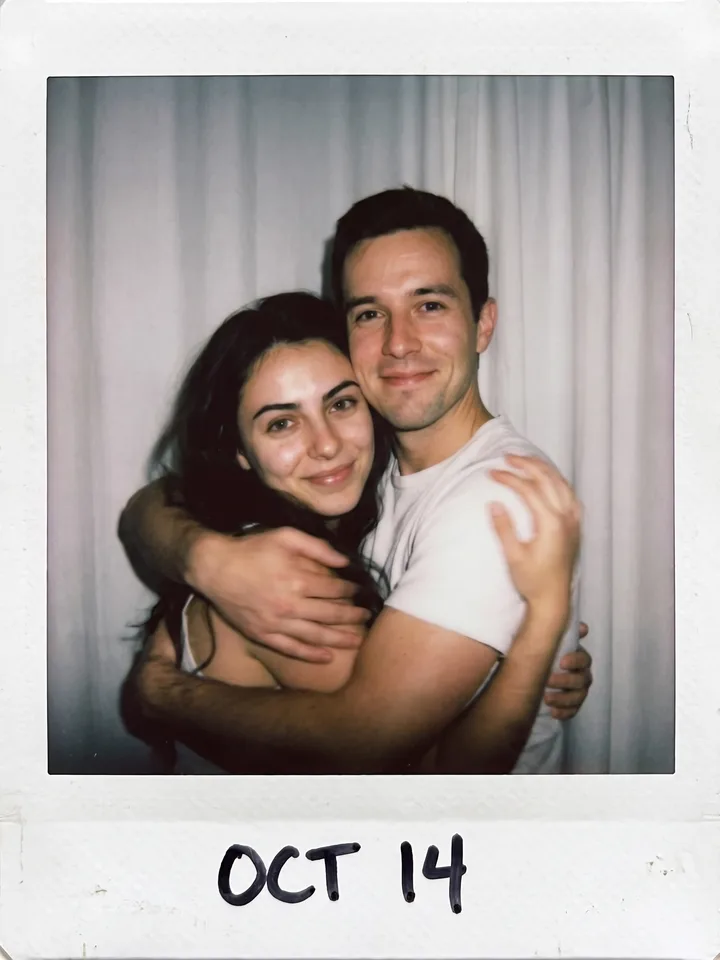
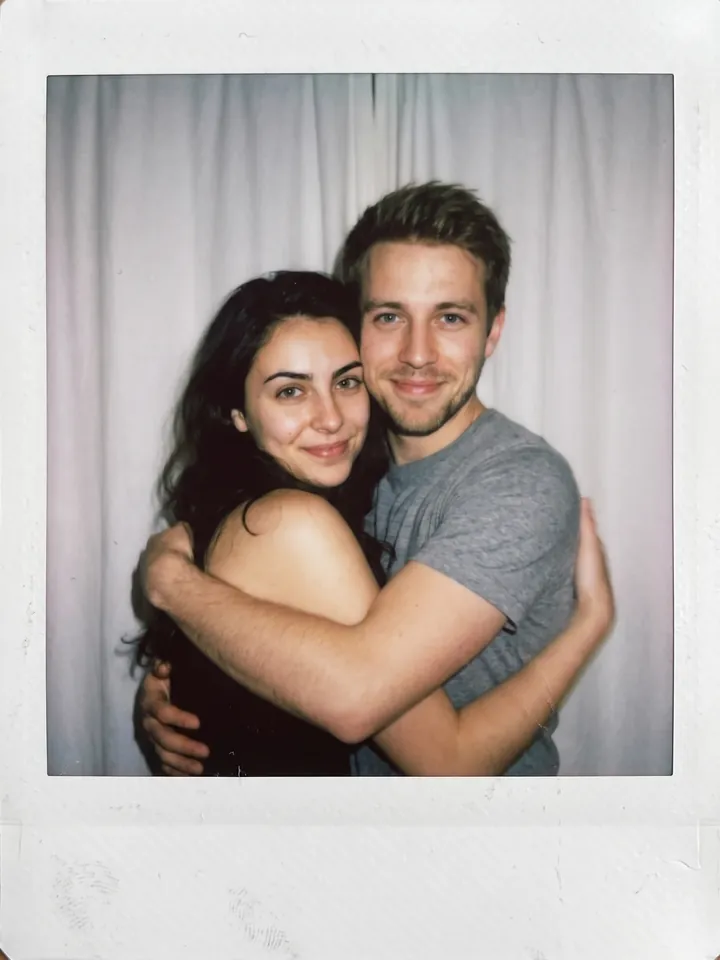
Polaroid-style snapshot of two people hugging, made from the reference photo 01

Moment Polaroid avec qui vous voulez

Deux photos – la vôtre et celle de l'autre personne (un acteur, un ami, une idole)

Make the photo of the two people look like a real Polaroid snapshot. The mood is spontaneous and alive, as if the shot was caught without posing. Add slight motion blur and the soft light of a flash in a dark room. Do not distort the faces – keep them as in the source photos. Replace the background with a plain white curtain. The two are hugging and looking straight into the camera, the moment is intimate and natural.
Ouvrir la Mini App
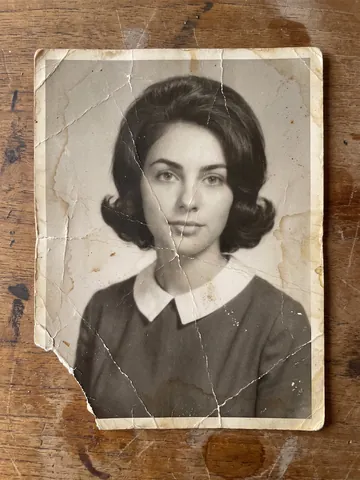
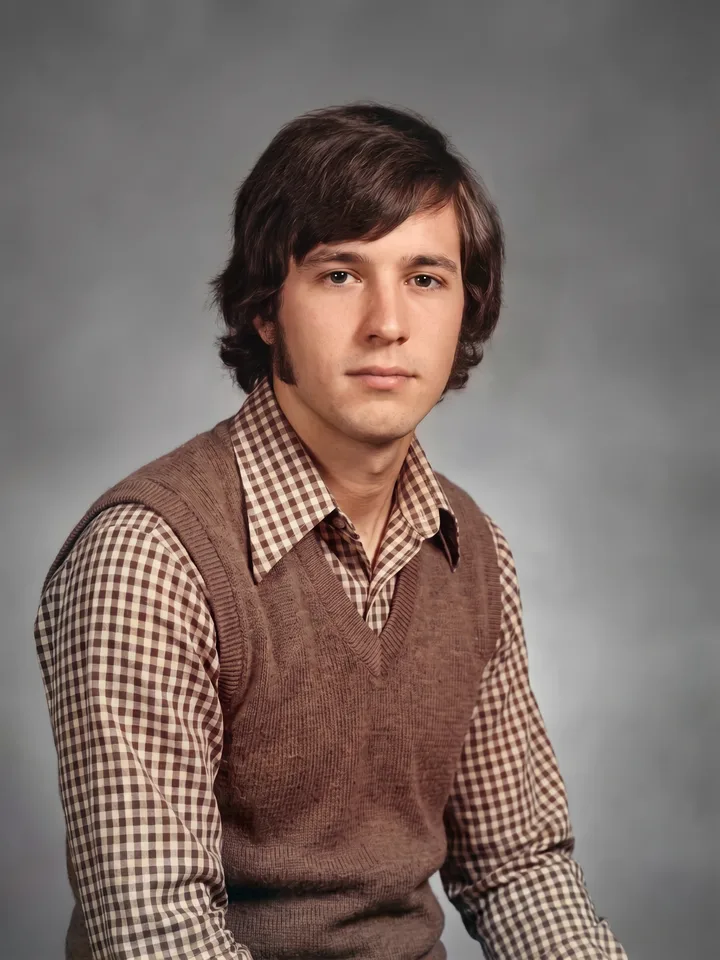
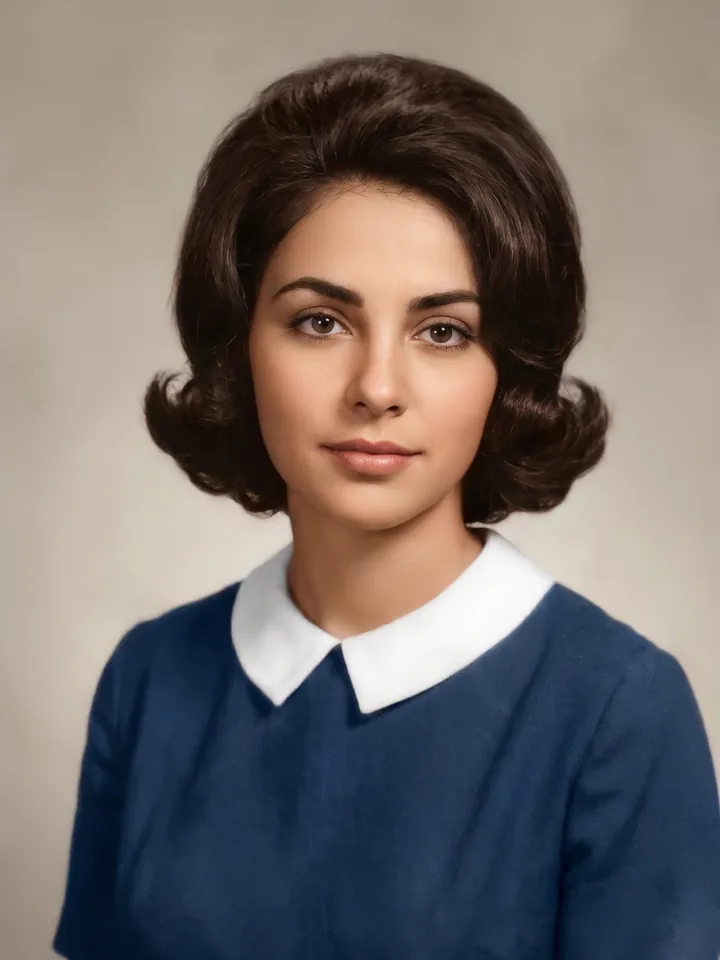
Old photo restored and colorized 02

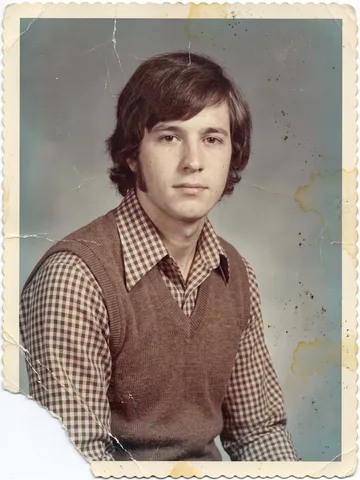
Restaurer une vieille photo

Une vieille photo, pâlie ou abîmée

Colorize the photo, repair the damage, improve quality and resolution. Remove everything around the edges and keep only the photograph itself. Preserve the faces and the atmosphere of the original.
Ouvrir la Mini App
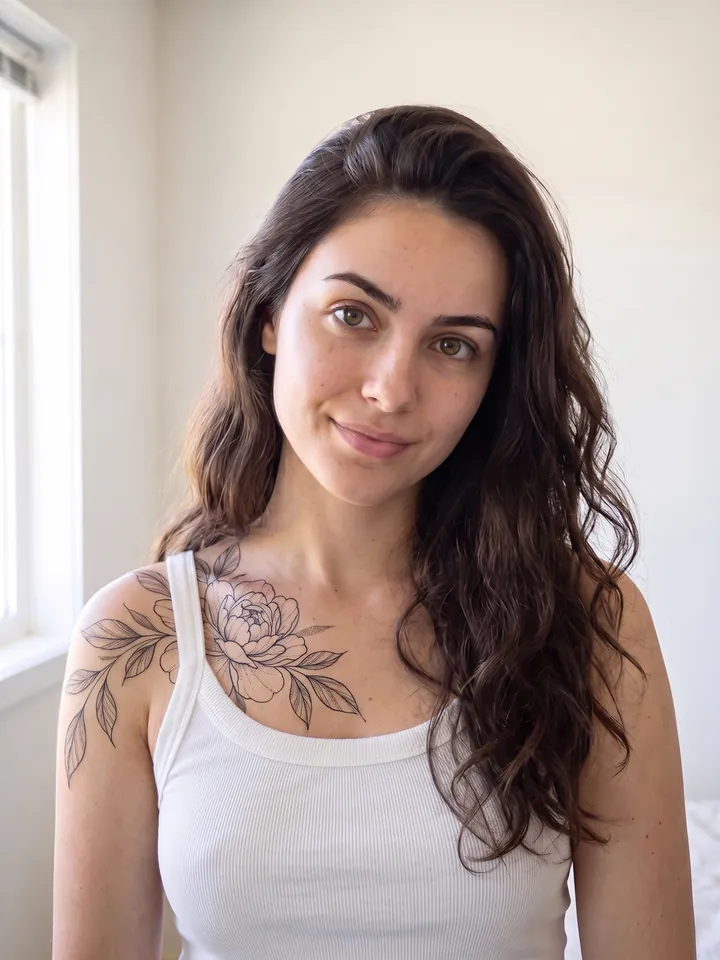
The reference photo with a tattoo added to the skin 03

Tatouage virtuel

Une photo avec la peau visible – épaule, cou, bras ou dos

Add a tattoo to the skin in [style: blackwork / watercolor / minimalism / old school / Japanese] style, theme – [for example: dragon, flowers, geometry]. Place it on the [neck / forearm / back]. Do not change the face or the background, improve quality and resolution.
Ouvrir la Mini App
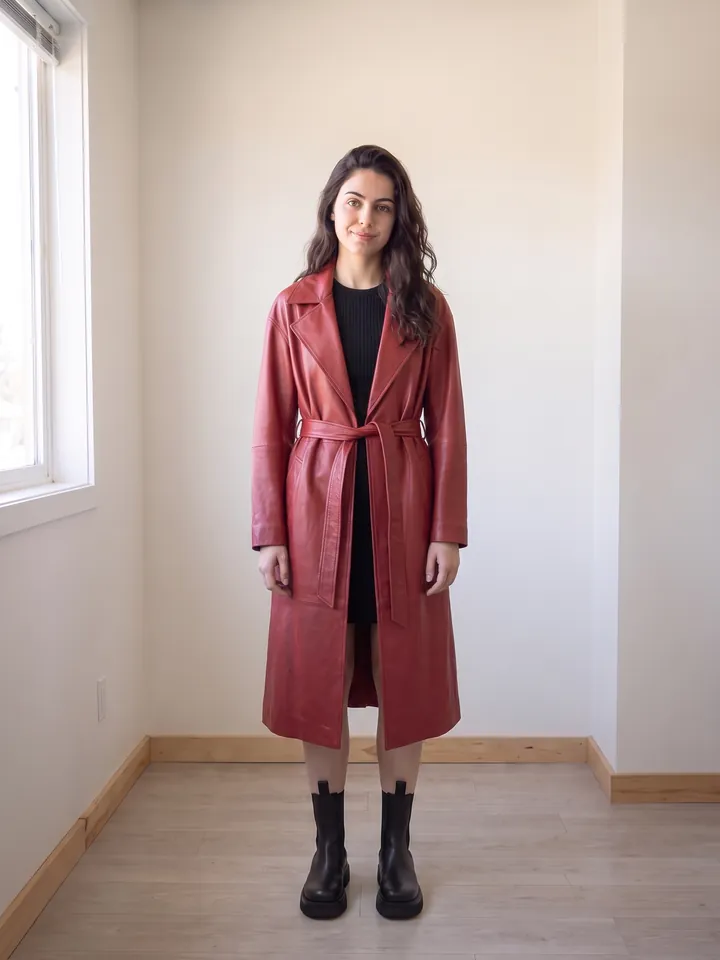
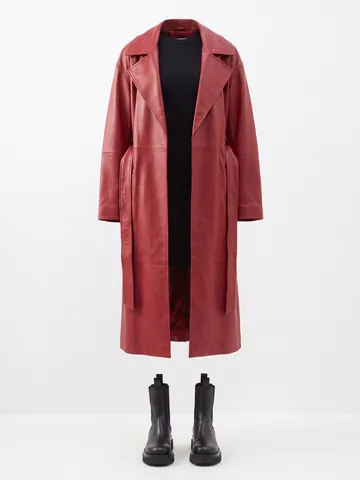
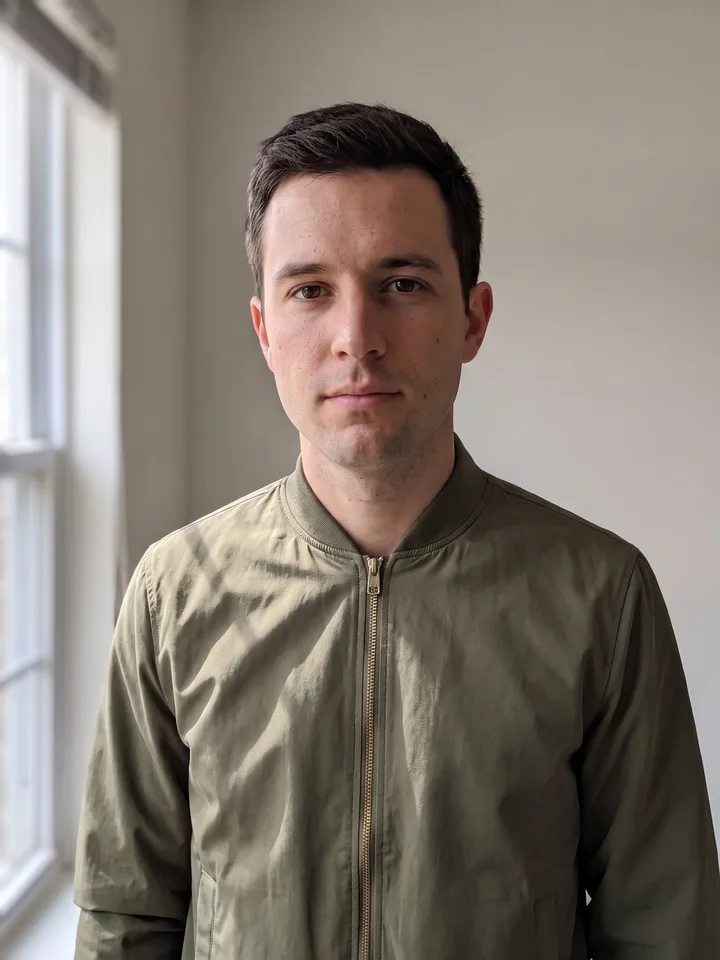
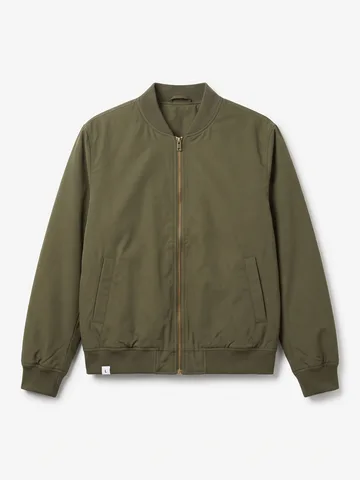
The person from the reference photo wearing the item from a product card 04

Essayage virtuel de vêtements

Deux photos – la vôtre et celle du vêtement (une fiche produit de boutique en ligne convient)

Replace the person's clothing in the input image with the target clothing shown in the reference image. Keep the person's pose, facial expression, background, and overall realism unchanged. Make the new outfit look natural, well-fitted, and consistent with lighting and shadows. Do not alter the person's identity or the environment – only change the clothes.
Ouvrir la Mini App
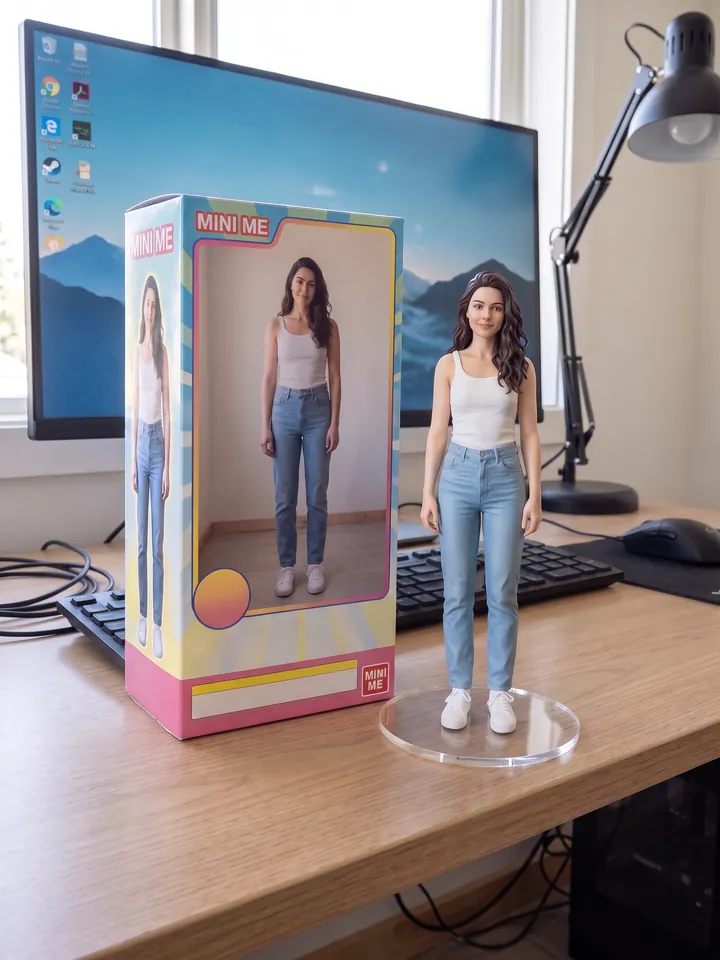
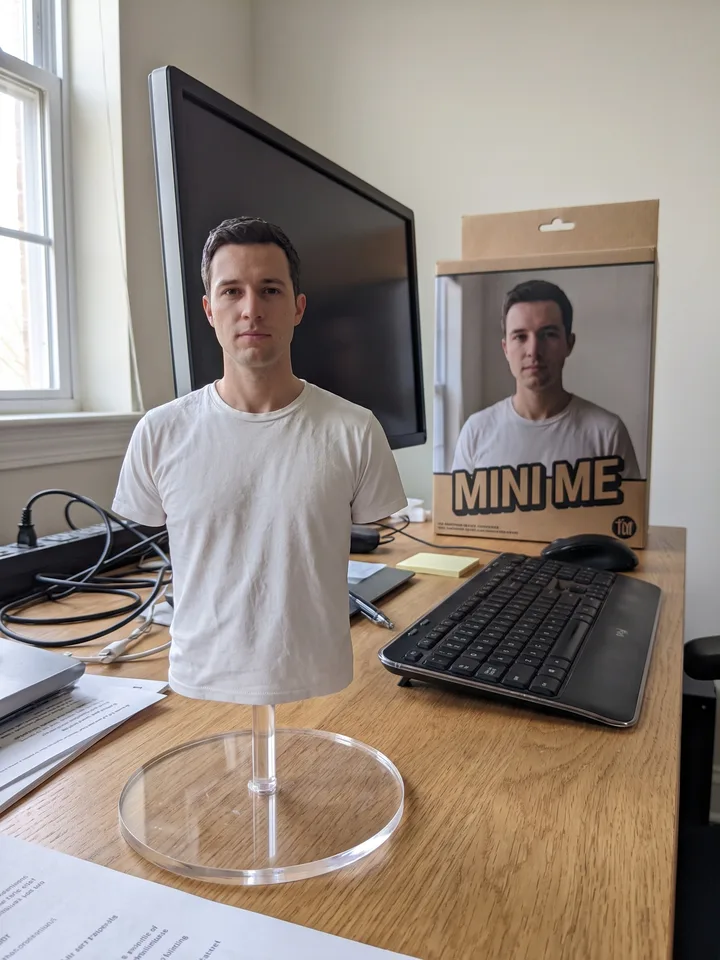
1/7 scale collectible figure of the person on a desk, next to its box 05

Votre figurine de collection

Une photo nette, en pied ou à mi-corps

Create a 1/7 scale commercialized figure of the character in the photo, in a realistic style and environment. Place the figure on a computer desk on a circular transparent acrylic base without any text. Next to the screen, place a BANDAI-style toy packaging box printed with the original artwork.
Ouvrir la Mini App
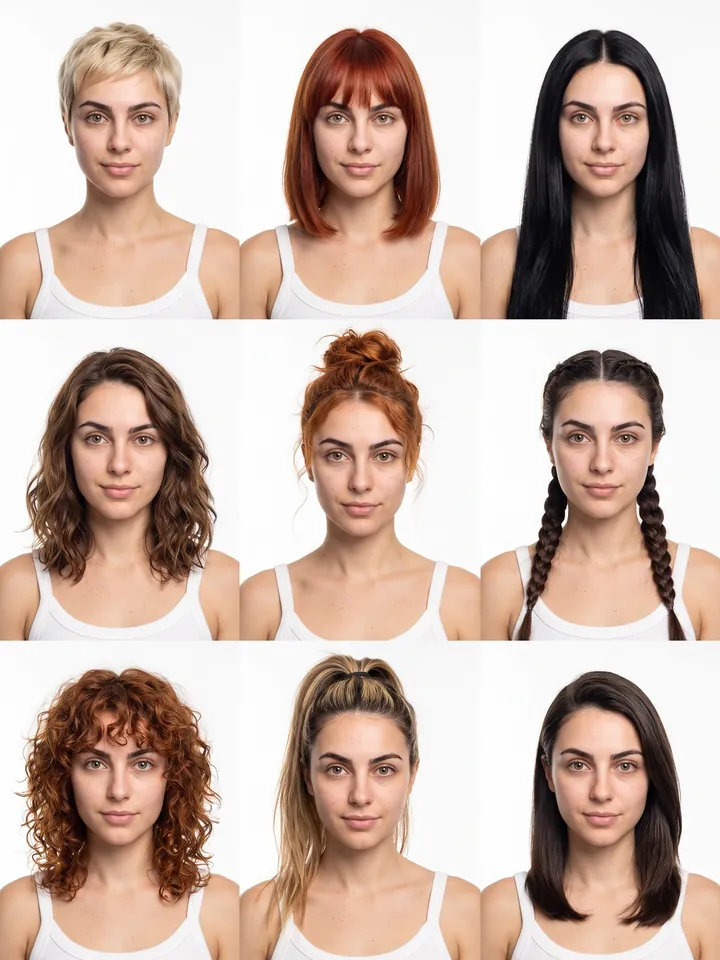
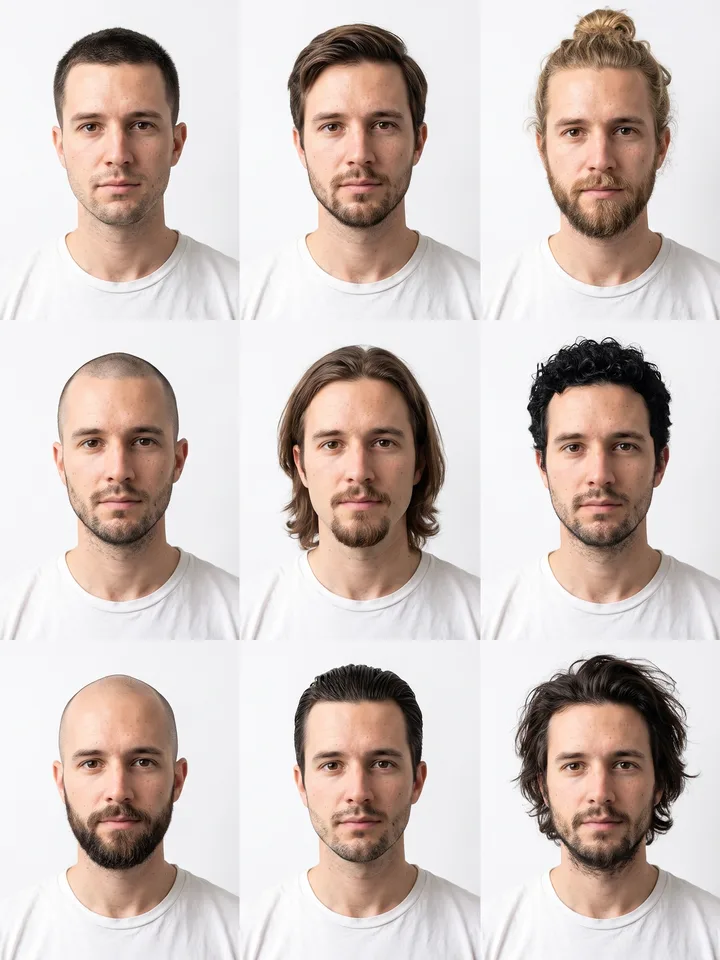
3x3 grid of the same face with nine hairstyles 06

Catalogue de coiffures 3×3

Un selfie neutre

Generate a 3x3 grid of avatars of this person with 9 different hairstyles. Keep the face identical in every cell, vary only the hair (length, color, styling). Clean white background, soft studio light.
Ouvrir la Mini App
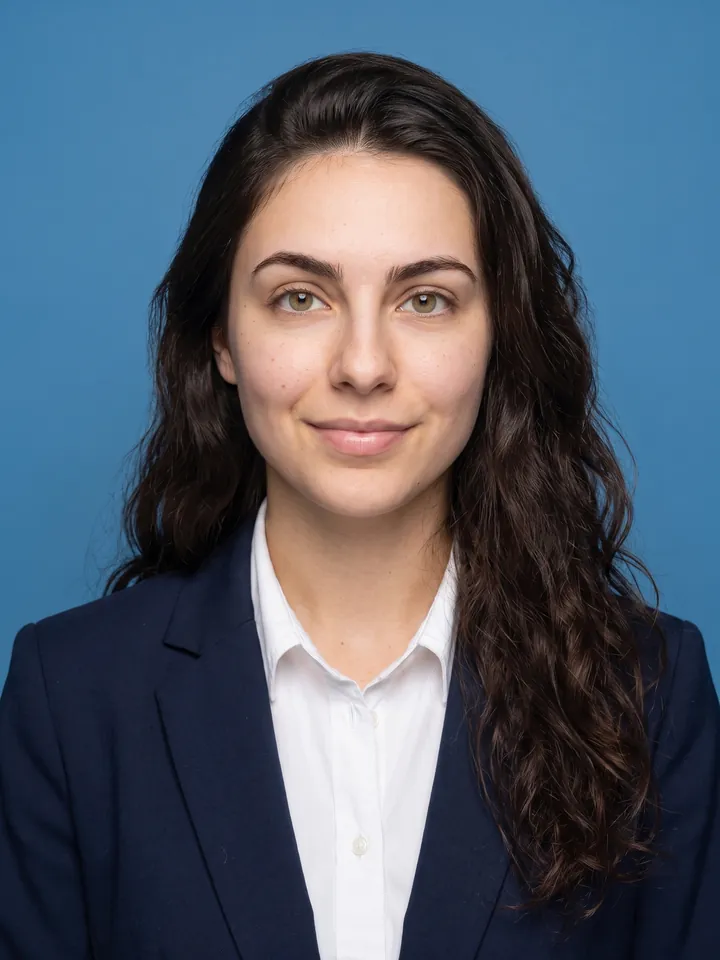
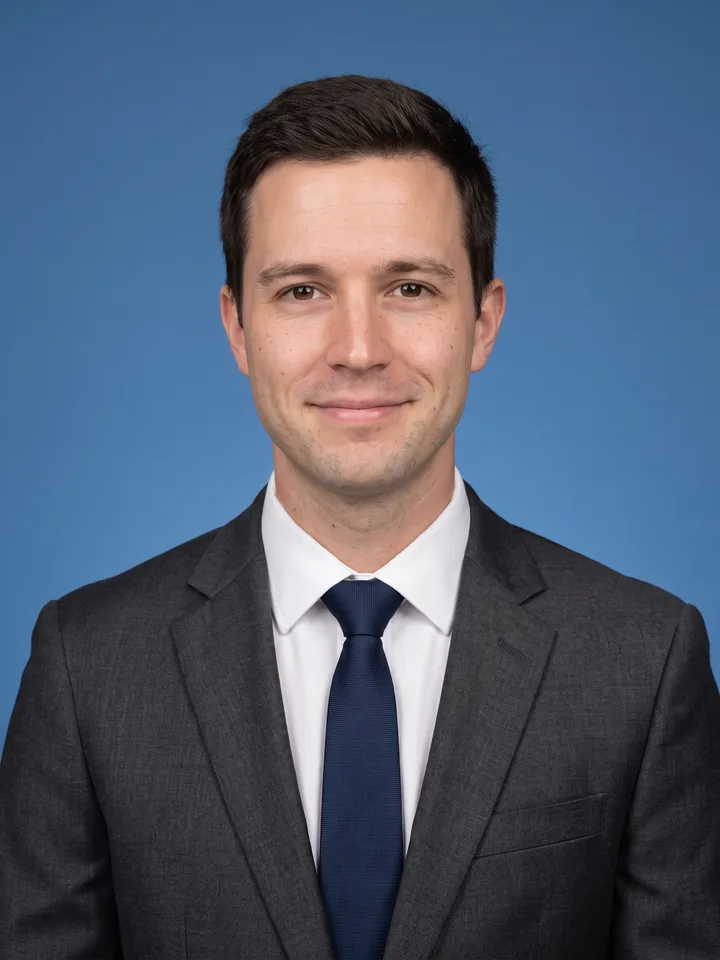
ID photo on a blue background in business attire 07

Photo d'identité en 5 secondes

N'importe quel selfie

Crop the head and create a 2-inch ID photo with: 1) Blue background 2) Professional business attire 3) Frontal face 4) Slight smile 5) Even neutral studio lighting.
Ouvrir la Mini App
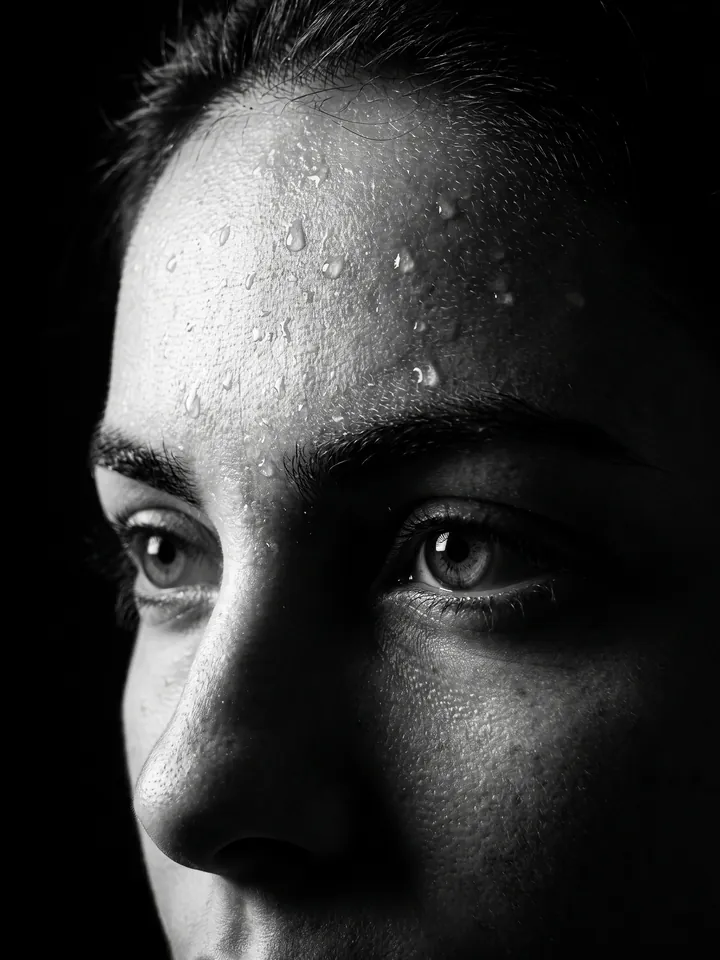
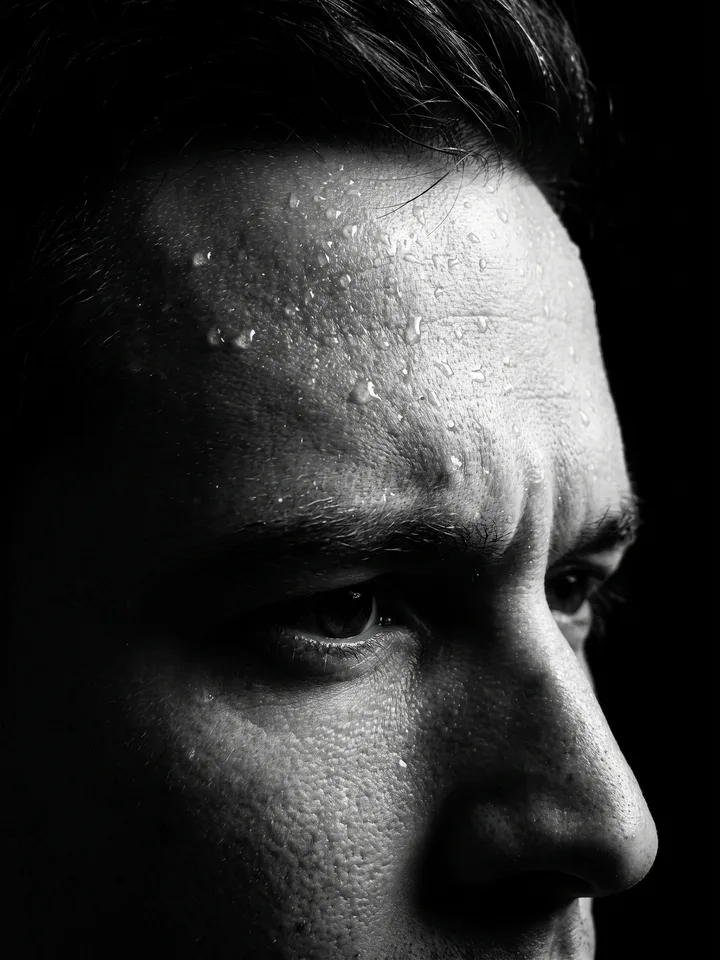
Black-and-white close-up portrait with water droplets on the face 08

Portrait N&B dramatique avec gouttes d'eau

Un portrait en gros plan

A high-contrast close-up portrait of my face focusing on the forehead, in black and white. 35mm lens, 4K HD quality. Proud expression. Water droplets on the face. Black shadow background, only the face visible with sharp profile. Ratio 4:3.
Ouvrir la Mini App
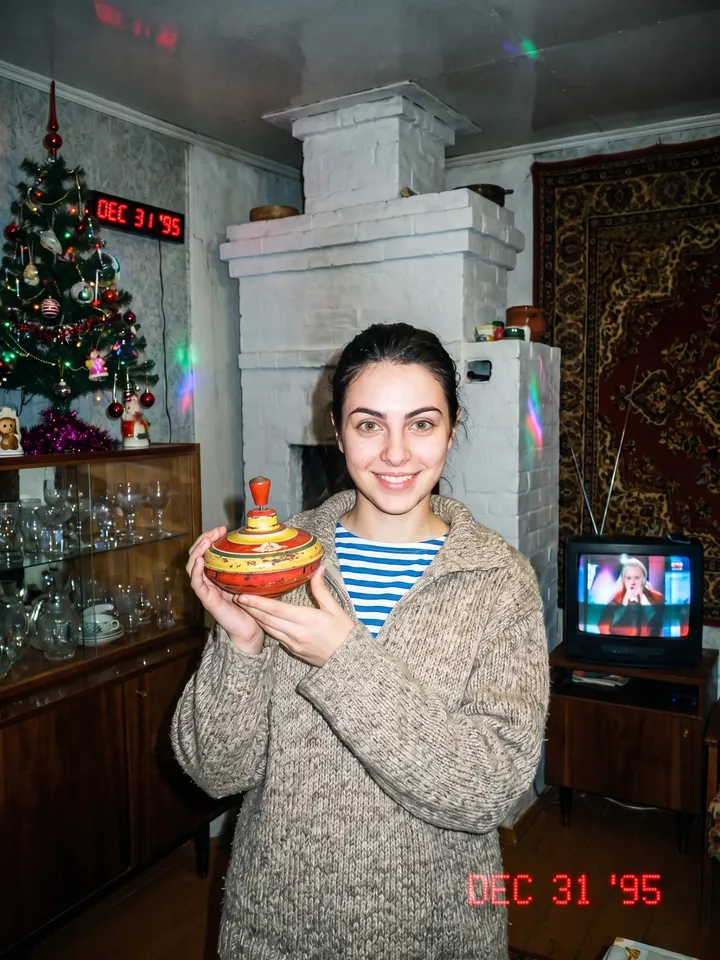
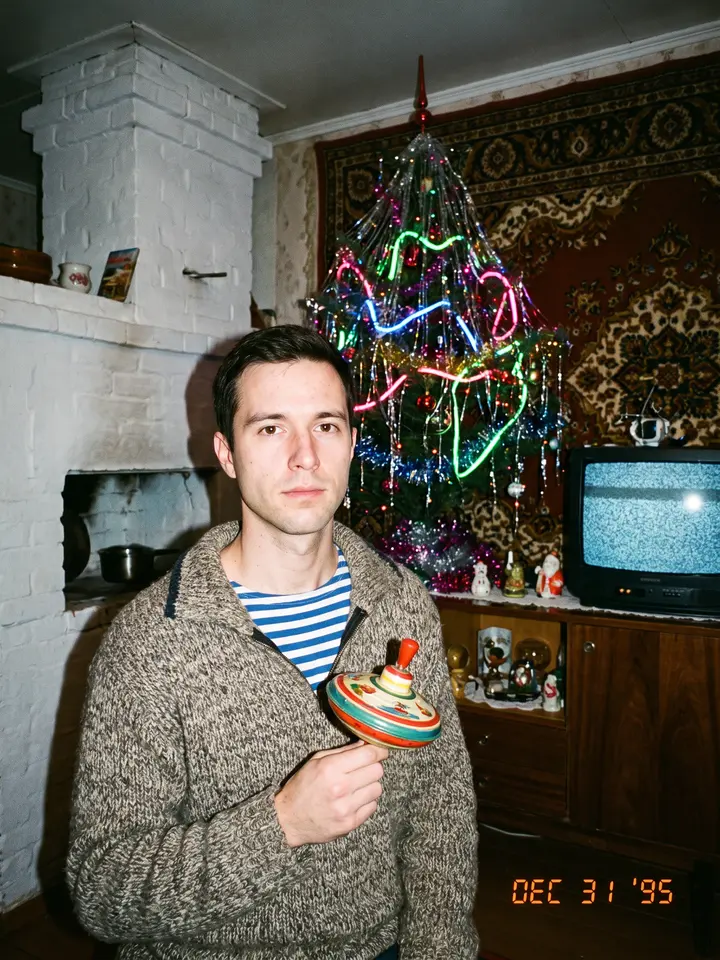
1990s flash snapshot in a village room with a carpet on the wall 09

Album de famille post-soviétique des années 90

Un portrait

Take the uploaded portrait and restyle it as a 1990s snapshot. A wool sweater with a striped telnyashka underneath, a Soviet toy in the hands. Background – a village interior with a white stove, a carpet on the wall, a New Year tree, a sideboard, an old TV. Harsh direct flash, film grain, muted colors with neon accents. A family album from 1995.
Ouvrir la Mini App
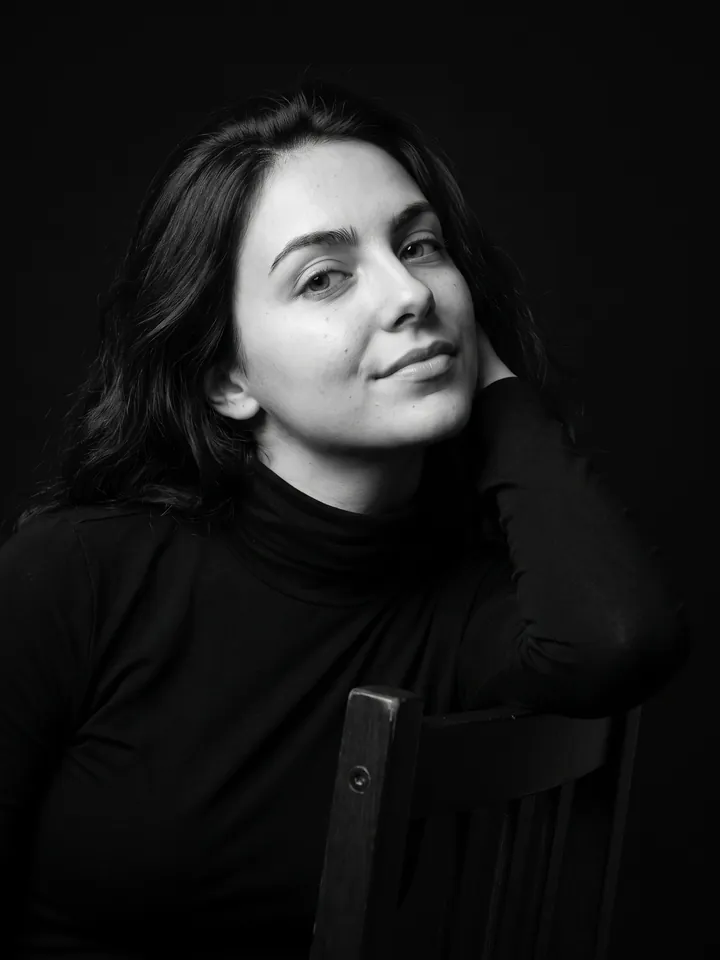
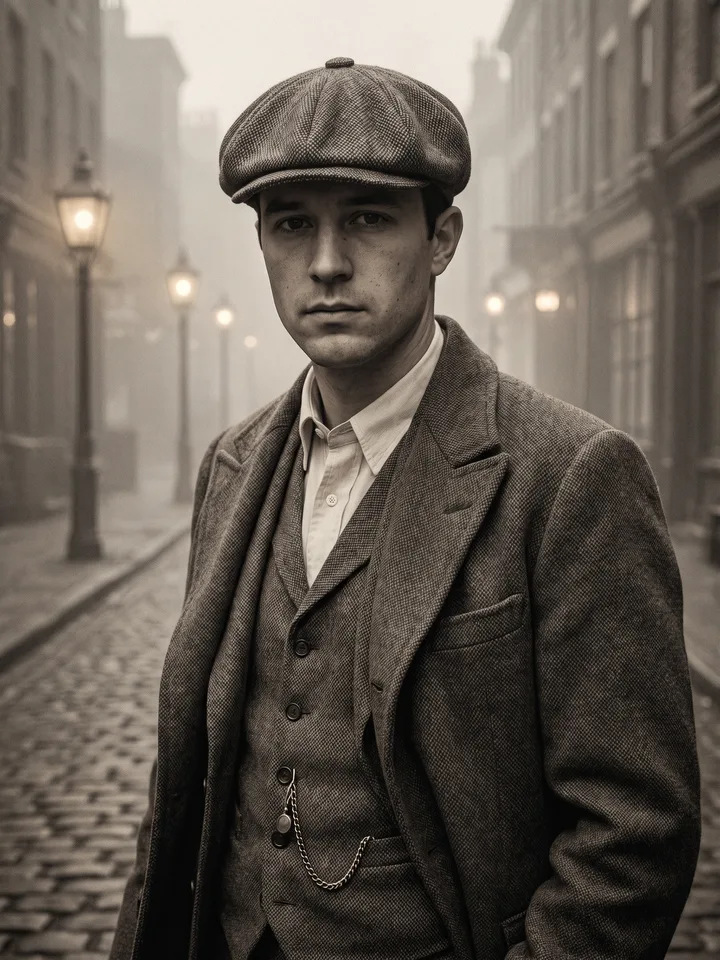
Black-and-white studio portrait of a person leaning on a chair 10

Portrait mode cinématographique

Un portrait

Ultra-realistic studio portrait of a person leaning gracefully on the backrest of a chair, dressed in a sleek dark outfit. Subtle low-angle shot accentuating facial features and a confident expression. Cinematic black-and-white grade with refined skin tones. Solid black background, sharp 8K details, dramatic and lifelike effect.
Ouvrir la Mini App
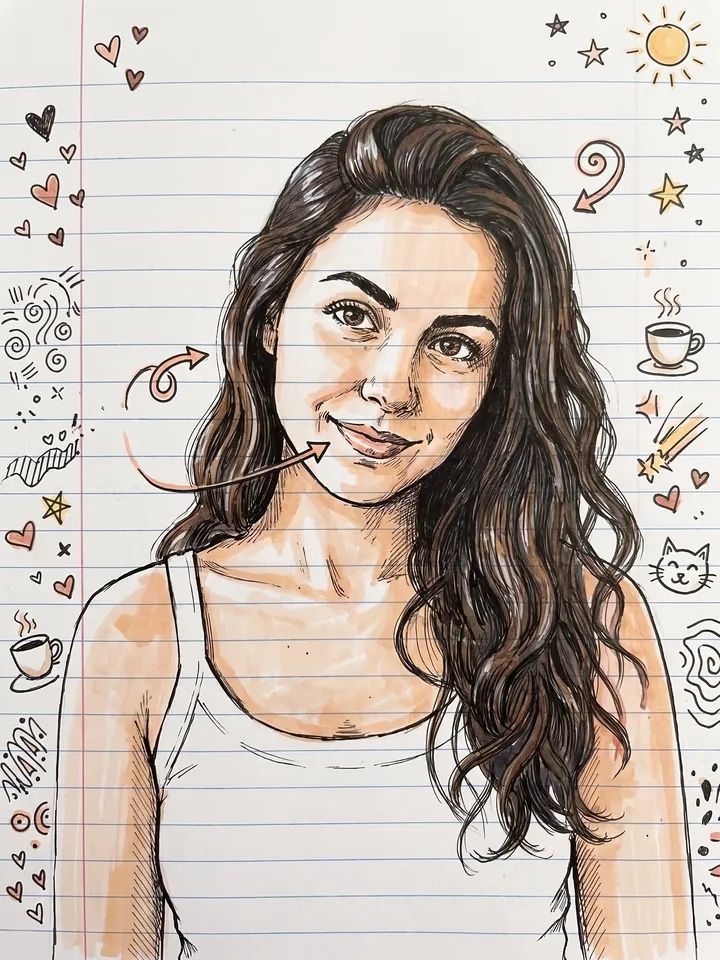
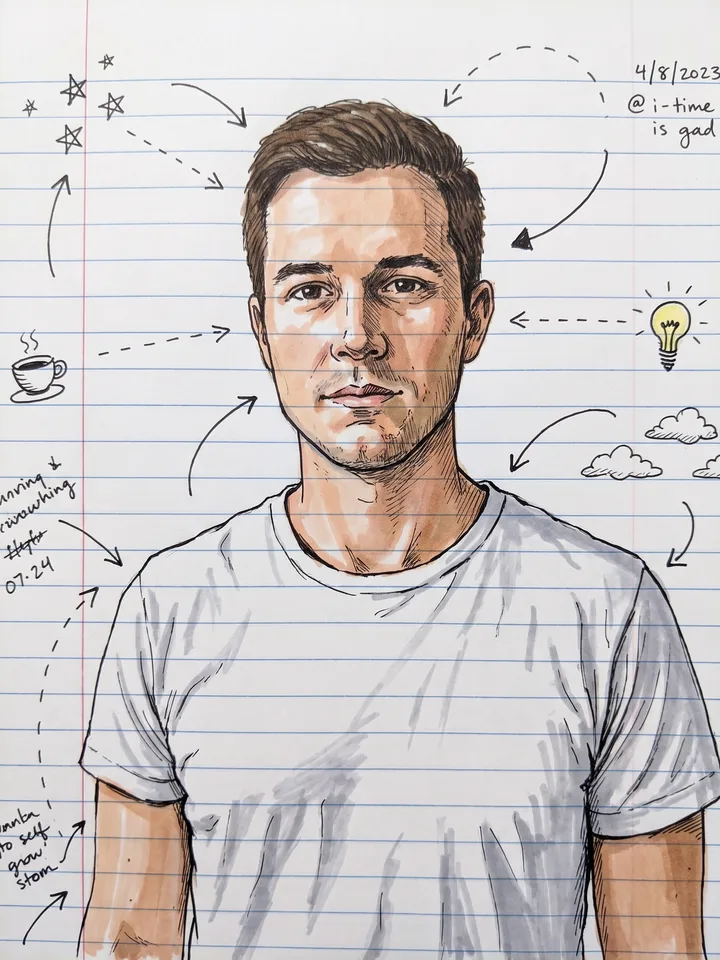
Pen-and-marker doodle portrait on ruled notebook paper 11

Gribouillage de cahier

Un selfie

Turn my portrait into a pen-and-marker notebook doodle on ruled paper, with playful arrows and tiny margin sketches. Keep my face recognizable.
Ouvrir la Mini App
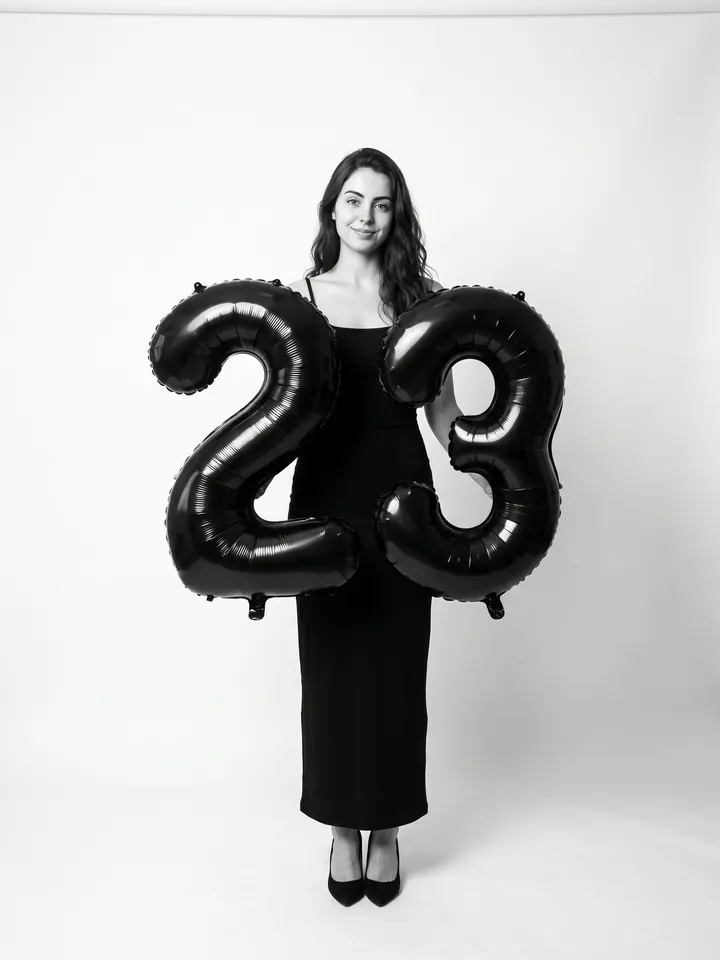
Studio birthday portrait with black number balloons 12

Shooting d'anniversaire

Une photo en pied ou à mi-corps

Use the person's appearance 1:1 – face, skin, hair and body unchanged. Full-length shot in a professional photo studio on a seamless white background. Camera at eye level, slightly below. In the hands – large black foil balloons shaped as the number "[your age]". A fitted long black dress with thin straps, black pumps. Soft even studio light from the front, natural shadows. Minimalist fashion portrait, black-and-white grade with natural skin tones.
Ouvrir la Mini App
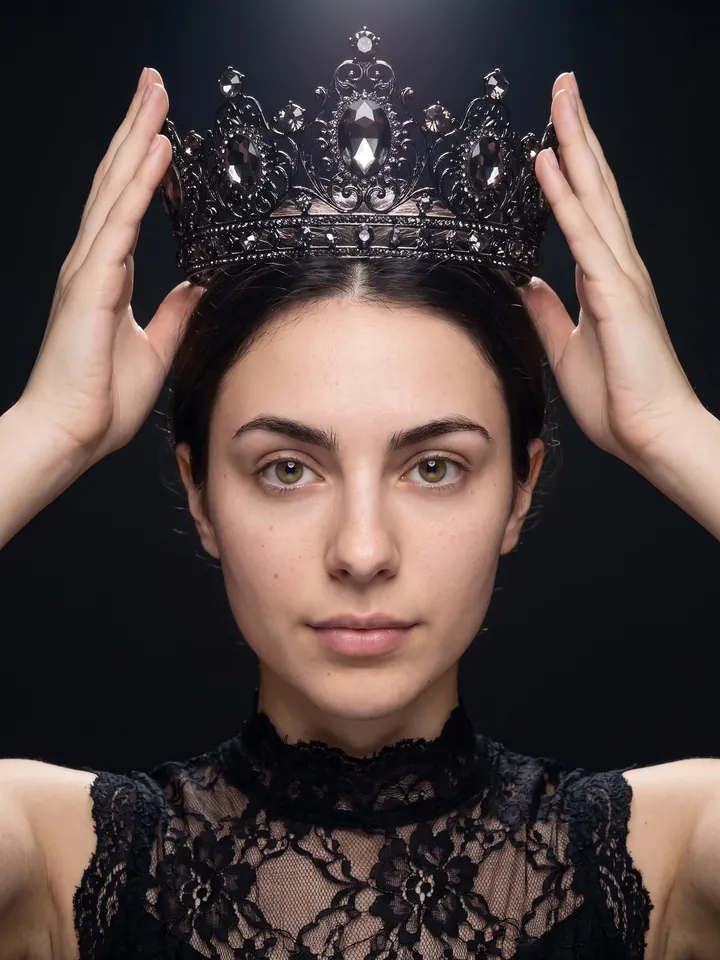
Fashion portrait holding a black crown above the head 13

La tendance de la couronne

Un portrait

Fashion portrait: I hold a black crown with rich filigree and large sparkling stones above my head. The light falls from above. The dress is delicate black lace with a high neck, the frame is cropped at the shoulders. The background is dark and minimalist.
Ouvrir la Mini App
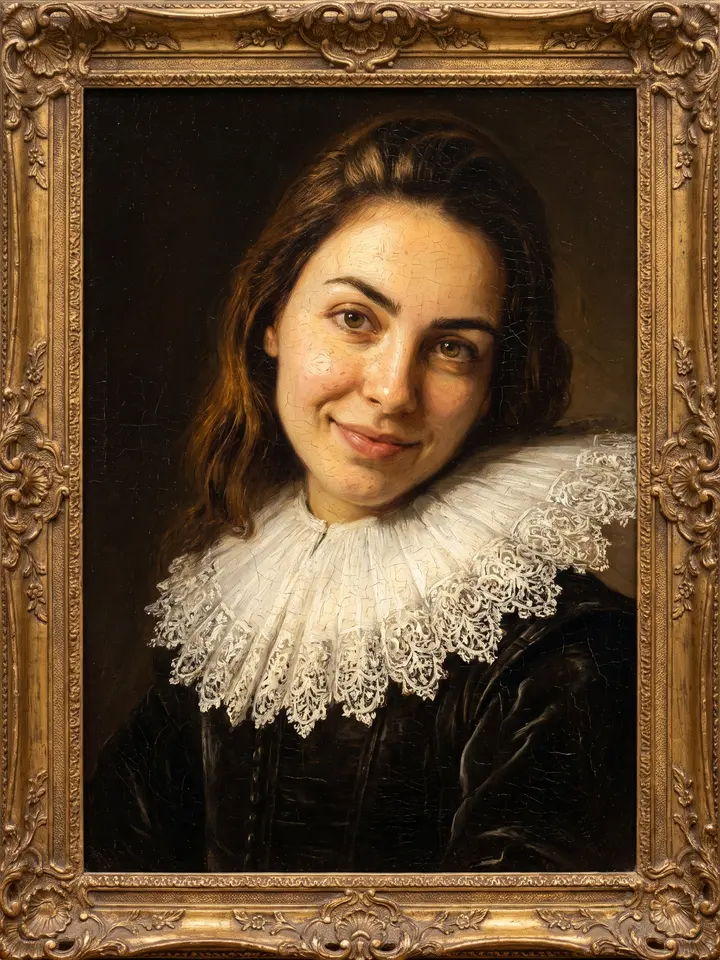
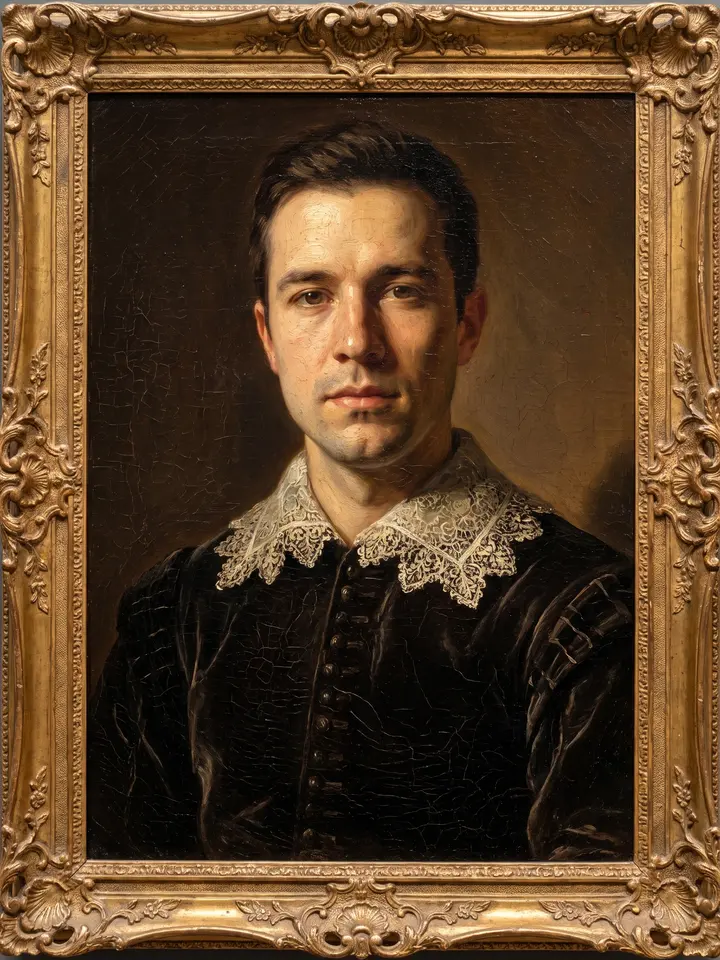
Portrait repainted as a 17th-century oil painting in a gilded frame 14

Portrait à l'huile, comme les maîtres anciens

Un portrait

Repaint me as a 17th-century oil portrait in the manner of the old masters: visible brushwork and impasto, warm chiaroscuro with a single light source from the left, deep umber background, dark velvet clothing with a lace collar. Keep my face exactly as in the photo. Fine craquelure on the varnish, canvas texture, the look of a museum piece in a carved gilded frame.
Ouvrir la Mini App
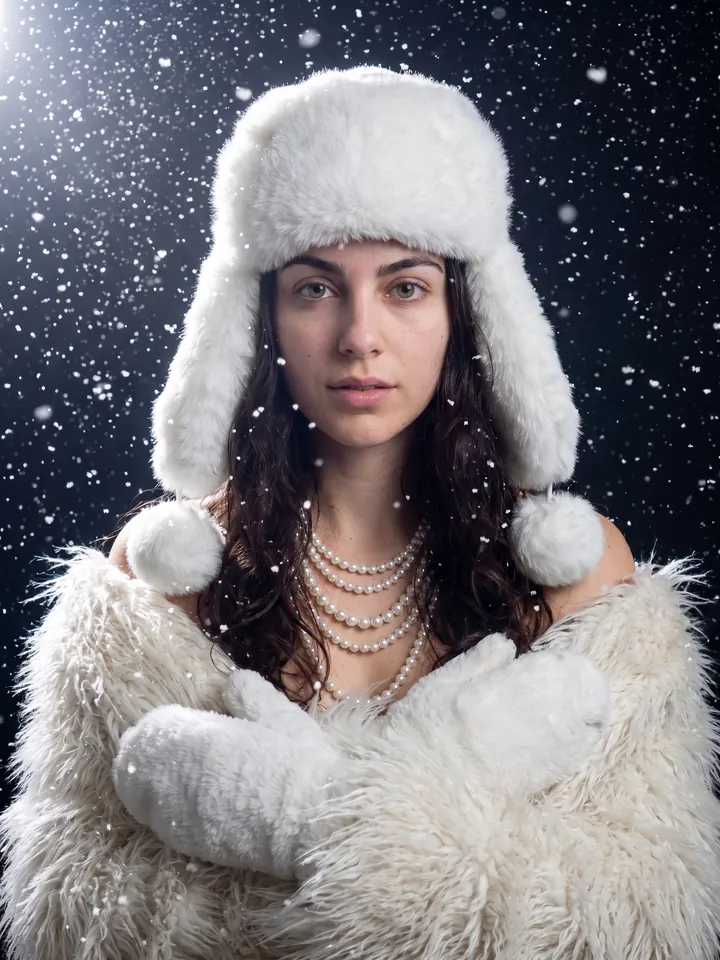
Winter portrait in white faux fur and pearls under falling snow 15

Glamour d'hiver – fourrure, perles, flocons de neige

Un portrait

Use the user's face 1:1 without any changes. Glamorous winter portrait, medium slightly low-angle shot. Big fluffy white faux fur ushanka with ear flaps and pom-poms. Multiple lustrous white pearl strands as chokers and long necklaces. Wrapped in shaggy white faux fur, hands in matching white fur mittens. Wavy hair flowing from under the hat. Heavy fall of bright white snowflakes, magical ethereal atmosphere. Dramatic top-left lighting catching highlights on fur, pearls, hair and face. Dark out-of-focus background.
Ouvrir la Mini App
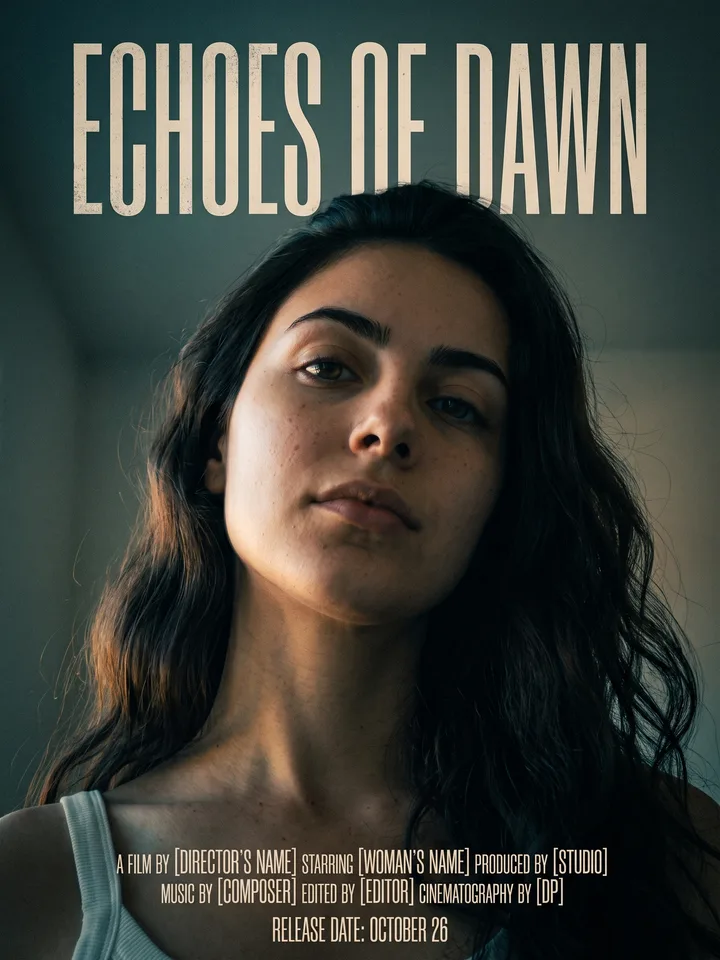
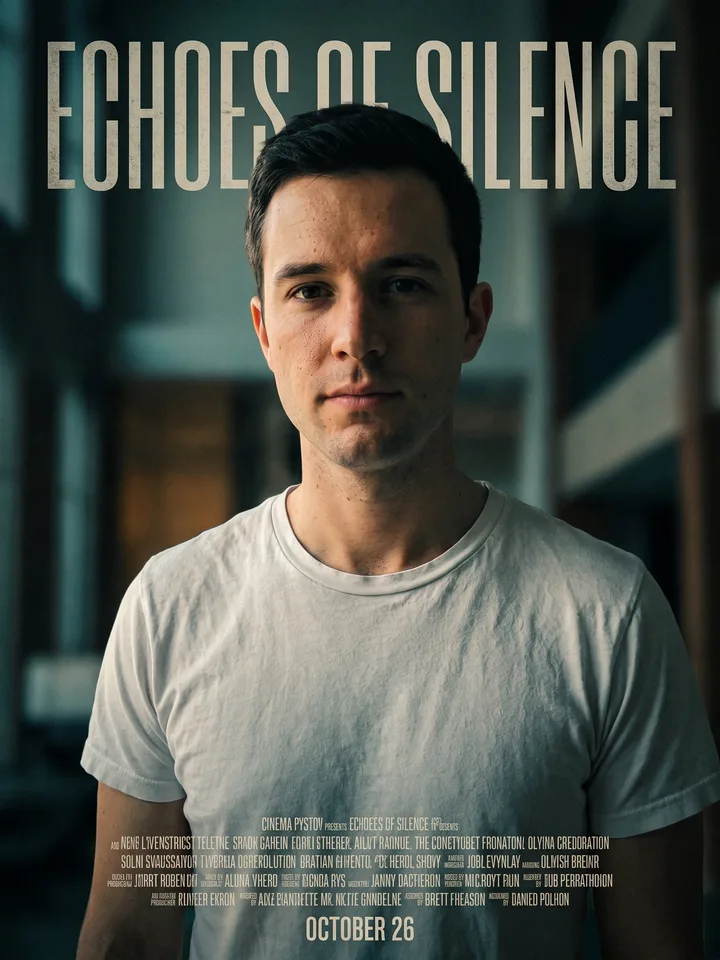
Cinema poster with the person in close-up and an invented film title above 16

L'affiche de votre propre film

Un portrait

Turn my photo into a cinema poster: I am shot from a low angle in the centre of the frame, dramatic side light, an invented film title in a tall condensed typeface above me, a block of small credits at the bottom, a release date line, muted teal and amber grade, fine film grain. Keep my face exactly as in the photo.
Ouvrir la Mini App
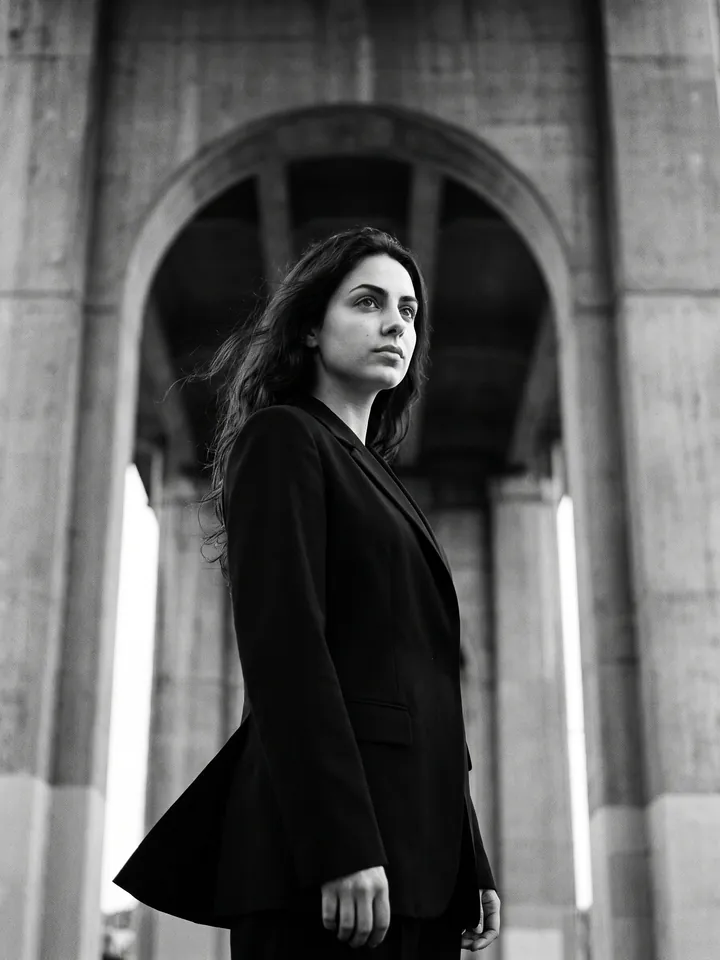
Black-and-white fashion shot in a black blazer by a concrete arch 17

N&B à la manière de Yohji Yamamoto

Un portrait en pied ou à mi-corps

Black-and-white cinematic fashion photography in the raw style of Yohji Yamamoto. Industrial brutalist setting with a massive grey concrete arch in the background. Model seen from a low angle, portrait from the waist up, gazing into the distance. Wearing a sharply tailored matte black Yohji Yamamoto blazer, minimalist and structured. Subtle wind moving the fabric. Mood: raw, contemplative, timeless, anti-gloss. Analog film grain, high contrast, cinematic depth. Shot on 85mm, f/2.8, ISO 400, 1/125s. Ultra-detailed, photorealistic.
Ouvrir la Mini App
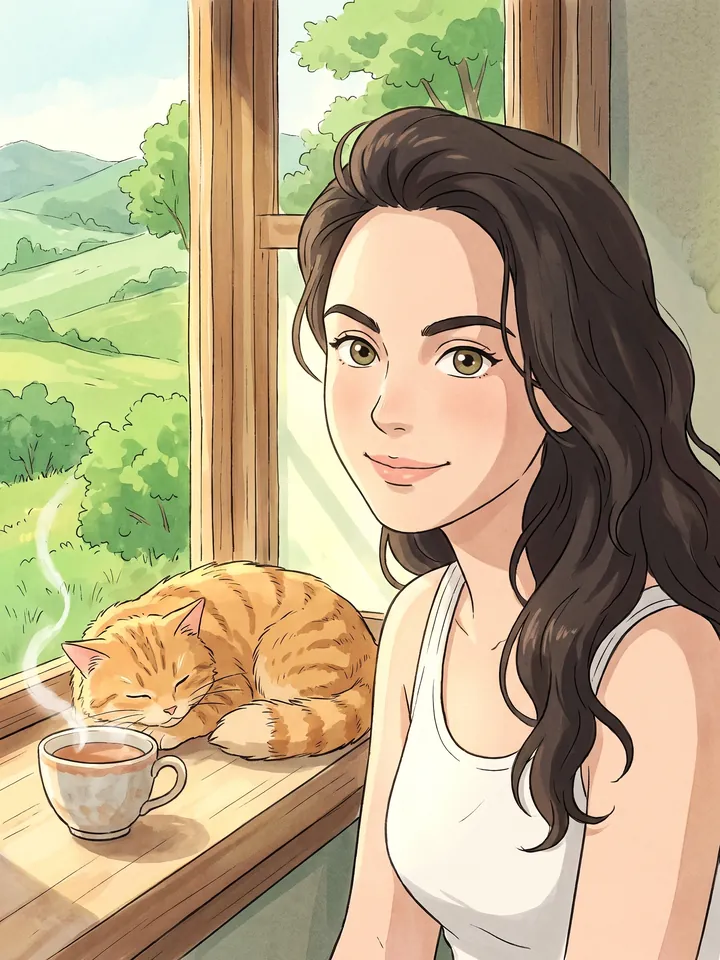
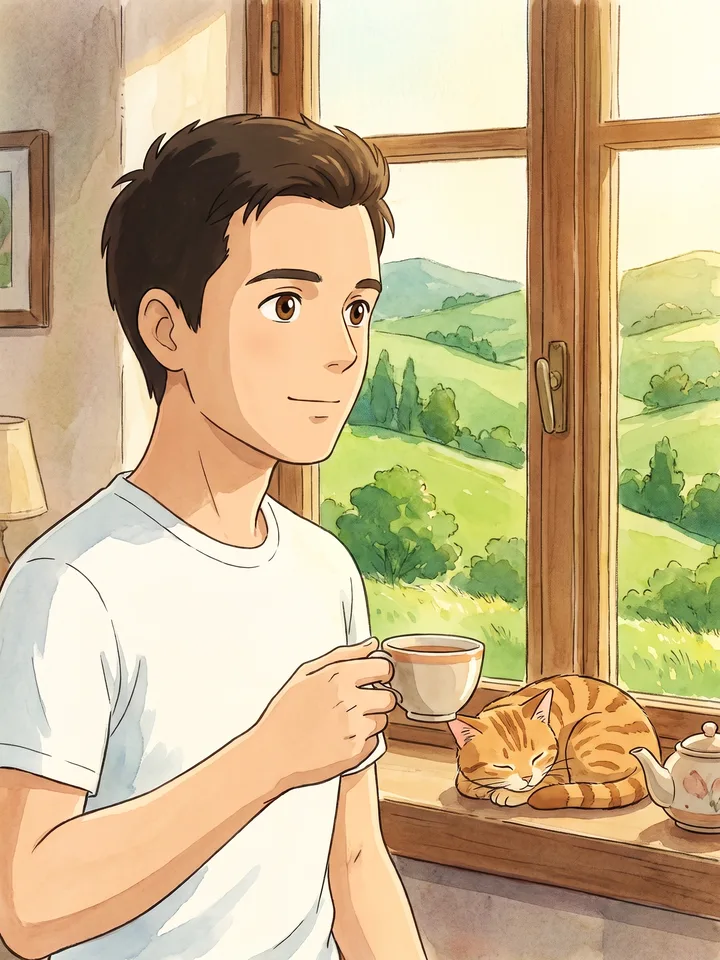
Studio Ghibli style character by a window with a cat and a cup of tea 18

Vous en anime, façon Studio Ghibli

Un selfie

Turn me into a Studio Ghibli style character: soft watercolor fills, clean line work, kind big eyes, the face stays recognizable. Place me in a cozy scene – a window looking out on summer hills, a lazy cat and a cup of tea on the windowsill. Warm daylight.
Ouvrir la Mini App
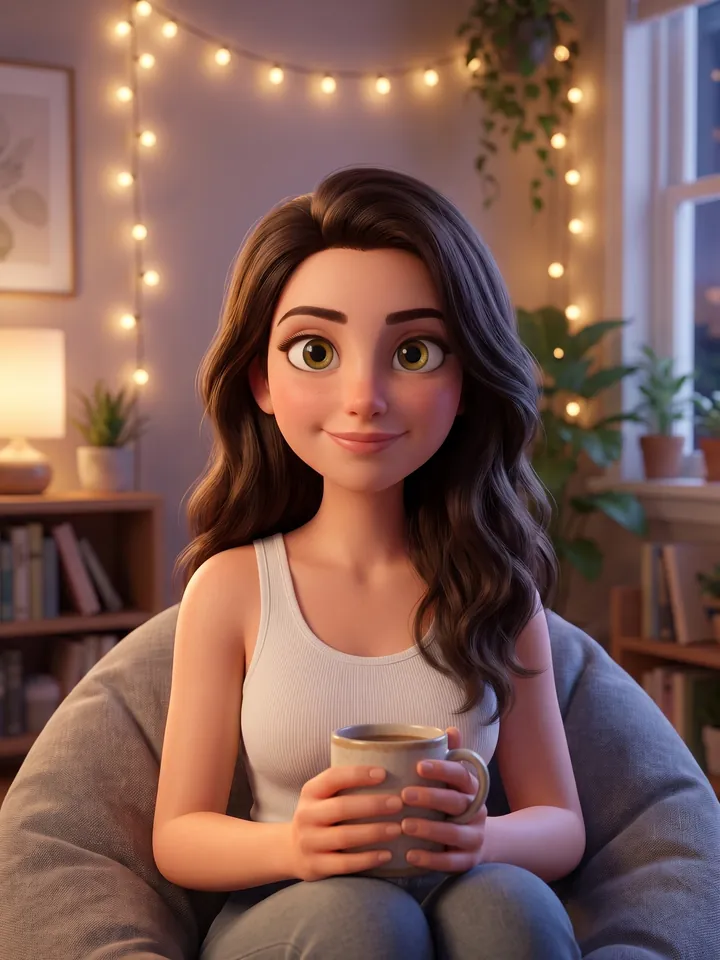
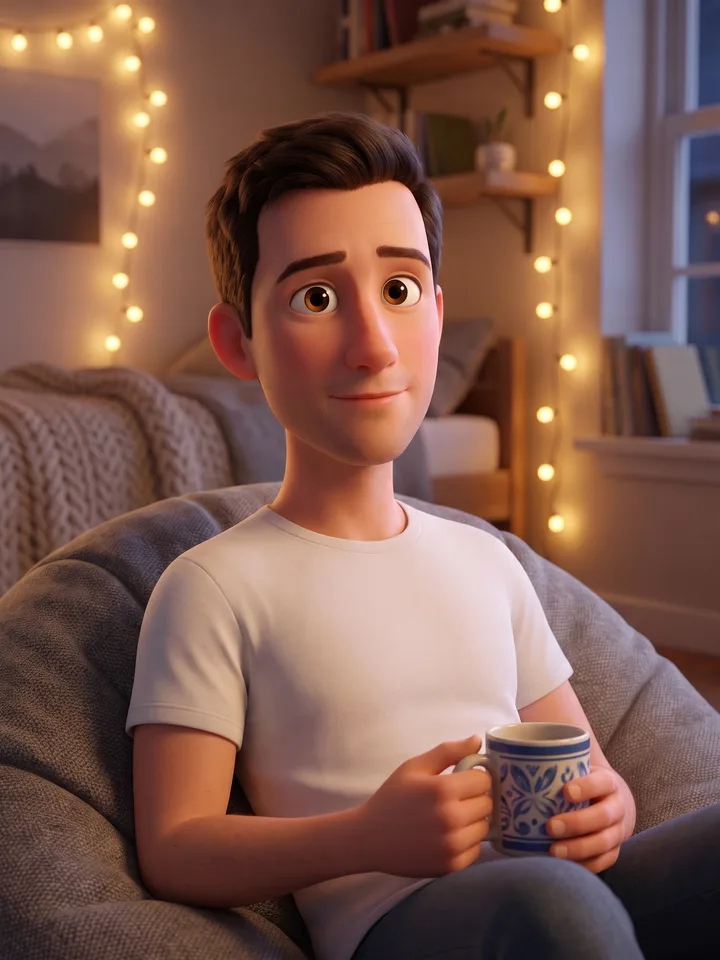
3D Pixar-style character on a beanbag with a mug 19

Personnage 3D style Pixar

Un selfie

Turn me into a 3D Pixar-style character: large expressive eyes, soft rounded shapes, realistic lighting, recognizable facial features. Scene: a cozy room with fairy lights, I sit on a beanbag with my favorite mug.
Ouvrir la Mini App
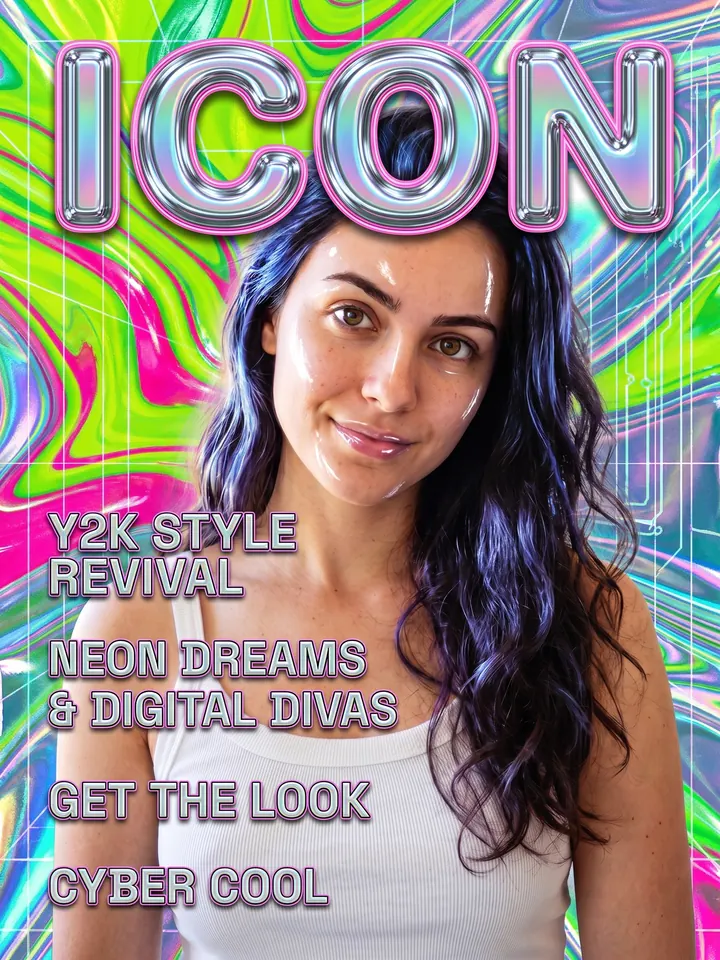
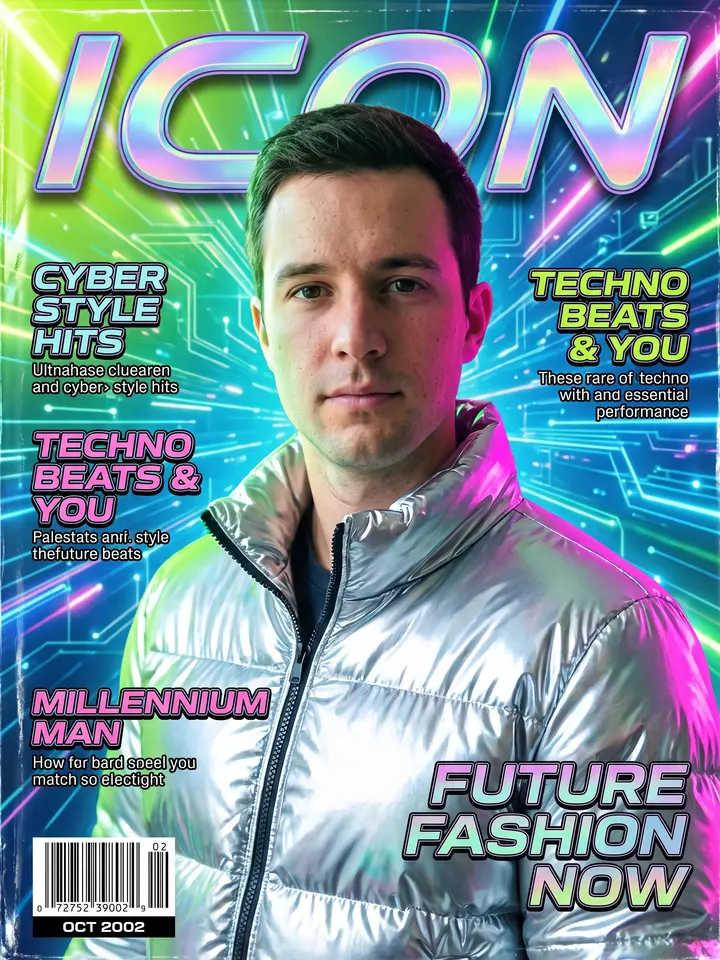
Y2K magazine cover with the word ICON 20

Couverture de magazine Y2K

Un selfie

Make a magazine cover of me in the Y2K style of the early 2000s: gloss, acid colors, metallics, holographic foil, the word "ICON" in a large typeface, small captions like article headlines. Keep the face.
Ouvrir la Mini App
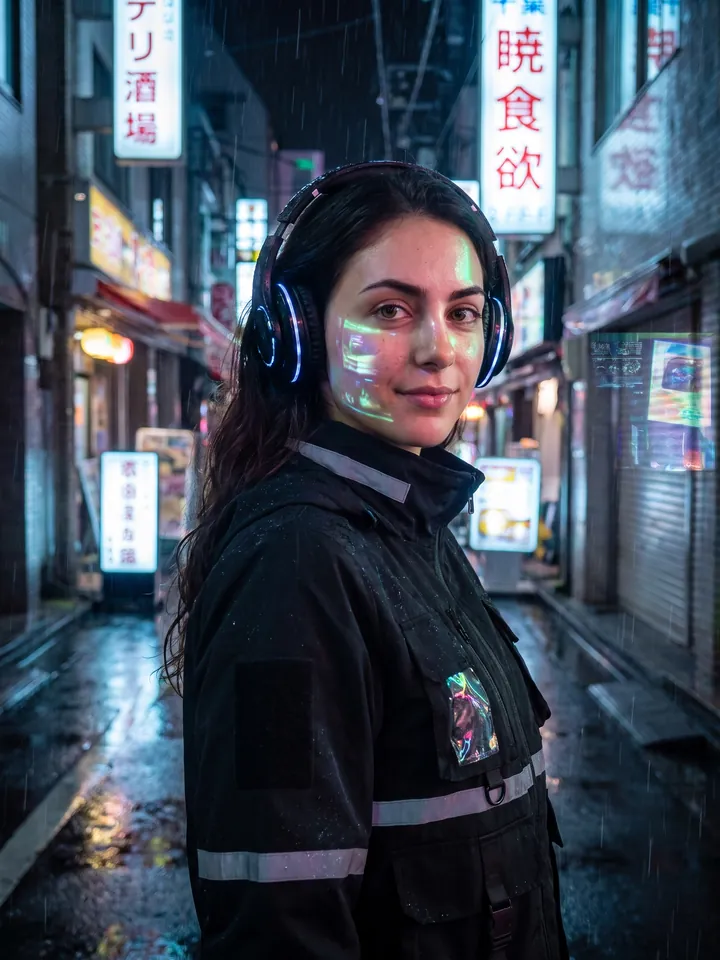
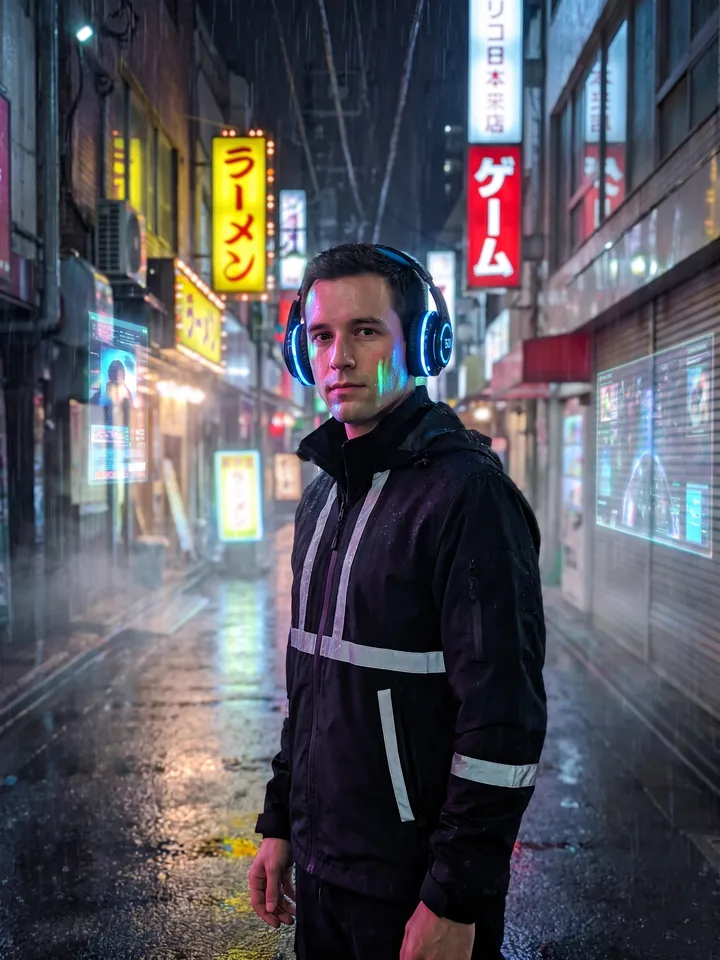
Portrait in a rainy neon alley of cyberpunk Tokyo 21

Tokyo néon cyberpunk

Un portrait

Place me in the middle of a neon alley in cyberpunk Tokyo: shiny wet asphalt, kanji on the signs, holograms, rain, reflections. I wear a techwear jacket with reflective strips and cyber headphones. Realistic highlights on the skin, cinematic look.
Ouvrir la Mini App
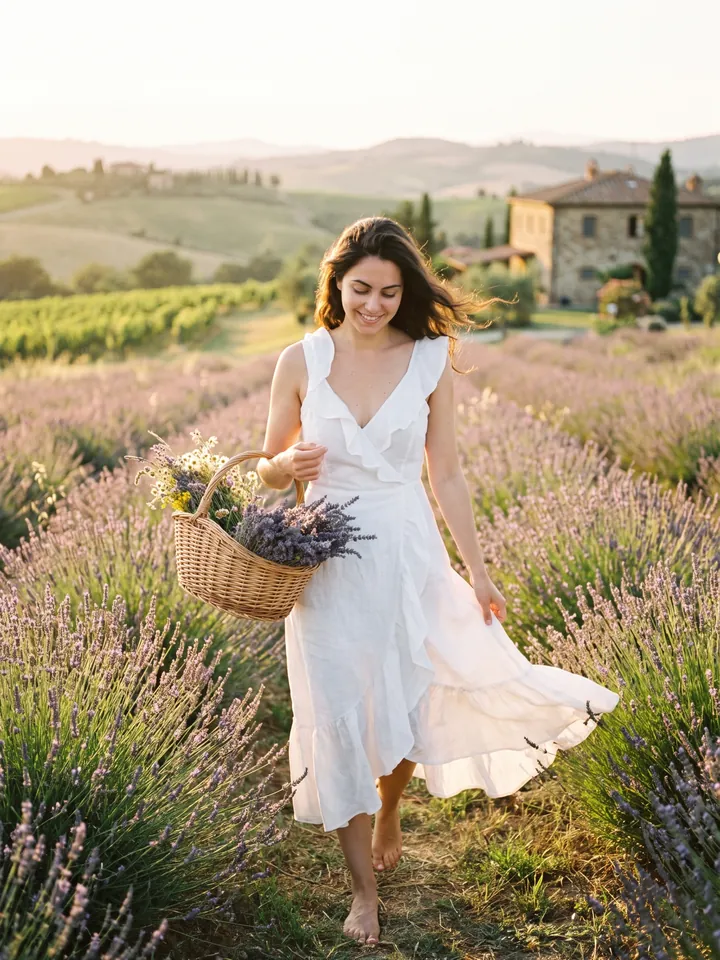
Portrait in a lavender field in Tuscany at sunset 22

Cottagecore – un champ en Toscane

Un portrait

Move me to a lavender field in Tuscany. I wear a white linen dress with ruffles, carry a wicker basket of flowers, barefoot in the grass. Golden sunset light, a soft breeze, film grain, the romance of Vogue Living.
Ouvrir la Mini App
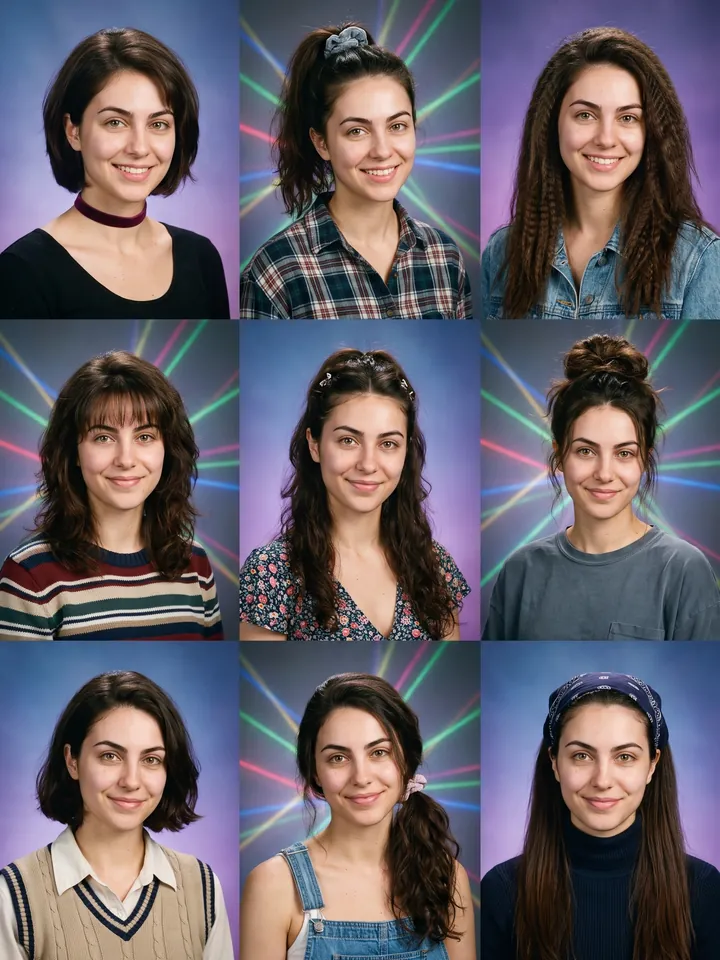
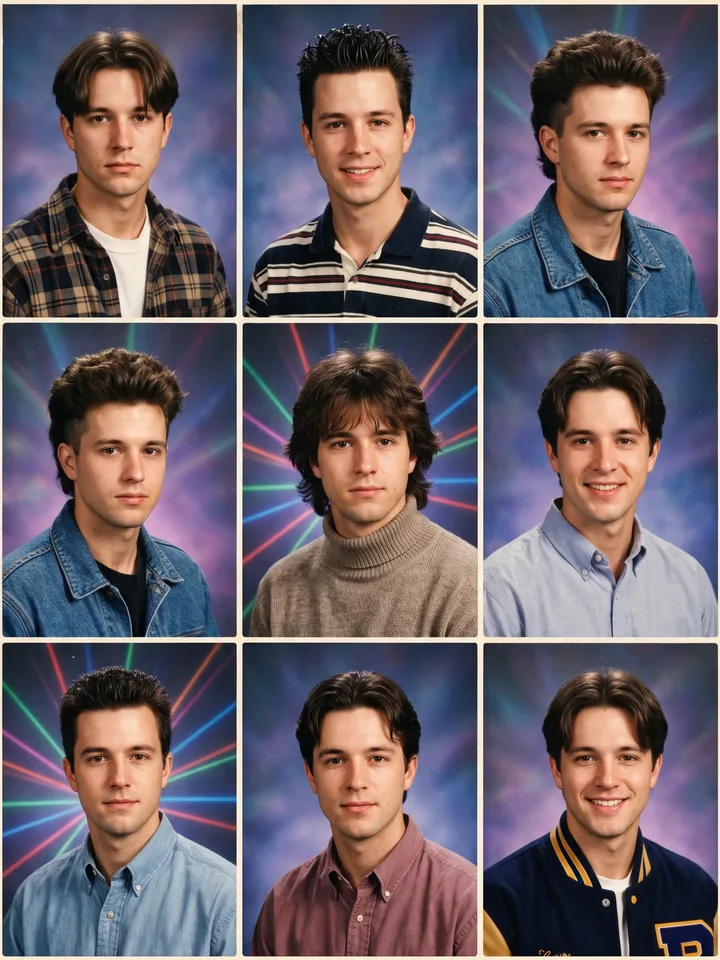
3x3 grid of 1995 yearbook portraits of one person 23

Yearbook années 90 par IA

Un selfie

Make 9 school portraits of me in the style of a 1995 American yearbook: colored gradient backdrop (blue, purple, laser), period hairstyles, different looks, film grain, soft studio light. 3x3 grid.
Ouvrir la Mini App
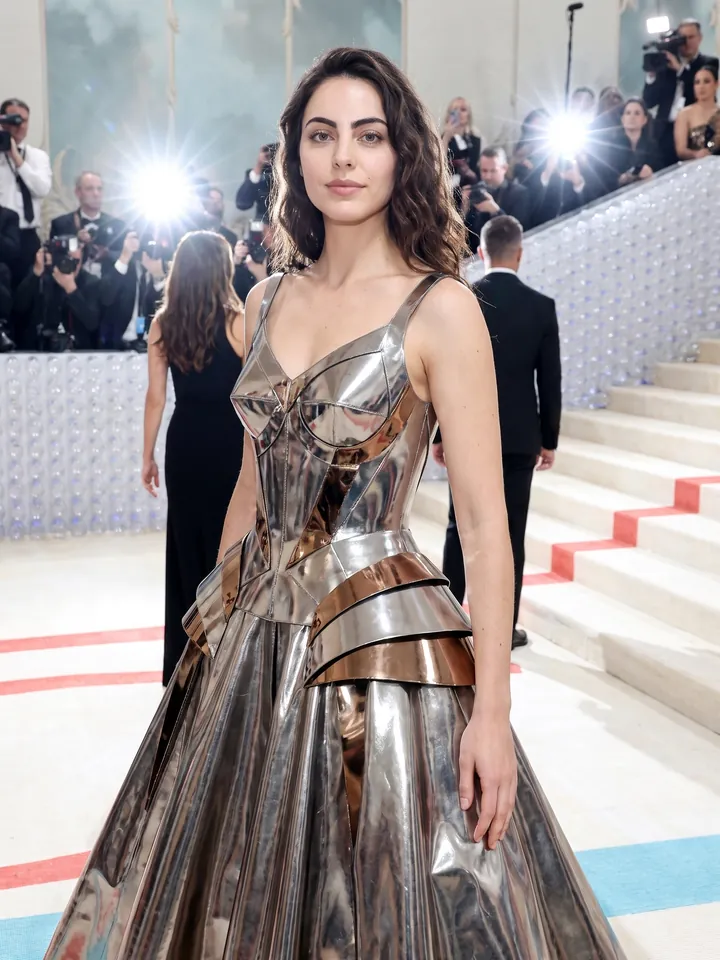
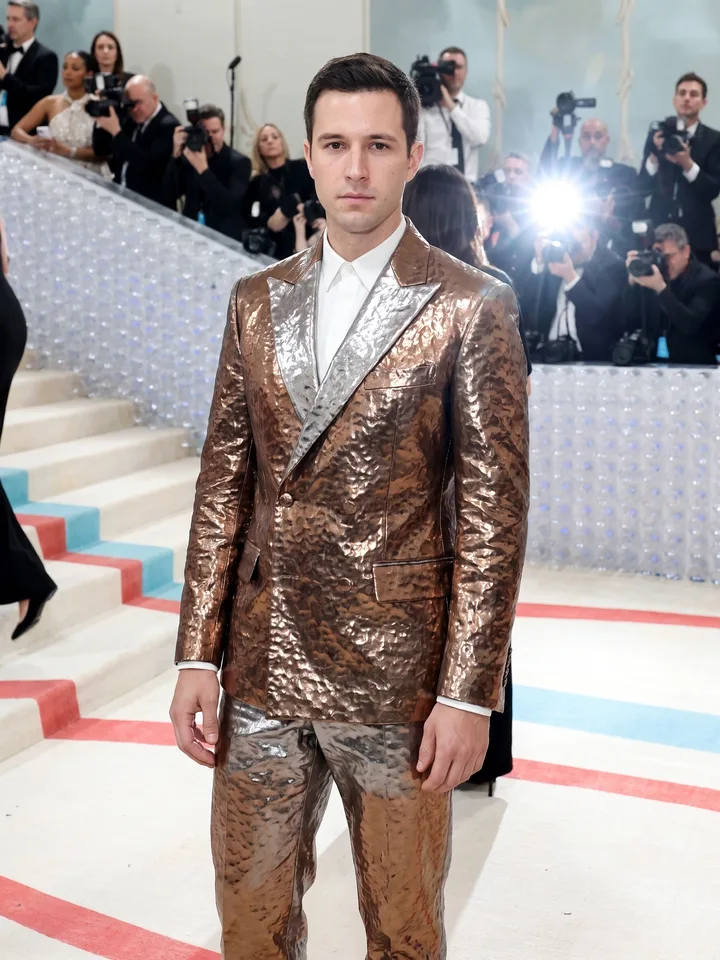
Met Gala look on a white carpet by a marble staircase 24

Haute couture pour le Met Gala

Un portrait en pied

Turn me into a Met Gala guest. I wear a haute couture gown or tuxedo in a [sculptural / metallic / gothic / bionic] style, standing on a white carpet by a marble staircase, paparazzi flashes around. Keep the face 1:1.
Ouvrir la Mini App
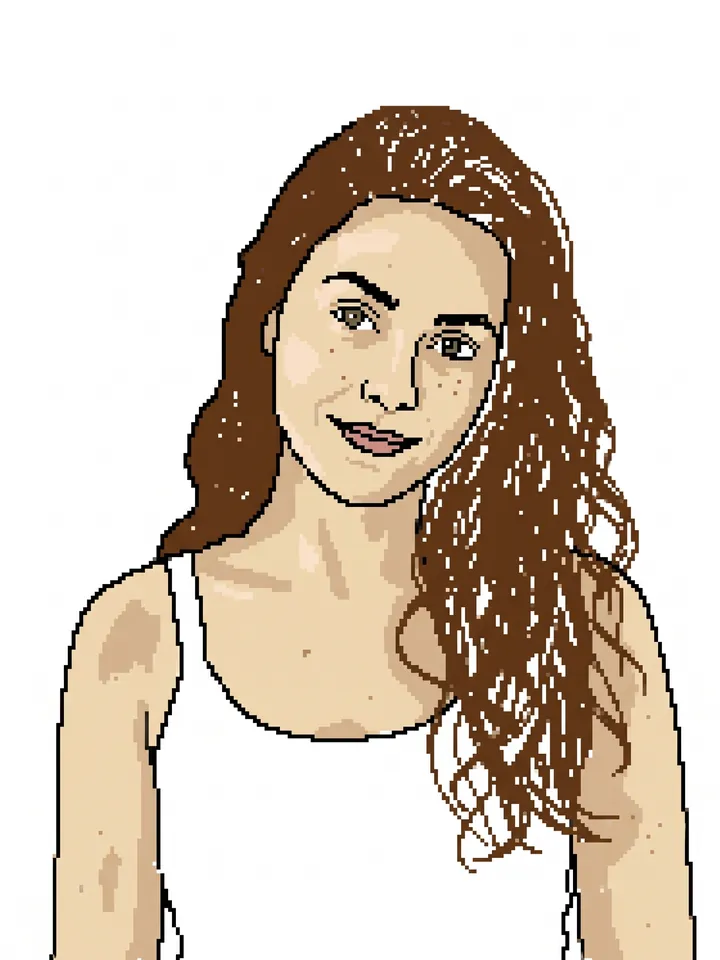
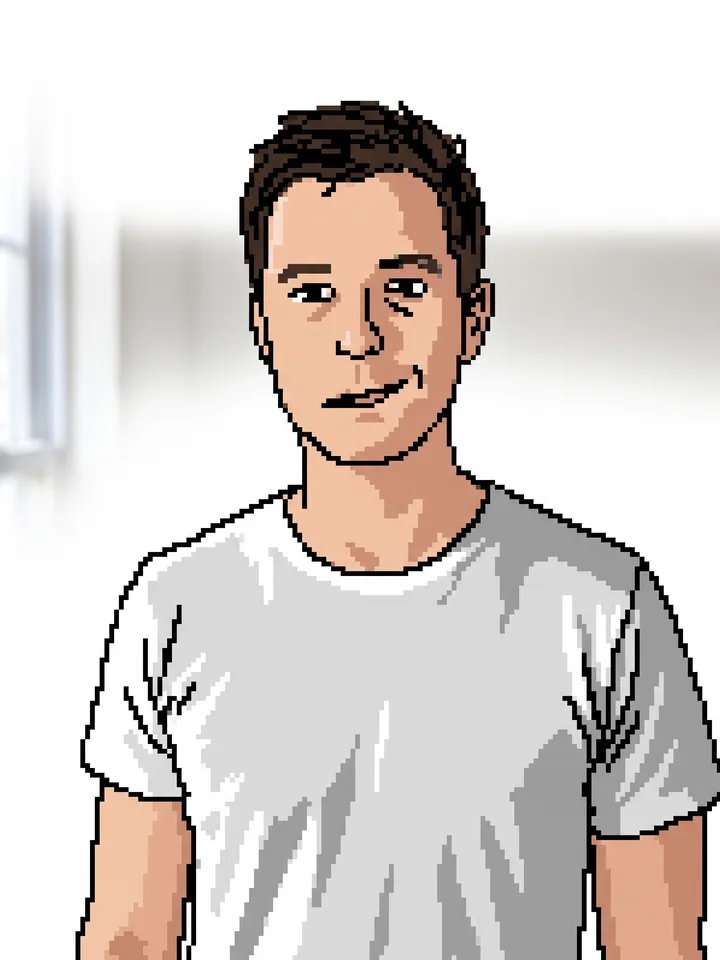
Clumsy MS Paint style redraw of the reference photo 25

Chef-d'œuvre sous MS Paint

N'importe quelle image

Redraw the attached image in the most clumsy, scribbly, and utterly pathetic way possible. Use a white background, and make it look like it was drawn in MS Paint with a mouse. It should be vaguely similar but also not really, kind of matching but also off in a confusing, awkward way, with that low-quality pixel-by-pixel feel that really emphasizes how ridiculously bad it is. Actually, you know what, whatever, just draw it however you want.
Ouvrir la Mini App
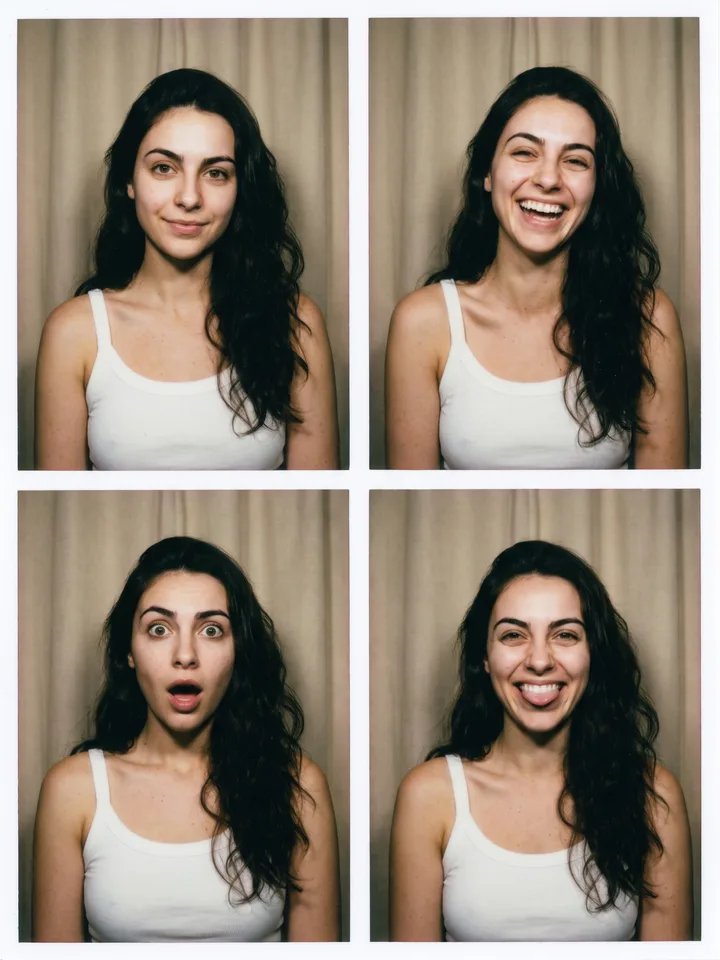
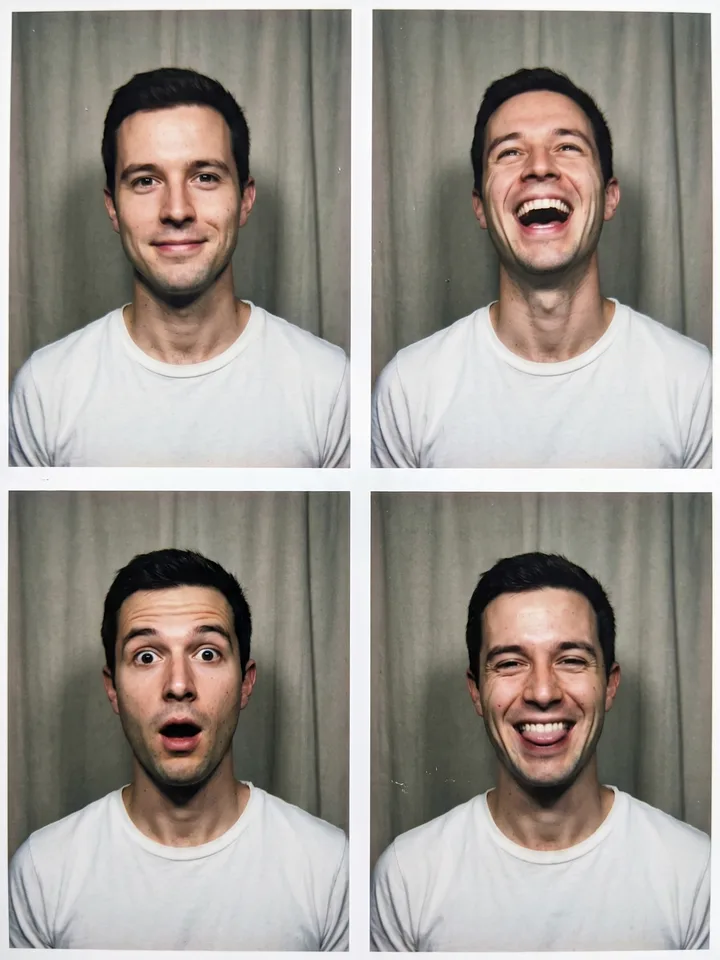
Four photo booth frames of the same face with different expressions 26

Planche de photomaton, quatre visages

Un selfie

Make a photo booth sheet of me: four frames in a 2x2 grid with thin white borders, the same face in every frame with four different expressions - a calm smile, a laugh, wide-eyed surprise and a silly grin. Harsh on-camera flash, a plain curtain behind, slight film grain, the colors of a cheap print. Keep my face identical in all four frames.
Ouvrir la Mini App
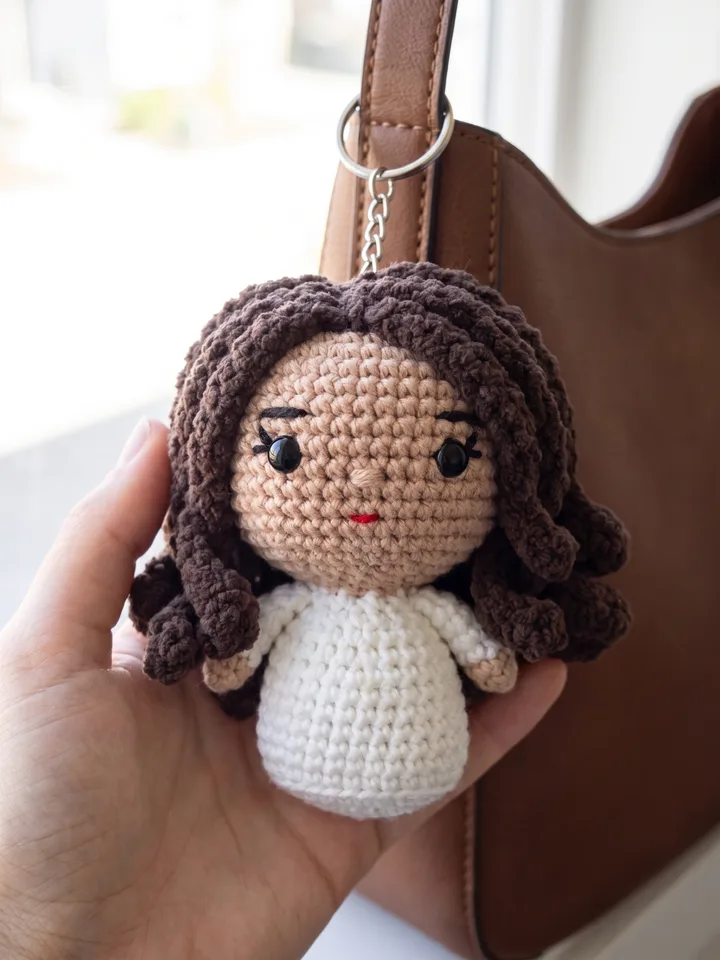
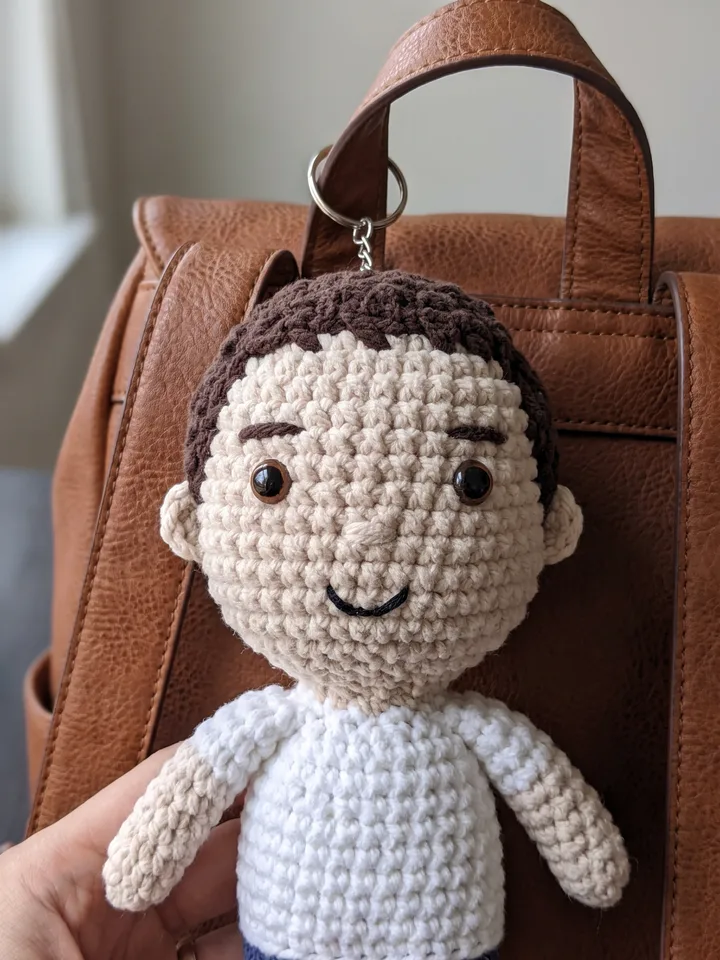
Crocheted plush keychain of the person hanging on a bag strap 27

Porte-clés peluche au crochet à votre image

Un selfie

Turn me into a hand-crocheted amigurumi plush keychain: chunky yarn texture, stitched eyes, a tiny embroidered smile, an oversized round head, my hairstyle and the colors of my clothes kept recognizable. The toy hangs on a metal ring from the strap of a leather bag, a hand holding it up. Macro shot, shallow depth of field, soft daylight.
Ouvrir la Mini App

Comment écrire un prompt

Ce qu'on écrit et ce qu'on choisit avec les boutons – avec des exemples avant/après.

Les bases

  1. Une vidéo, une scène. Un clip dure quelques secondes – de quoi caser une seule action. Découpez un long scénario en scènes courtes : dans chacune, qui fait quoi et où, avec la même phrase sur votre personnage. Grok et Veo ont Extend – décrivez la suite.
  2. Le format et la durée se règlent avec les boutons. Écrire « 9:16 » ou « 10 secondes » ne change rien – choisissez-les sous le champ. Une vidéo faite à partir d'une photo prend le format de la photo.
  3. Dites ce que vous voulez. Au lieu de « pas de zoom, pas de mouvement de caméra », écrivez static shot : un modèle gère en général mieux ce qu'il faut faire qu'une liste d'interdits.
  4. Chaque essai repart de zéro. Le modèle ne se souvient pas de la tentative précédente. Pour corriger une image, appuyez sur Edit et décrivez uniquement ce qu'il faut changer.
  5. Relancez. Chaque essai donne un résultat différent – Again, sous le résultat, relance le même prompt pour une nouvelle version.
  6. Un refus ne vient pas toujours des mots. Si une demande anodine a été refusée, le filtre a pu réagir à la photo, à une marque ou à un personnage célèbre. Changez de photo ou retirez le nom – les crédits d'un refus sont rendus.

Un long scénario

Avant

Fais une vidéo de 15 secondes : le matin, une fille se réveille, va dans la cuisine, prépare un café, sort sur le balcon, la caméra survole la ville, et à la fin les mots « Bonjour »… lumière cinématographique, transitions fluides, 4K, 9:16, elle sourit, boit son café, regarde le lever du soleil, des oiseaux passent, musique calme, puis la caméra s'élève au-dessus des toits, le soleil apparaît, elle fait coucou, la ville se réveille, des voitures dans les rues, puis retour sur son visage en gros plan, la vapeur, la lumière, l'ambiance d'un nouveau jour, et tout à la fin le titre encore, plus grand, avec une douce lueur et…

+2000 caractères
Après
  1. Vidéo Une fille au carré roux se réveille dans une chambre lumineuse et s'étire. static shot
  2. Extend La fille au carré roux verse du café dans la cuisine, de la vapeur monte de la tasse
  3. Extend Elle sort sur le balcon avec la tasse, la caméra recule lentement, la ville derrière elle
  4. Image Les mots « Bonjour » sur un ciel du matin

Ce qui a changé : une scène, une action, l'essentiel d'abord, le personnage décrit toujours de la même façon.

Réglages dans le texte

Avant

vidéo 9:16 10 secondes en 4K, chat qui joue

Après

Un chat roux essaie d'attraper de la patte une tache de soleil sur le sol

9:1610 s

Ce qui a changé : les réglages sont passés sur les boutons, le texte ne garde que l'action.

Mots magiques Des formules courtes et facultatives que les modèles comprennent en général d'une seule façon. Appuyez dessus pour composer une ligne et ajoutez-la à n'importe quel prompt, y compris ceux du catalogue.

  • un plan serré, le visage remplit le cadre
  • de la tête aux pieds
  • douce lumière du jour
  • comme une vraie photo
  • un fond uni, d'une seule couleur

Votre prompt : appuyez sur les mots ci-dessus

Questions fréquentes

Combien coûte une génération ?

La génération fonctionne avec des crédits, et vous recevez 10 crédits de bienvenue au départ – de quoi retoucher des photos avec Seedream 5.0 Flash en 1K (2 crédits chacune) ; les autres modèles se débloquent avec votre premier pack de crédits, ou par un paiement unique en Stars par génération, à 2 ⭐ le crédit. Le total exact s'affiche sur le bouton Generate avant que vous appuyiez dessus, et les prix par modèle et niveau de qualité sont dans le guide.

Avec quel modèle fonctionnent ces prompts ?

N'importe quel modèle de l'onglet Image qui accepte une photo. Les scénarios à deux photos demandent un modèle qui en accepte plusieurs : Grok Imagine en accepte une, et Grok Imagine 2 ne dessine qu'à partir du texte.

Que devient ma photo ?

La photo et le prompt sont envoyés au fournisseur du modèle choisi pour qu'il produise le résultat ; chaque fournisseur les traite selon ses propres conditions. Les résultats restent dans votre galerie 30 jours, puis sont supprimés automatiquement. Nous n'entraînons aucun modèle sur vos prompts, vos fichiers ou vos résultats. Les détails sont dans la politique de confidentialité.

Pourquoi les prompts sont-ils en anglais ?

Pour que chaque carte fonctionne de la même façon dans toutes les versions linguistiques de cette page. Écrivez vos propres prompts dans la langue de votre choix – les modèles les comprendront.

Où s'ouvre l'app ?

Dans Telegram – sur téléphone, dans Telegram Desktop et dans Telegram Web. Rien à installer : la Mini App vous connecte avec votre compte Telegram.

Essayez le premier prompt sur votre propre photo

Votre photo, un prompt, un nouveau look.

Ouvrir la Mini App