TinyFile TinyFile
Mini App öffnen
Funktionen Preise Mini App Videokompressor Anleitung Mini App öffnen

KI-Prompts für Fotos zum Kopieren und Einfügen

Wähl einen Look, kopier den Prompt und füg ihn in der TinyFile Mini App neben deinem Foto ein.

Mini App öffnen Zu den Prompts

So nutzt du einen Prompt

Drei Schritte, alles in Telegram.

  1. Mini App öffnen

    Tippe auf dieser Seite auf Mini App öffnen oder unten im Chat mit @tinyfile_bot auf den Button Generate. Die Prompts funktionieren im Tab Image.

  2. Foto anhängen

    Tippe auf + und wähl ein Foto von deinem Gerät – oder zwei, wenn die Karte danach fragt.

  3. Prompt einfügen

    Tippe auf einer Karte auf Prompt kopieren, füg ihn ins Prompt-Feld ein und tippe auf Generate. Text in [eckigen Klammern] ersetzt du durch deinen eigenen.

Wähl einen Look

Jede Karte zeigt, was du anhängst, das Ergebnis und den Prompt dahinter.

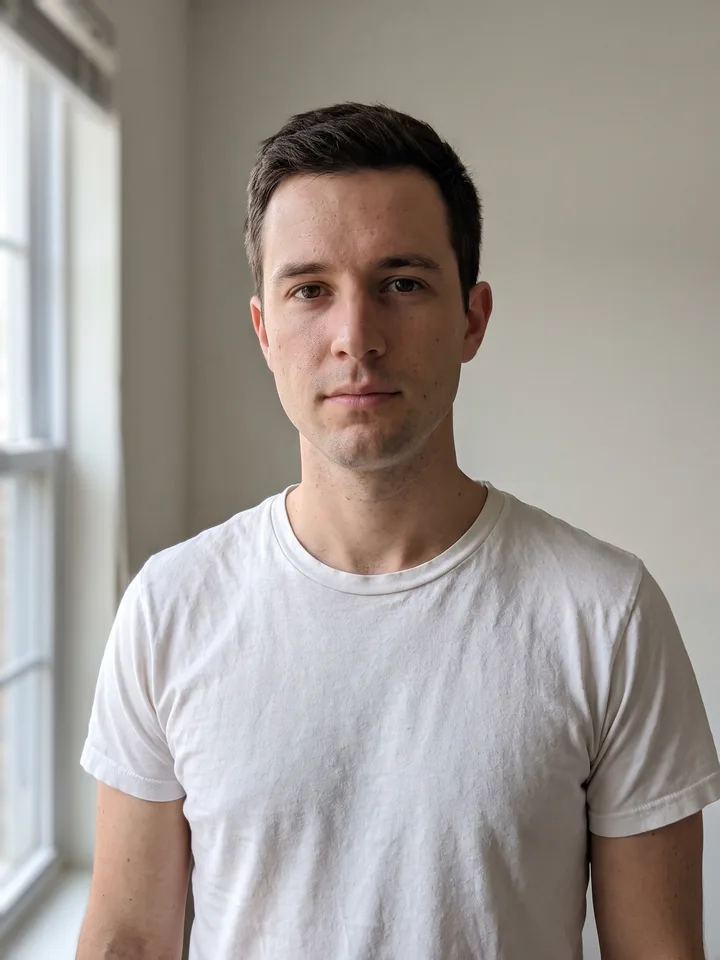
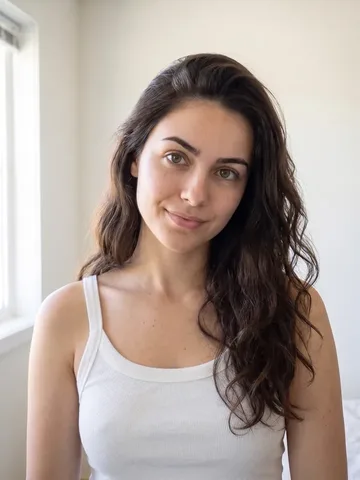
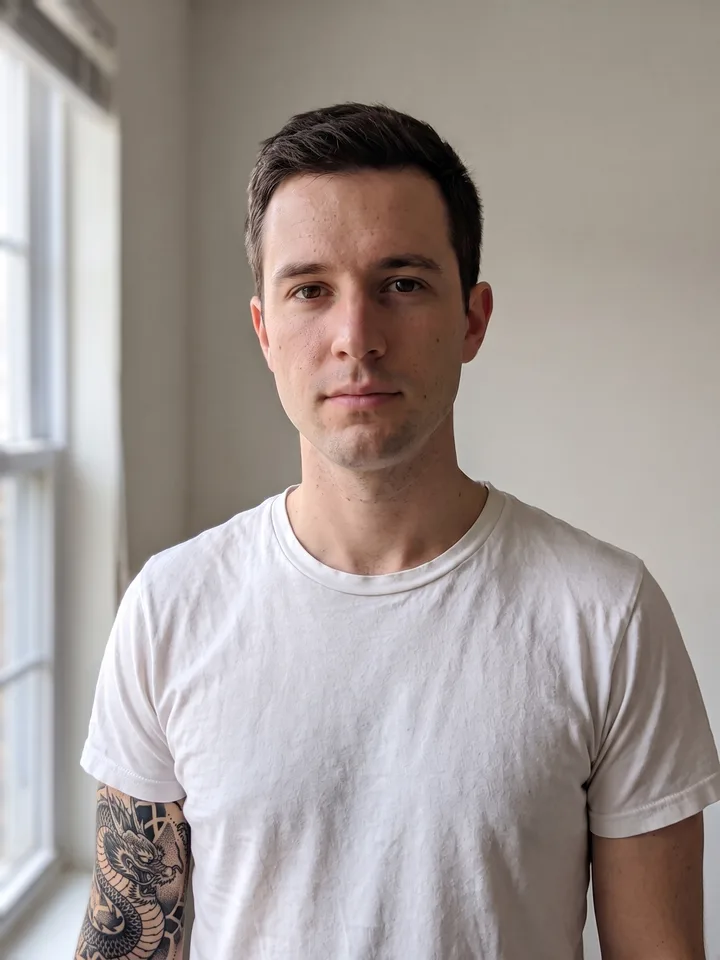
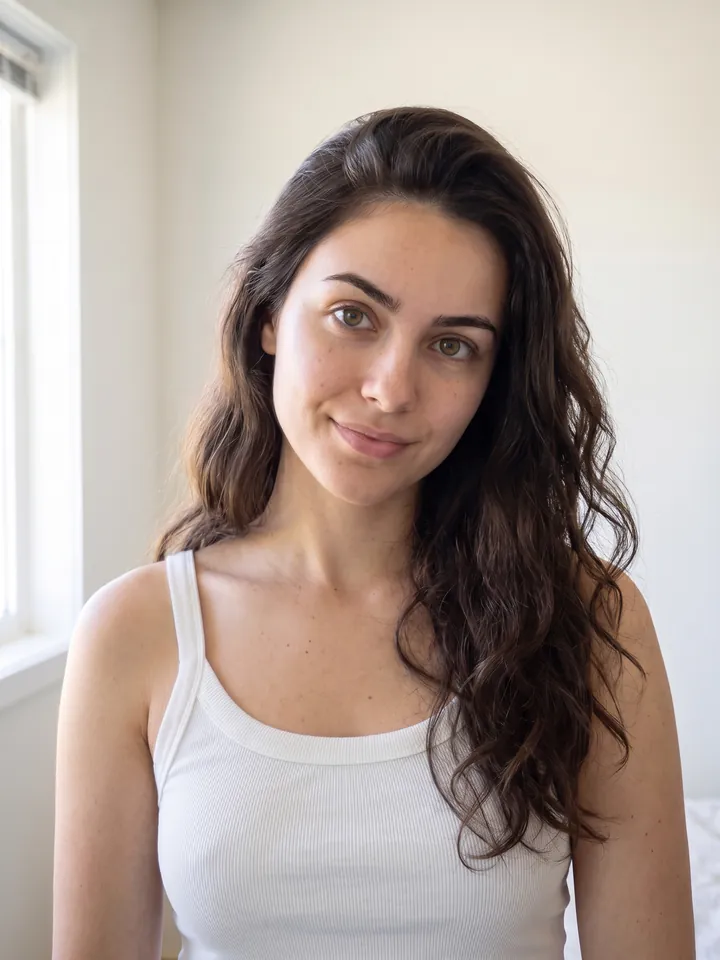
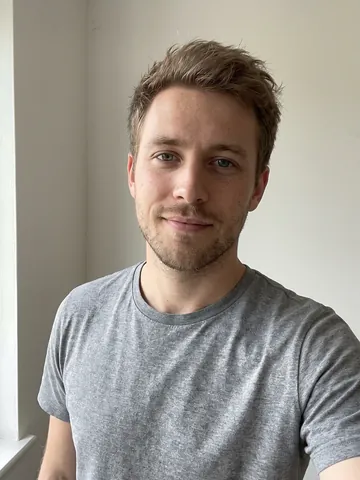
The source photo: a neutral portrait used as the input of every scenario
Das Ausgangsfoto Alle Ergebnisse unten entstehen aus diesem einen Foto.
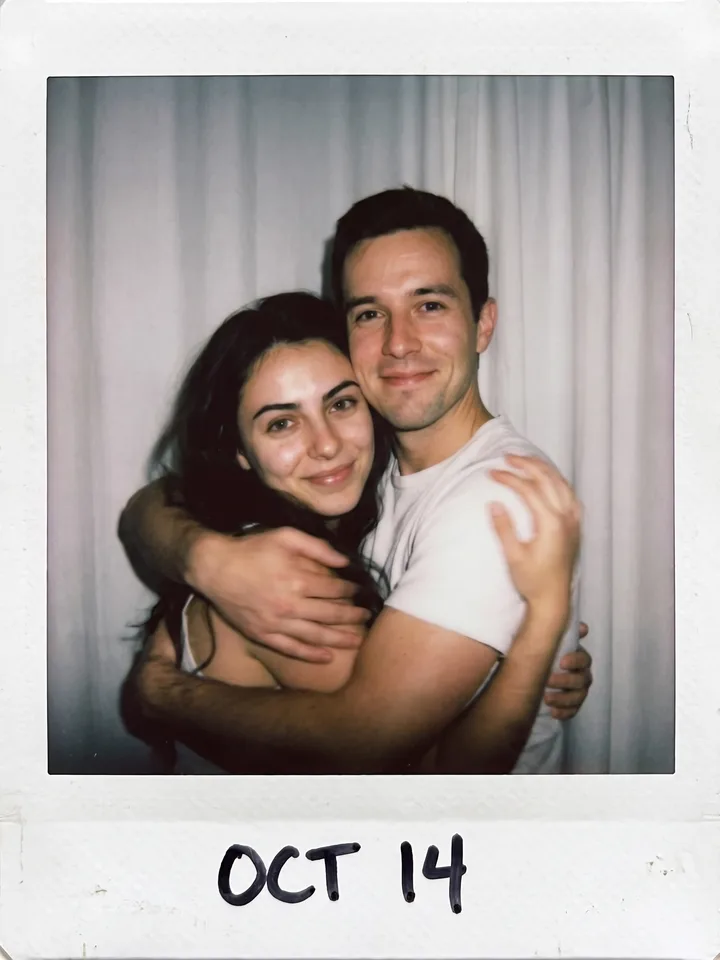
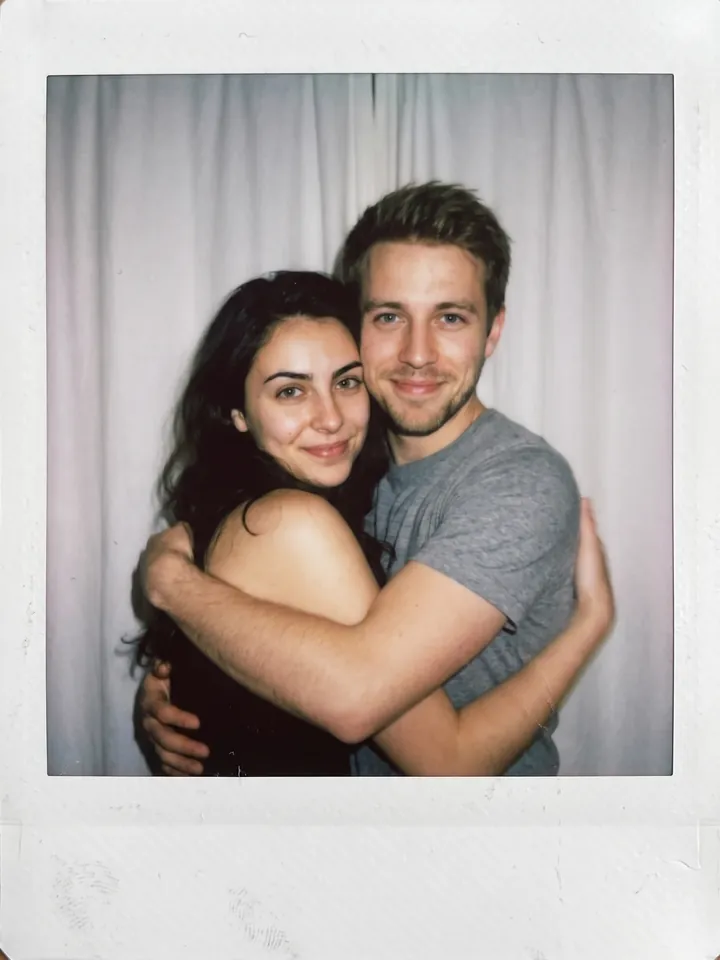
Polaroid-style snapshot of two people hugging, made from the reference photo 01

Polaroid-Moment mit wem du willst

Zwei Fotos – deins und das der anderen Person (ein Schauspieler, ein Freund, ein Idol)

Make the photo of the two people look like a real Polaroid snapshot. The mood is spontaneous and alive, as if the shot was caught without posing. Add slight motion blur and the soft light of a flash in a dark room. Do not distort the faces – keep them as in the source photos. Replace the background with a plain white curtain. The two are hugging and looking straight into the camera, the moment is intimate and natural.
Mini App öffnen
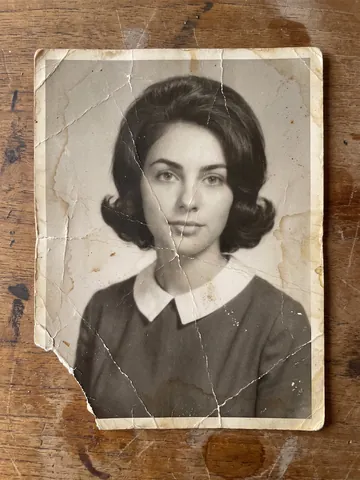
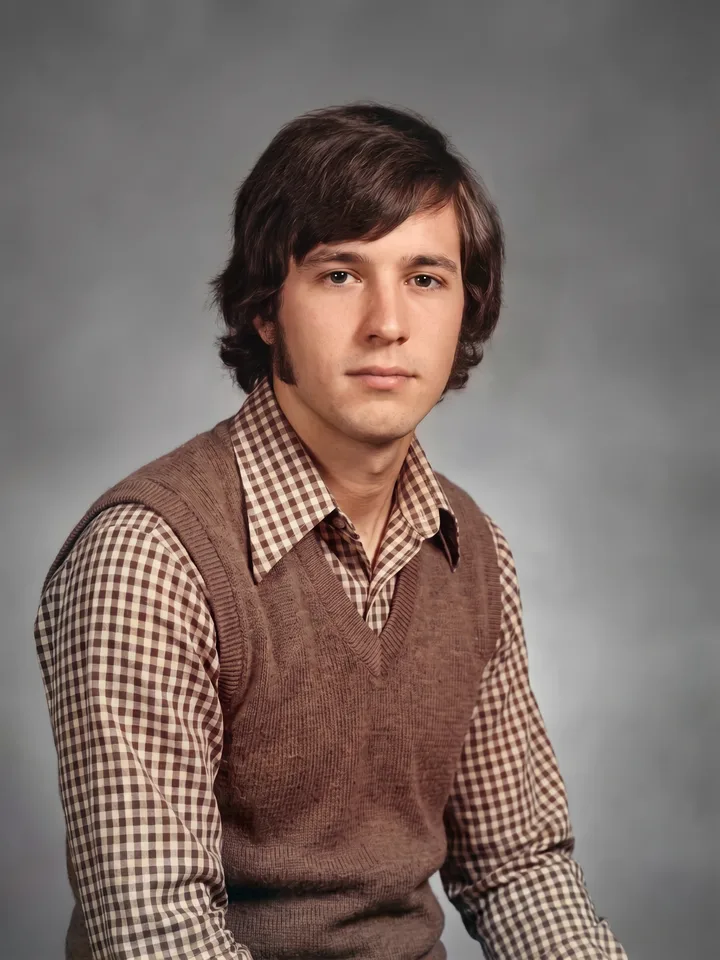
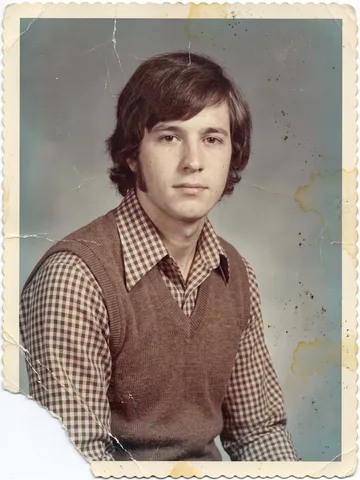
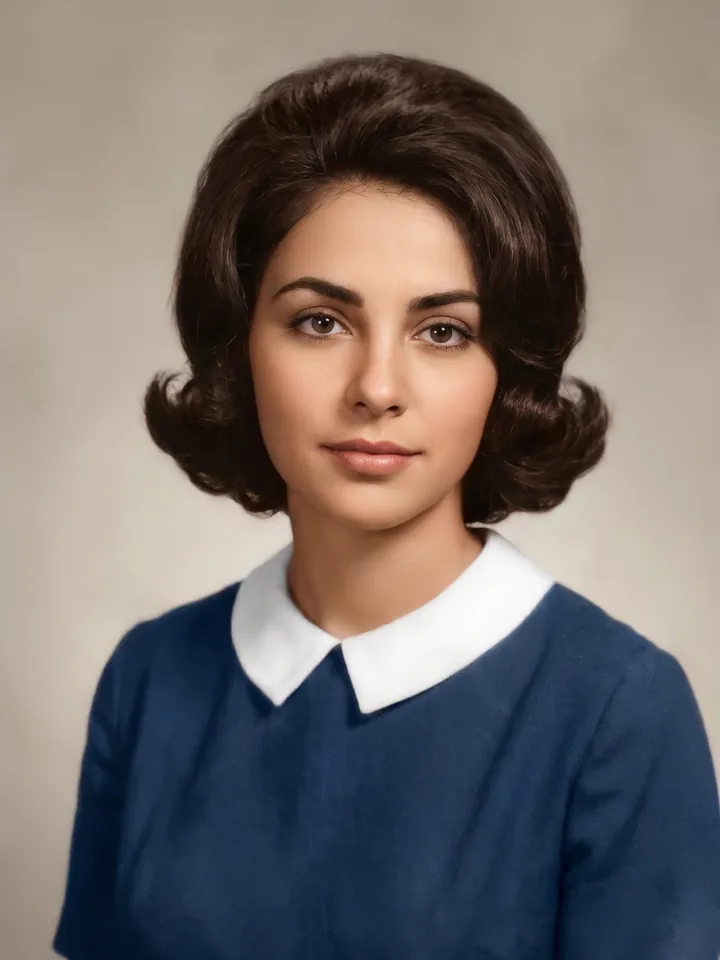
Old photo restored and colorized 02

Altes Foto restaurieren

Ein altes, verblasstes oder beschädigtes Foto

Colorize the photo, repair the damage, improve quality and resolution. Remove everything around the edges and keep only the photograph itself. Preserve the faces and the atmosphere of the original.
Mini App öffnen
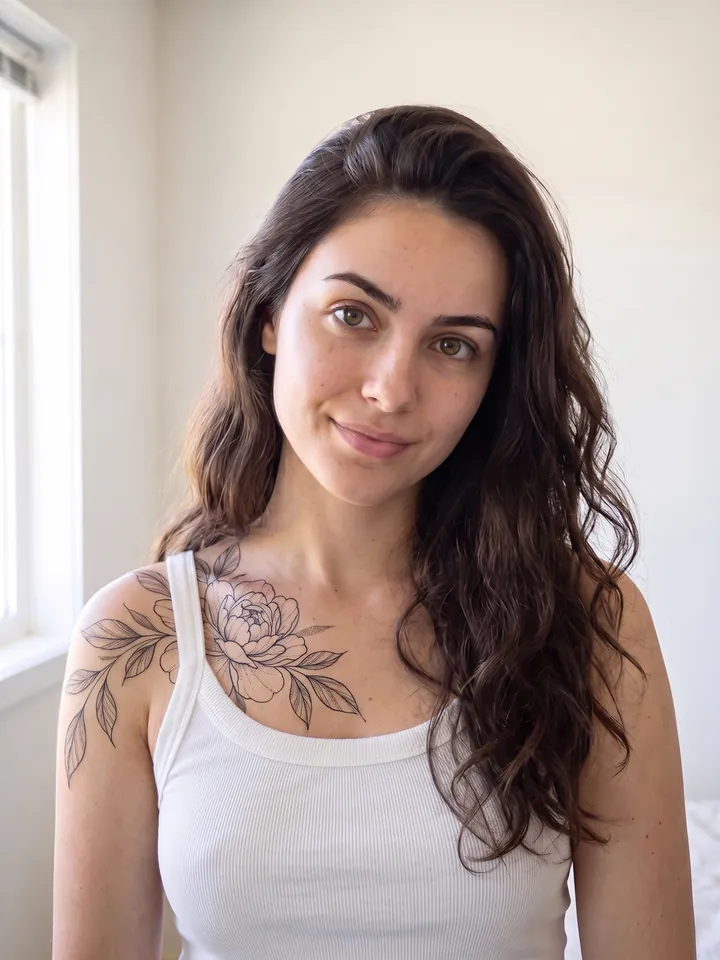
The reference photo with a tattoo added to the skin 03

Virtuelles Tattoo

Ein Foto mit freier Haut – Schulter, Hals, Arm oder Rücken

Add a tattoo to the skin in [style: blackwork / watercolor / minimalism / old school / Japanese] style, theme – [for example: dragon, flowers, geometry]. Place it on the [neck / forearm / back]. Do not change the face or the background, improve quality and resolution.
Mini App öffnen
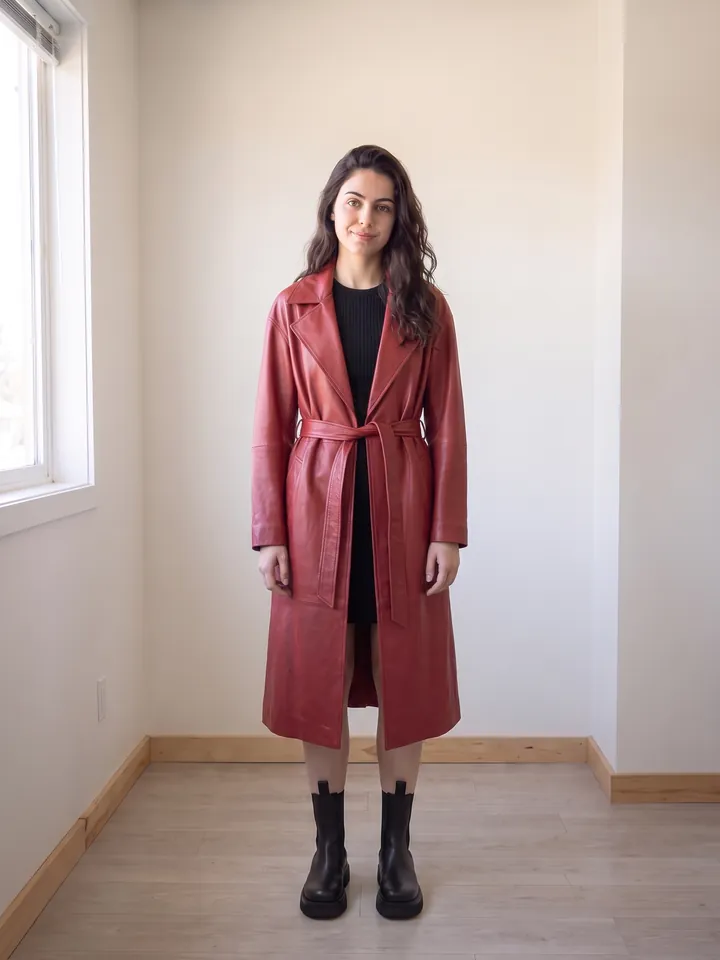
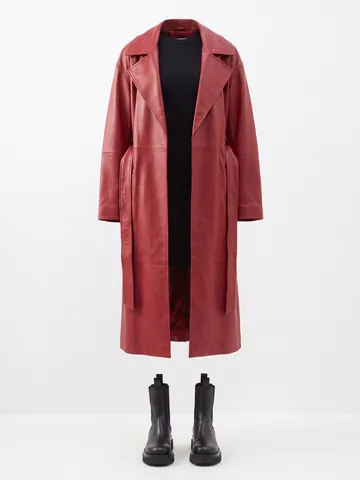
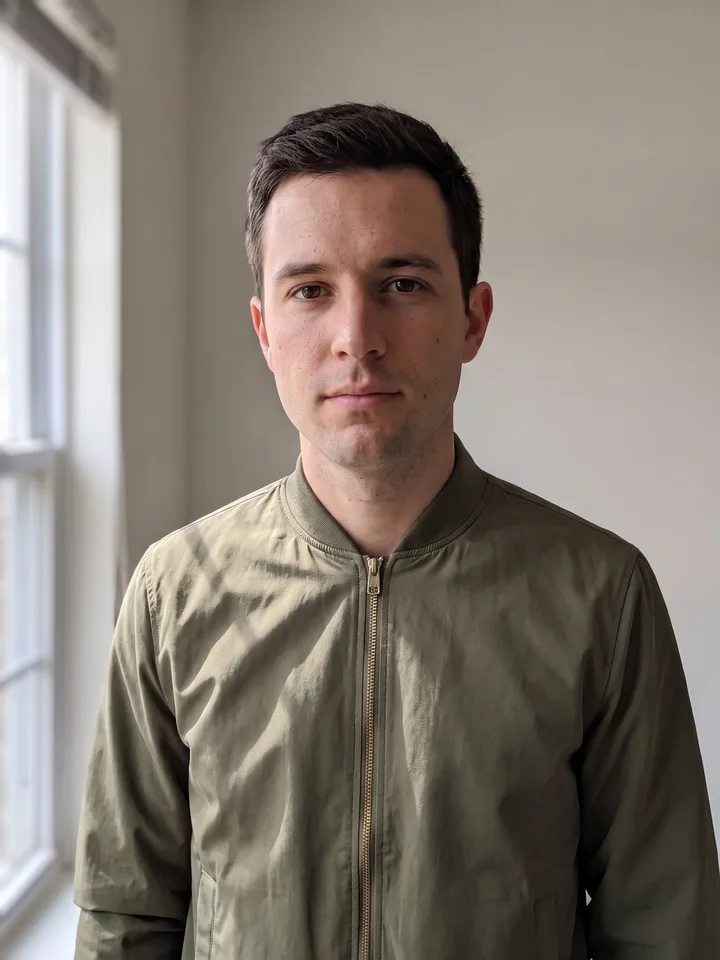
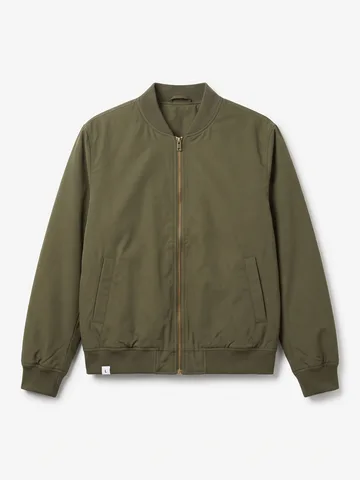
The person from the reference photo wearing the item from a product card 04

Kleidung virtuell anprobieren

Zwei Fotos – deins und das des Teils (eine Produktseite aus einem Onlineshop reicht)

Replace the person's clothing in the input image with the target clothing shown in the reference image. Keep the person's pose, facial expression, background, and overall realism unchanged. Make the new outfit look natural, well-fitted, and consistent with lighting and shadows. Do not alter the person's identity or the environment – only change the clothes.
Mini App öffnen
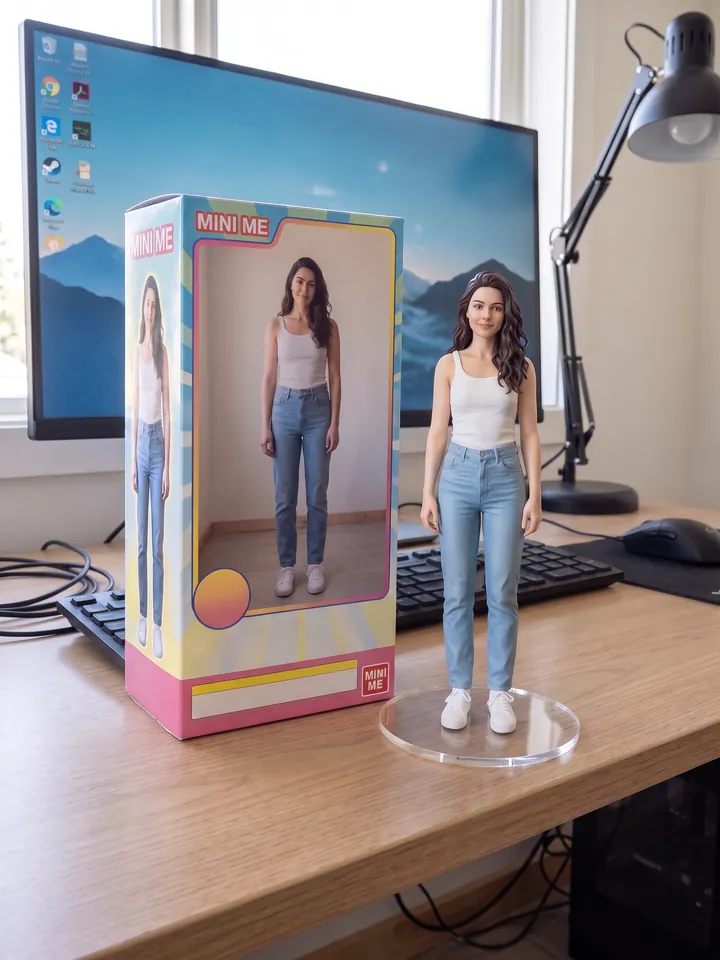
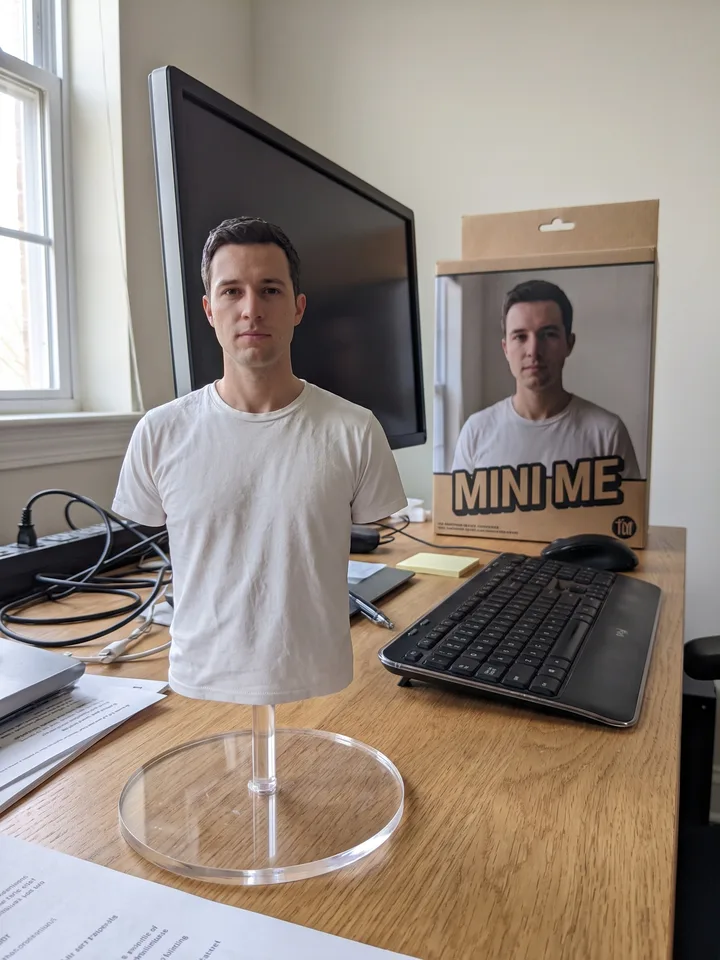
1/7 scale collectible figure of the person on a desk, next to its box 05

Deine eigene Sammelfigur

Ein scharfes Ganzkörper- oder Halbkörperfoto

Create a 1/7 scale commercialized figure of the character in the photo, in a realistic style and environment. Place the figure on a computer desk on a circular transparent acrylic base without any text. Next to the screen, place a BANDAI-style toy packaging box printed with the original artwork.
Mini App öffnen
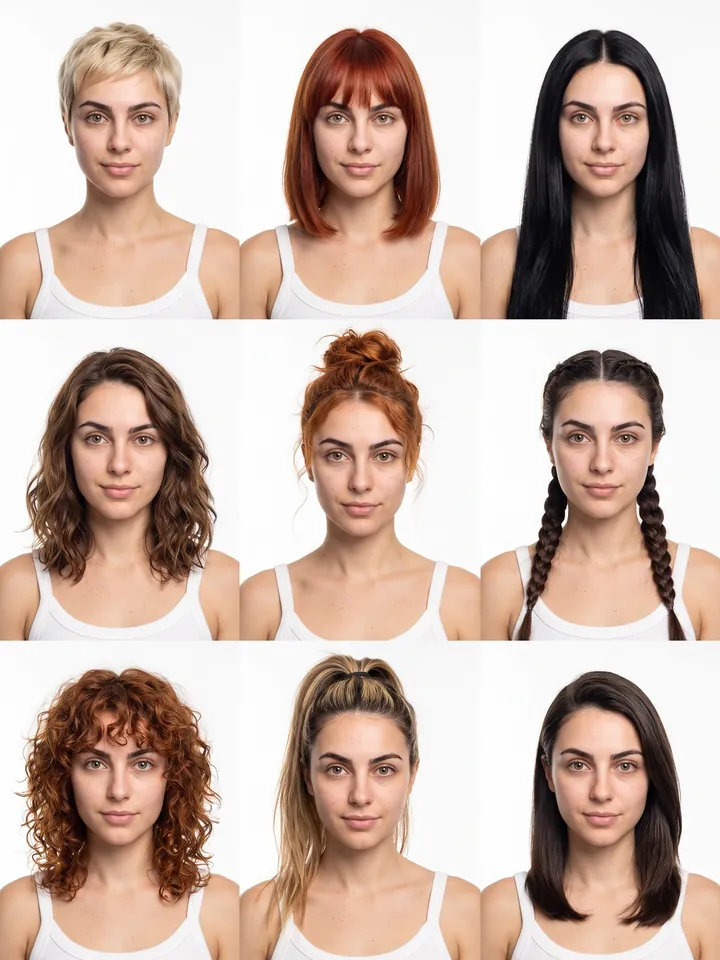
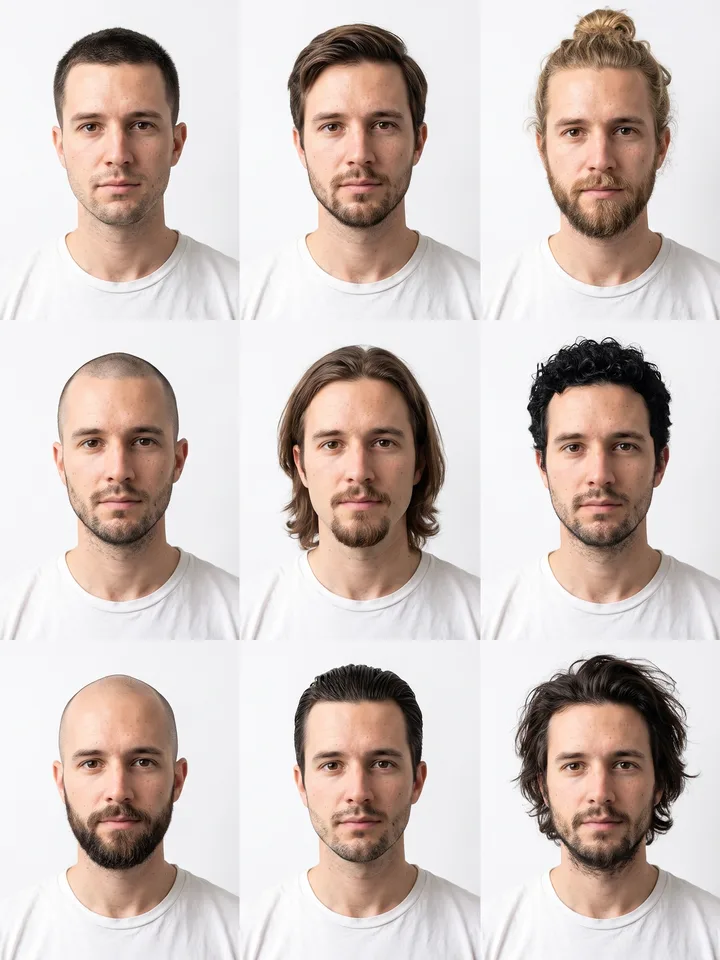
3x3 grid of the same face with nine hairstyles 06

Frisurenkatalog 3×3

Ein neutrales Selfie

Generate a 3x3 grid of avatars of this person with 9 different hairstyles. Keep the face identical in every cell, vary only the hair (length, color, styling). Clean white background, soft studio light.
Mini App öffnen
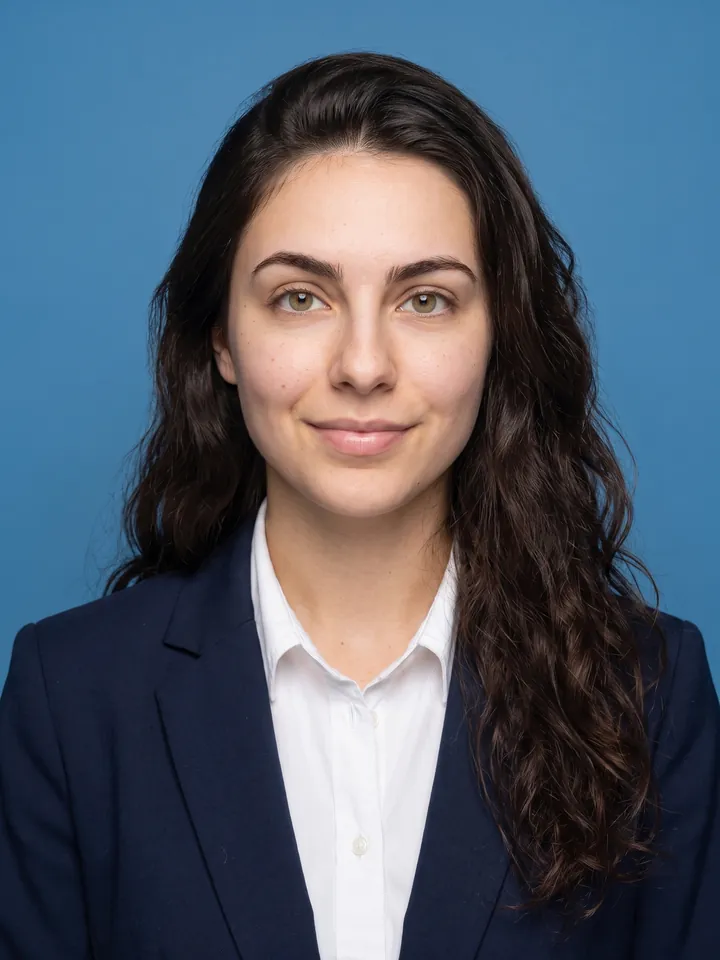
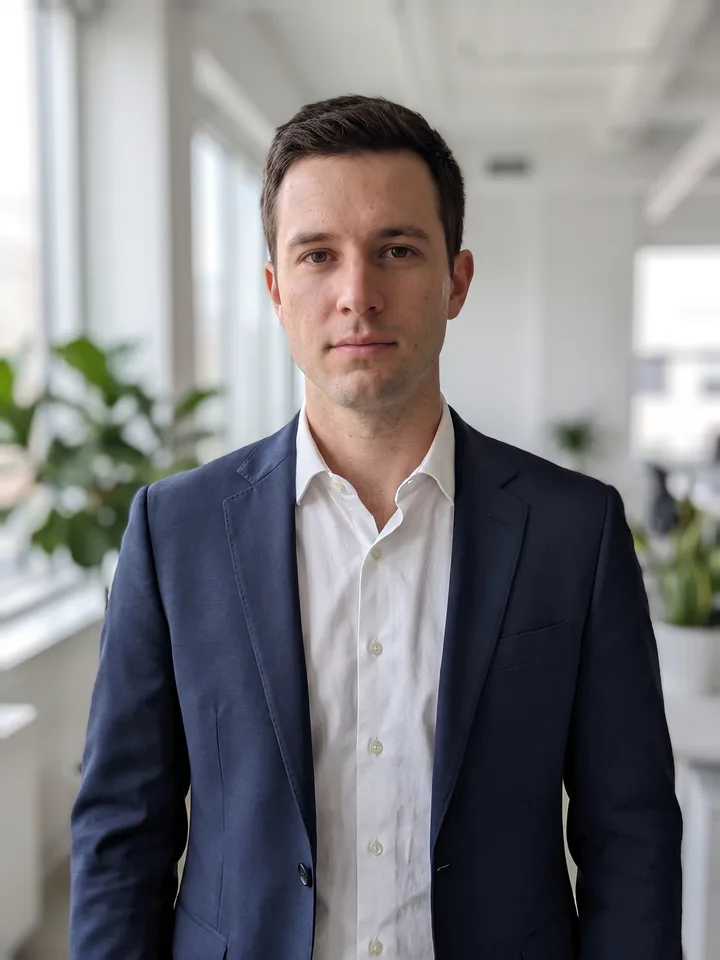
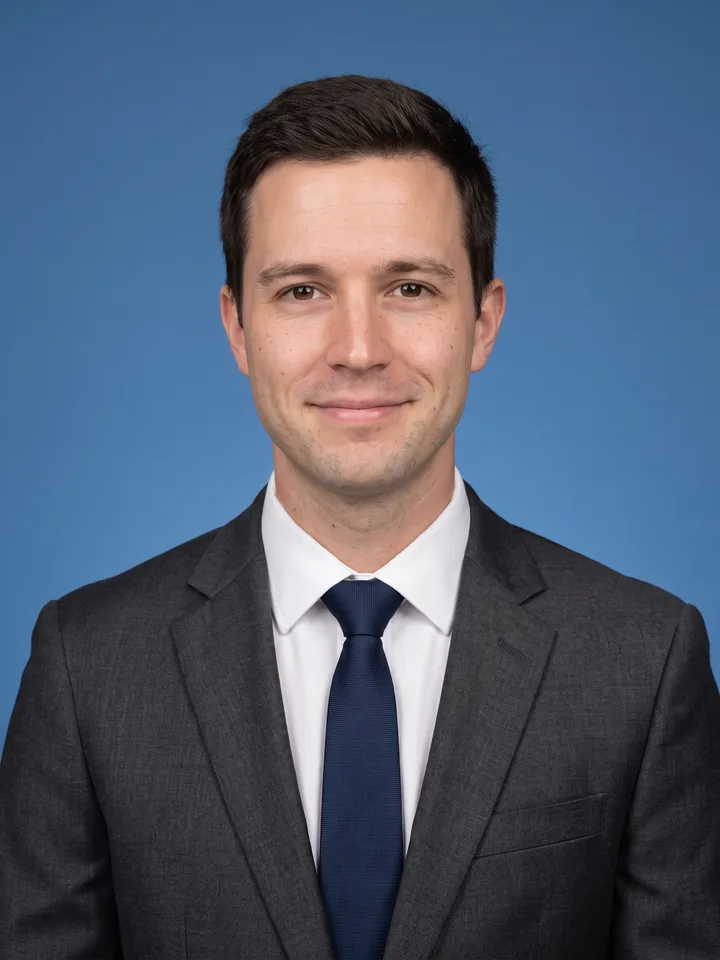
ID photo on a blue background in business attire 07

Passfoto in 5 Sekunden

Ein beliebiges Selfie

Crop the head and create a 2-inch ID photo with: 1) Blue background 2) Professional business attire 3) Frontal face 4) Slight smile 5) Even neutral studio lighting.
Mini App öffnen
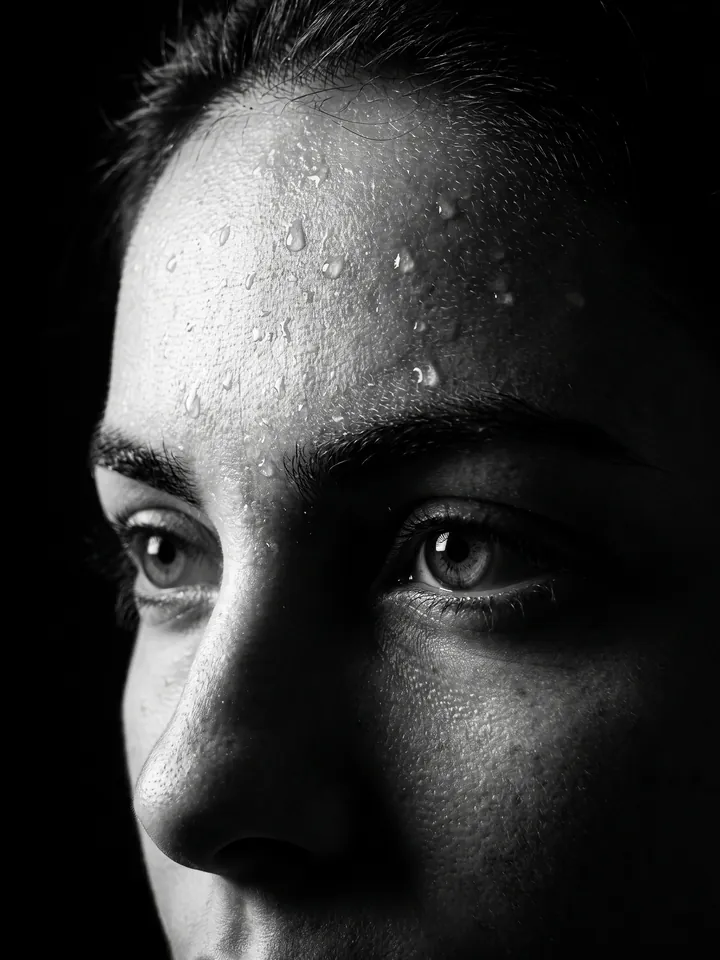
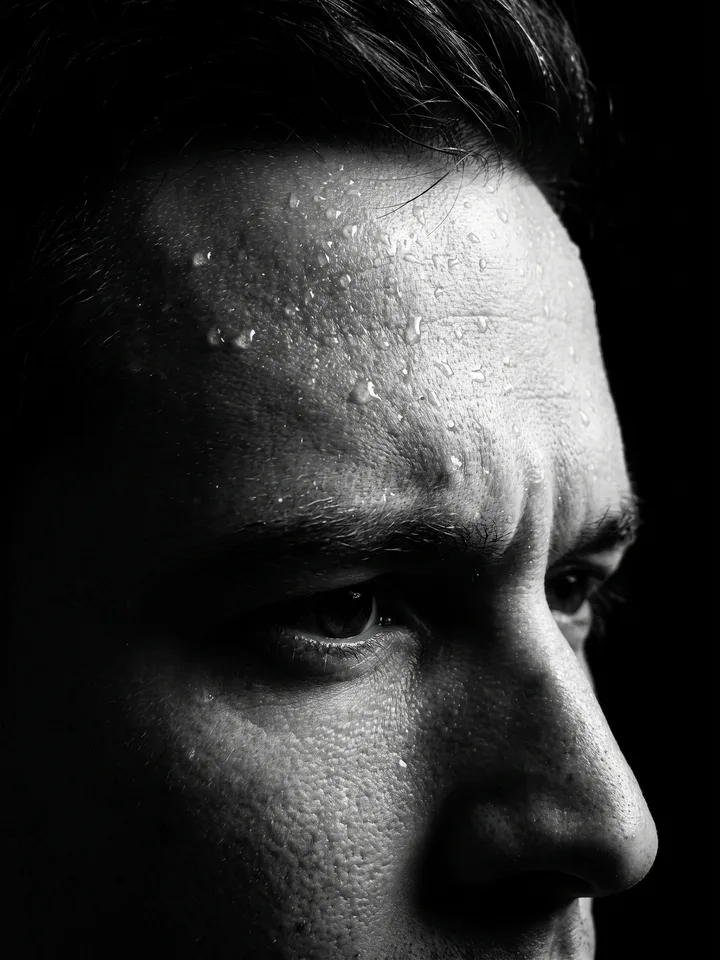
Black-and-white close-up portrait with water droplets on the face 08

Dramatisches S/W-Porträt mit Wassertropfen

Ein Porträt in Nahaufnahme

A high-contrast close-up portrait of my face focusing on the forehead, in black and white. 35mm lens, 4K HD quality. Proud expression. Water droplets on the face. Black shadow background, only the face visible with sharp profile. Ratio 4:3.
Mini App öffnen
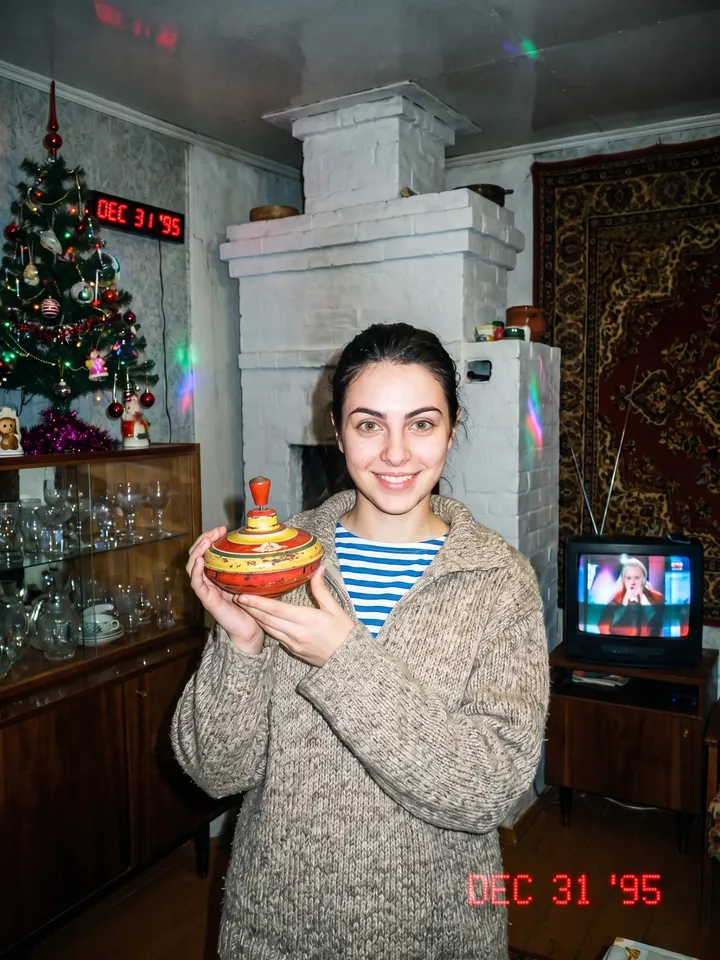
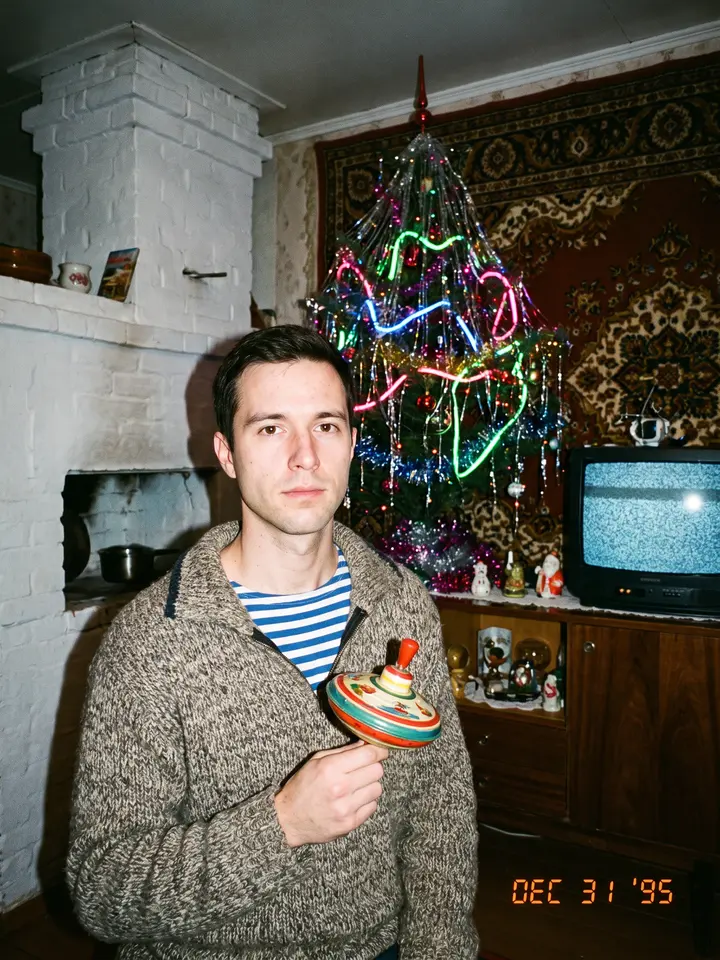
1990s flash snapshot in a village room with a carpet on the wall 09

Postsowjetisches Familienalbum der 90er

Ein Porträt

Take the uploaded portrait and restyle it as a 1990s snapshot. A wool sweater with a striped telnyashka underneath, a Soviet toy in the hands. Background – a village interior with a white stove, a carpet on the wall, a New Year tree, a sideboard, an old TV. Harsh direct flash, film grain, muted colors with neon accents. A family album from 1995.
Mini App öffnen
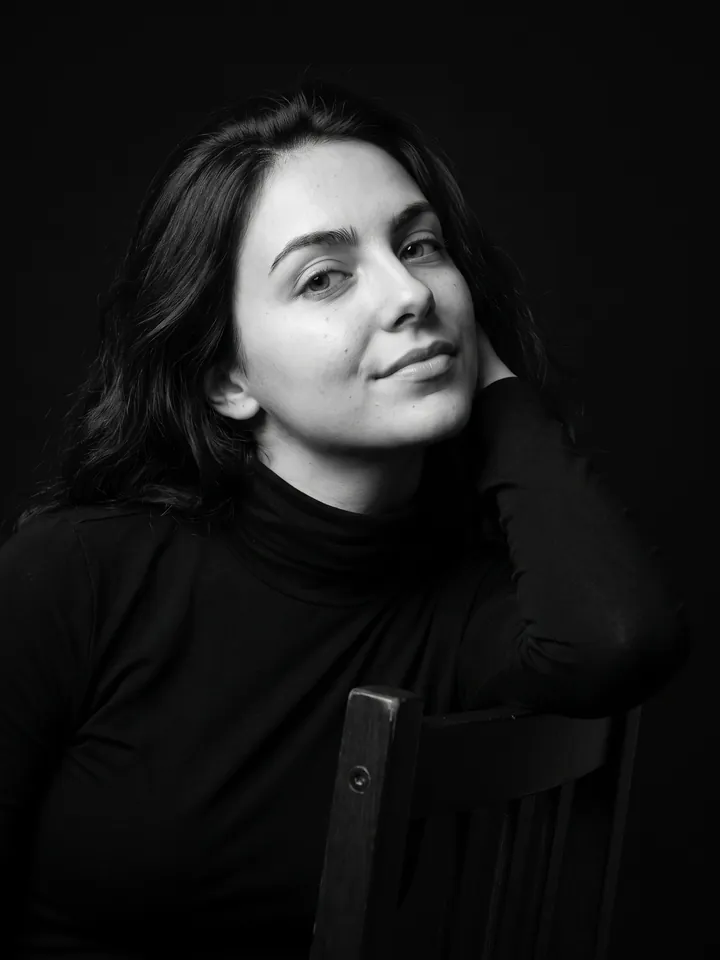
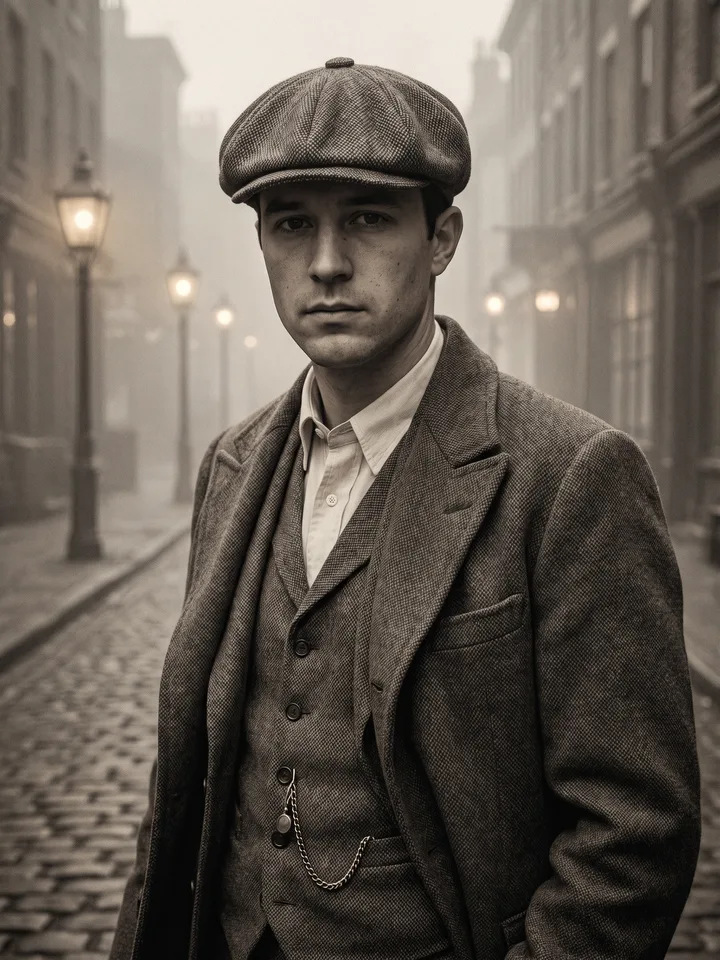
Black-and-white studio portrait of a person leaning on a chair 10

Filmisches Mode-Porträt

Ein Porträt

Ultra-realistic studio portrait of a person leaning gracefully on the backrest of a chair, dressed in a sleek dark outfit. Subtle low-angle shot accentuating facial features and a confident expression. Cinematic black-and-white grade with refined skin tones. Solid black background, sharp 8K details, dramatic and lifelike effect.
Mini App öffnen
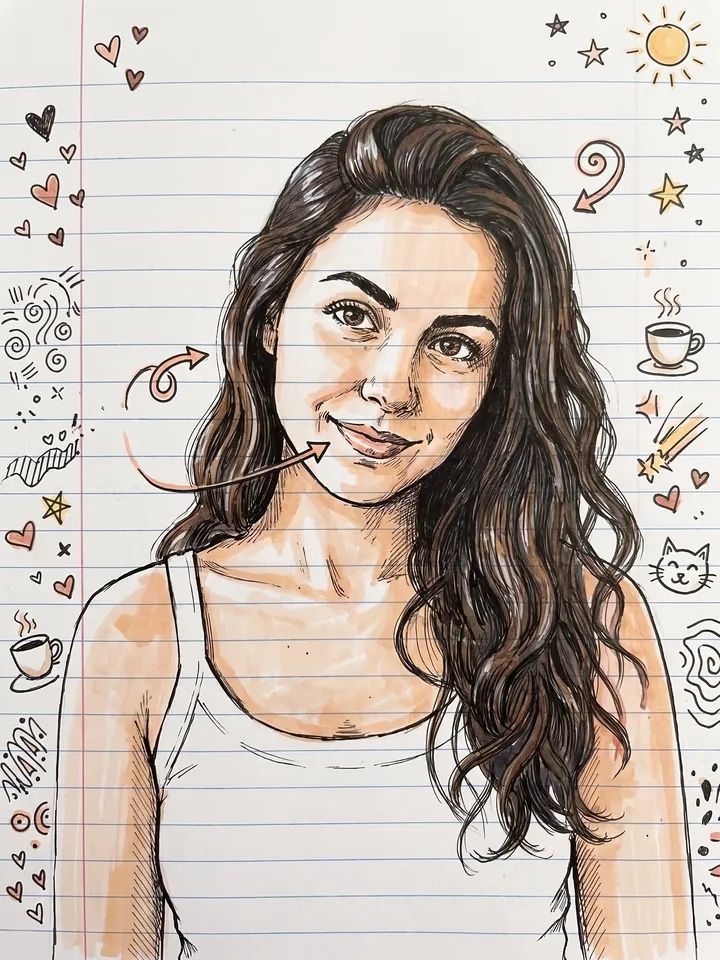
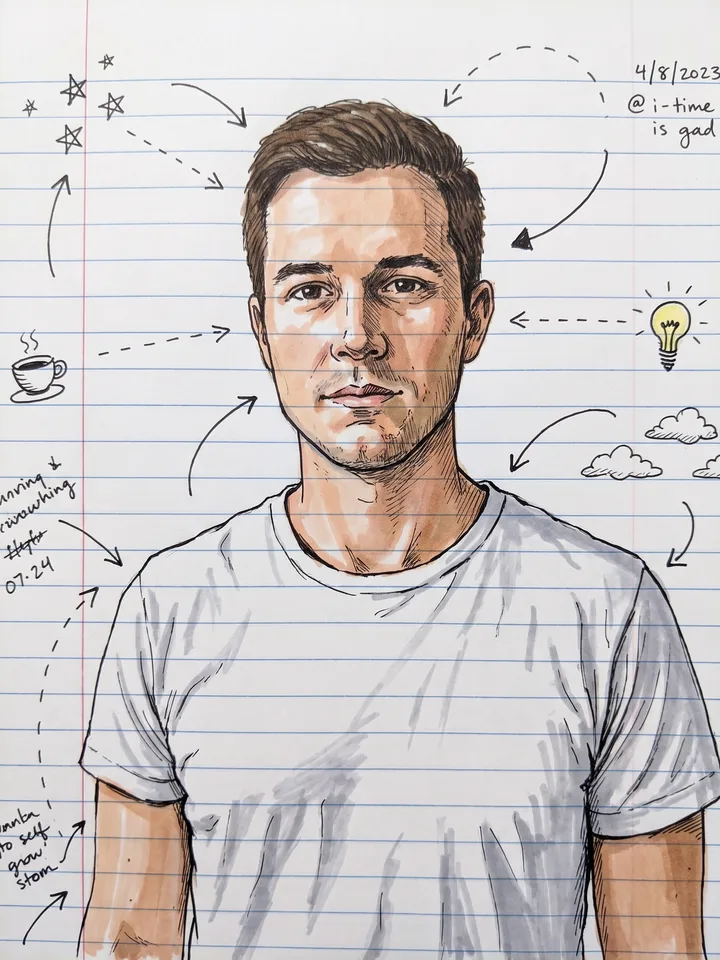
Pen-and-marker doodle portrait on ruled notebook paper 11

Kritzelei im Notizheft

Ein Selfie

Turn my portrait into a pen-and-marker notebook doodle on ruled paper, with playful arrows and tiny margin sketches. Keep my face recognizable.
Mini App öffnen
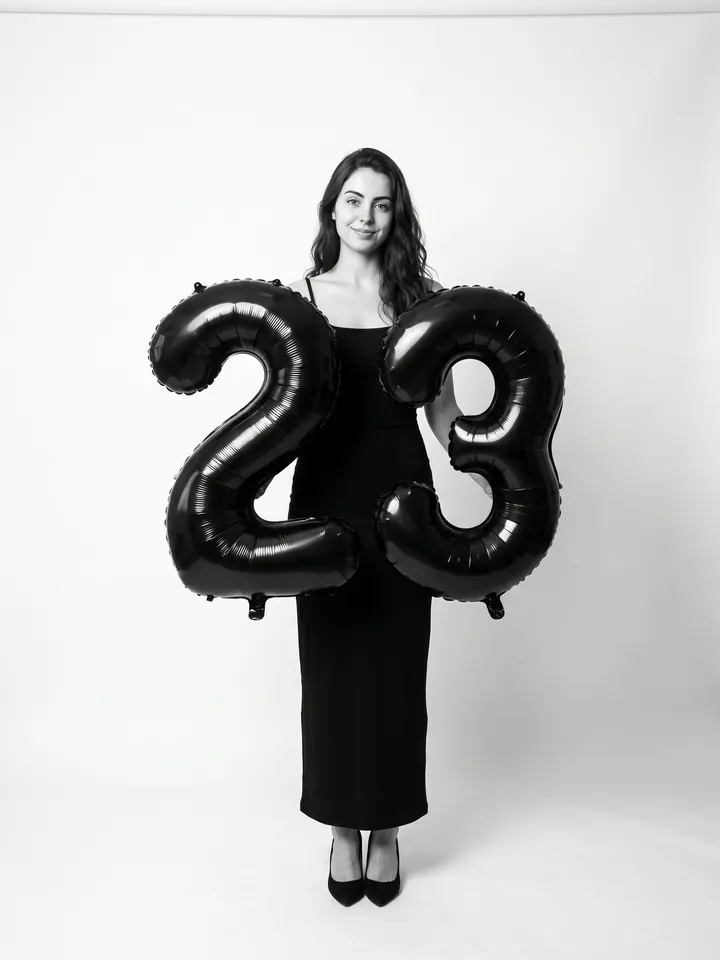
Studio birthday portrait with black number balloons 12

Geburtstags-Fotoshooting

Ein Ganzkörper- oder Halbkörperfoto

Use the person's appearance 1:1 – face, skin, hair and body unchanged. Full-length shot in a professional photo studio on a seamless white background. Camera at eye level, slightly below. In the hands – large black foil balloons shaped as the number "[your age]". A fitted long black dress with thin straps, black pumps. Soft even studio light from the front, natural shadows. Minimalist fashion portrait, black-and-white grade with natural skin tones.
Mini App öffnen
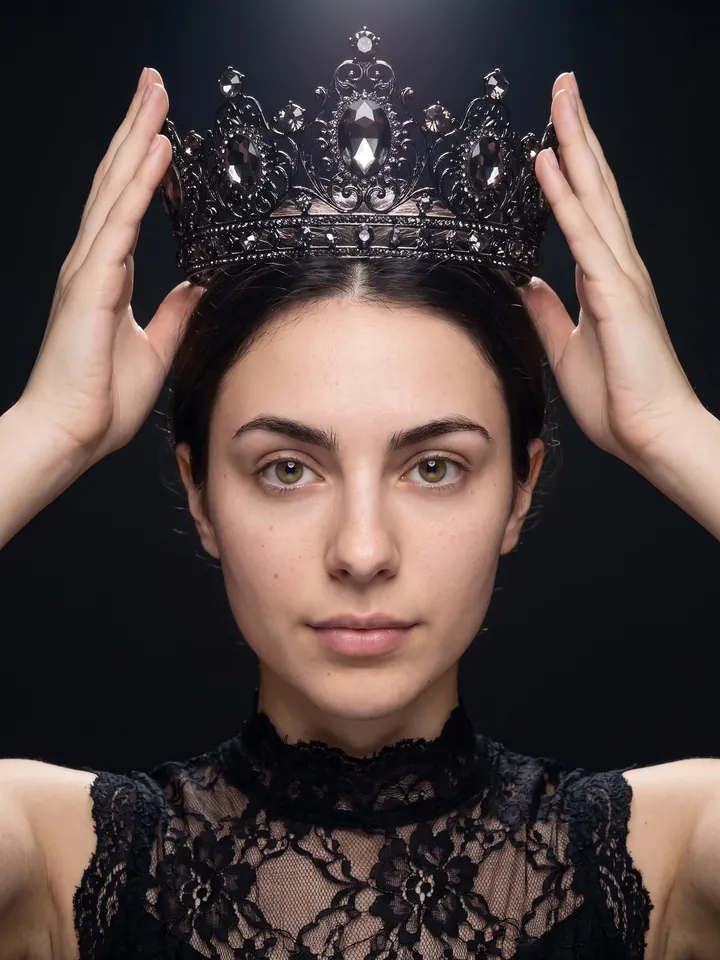
Fashion portrait holding a black crown above the head 13

Der Kronen-Trend

Ein Porträt

Fashion portrait: I hold a black crown with rich filigree and large sparkling stones above my head. The light falls from above. The dress is delicate black lace with a high neck, the frame is cropped at the shoulders. The background is dark and minimalist.
Mini App öffnen
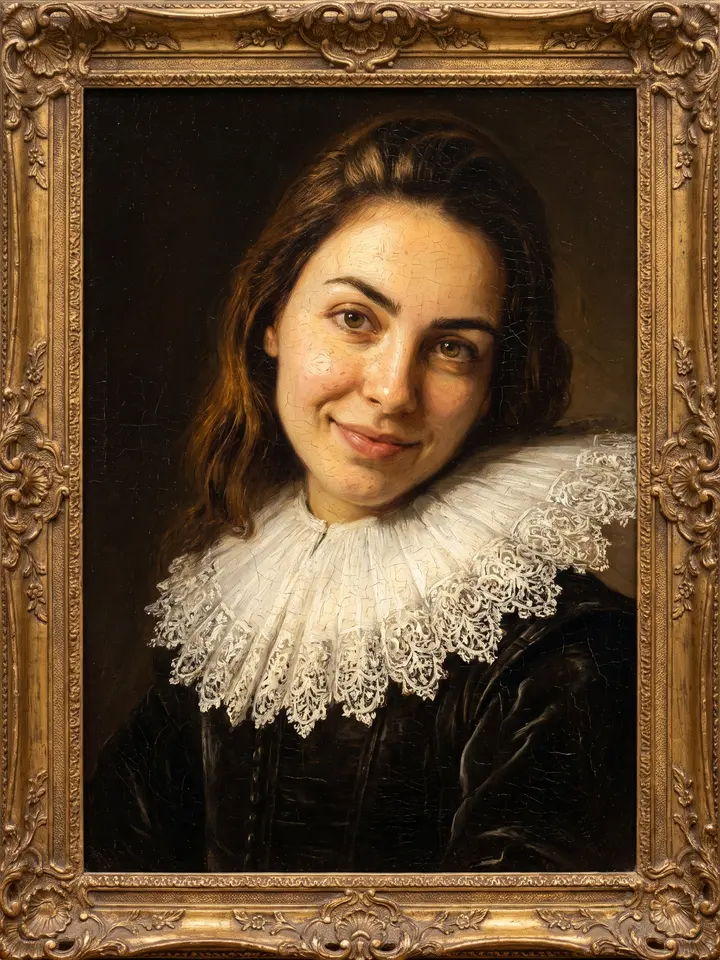
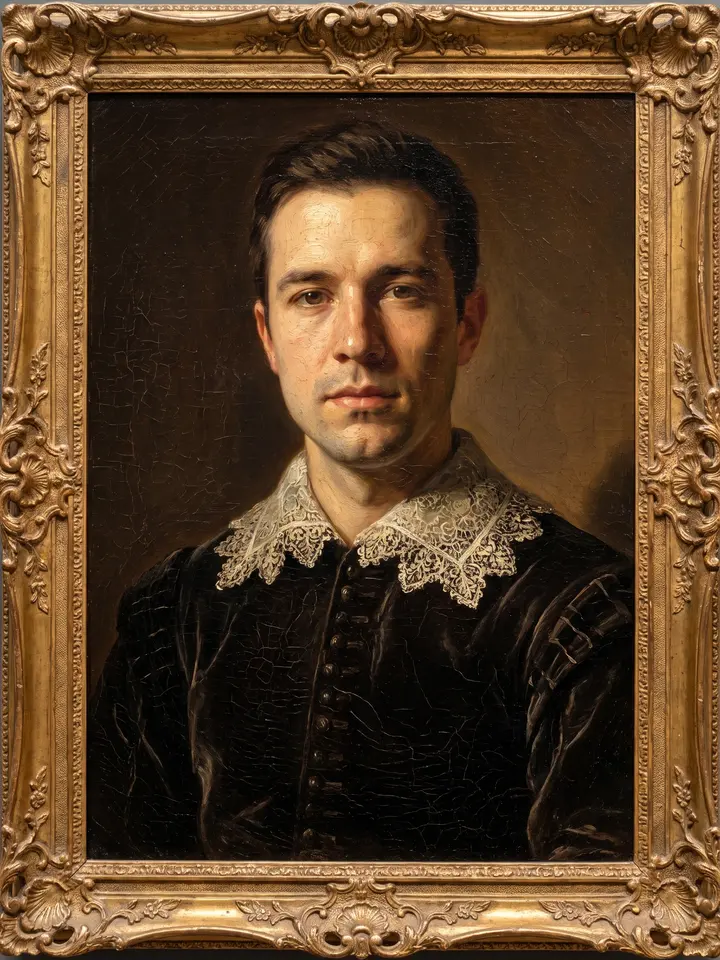
Portrait repainted as a 17th-century oil painting in a gilded frame 14

Ölporträt wie von alten Meistern

Ein Porträt

Repaint me as a 17th-century oil portrait in the manner of the old masters: visible brushwork and impasto, warm chiaroscuro with a single light source from the left, deep umber background, dark velvet clothing with a lace collar. Keep my face exactly as in the photo. Fine craquelure on the varnish, canvas texture, the look of a museum piece in a carved gilded frame.
Mini App öffnen
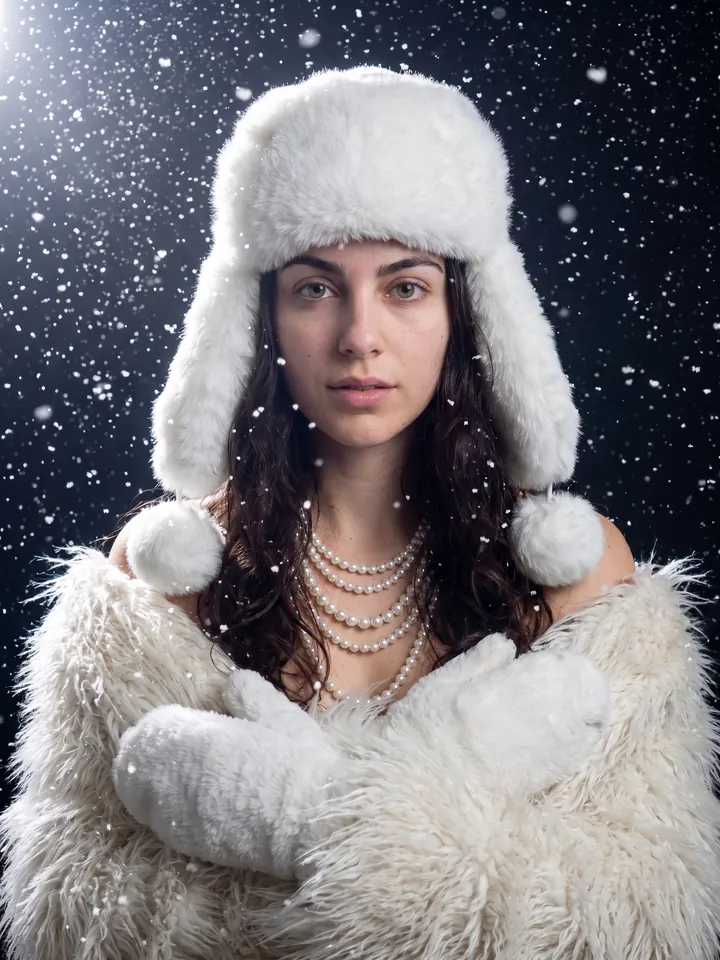
Winter portrait in white faux fur and pearls under falling snow 15

Winter-Glamour – Pelz, Perlen, Schneeflocken

Ein Porträt

Use the user's face 1:1 without any changes. Glamorous winter portrait, medium slightly low-angle shot. Big fluffy white faux fur ushanka with ear flaps and pom-poms. Multiple lustrous white pearl strands as chokers and long necklaces. Wrapped in shaggy white faux fur, hands in matching white fur mittens. Wavy hair flowing from under the hat. Heavy fall of bright white snowflakes, magical ethereal atmosphere. Dramatic top-left lighting catching highlights on fur, pearls, hair and face. Dark out-of-focus background.
Mini App öffnen
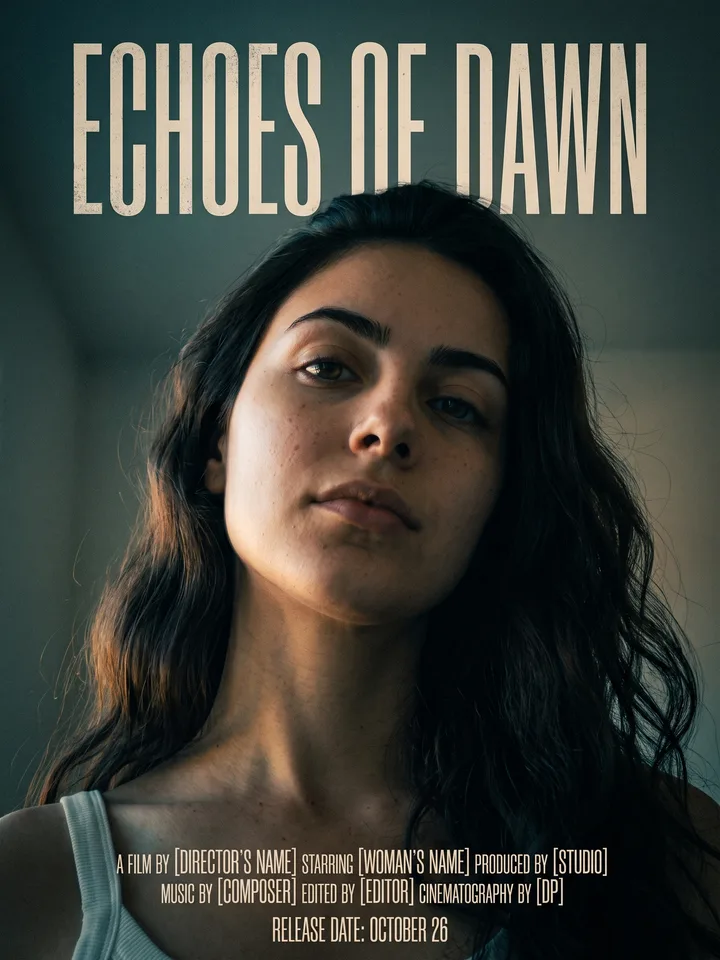
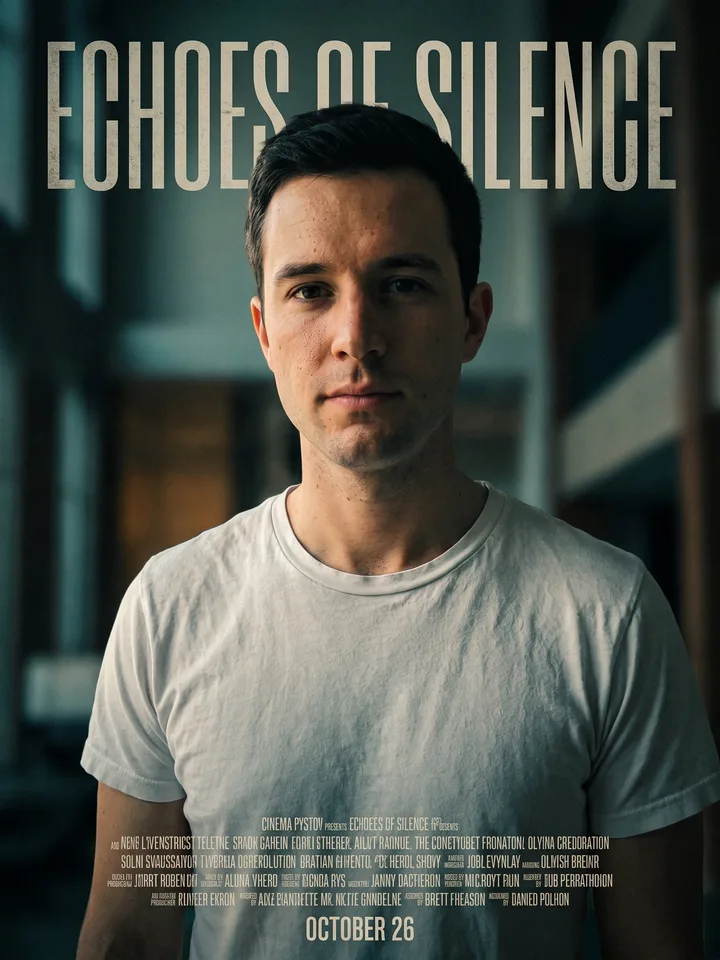
Cinema poster with the person in close-up and an invented film title above 16

Plakat zu deinem eigenen Film

Ein Porträt

Turn my photo into a cinema poster: I am shot from a low angle in the centre of the frame, dramatic side light, an invented film title in a tall condensed typeface above me, a block of small credits at the bottom, a release date line, muted teal and amber grade, fine film grain. Keep my face exactly as in the photo.
Mini App öffnen
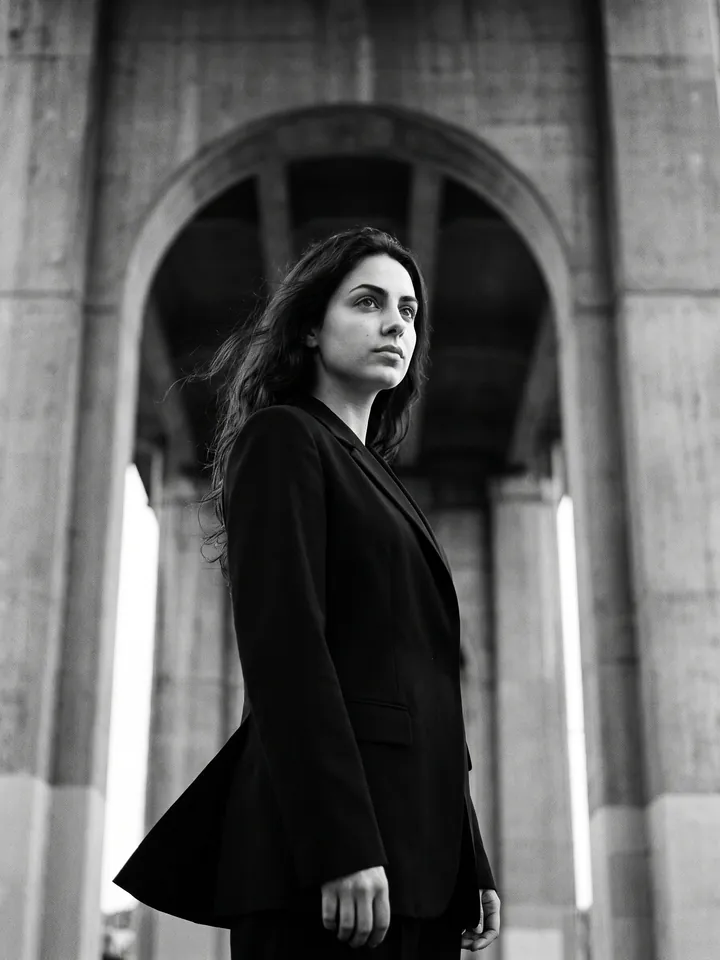
Black-and-white fashion shot in a black blazer by a concrete arch 17

S/W im Stil von Yohji Yamamoto

Ein Ganzkörper- oder Halbkörperporträt

Black-and-white cinematic fashion photography in the raw style of Yohji Yamamoto. Industrial brutalist setting with a massive grey concrete arch in the background. Model seen from a low angle, portrait from the waist up, gazing into the distance. Wearing a sharply tailored matte black Yohji Yamamoto blazer, minimalist and structured. Subtle wind moving the fabric. Mood: raw, contemplative, timeless, anti-gloss. Analog film grain, high contrast, cinematic depth. Shot on 85mm, f/2.8, ISO 400, 1/125s. Ultra-detailed, photorealistic.
Mini App öffnen
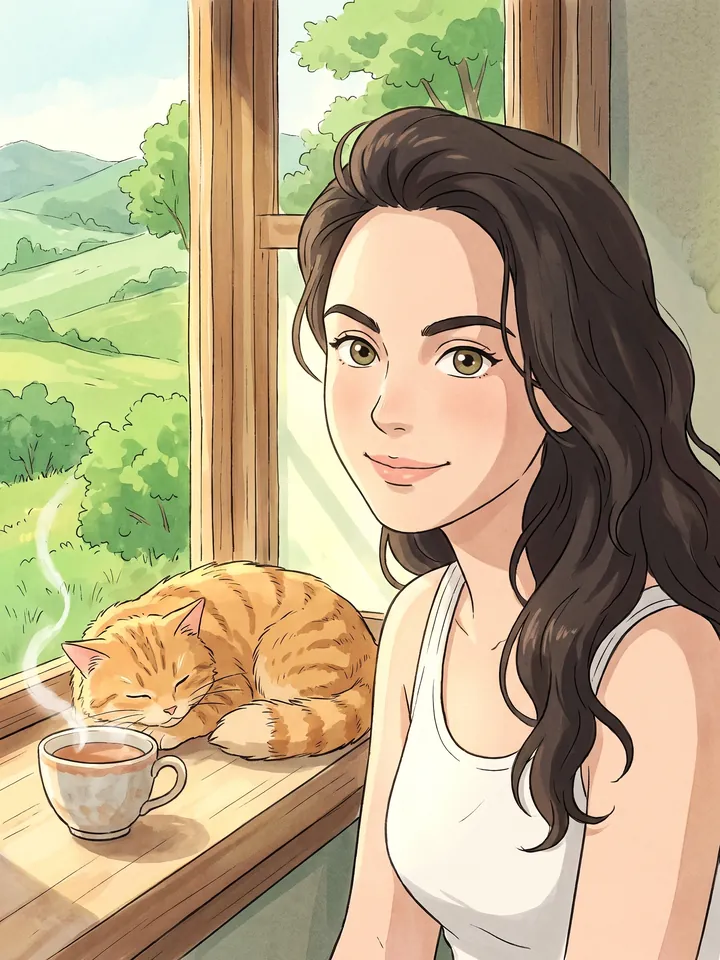
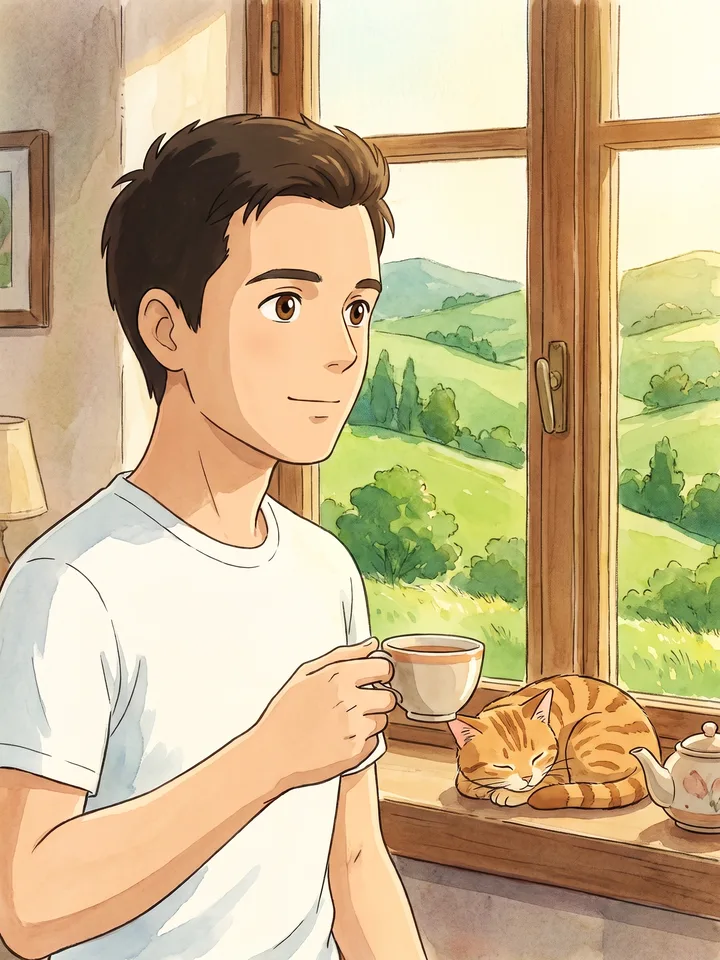
Studio Ghibli style character by a window with a cat and a cup of tea 18

Du als Anime im Studio-Ghibli-Stil

Ein Selfie

Turn me into a Studio Ghibli style character: soft watercolor fills, clean line work, kind big eyes, the face stays recognizable. Place me in a cozy scene – a window looking out on summer hills, a lazy cat and a cup of tea on the windowsill. Warm daylight.
Mini App öffnen
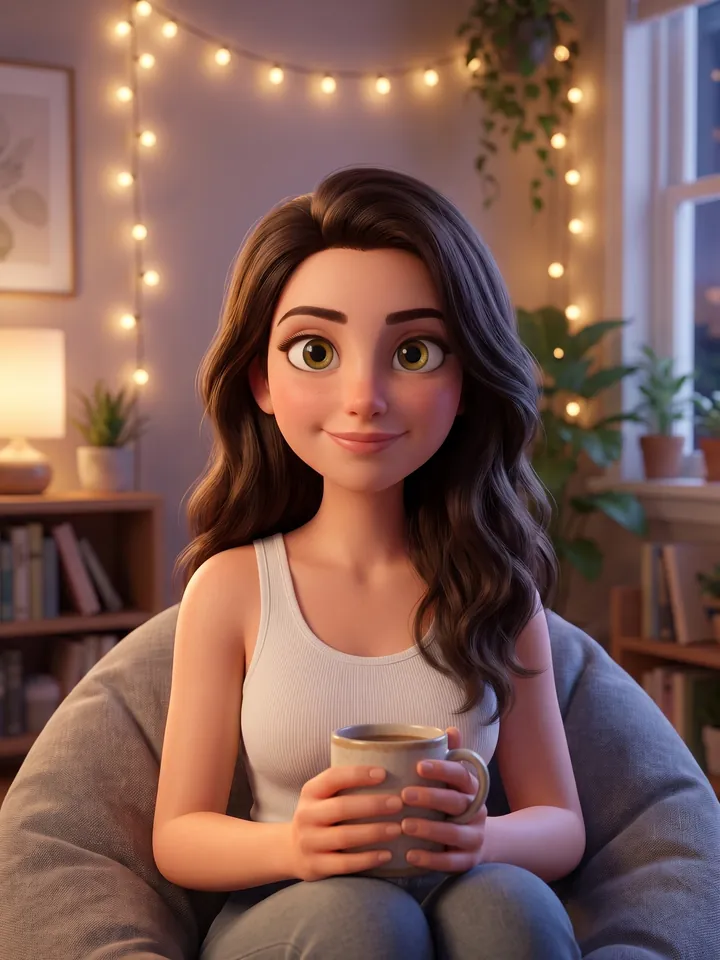
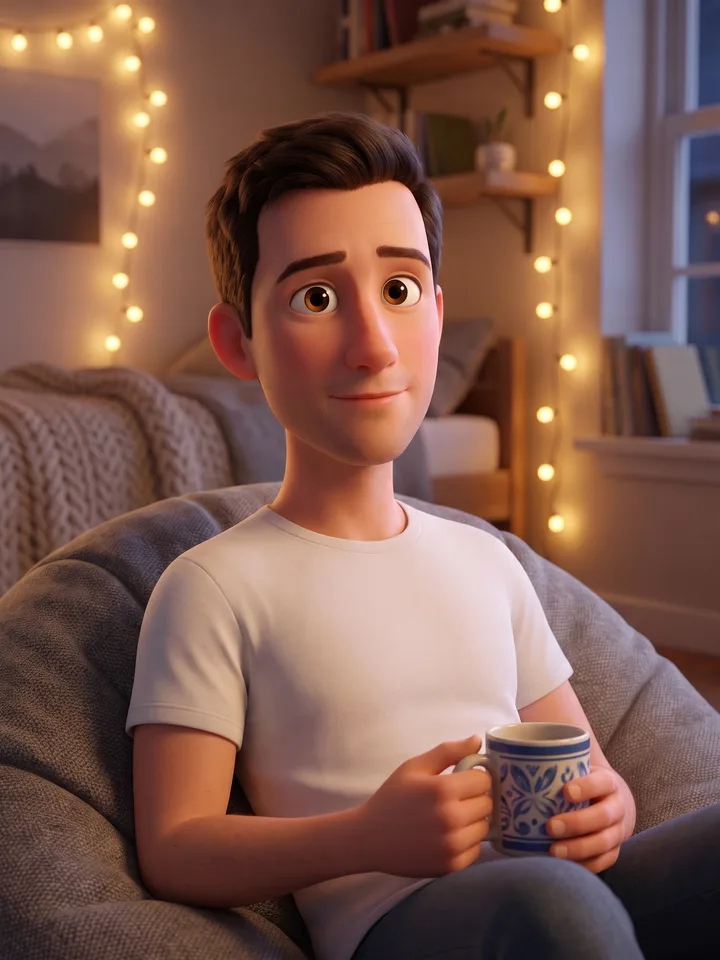
3D Pixar-style character on a beanbag with a mug 19

3D-Figur im Pixar-Stil

Ein Selfie

Turn me into a 3D Pixar-style character: large expressive eyes, soft rounded shapes, realistic lighting, recognizable facial features. Scene: a cozy room with fairy lights, I sit on a beanbag with my favorite mug.
Mini App öffnen
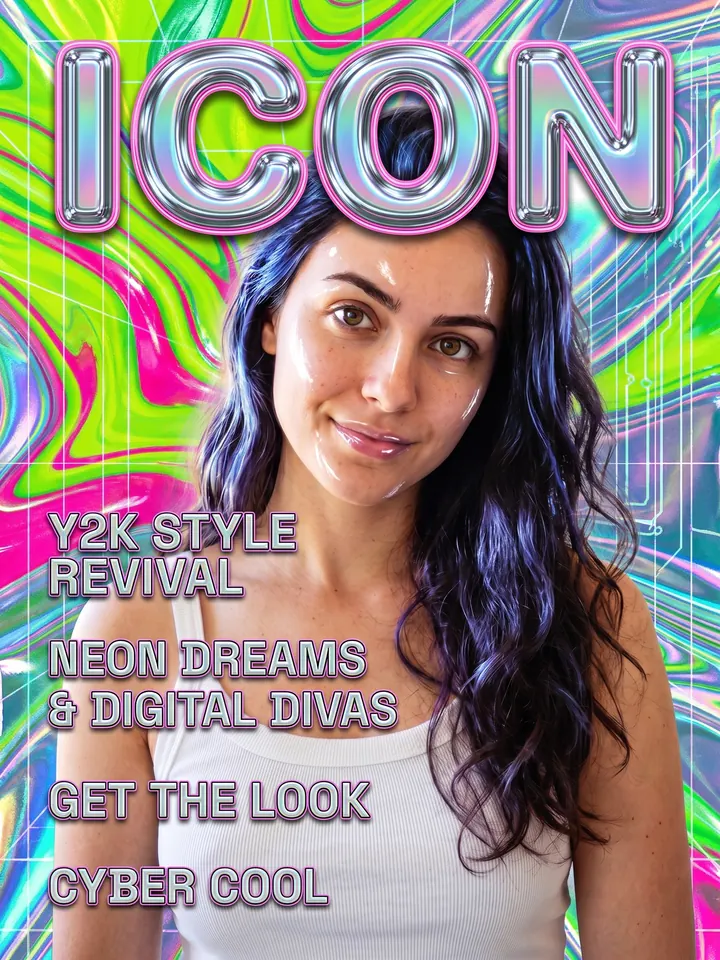
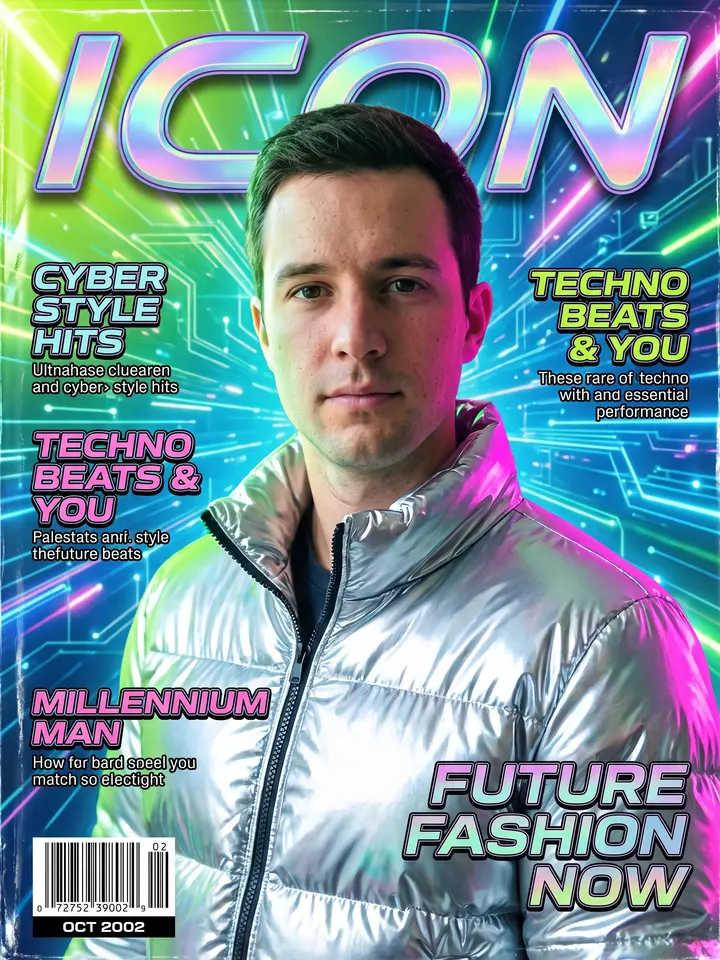
Y2K magazine cover with the word ICON 20

Y2K-Magazincover

Ein Selfie

Make a magazine cover of me in the Y2K style of the early 2000s: gloss, acid colors, metallics, holographic foil, the word "ICON" in a large typeface, small captions like article headlines. Keep the face.
Mini App öffnen
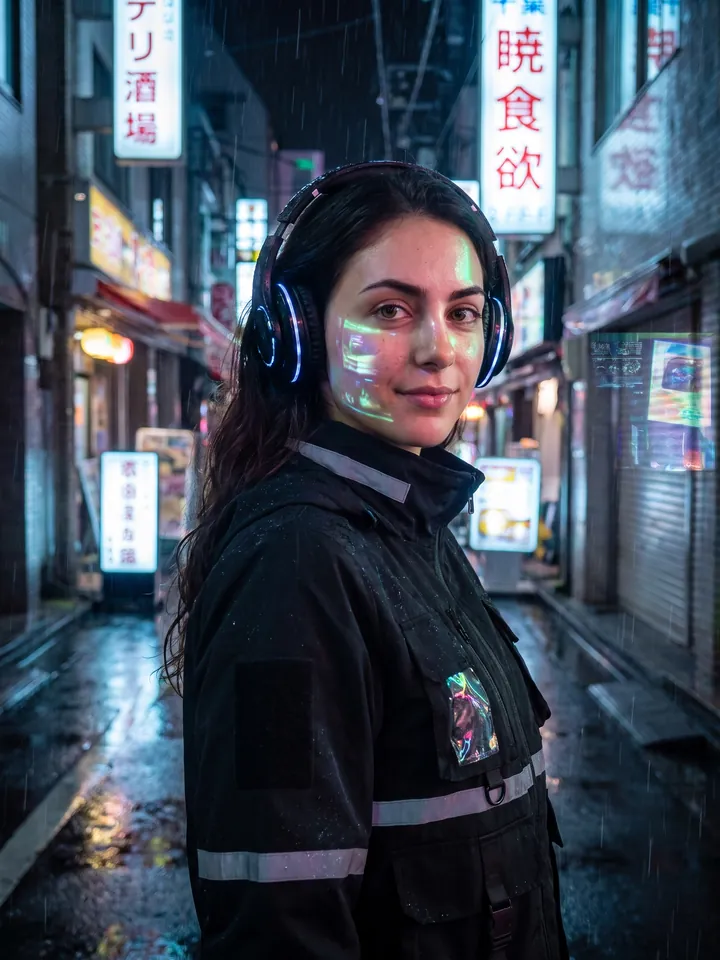
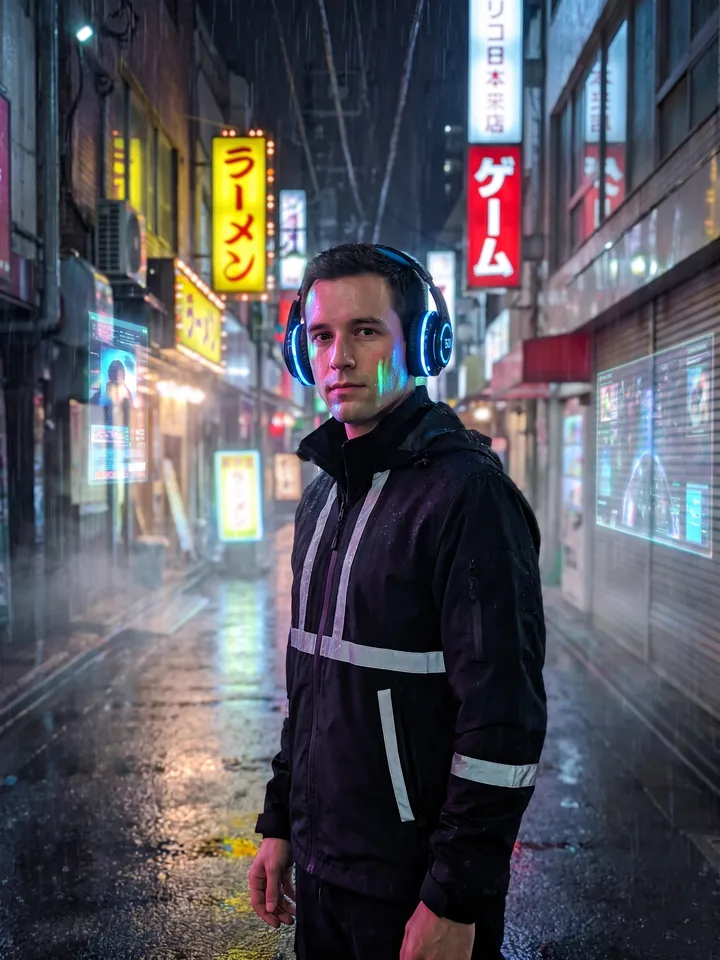
Portrait in a rainy neon alley of cyberpunk Tokyo 21

Cyberpunk: Neon-Tokio

Ein Porträt

Place me in the middle of a neon alley in cyberpunk Tokyo: shiny wet asphalt, kanji on the signs, holograms, rain, reflections. I wear a techwear jacket with reflective strips and cyber headphones. Realistic highlights on the skin, cinematic look.
Mini App öffnen
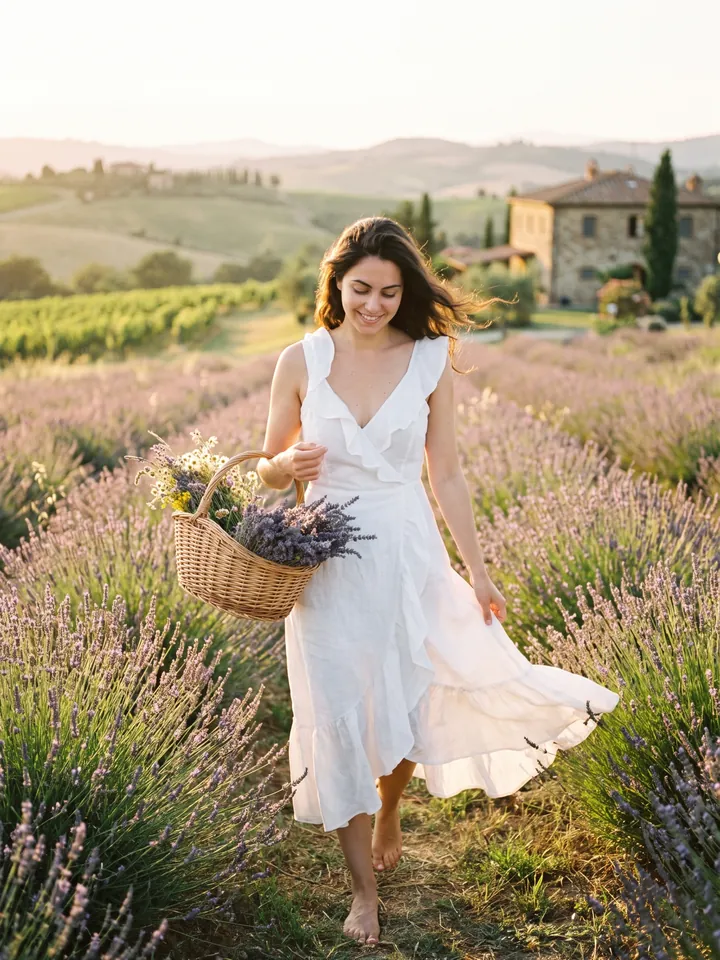
Portrait in a lavender field in Tuscany at sunset 22

Cottagecore – ein Feld in der Toskana

Ein Porträt

Move me to a lavender field in Tuscany. I wear a white linen dress with ruffles, carry a wicker basket of flowers, barefoot in the grass. Golden sunset light, a soft breeze, film grain, the romance of Vogue Living.
Mini App öffnen
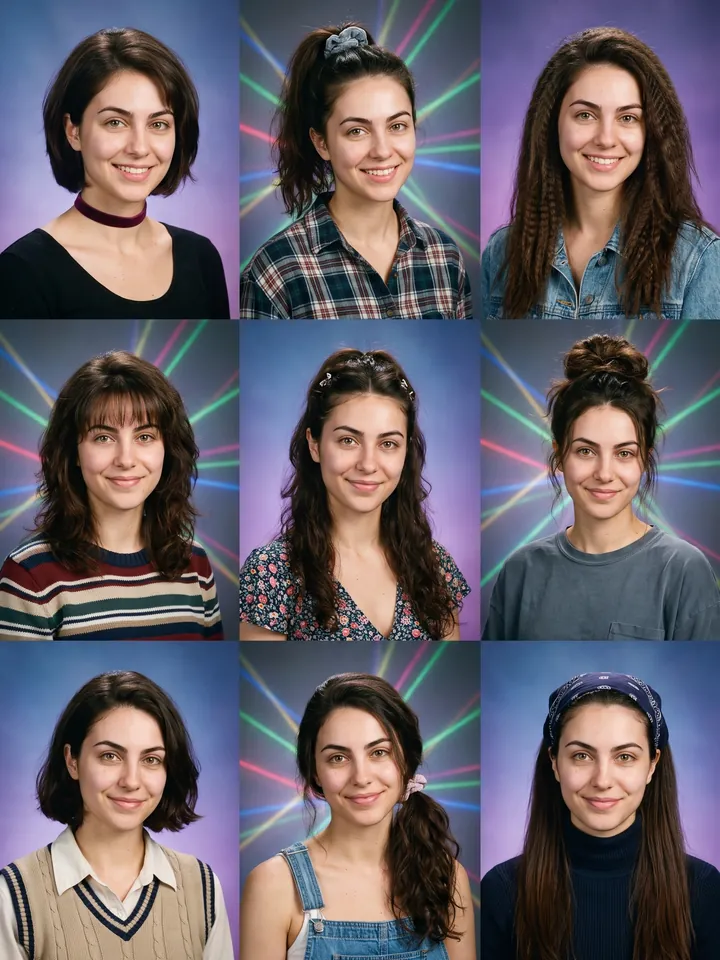
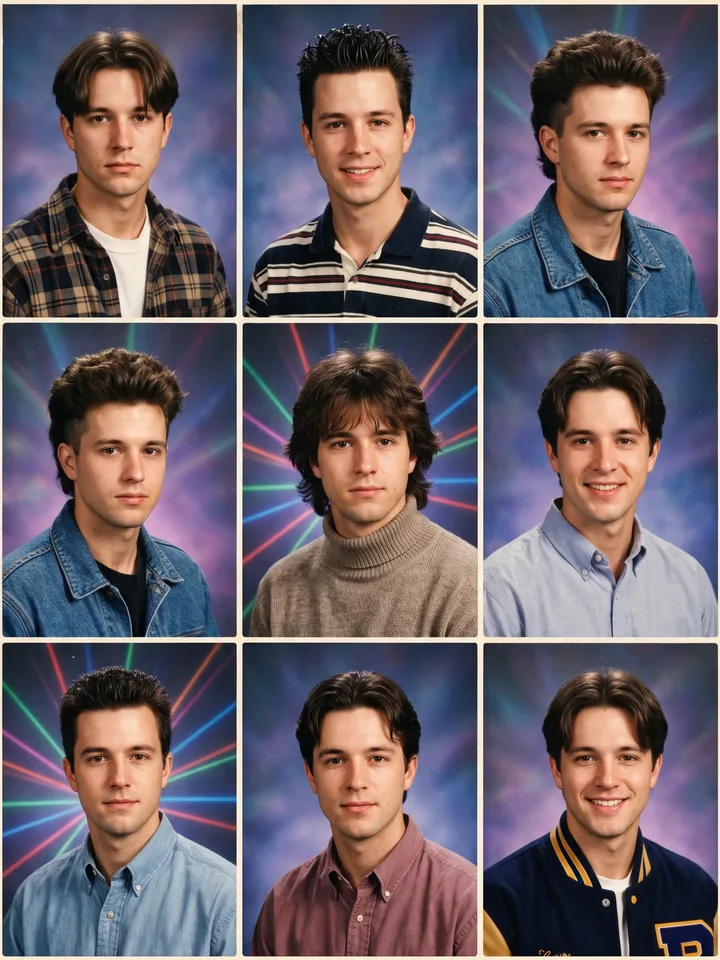
3x3 grid of 1995 yearbook portraits of one person 23

KI-Jahrbuch der 90er

Ein Selfie

Make 9 school portraits of me in the style of a 1995 American yearbook: colored gradient backdrop (blue, purple, laser), period hairstyles, different looks, film grain, soft studio light. 3x3 grid.
Mini App öffnen
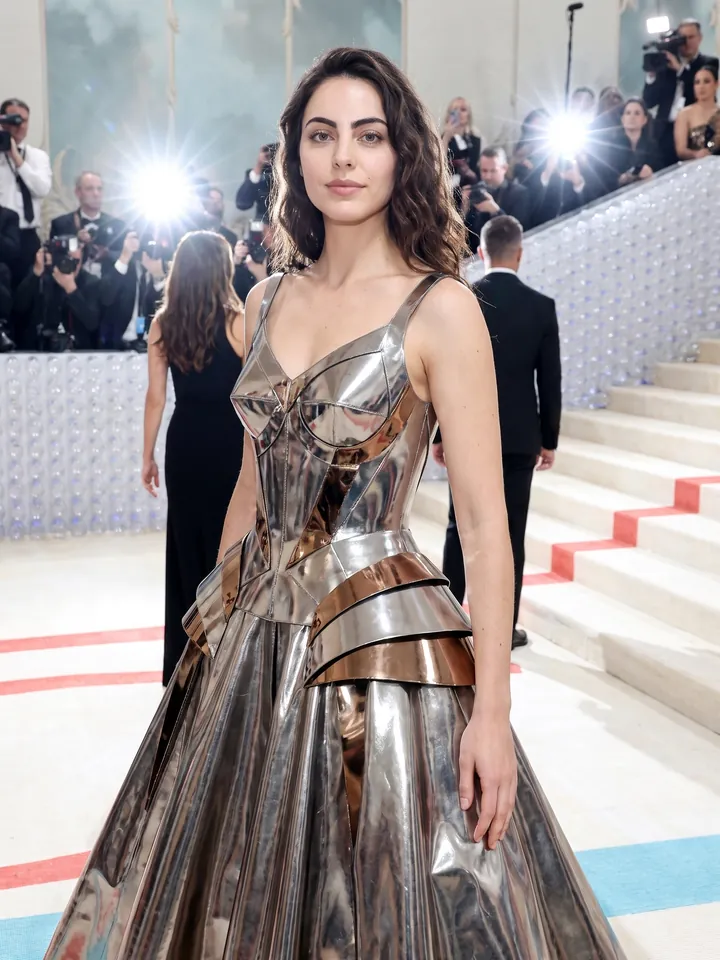
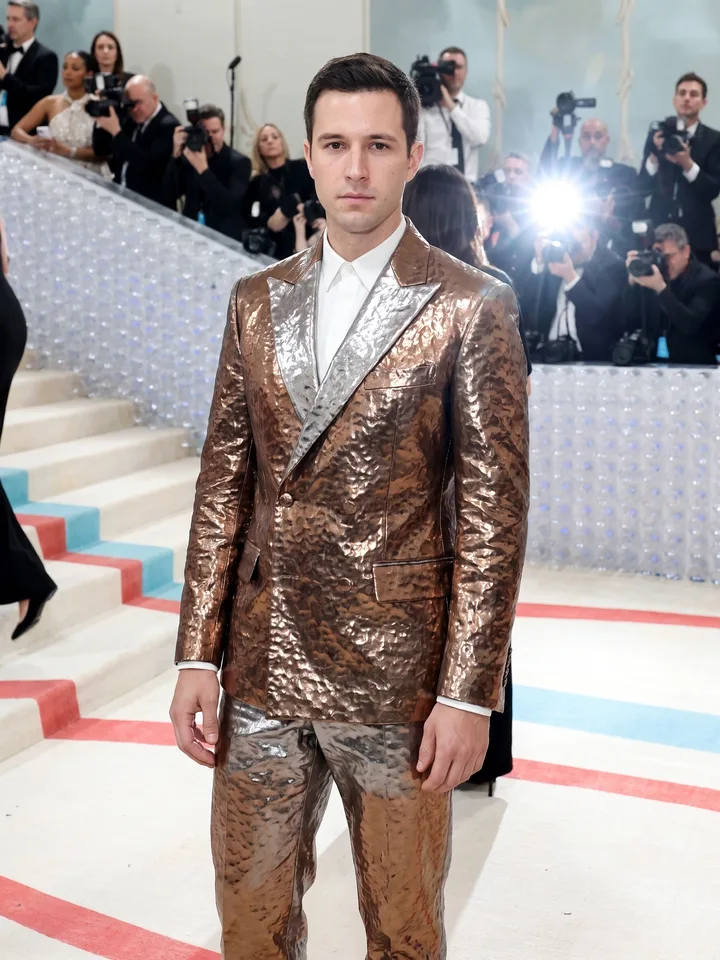
Met Gala look on a white carpet by a marble staircase 24

Couture für die Met Gala

Ein Ganzkörperporträt

Turn me into a Met Gala guest. I wear a haute couture gown or tuxedo in a [sculptural / metallic / gothic / bionic] style, standing on a white carpet by a marble staircase, paparazzi flashes around. Keep the face 1:1.
Mini App öffnen
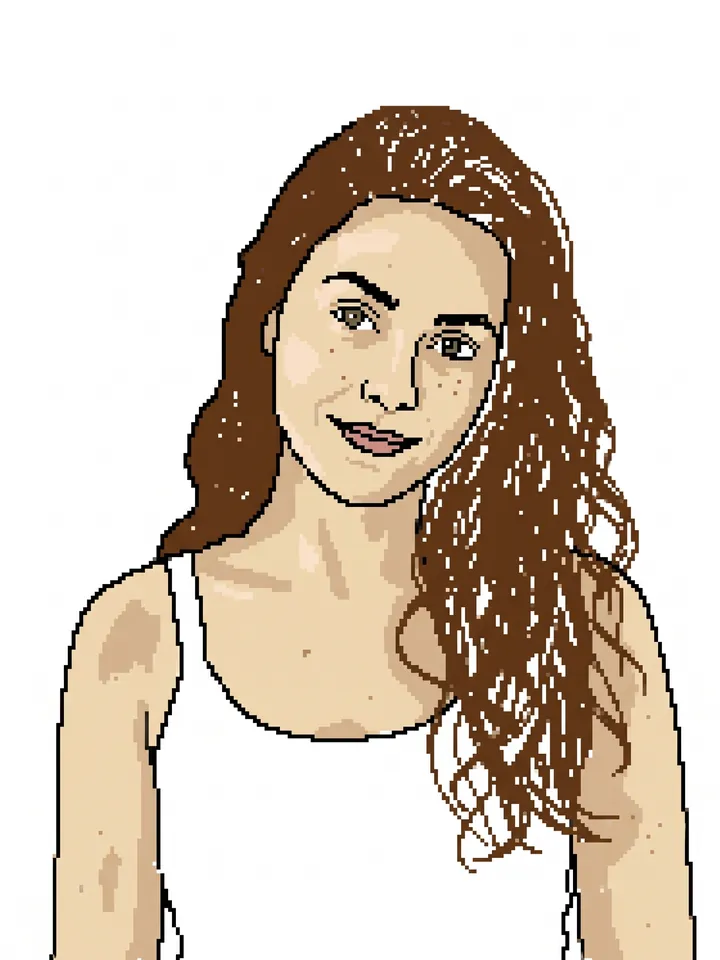
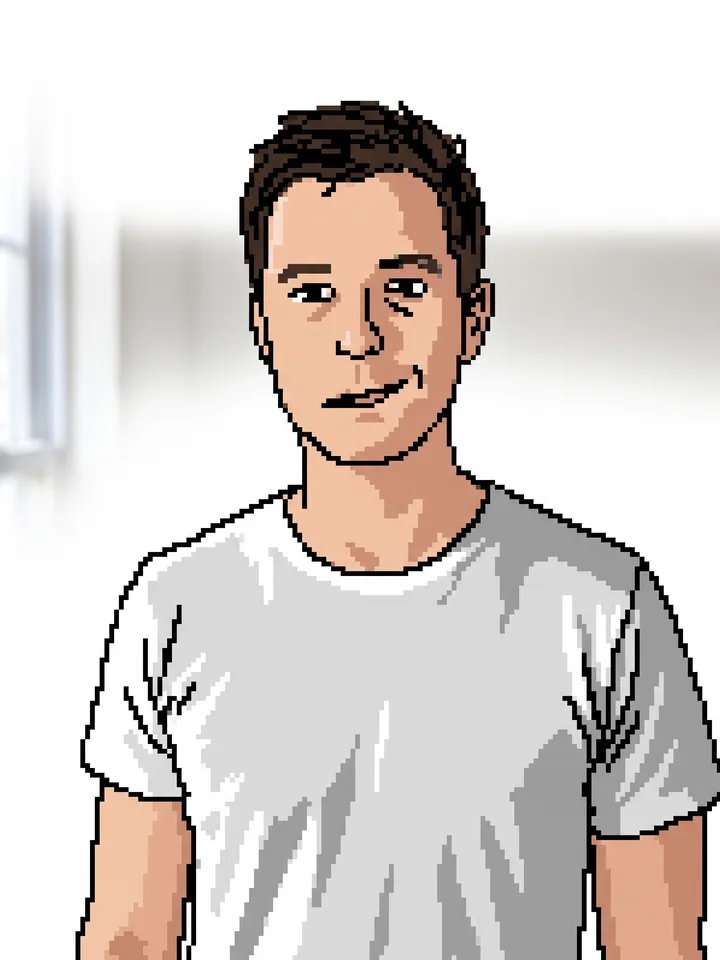
Clumsy MS Paint style redraw of the reference photo 25

Meisterwerk in MS Paint

Ein beliebiges Bild

Redraw the attached image in the most clumsy, scribbly, and utterly pathetic way possible. Use a white background, and make it look like it was drawn in MS Paint with a mouse. It should be vaguely similar but also not really, kind of matching but also off in a confusing, awkward way, with that low-quality pixel-by-pixel feel that really emphasizes how ridiculously bad it is. Actually, you know what, whatever, just draw it however you want.
Mini App öffnen
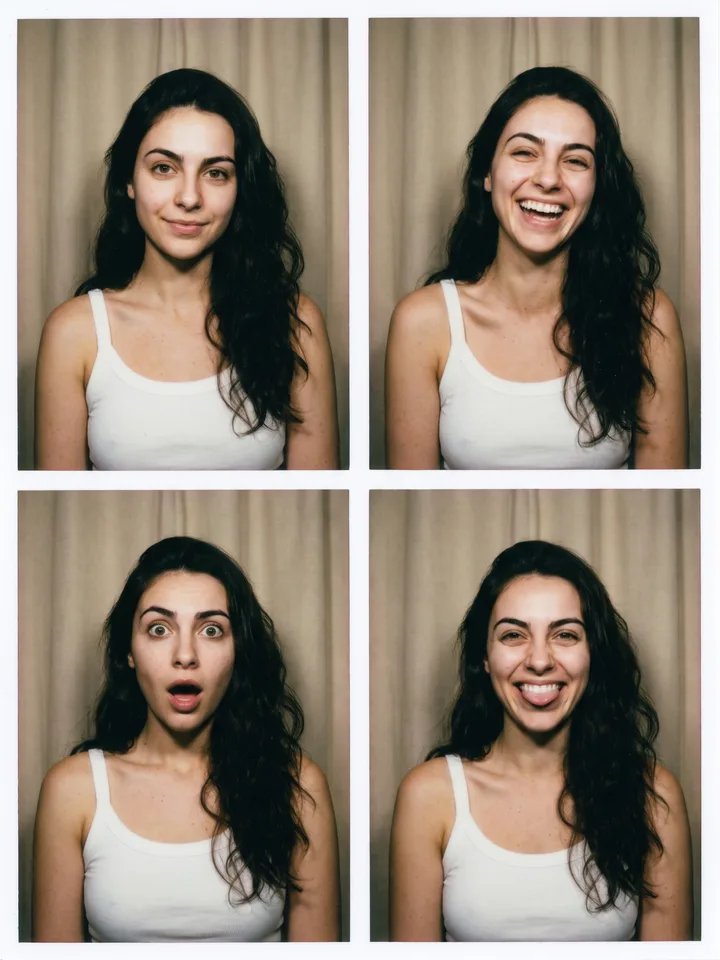
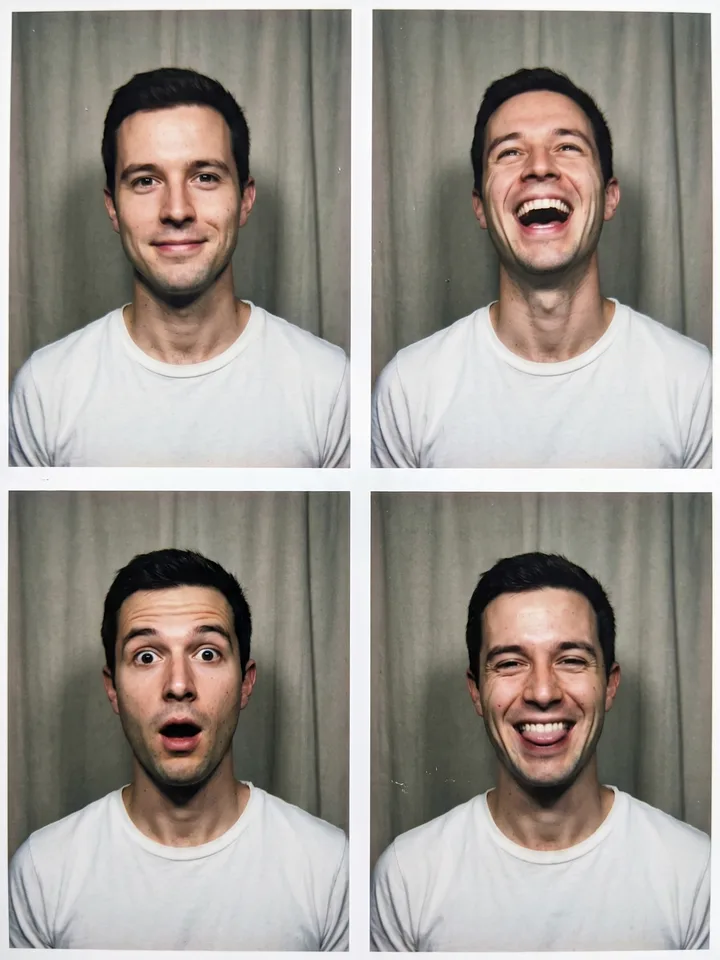
Four photo booth frames of the same face with different expressions 26

Fotoautomat-Streifen, vier Gesichter

Ein Selfie

Make a photo booth sheet of me: four frames in a 2x2 grid with thin white borders, the same face in every frame with four different expressions - a calm smile, a laugh, wide-eyed surprise and a silly grin. Harsh on-camera flash, a plain curtain behind, slight film grain, the colors of a cheap print. Keep my face identical in all four frames.
Mini App öffnen
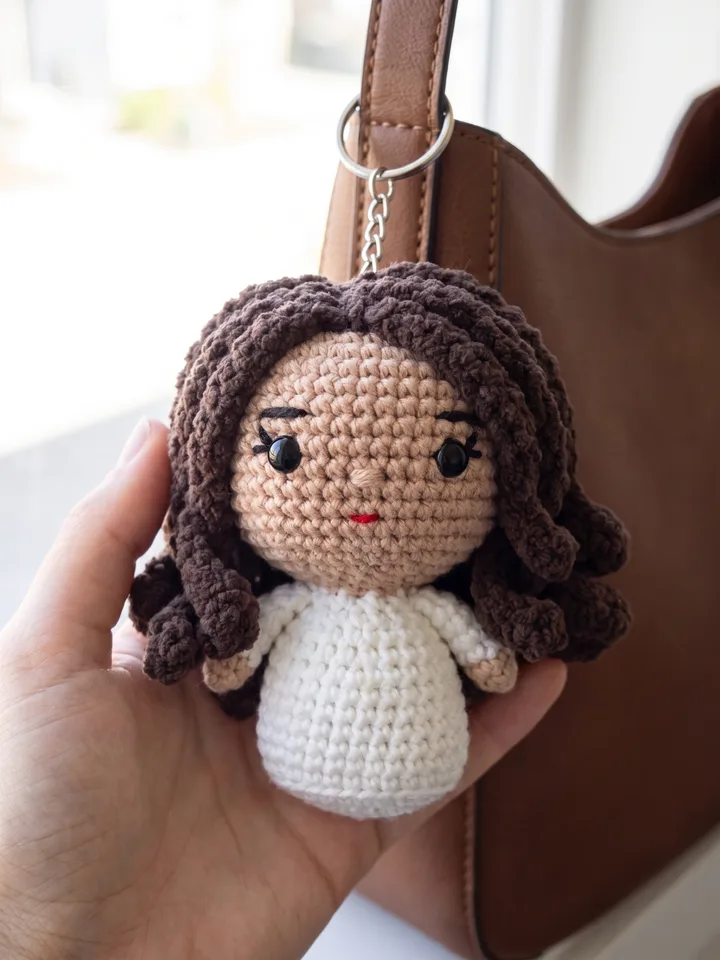
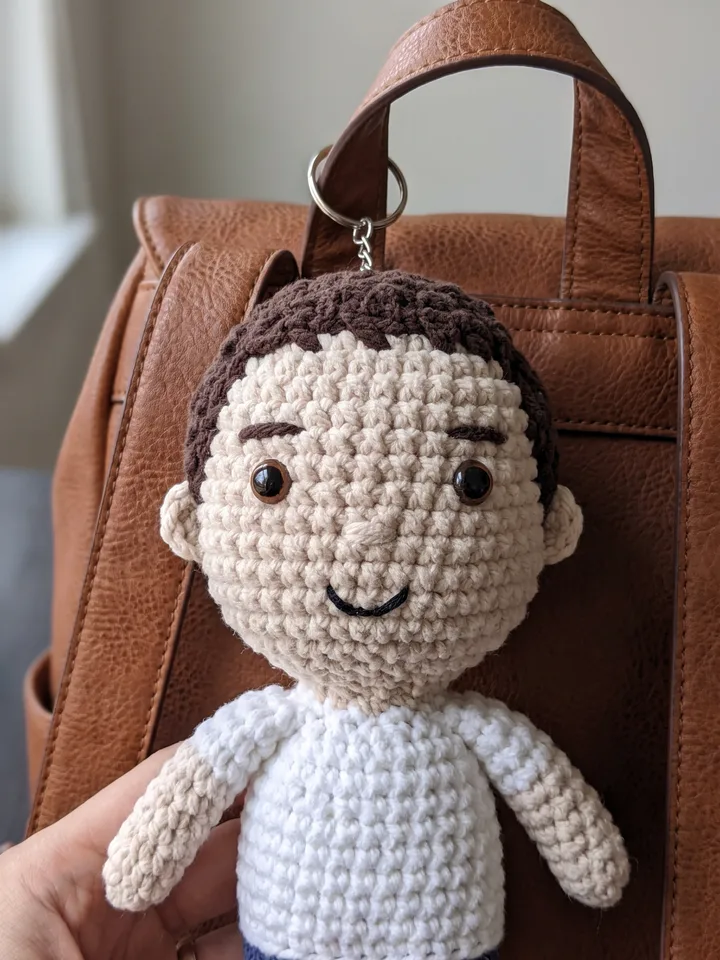
Crocheted plush keychain of the person hanging on a bag strap 27

Du als gehäkelter Schlüsselanhänger

Ein Selfie

Turn me into a hand-crocheted amigurumi plush keychain: chunky yarn texture, stitched eyes, a tiny embroidered smile, an oversized round head, my hairstyle and the colors of my clothes kept recognizable. The toy hangs on a metal ring from the strap of a leather bag, a hand holding it up. Macro shot, shallow depth of field, soft daylight.
Mini App öffnen

So schreibst du einen Prompt

Was du schreibst und was du per Button wählst – mit Beispielen für vorher und nachher.

Grundlagen

  1. Ein Video, eine Szene. Ein Clip dauert ein paar Sekunden – Platz für eine Handlung. Teil ein langes Drehbuch in kurze Szenen auf: in jeder, wer was wo tut, mit demselben Satz zu deiner Figur. Grok und Veo haben Extend – beschreib, was als Nächstes passiert.
  2. Format und Länge stellst du per Button ein. „9:16“ oder „10 Sekunden“ zu tippen ändert nichts – wähl sie unter dem Feld. Ein Video aus einem Foto übernimmt das Format des Fotos.
  3. Sag, was du willst. Statt „kein Zoom, keine Kamerabewegung“ schreib static shot: Mit einer Anweisung, was zu tun ist, kommt ein Modell meist besser klar als mit einer Liste von Verboten.
  4. Jeder Durchlauf beginnt bei null. Das Modell erinnert sich nicht an den letzten Versuch. Um ein Bild zu korrigieren, tippe auf Edit und beschreib nur, was sich ändern soll.
  5. Einfach noch mal. Jeder Durchlauf fällt anders aus – Again unter dem Ergebnis startet denselben Prompt für eine neue Version.
  6. Eine Ablehnung liegt nicht immer an den Worten. Wurde eine harmlose Anfrage abgelehnt, hat der Filter vielleicht auf das Foto, eine Marke oder eine bekannte Figur reagiert. Tausch das Foto aus oder lass den Namen weg – die Credits für eine Ablehnung bekommst du zurück.

Ein langes Drehbuch

Vorher

Mach ein 15-Sekunden-Video: Morgen, ein Mädchen wacht auf, geht in die Küche, kocht Kaffee, tritt auf den Balkon, die Kamera fliegt über die Stadt, und am Ende der Schriftzug „Guten Morgen“… filmisches Licht, weiche Übergänge, 4K, 9:16, sie lächelt, trinkt einen Schluck Kaffee, schaut in den Sonnenaufgang, Vögel fliegen vorbei, ruhige Musik, dann steigt die Kamera über die Dächer, die Sonne kommt raus, sie winkt, die Stadt erwacht, Autos auf den Straßen, dann wieder ihr Gesicht in Nahaufnahme, der Dampf, das Licht, die Stimmung eines neuen Tages, und ganz am Ende noch mal der Titel, größer, mit sanftem Leuchten und…

+2.000 Zeichen
Nachher
  1. Video Ein Mädchen mit rotem Bob wacht in einem hellen Schlafzimmer auf und streckt sich. static shot
  2. Extend Das Mädchen mit dem roten Bob gießt in der Küche Kaffee ein, Dampf über der Tasse
  3. Extend Sie tritt mit der Tasse auf den Balkon, die Kamera zieht langsam zurück, hinter ihr die Stadt
  4. Image Der Schriftzug „Guten Morgen“ vor einem Morgenhimmel

Was sich geändert hat: eine Szene, eine Handlung, das Wichtigste zuerst, die Figur immer gleich beschrieben.

Einstellungen im Text

Vorher

video 9:16 10 sekunden in 4K, katze spielt

Nachher

Eine rote Katze tapst nach einem Sonnenfleck auf dem Boden

9:1610 s

Was sich geändert hat: die Einstellungen sind zu den Buttons gewandert, im Text steht nur die Handlung.

Zauberwörter Optionale kurze Phrasen, die Modelle meist nur auf eine Art verstehen. Tippe sie an, um eine Zeile zu bauen, und häng sie an jeden Prompt an – auch an die aus dem Katalog.

  • nah, das Gesicht füllt das Bild
  • von Kopf bis Fuß
  • weiches Tageslicht
  • wie ein echtes Foto
  • glatter, einfarbiger Hintergrund

Dein Prompt: tippe oben auf die Wörter

Häufige Fragen

Was kostet eine Generierung?

Die Generierung läuft über Credits, und zum Start bekommst du 10 Willkommens-Credits – genug für Fotobearbeitungen mit Seedream 5.0 Flash in 1K (je 2 Credits); die anderen Modelle schaltest du mit deinem ersten Credit-Pack frei oder per Einmalzahlung in Stars pro Generierung, zu 2 ⭐ pro Credit. Den genauen Betrag siehst du auf dem Button Generate, bevor du tippst, und die Preise pro Modell und Qualitätsstufe stehen in der Anleitung.

Mit welchem Modell laufen diese Prompts?

Mit jedem Modell im Tab Image, das ein Foto annimmt. Für Szenarien mit zwei Fotos brauchst du ein Modell, das mehrere nimmt: Grok Imagine nimmt eins, und Grok Imagine 2 zeichnet nur aus Text.

Was passiert mit meinem Foto?

Foto und Prompt gehen an den Anbieter des Modells, das du wählst, damit er das Ergebnis erstellen kann; jeder Anbieter behandelt sie nach seinen eigenen Bedingungen. Ergebnisse bleiben 30 Tage in deiner Galerie und werden dann automatisch gelöscht. Wir trainieren keine Modelle mit deinen Prompts, Uploads oder Ergebnissen. Details findest du in der Datenschutzerklärung.

Warum sind die Prompts auf Englisch?

Damit jede Karte in jeder Sprachversion dieser Seite gleich funktioniert. Deine eigenen Prompts kannst du in jeder Sprache schreiben – die Modelle verstehen sie.

Wo öffnet sich die App?

In Telegram – auf dem Handy, in Telegram Desktop und in Telegram Web. Du musst nichts installieren: Die Mini App meldet dich mit deinem Telegram-Konto an.

Probier den ersten Prompt mit deinem eigenen Foto

Dein Foto, ein Prompt, ein neuer Look.

Mini App öffnen